
I’ve wasted enough hours flipping between a contact list, an email tool, and a half-built spreadsheet to know how this search usually starts. A CRM with email marketing built in fixes that. It puts your contacts and your emails in one place, so you stop losing leads between “who is this person” and “did we ever follow up with them.”
This is a real problem, not a small one. When contacts live in one tool and emails live in another, you end up typing the same info twice, sending the same email by accident, or forgetting to follow up because nothing reminded you. A study by Grand View Research in 2026 found the CRM market will hit $86.4 billion this year, and small businesses are a big part of that growth as they drop spreadsheets for one connected system.
In this guide, I’ll explain what CRM email marketing means in plain terms, then walk you through the 10 best tools for it this year. I picked each one based on how easy it is to set up, how well it actually handles email, what it costs, and whether it fits a small team instead of a big sales department.
What Is CRM Email Marketing?
CRM email marketing is the practice of sending and tracking email campaigns from inside your customer relationship management system, using the same contact data your sales team already relies on.
Instead of exporting a list to a separate email tool, every email you send, every open, and every click gets logged directly on the contact’s record. Tools like BIGContacts build this connection natively, so the same record your sales team checks before a call also shows exactly which campaigns that contact has received. That single view is what most teams are actually searching for when they type in this keyword.
Top 10 CRM With Email Marketing Tools
I tested and researched these 10 tools directly against what small teams actually ask for: fast setup, real email depth, and pricing that doesn’t punish you for growing your list. Here’s how they stack up before we get into the details of each one.
| Tool | Best For | Pricing | G2 Rating |
| BIGContacts | Easiest All in One CRM for Contact Management, Email Marketing & Deal Tracking | Forever free for small teams. Paid starts at at $9.99/month | 4.5/5 |
| HubSpot | Scaling from a free CRM into deeper marketing automation | Free; paid plans from $15/user/month | 4.4/5 |
| ActiveCampaign | Advanced, behavior-based email automation | From $15/user/month | 4.5/5 |
| Zoho CRM | Deep customization on a budget | Free for 3 users; paid from $14/user/month | 4.1/5 |
| Nutshell | B2B sales teams that want built-in email outreach | From $13/user/month | 4.2/5 |
| EngageBay | Startups needing CRM, email, and support in one suite | Free plan; paid from $11.99/month | 4.6/5 |
| Keap | Service businesses needing detailed automation blueprints | From $299/month | 4.2/5 |
| Brevo | High-volume senders on a tight budget | Free; paid from $9/month | 4.5/5 |
| Pipedrive | Visual pipeline management with an email add-on | From $14/user/month | 4.2/5 |
| monday CRM | Teams that want email and pipeline in one workspace | From $9/seat/month | 4.7/5 |
1. BIGContacts – Easiest All in One CRM for Contact Management, Email Marketing & Deal Tracking
BIGContacts is the CRM email marketing software I currently rely on for anything involving contact management, deal tracking, and outreach, and the reason I stick with it is how little setup it demands before it’s actually useful.
The contact timeline is what I check first every morning. Every email, call, note, and task sits against the right contact, so I never open a record wondering what happened last. Setting up a drip sequence takes a few minutes: pick a trigger, write the emails, set the delay, and it runs on its own. The AI Email Assistant has genuinely cut down my drafting time, since it pulls in contact context and suggests a first draft instead of me starting from a blank subject line.
For teams still on Excel, the CSV import with custom field mapping makes migration painless, and the forever-free plan means a solo operator can get a full contact timeline, basic email marketing, and pipeline tracking running without a credit card. BIGContacts by ProProfs stays affordable specifically so growing businesses don’t have to choose between a CRM and an email tool.
Pros:
- Full contact timeline logging every email, call, note, and task in one view
- Drip campaigns with custom triggers and delay-based sequencing
- DKIM domain authentication support for better inbox placement
- CSV/Excel bulk import with custom field mapping for spreadsheet migrations
- AI Email Assistant that drafts campaign copy from a short prompt
Cons:
- No on-premise or downloadable version
- No dark theme option in the interface
Pricing:
Forever free for small teams. Paid starts at $9.99/month.
2. HubSpot – Best for Scaling Into Full Automation
I moved a client’s team onto HubSpot once they outgrew a bare-bones CRM, and the appeal was obvious the moment their contact list, deal pipeline, and email campaigns all lived under one roof.
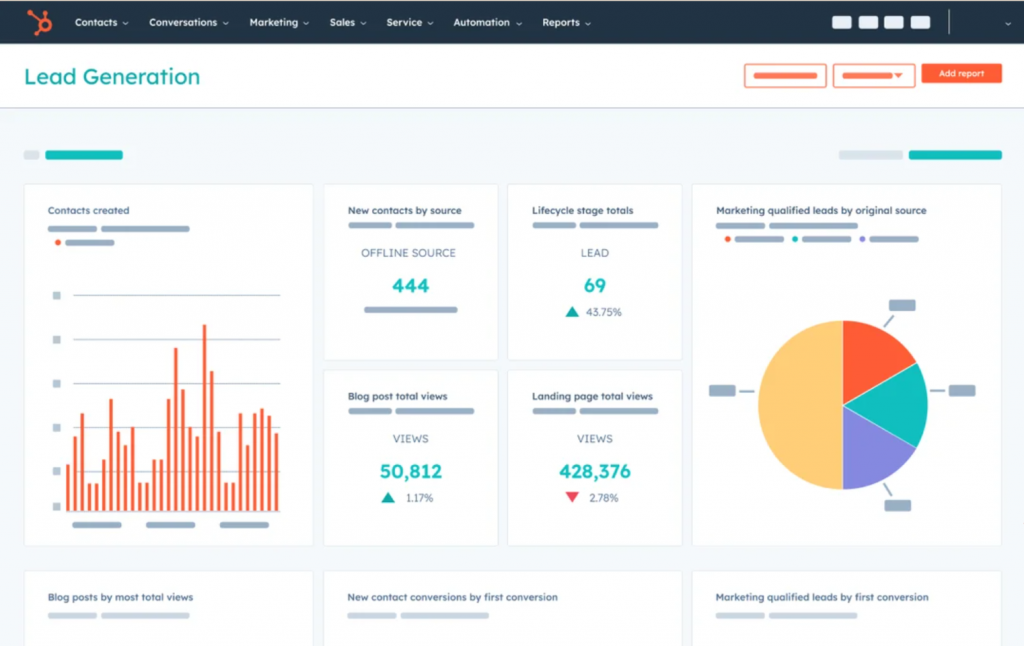
The free tier let them store up to a million contacts and send 2,000 emails a month before paying a cent, which is a rare amount of runway for a growing team. Building a workflow with conditional logic, like sending a different follow-up depending on whether someone clicked a pricing link, took maybe twenty minutes once I understood the visual builder. Where things got harder was the moment we needed more advanced automation. The paid tiers jumped in price faster than the team’s contact list did.
For a business with a real marketing budget and a plan to scale, HubSpot earns its reputation. For a lean team watching every dollar, the free plan is generous, but the ceiling arrives quickly.
Pros:
- Native CRM, marketing, and CMS tools in one connected platform
- Visual workflow builder with conditional branching logic
- Strong landing page and web form builder for lead capture
- Detailed analytics across email, contacts, and pipeline
Cons:
- Paid tier pricing escalates quickly as contact volume grows
- Advanced email templates need CSS knowledge for deeper customization
Pricing:
Free plan available. Paid plans start at $15/user/month.
3. ActiveCampaign – Best for Behavior-Based Automation
I brought ActiveCampaign in for a SaaS client who needed different email tracks depending on whether a lead attended a webinar, downloaded a resource, or just browsed the pricing page, and it handled every branch without breaking a sweat.
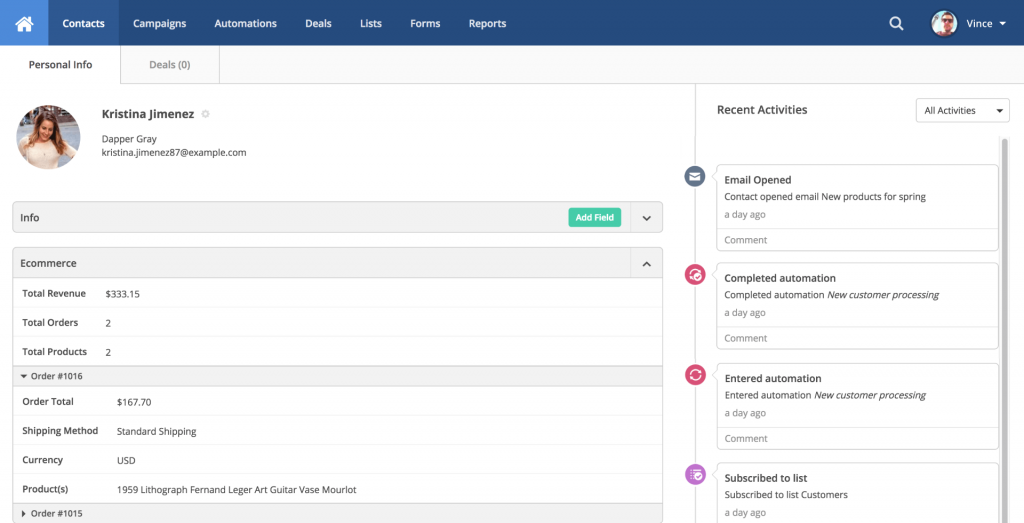
The visual automation builder was the reason it made the shortlist. I set up a sequence where a lead who opened an email but didn’t click got a follow-up three days later, while someone who clicked went straight into a demo-booking track. Split testing subject lines and content variants was built in, so we weren’t guessing which version performed better. The CRM side, by comparison, felt secondary. It tracks deals fine, but it’s clearly built by an email-first company.
If your growth depends on multi-branch nurture sequences responding to real contact behavior, ActiveCampaign is hard to beat. If you need a strong sales pipeline first and email second, it’s not the natural fit.
Pros:
- Visual automation builder with conditional splits and wait steps
- Strong list segmentation based on behavior and custom fields
- Built-in A/B testing for subject lines and email content
- Deep integration between deal stage and triggered emails
Cons:
- CRM pipeline features are lighter than dedicated sales tools
- Pricing scales with contact list size, which adds up over time
Pricing:
Starts at $15/user/month.
4. Zoho CRM – Best for Budget-Conscious Customization
A colleague of mine has run Zoho CRM for years at a small import-export business, and what convinced him to stay was how much he could customize without hiring an implementation consultant.
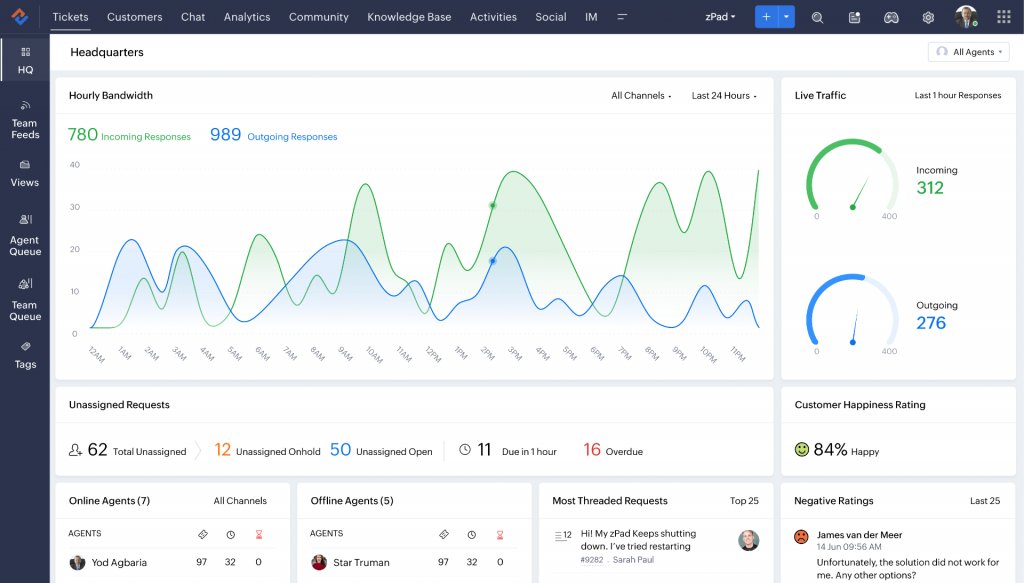
Once he was in Zoho, adding Zoho Campaigns for email marketing, Zoho Books for invoicing, and Zoho Analytics for reporting felt like a natural next step rather than a separate integration project. The Zia AI assistant surfaces send-time suggestions and subject line improvements, which he said helped nudge open rates up slightly without extra work. His main complaint was the interface. It’s powerful, but setting up an advanced automation still takes more clicks than it should for a small team without a dedicated admin.
Zoho CRM works well if you’re comfortable with a slightly steeper learning curve in exchange for deep customization and an ecosystem that grows with you.
Pros:
- Deep field, module, and workflow customization
- Zia AI assistant for send-time and subject line recommendations
- Tight integration with Zoho Campaigns, Books, and Analytics
- Available in 28 languages for international teams
Cons:
- Interface can feel cluttered for first-time CRM users
- Full email marketing requires the separate Zoho Campaigns add-on
Pricing:
Free for 3 users. Paid plans start at $14/user/month.
5. Nutshell – Best for B2B Sales-Led Teams
I switched a B2B services team over to Nutshell specifically because their email marketing needs were tied so closely to pipeline stage, and Nutshell’s pipeline-triggered sequences turned out to be exactly what they needed.
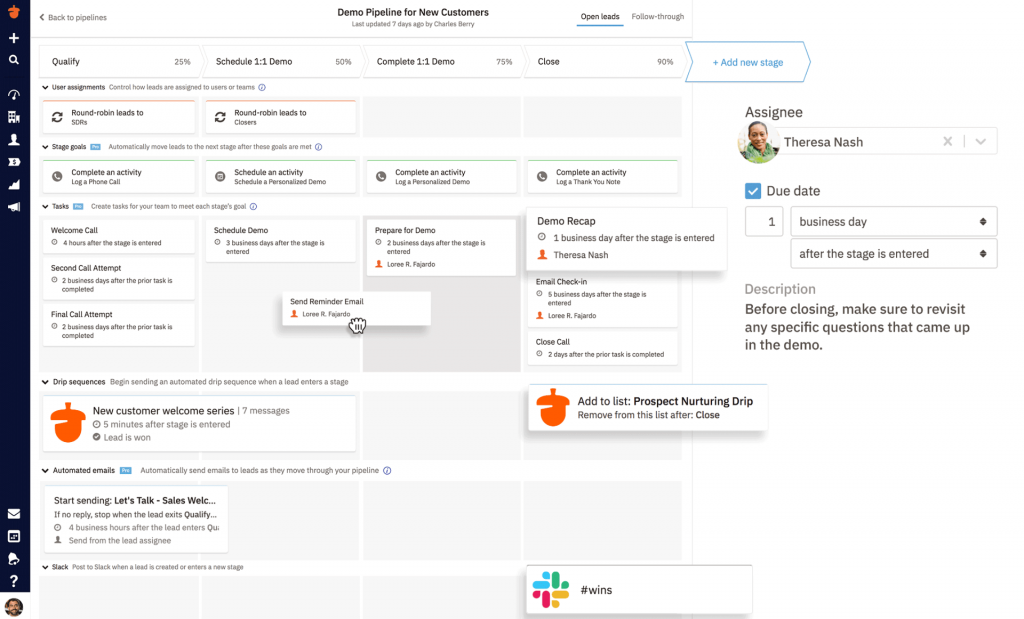
The bulk email feature with advanced contact filters let them send a targeted update to just the accounts sitting in one specific pipeline stage, without exporting a single list. Drip sequences were simple enough to set up without any IT involvement, which mattered for a team with no technical hire. The one snag came with their email setup. They were on Outlook, and the sync took more configuration than the Gmail-native teams I’ve set up before.
If your team lives and breathes the sales pipeline and wants email tightly wired to deal stage, Nutshell delivers that without enterprise complexity.
Pros:
- Pipeline-triggered email sequences based on deal stage
- Detailed activity timeline for every contact interaction
- Bulk email with advanced contact filtering
- Multiple pipeline views including Kanban and list
Cons:
- Outlook integration needs more setup than Gmail
- Fewer AI-driven features compared to newer entrants
Pricing:
Starts at $13/user/month.
6. EngageBay – Best for Startups on a Budget
I recommended EngageBay to an early-stage founder who needed CRM, email marketing, and basic helpdesk tools without paying for three separate subscriptions, and the free plan covering up to 15 users turned out to be the deciding factor.
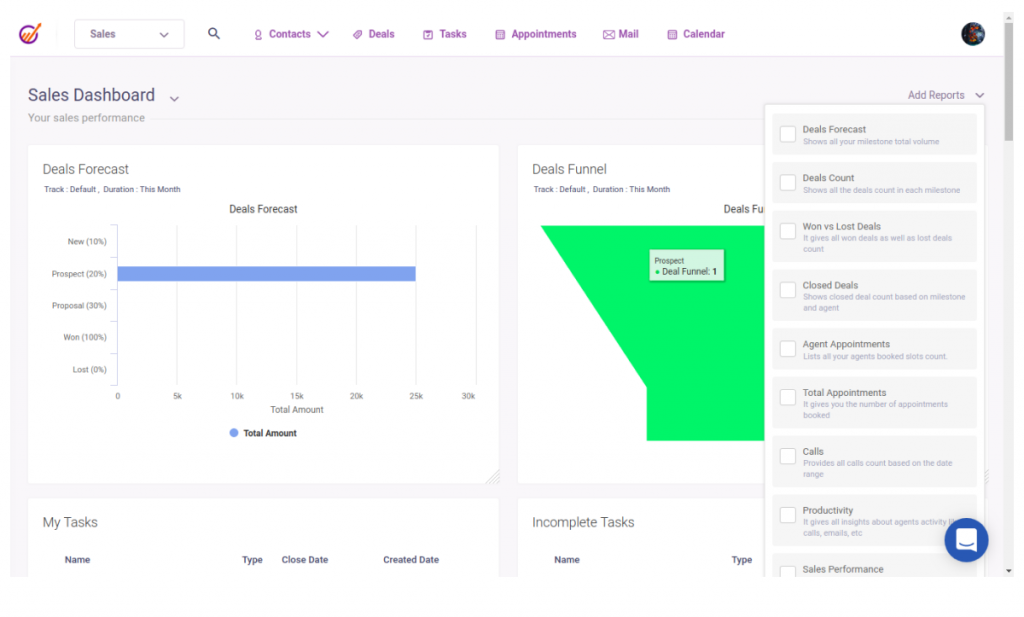
The combined CRM and marketing automation let her set up behavior-based triggers straight from contact data, with a drag-and-drop workflow builder that didn’t require any technical background. Segmenting by tag and custom field worked well enough for her early customer base. As her list grew past the free plan’s limits, the branding on outgoing emails became a real annoyance, and removing it meant either buying email credits or routing sends through a third-party SMTP provider, which added a step she hadn’t budgeted for.
For a true early-stage team testing the waters before committing budget to marketing software, EngageBay’s free tier is one of the most generous entry points on this list.
Pros:
- Combined CRM, email marketing, and helpdesk in one suite
- AI assistance for subject lines and draft copy
- Behavior-based triggers tied directly to CRM data
- A/B testing available on higher tiers
Cons:
- Free and Basic plans include EngageBay branding on emails
- Reporting depth is lighter than mid-market platforms
Pricing:
Free plan available. Paid plans start at $11.99/month.
7. Keap – Best for Service Business Automation
I set up Keap for a solo consultant who needed invoicing, appointment reminders, and email automation working off the same contact record, and the pre-built automation blueprints saved us from building every sequence from scratch.
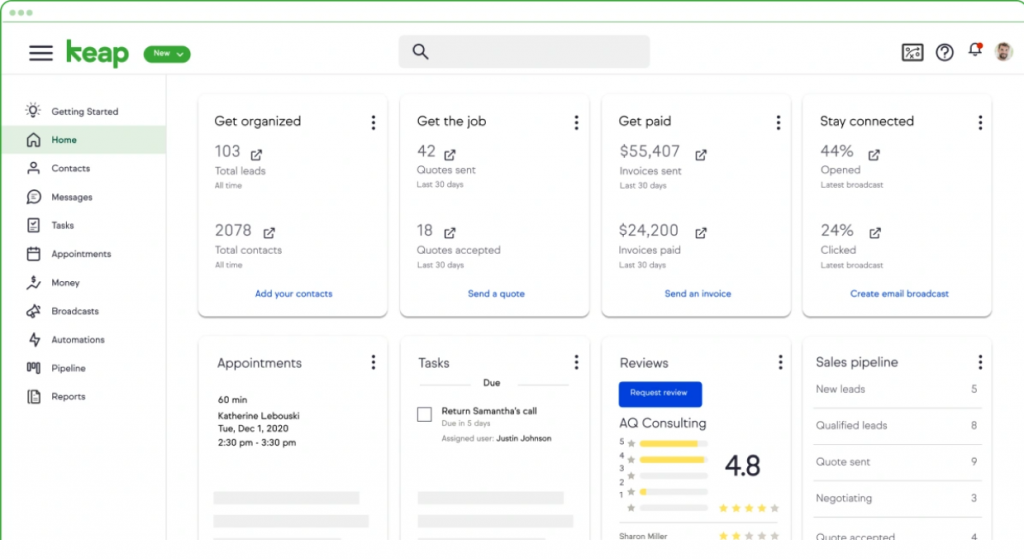
Tagging a contact after a purchase automatically triggered a follow-up sequence, and the drag-and-drop email builder made it simple to keep every message on-brand with a countdown timer built into a launch campaign. Sending from a verified custom domain helped deliverability noticeably compared to her old setup. The part that slowed us down was the workflow builder itself. It has more of a learning curve than the other CRMs on this list, and the $500 one-time onboarding fee is worth planning for before you sign up.
Keap earns its place for solopreneurs and service businesses that want CRM, invoicing, and email automation working together, as long as you budget for the onboarding cost upfront.
Pros:
- Pre-built automation blueprints for common workflows
- CRM-triggered email sequences based on tags or purchases
- Sending from verified custom domains for deliverability
- Built-in invoicing and payment collection
Cons:
- Steeper learning curve for the workflow builder
- Required one-time $500 onboarding fee
Pricing:
Plans start at $299/month.
8. Brevo – Best for High-Volume Senders
I picked Brevo for an e-commerce client mainly because of the free plan’s daily send limit, which let them send up to 300 emails a day at no cost while their list was still small.
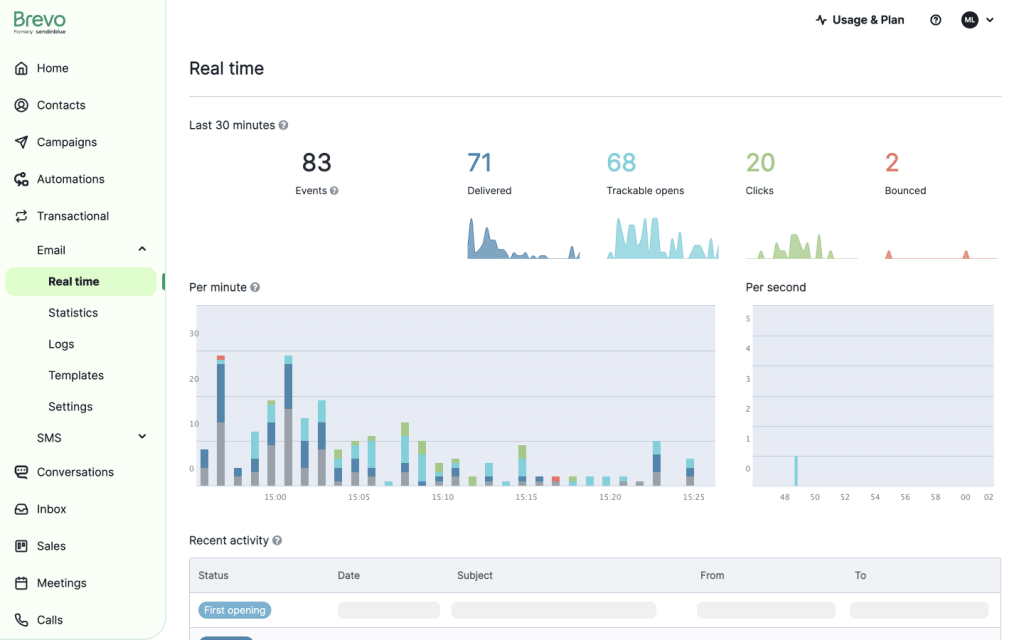
The drag-and-drop email builder came with 40-plus templates and built-in send-time optimization, which meant we weren’t manually guessing the best time to hit inboxes. Automatically resending campaigns to contacts who didn’t open them the first time recovered a noticeable chunk of extra opens. The CRM side, though, felt like an afterthought. It runs as a separate Sales CRM app rather than a fully unified system, so pipeline tracking never felt as tight as the email side.
If your growth engine is mostly email and SMS with a lighter need for deal tracking, Brevo gives you strong deliverability tools without a big price tag.
Pros:
- Send-time optimization and automatic resend to non-openers
- 40-plus responsive email templates
- SMS and WhatsApp marketing alongside email
- Domain authentication support for deliverability
Cons:
- CRM and email marketing feel like separate products
- Advanced channels reserved for higher-priced tiers
Pricing:
Free plan available. Paid plans start at $9/month.
9. Pipedrive – Best for Visual Pipeline Management
I used Pipedrive early on for a sales-led team that cared more about moving deals across stages than running elaborate email campaigns, and the visual, drag-and-drop pipeline made adoption almost immediate.
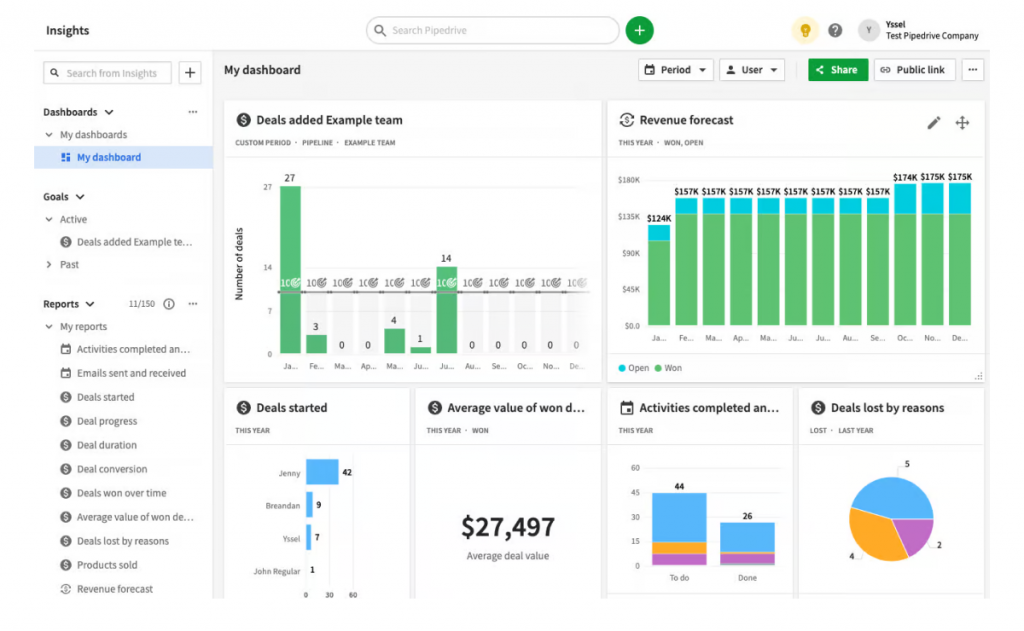
Connecting Gmail meant every email tied itself automatically to the right deal, so reps never had to manually log a conversation. Real-time open and click notifications on individual emails gave the team a quick read on which prospects were actually engaged. Where it fell short was scale. Their Campaigns add-on for bulk email felt newer and lighter than the rest of the platform, and running a segmented drip sequence to a large list needed more workarounds than I expected.
Pipedrive is a strong pick if the sales pipeline is your priority and email marketing is a secondary, lighter need.
Pros:
- Highly visual, drag-and-drop pipeline view
- Emails automatically linked to individual deals
- Real-time email open and click tracking
- Workflow automation for stage-triggered follow-ups
Cons:
- Email marketing is a separate paid add-on
- Campaign features are less mature than dedicated tools
Pricing:
Starts at $14/user/month.
10. Monday CRM – Best for Unified Workspaces
I moved a revenue team onto monday CRM once they got tired of jumping between their inbox and their pipeline board, and having every open, click, and reply update the deal record automatically changed how fast reps could respond.
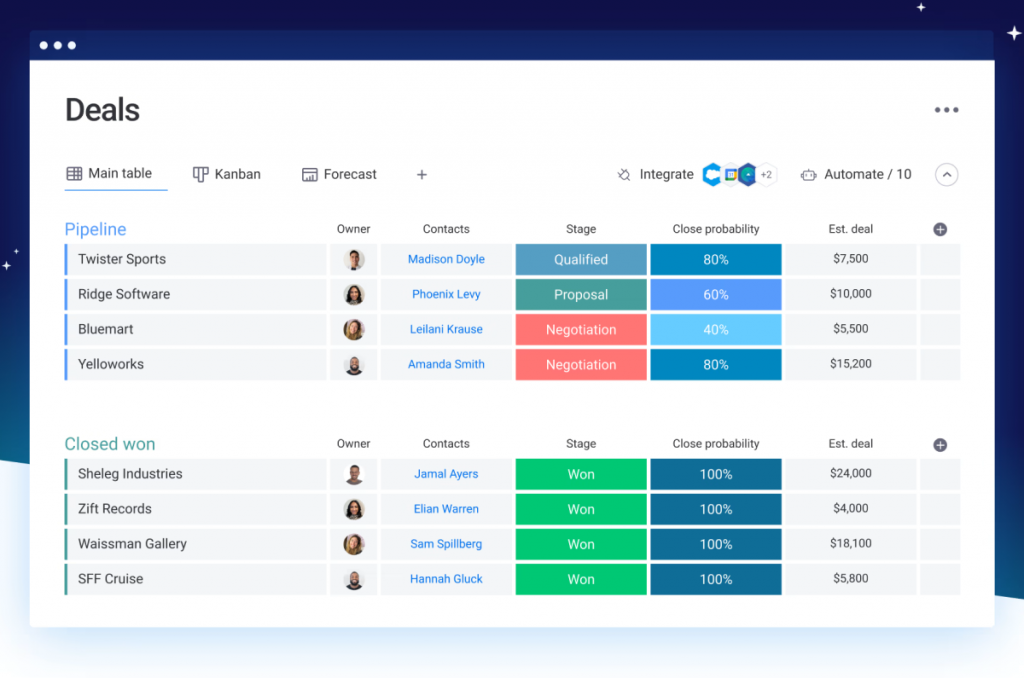
Sending mass and individual emails with dynamic fields directly from the CRM meant campaign activity never lived in a separate silo. The AI email assistant drafted messages based on deal context, which cut down the time reps spent staring at a blank compose window. Their monday campaigns add-on, needed for more advanced email marketing beyond the built-in tools, is priced separately, so budgeting for it took an extra planning step.
For a revenue team that wants pipeline visibility and email activity on the same board without switching tools mid-task, monday CRM delivers that unified view well.
Pros:
- Email activity and deal records updated automatically together
- AI email assistant drafting messages from deal context
- Real-time dashboards for forecasting and rep performance
- HTML email editor with drag-and-drop components
Cons:
- Full email marketing requires the separate campaigns add-on
- AI features gated to higher-tier plans
Pricing:
Starts at $9/seat/month.
Evaluation Criteria
I didn’t rank these 10 tools off a gut feeling or a features page. I scored every one of them against six factors, and I’m laying them out here so you can see exactly how I got to this list.
- User Reviews / Ratings: I cross-checked G2 ratings and real user feedback for each tool, since a vendor’s own pricing page never tells you how a support ticket actually gets handled.
- Essential Features & Functionality: I looked at whether contact management, segmentation, and email automation actually work together, or whether email marketing feels bolted on as an afterthought.
- Ease of Use: I timed how long it took to import contacts and get a simple CRM campaign live, since a tool that needs a week of onboarding isn’t realistic for a five-person team.
- Customer Support: I factored in how each vendor handles setup questions and troubleshooting, especially for teams without a dedicated CRM admin.
- Value for Money: I compared what you actually get at each price tier against what a growing contact list will cost you a year from now, not just the sticker price on day one.
- Personal Experience / Experts’ Opinions: Where I’ve used a tool directly, I’ve said so. Where I haven’t, I’ve leaned on verified reviews and documented user experiences instead of guessing.
My Top 3 Picks for CRM With Email Marketing
With 10 solid options above, here’s my honest shortlist if you want to skip straight to a decision.
1. BIGContacts
BIGContacts is my top pick for any growing team moving off spreadsheets or a personal inbox. The contact management timeline is genuinely useful on day one, the forever-free plan removes the risk of committing a budget before you’ve tested it, and setup takes an afternoon, not a week.
2. HubSpot
HubSpot earns its place if you’re past the early stage and ready to invest in a platform you won’t outgrow. The free CRM is one of the strongest starting points in the market, and marketing automation, landing pages, and sales sequences are all already connected once you’re ready to scale. Just go in with a clear budget, since the paid tiers climb quickly.
3. ActiveCampaign
ActiveCampaign is the pick if email automation is the core of your growth strategy rather than a side feature. It takes more setup time than the other two, but for teams serious about converting leads through behavior-based, multi-step journeys, the payoff is worth it.
Why Not Just Use Email Tools?
A standalone email tool sends campaigns, but it has no memory of your sales pipeline, deal stage, or the last conversation your team had with that contact.
| CRM With Email Marketing | Standalone Email Tool | Spreadsheet + Inbox | |
| Contact history | Full interaction timeline | Email opens and clicks only | Manual notes, easy to lose |
| Segmentation | By tag, pipeline stage, or custom field | By list or email engagement | Manual filtering |
| Follow-up automation | Triggered by pipeline stage or form fill | Triggered by email behavior only | None |
| Sales visibility | Deal stage and email activity in one view | Marketing data only | No shared visibility |
This is really the core of the email marketing CRM integration question buyers keep asking on forums: it’s not about which tool sends a prettier email, it’s about whether your sales and mass email marketing data live in the same record.
How to Pick the Right CRM?
The right CRM with email marketing is the one that matches your team size, your budget, and the inbox your team already lives in, not the one with the longest feature list.
- Map your actual lead journey. Note who sends emails, at what stage, and whether they’re one-to-one or automated.
- Confirm Gmail or Outlook sync. If emails don’t log automatically, you’ll end up back on manual double-entry.
- Check the true cost at scale. Add up seats, contact tiers, and add-ons before assuming a low sticker price holds.
- Test setup speed. If sending your first tracked email takes more than an afternoon, the tool is likely too heavy for your team.
- Confirm deliverability support. DKIM and SPF setup protects your sender reputation as your list grows.
For a deeper walkthrough of this decision, my earlier guide on how to choose a CRM for a small business covers the budgeting side in more detail.
Close More Deals With the Right Software
The gap between a business that follows up consistently and one that keeps losing leads to competitors usually isn’t about effort. It’s about whether contact data and email data live in the same place. A CRM with email marketing closes that gap by giving every email, click, and reply a permanent home on the right contact record.
Whichever tool you choose from this list, start small. Import your existing contacts, set up one automated sequence, and watch what happens to your follow-up rate before you add more complexity.
If you’re weighing your first move and want something that gets a campaign live without a steep learning curve, a tool like BIGContacts makes it easy to start with a forever-free plan, then grow into paid features only once you actually need them.
Frequently Asked Questions
What is a CRM with email marketing?
A CRM with email marketing is software that combines contact management with email campaign tools, so you can send, track, and automate emails using the same data your sales team relies on for follow-ups.
How does email crm work?
An email CRM connects your contact database, your email sender, and an automation layer. You import contacts, segment them by tag or pipeline stage, build a campaign or email automation sequence, and the system logs every open, click, and reply straight to the contact record.
What features should you look for in an email CRM?
Look for two-way Gmail or Outlook sync, drip sequences triggered by pipeline stage or form fill, DKIM and SPF authentication, tag-based segmentation, and CSV import. These core CRM features matter more than a long list of add-ons you'll never use.
What problems does CRM email marketing solve?
It solves the specific problem of contact data and campaign data living in separate systems. A solopreneur stops manually tracking follow-ups, a sales-led small business gets automated drip sequences triggered by a form fill, and a nonprofit can segment donors and volunteers without paying for enterprise software.
What is the best CRM with email marketing for small businesses?
The best CRM with email marketing for a small business is one with a low or free entry point, fast setup, and native email sync. BIGContacts, EngageBay, and Zoho CRM all fit that description at different price points.
Can I use a CRM for email marketing without a separate tool?
Yes. Most modern CRMs, including BIGContacts, HubSpot, and ActiveCampaign, include native email marketing features, so you don't need a separate subscription for basic campaigns and drip sequences.
How much does CRM email marketing software cost?
Pricing ranges from free plans with limited sends to $15 to $50 per user per month for mid-range tools, and higher for enterprise platforms. Most small teams find a strong fit between $0 and $30 per user per month.
Does CRM email marketing work for solopreneurs?
Yes. A solopreneur benefits from CRM email marketing because it replaces manual contact tracking and a separate email tool with one system, which matters most when there's no team to split the work.
How do I migrate contacts from excel into a CRM?
Most CRMs, including BIGContacts, offer a CSV or Excel import template with custom field mapping, so you can move your existing spreadsheet data over in one upload instead of manual entry.
Is email marketing CRM integration difficult to set up?
No. Native CRM integrations, like BIGContacts' built-in email marketing or HubSpot's connected Hubs, typically take under an hour to configure, since contact data and email tools already share the same database.
What is the difference between email CRM and standalone email software?
An email CRM logs campaign activity directly on a contact's record alongside deals, calls, and notes. Standalone email software only tracks opens and clicks, without any connection to your sales pipeline.
Can a CRM with email marketing improve deliverability?
Yes. Tools that support DKIM and SPF domain authentication, like BIGContacts and Brevo, help your bulk sends land in the inbox instead of spam, which protects your sender reputation over time.
Do I need outlook or gmail sync for CRM email marketing?
It isn't mandatory, but most small business buyers consider it a dealbreaker. A tight Gmail CRM sync means every sent and received email logs automatically to the right contact, without manual forwarding or copy-paste.
Is a free CRM with email marketing good enough for a new business?
For most new businesses, yes. Free CRM software from BIGContacts, HubSpot, or EngageBay typically covers contact management, basic segmentation, and limited email sends, which is enough until your list or sending volume outgrows the limit.
FREE. All Features. FOREVER!
Try our Forever FREE account with all premium features!