
Email automation software is the difference between chasing every lead by hand and letting your follow-ups run themselves while you focus on actual work. I’ve spent the last few weeks testing, comparing, and digging through real user feedback on the top email automation tools available right now, and this list is the result.
If you’ve ever forgotten to follow up with a lead, sent the same email twice by mistake, or watched a prospect go cold because nobody got around to emailing them, you already know why this matters. Email automation software fixes exactly that problem, and it does it without needing a marketing degree to set up.
I’ll walk you through 13 tools worth considering in 2026 which I currently use for managing contacts and automating follow-up emails from one place. You’ll get pricing, ratings, pros, cons, and honest takes so you can pick what actually fits your business instead of guessing.
What Is Email Automation Software?
Email automation software sends pre-written emails automatically based on triggers like sign-ups, purchases, dates, or contact behavior. It replaces manual, one-by-one sending with rule-based workflows that run in the background, so every contact gets a timely, relevant message without anyone lifting a finger.
You’ll also see this called email marketing automation, marketing automation software, or automated email marketing, depending on the source. They all point to the same core idea: set the rule once, and the software handles delivery from there.
Why Does Your Business Need Email Automation Software?
Manual email marketing does not scale, and it quietly costs businesses leads every single day. A study by Nucleus Research shows that marketing automation drives a 14.5% increase in sales productivity and a 12.2% reduction in marketing overhead.
Small businesses feel this gap the hardest. A solo founder or a five-person team simply cannot track every lead, every follow-up date, and every abandoned inquiry in a spreadsheet without something falling through the cracks. Email automation software closes that gap by:
- Sending welcome emails the moment someone joins your list
- Following up automatically after a form submission or trial signup
- Reminding customers about renewals, appointments, or expiring offers
- Nurturing cold leads with a scheduled sequence instead of one-off blasts
- Freeing up hours every week that used to go into manual sending
BIGContacts by ProProfs is a simple, affordable CRM built for growing small businesses, with contact management, email marketing, task automation, and sales pipeline tracking in one place. It’s designed for exactly this kind of team that needs automation without an enterprise budget or a steep learning curve.
What Are the Top Email Automation Software Tools in 2026?
Here are the 13 email automation tools worth your attention this year, based on features, pricing, ease of use, and how well each one fits a growing business. The table below gives you a quick snapshot before the full breakdown.
| Tool | Best For | Pricing | G2 Rating |
| BIGContacts | Easiest All in One CRM for Contact Management, Email Marketing & Deal Tracking | Forever free for small teams. Paid starts at at $9.99/month | 4.5/5 |
| ActiveCampaign | Advanced, behavior-based workflows | Starts at $15/month | 4.5/5 |
| Brevo | Budget-friendly multi-channel automation | Free plan; paid from $8/month | 4.5/5 |
| Mailchimp | Beginners and simple newsletters | Free plan (limited); paid from $13/month | 4.3/5 |
| Klaviyo | Ecommerce brands on Shopify | Free plan (250 contacts); paid from $45/month | 4.6/5 |
| Omnisend | Ecommerce email, SMS, and push automation | Free plan; paid from $11.20/month | 4.6/5 |
| GetResponse | Webinars and sales funnels | Starts at $15.58/month | 4.3/5 |
| HubSpot | CRM-powered automation for growing teams | Free CRM; paid from $9/seat/month | 4.4/5 |
| MailerLite | Generous free automation plan | Free plan (500 subscribers); paid from $10/month | 4.6/5 |
| Zoho Campaigns | Affordable automation with CRM sync | Starts at $4/month | 4.3/5 |
| Drip | Ecommerce behavior-based flows | Starts at $39/month | 4.4/5 |
| Moosend | Full automation on a tight budget | Starts at $9/month | 4.7/5 |
| Benchmark Email | Simple, beginner-friendly automation | Free plan; paid from $13/month | 3.9/5 |
1. BIGContacts – Easiest All in One CRM for Contact Management, Email Marketing & Deal Tracking
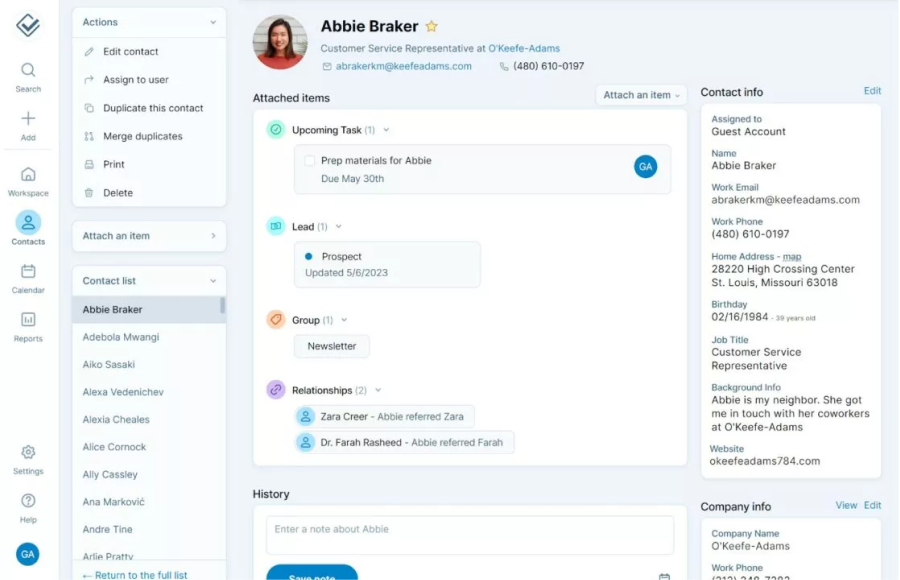
I currently use BIGContacts to manage my contact list and run automated follow-up emails, and what stands out most is how it keeps everything, contacts, email sequences, and pipeline stages, in one screen instead of three different tools.
Setting up a drip sequence takes minutes, not hours. I create a segment, pick a trigger like a new webform submission, and the emails start going out on schedule while I focus on actual sales conversations instead of chasing follow-ups manually.
What I appreciate most is that it doesn’t try to be everything. It’s built specifically for small businesses that need contact management and email automation together, without paying for enterprise features nobody on a five-person team will ever touch. It also leans on built-in AI to clean up messy contact data and surface which leads need attention first, which saves me from digging through records manually.
I started on the forever-free plan before upgrading, and moving up tiers as my contact list grew felt seamless instead of forcing a jarring switch to a whole new tool.
Pros:
- Combines CRM and email automation in a single dashboard
- Drip campaigns trigger from webform submissions, dates, or pipeline stage changes
- Custom fields and tags support detailed segmentation
- Task reminders and automated alerts keep follow-ups on schedule
- Forever-free plan available for up to 100 contacts
Cons:
- No downloadable or on-premise version available.
- No dedicated account manager on the free plan.
Pricing:
Forever free for small teams. Paid starts at $9.99/month.
2. ActiveCampaign – Best For Advanced, Behavior-Based Workflows
I spent a solid week inside ActiveCampaign’s workflow builder, and it’s easily the deepest automation engine I tested. Branching logic, conditional content, and predictive send times all worked exactly as advertised, even for fairly complex sequences.
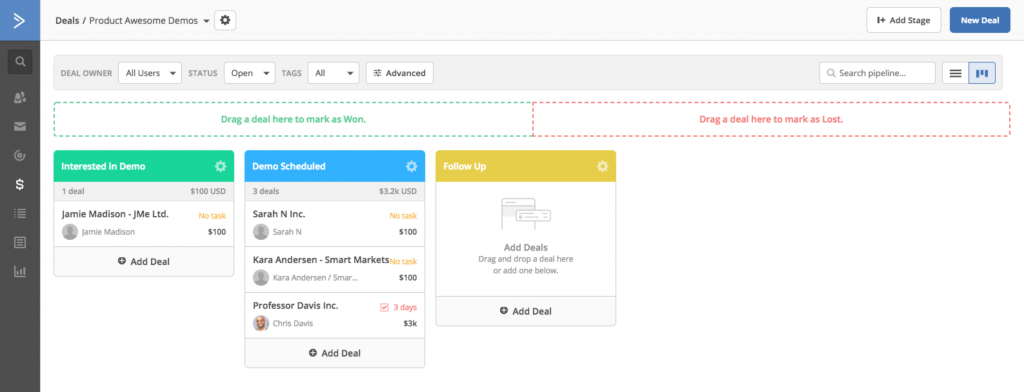
The built-in CRM add-on let me connect sales follow-ups directly to marketing automation, which meant a deal stage change could trigger an email without any manual handoff between teams.
Where it got tricky was the learning curve. I needed a few sessions before I felt confident building workflows from scratch, and the pricing climbs fast once you add contacts and want the full automation depth. If you’re weighing this against a simpler option, I’ve laid out a closer side-by-side comparison here.
Pros:
- Over 900 pre-built automation templates in the marketplace
- Predictive sending optimizes email timing per contact
- Native CRM integration connects sales and marketing workflows
- Deep conditional logic supports complex, multi-branch sequences
Cons:
- Steep learning curve for first-time users
- Full automation depth requires a higher-tier plan
Pricing:
Starts at $15/month.
3. Brevo – Best For Budget-Friendly Multi-Channel Automation
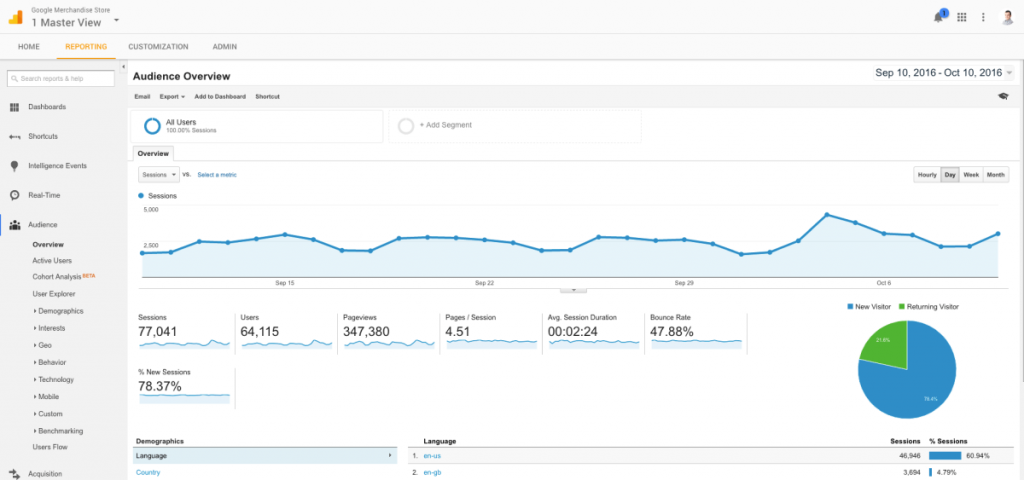
Brevo surprised me with how much automation sits on its free plan. I built a goal-based workflow combining email and SMS in about fifteen minutes, without hitting a paywall halfway through.
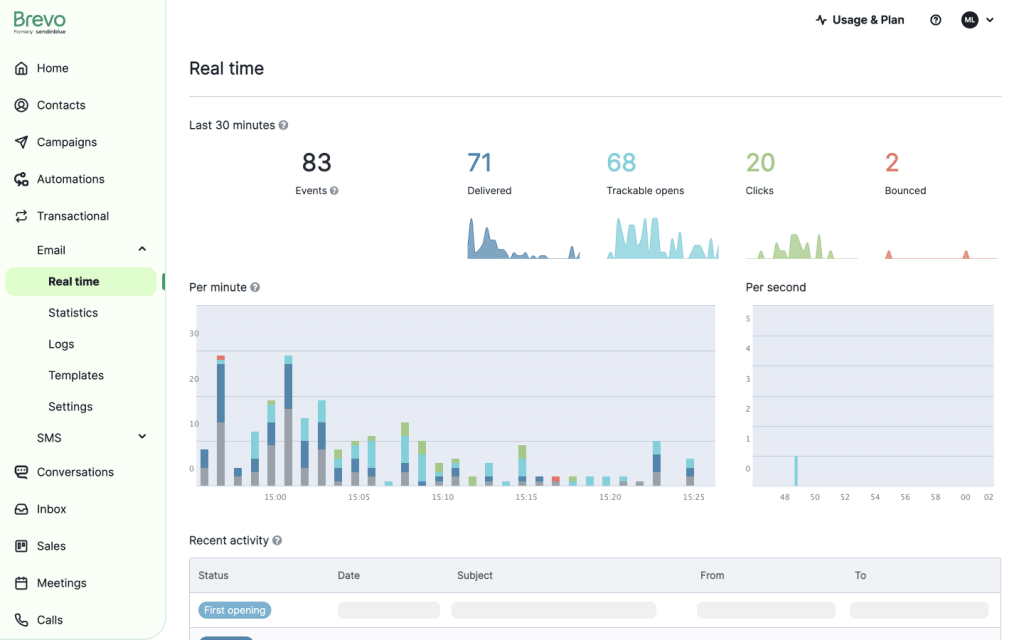
What made it stand out during testing was the pricing model. Brevo charges by email volume, not contact count, so a large list that doesn’t need constant emailing stays cheap compared to contact-based competitors.
The template selection felt thin compared to some rivals, and removing Brevo’s own branding from emails costs extra, but for the price, the automation depth held up well.
Pros:
- Charges by email volume, not contact count
- Combines email, SMS, and WhatsApp in one workflow
- Transactional email engine handles receipts and confirmations
- AI suggestions help with send timing and subject lines
Cons:
- Smaller template library than larger competitors
- Multi-user access is limited to higher-tier plans
Pricing:
Free plan available; paid plans start at $8/month.
4. Mailchimp – Best For Beginners and Simple Newsletters
Mailchimp was the first tool I ever used for email marketing years ago, and revisiting it now, the drag-and-drop editor is still one of the easiest around for someone who has never built a campaign before.
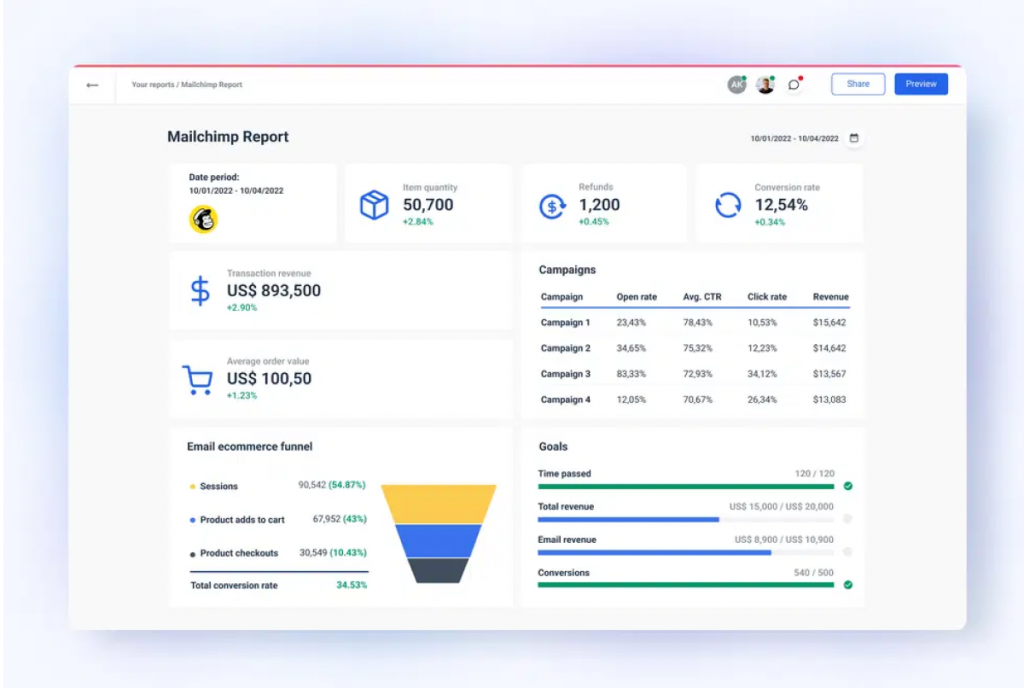
Automation covered the basics well during testing, welcome series, cart abandonment, and birthday emails all worked out of the box, and the 300+ integrations meant connecting my other tools took no extra effort.
Where it fell short was depth and cost. Automation felt shallow next to ActiveCampaign, and I noticed Mailchimp bills for bounced and unsubscribed contacts, which added up faster than I expected.
Pros:
- Drag-and-drop editor is genuinely beginner-friendly
- 300+ integrations across ecommerce, CRM, and social platforms
- AI content optimizer helps with subject lines and copy
- Solid built-in ecommerce automation for cart recovery
Cons:
- Automation depth is limited compared to advanced platforms
- Charges for inactive, bounced, and unsubscribed contacts
Pricing:
Free plan available (limited); paid plans start at $13/month.
5. Klaviyo – Best For Ecommerce Brands on Shopify
I tested Klaviyo specifically against a Shopify store, and the predictive AI is what sets it apart. It forecasts churn risk and next purchase timing at the individual contact level, which fed directly into automated win-back campaigns.
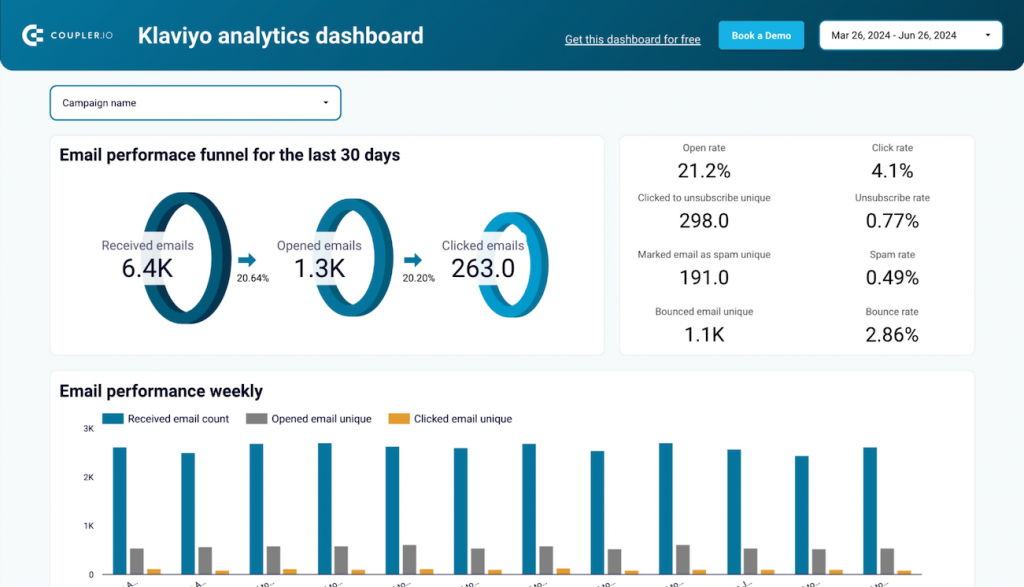
Dynamic product blocks inside emails pulled real browsing and order data automatically, so every message felt personalized without me building separate versions for different customer segments.
Setup around segmentation took longer than expected for a beginner, and costs rose noticeably once my contact list grew past the free tier, but for ecommerce specifically, the depth justified the price.
Pros:
- Predictive AI for purchase timing and churn risk
- Deep native integrations with Shopify, WooCommerce, and BigCommerce
- Dynamic product recommendations inside automated emails
- Built-in SMS marketing alongside email automation
Cons:
- Segmentation setup has a real learning curve
- Some AI features are locked behind paid tiers
Pricing:
Free plan (up to 250 contacts); paid plans start at $45/month.
6. Omnisend – Best For Ecommerce Email, SMS, and Push Automation
Testing Omnisend’s cart abandonment flow, I watched it hand off between channels automatically, an email first, then an SMS if ignored, then a push notification when the shopper returned to the site.
The dynamic product picker inserted items based on customer activity without extra configuration, and every core feature was available even on the free plan, which isn’t common among ecommerce-focused tools.
Integrations outside of ecommerce platforms felt sparse, and template customization was more limited than I’d like, but for a store owner who wants true multichannel automation, it delivered.
Pros:
- True multichannel automation across email, SMS, and push
- 27+ pre-built ecommerce-focused workflow templates
- Behavior-based segmentation with intent-aware messaging
- Customer Lifecycle Map recommends next-best actions
Cons:
- Limited integrations outside the ecommerce niche
- Template customization options feel restrictive
Pricing:
Free plan available; paid plans start at $11.20/month.
7. GetResponse – Best For Webinars and Sales Funnels
I ran a full funnel test in GetResponse, landing page, webinar registration, and automated follow-up sequence, all inside one platform, and that end-to-end setup is genuinely rare among the tools on this list.
The conversion funnel builder walked me through picking a template, connecting a landing page, and launching the automated sequence, and AI handled send-time optimization without extra configuration on my end.
The interface felt a bit cluttered on first login, and advanced automation sat behind a higher-tier plan, but for anyone running webinars or courses alongside email, the built-in hosting alone justified a look.
Pros:
- Built-in webinar hosting rare among email automation tools
- Conversion funnel builder with ready-made templates
- AI-powered send-time optimization and email drafting
- Landing page builder includes A/B testing
Cons:
- Advanced automation requires a higher-tier plan
- Some templates look dated compared to competitors
Pricing:
Starts at $15.58/month.
8. HubSpot – Best For CRM-Powered Automation for Growing Teams
I tested HubSpot’s free CRM alongside its email tools, and the standout is how every automated workflow pulls directly from live CRM data, deal stage changes and form fills both triggered emails without any external connector.
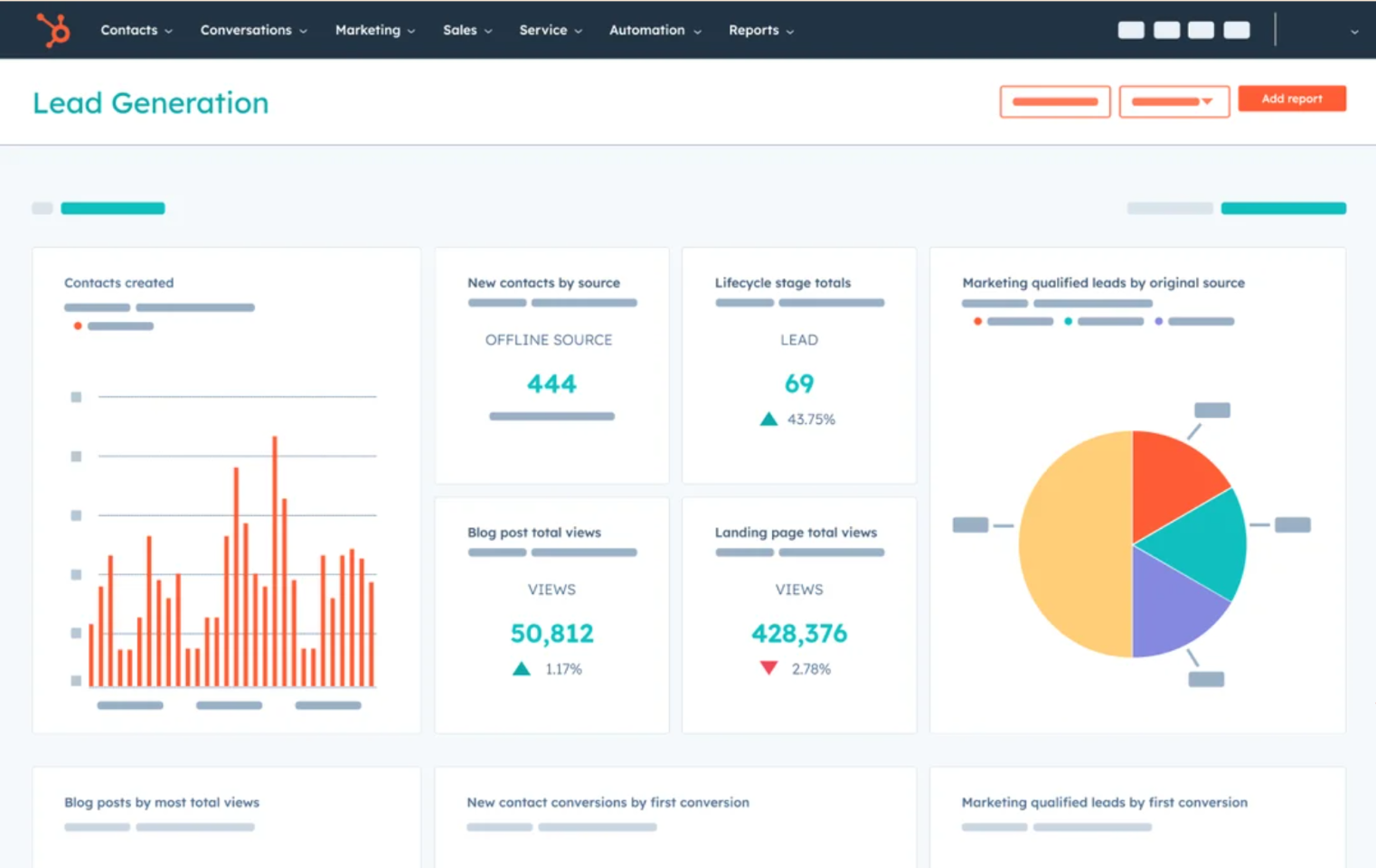
Dynamic lists auto-segmented contacts based on lifecycle stage during testing, and the app marketplace made connecting my existing stack straightforward, with over 300 integrations to choose from.
The catch is cost. Meaningful automation depth needs the Professional plan, and that price jump from the free tier is steep for a small team not ready to commit to that budget yet. If that pricing gives you pause, it’s worth browsing a few HubSpot alternatives before committing.
Pros:
- CRM data powers every email workflow natively
- Dynamic segmentation based on lifecycle and behavior
- Massive third-party integration marketplace
- Deal-stage and lifecycle triggers work out of the box
Cons:
- Meaningful automation requires an expensive Professional plan
- Costs scale aggressively as contacts and features grow
Pricing:
Free CRM available; paid plans start at $9/seat/month.
9. MailerLite – Best For a Generous Free Automation Plan
I built a complete welcome sequence with conditional branching in MailerLite in under ten minutes, and that speed of setup is what makes it stand out on this list for smaller teams.
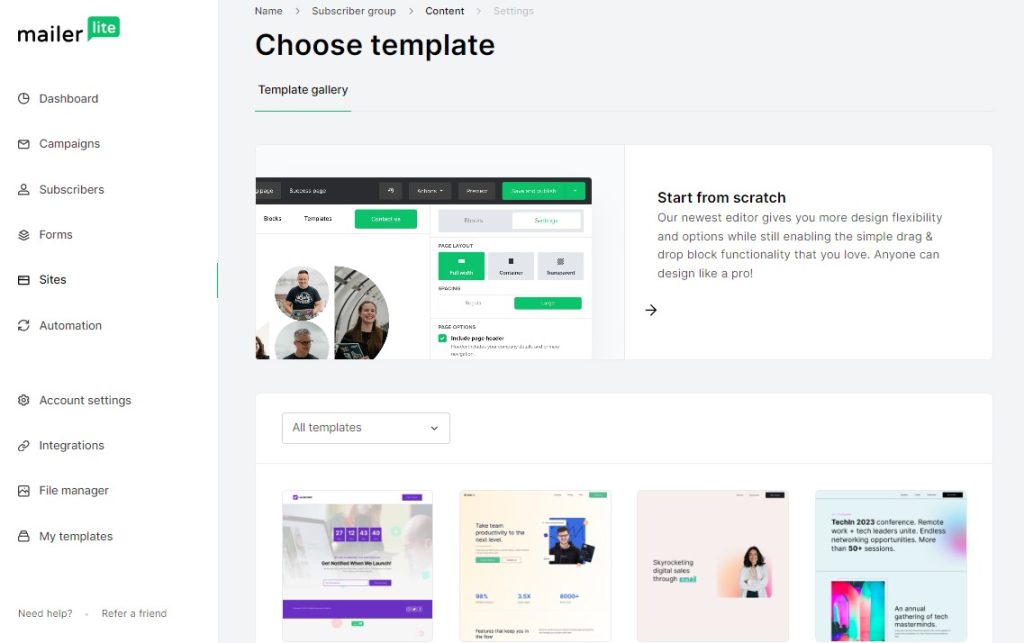
The free plan includes 500 subscribers, 12,000 monthly emails, automation workflows, and even a landing page builder, features most competitors lock behind a paid tier from day one.
Automation depth didn’t match ActiveCampaign when I pushed it toward complex, multi-condition workflows, and the free plan skipped pre-designed templates, but for straightforward automation, it delivered real value.
Pros:
- One of the cleanest, most intuitive interfaces tested
- Paid plans stay affordable as your list grows
- Supports selling digital products and subscriptions
- Landing page and website builder included free
Cons:
- Free plan does not include pre-designed templates
- Fewer integrations than larger platforms like Mailchimp
Pricing:
Free plan (500 subscribers); paid plans start at $10/month.
10. Zoho Campaigns – Best For Affordable Automation With CRM Sync
Zoho Campaigns connects directly into Zoho’s CRM, and during testing, that sync meant a workflow could trigger off both email actions and CRM-side deal changes without needing a separate integration tool.
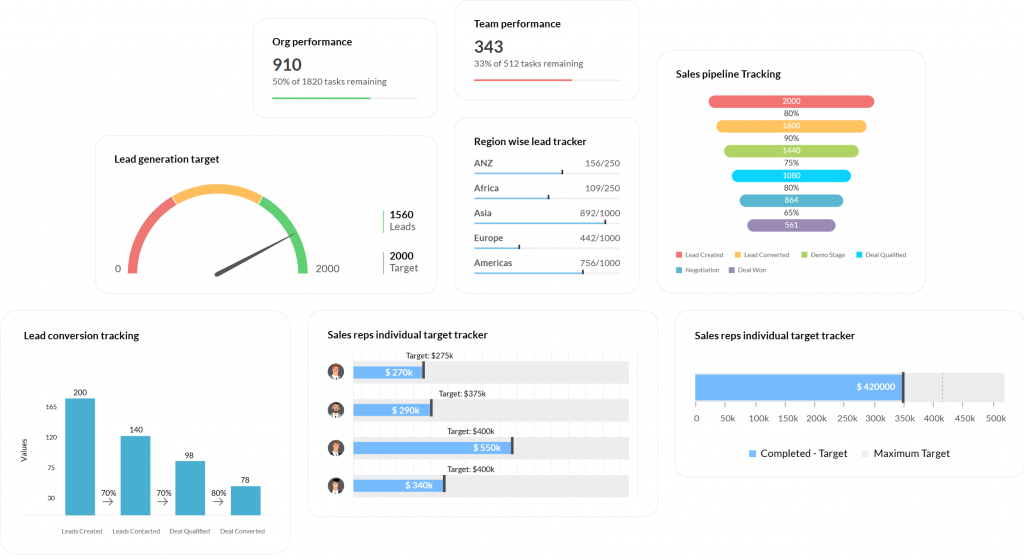
Automation workflows covered a wide range of triggers, sign-ups, email actions, dates, and anniversaries, and the pricing undercut nearly everything else on this list for the feature set included.
Live chat support wasn’t available, and the campaign setup process took longer to learn than tools like MailerLite, but for teams already inside the Zoho ecosystem, the value was hard to beat. For anyone outside that ecosystem, I’ve rounded up a few Zoho CRM alternatives worth comparing too.
Pros:
- Connects natively with Zoho’s CRM software
- Workflows support sign-up, date, and anniversary triggers
- Among the most affordable automation platforms tested
- No cap on the number of workflow conditions
Cons:
- No live chat support available
- Campaign setup is less intuitive than some competitors
Pricing:
Starts at $4/month.
11. Drip – Best For Ecommerce Behavior-Based Flows
I had a full cart recovery flow live in Drip within fifteen minutes using one of its 50+ pre-built ecommerce workflows, and the visual builder made it easy to spot where contacts dropped off.
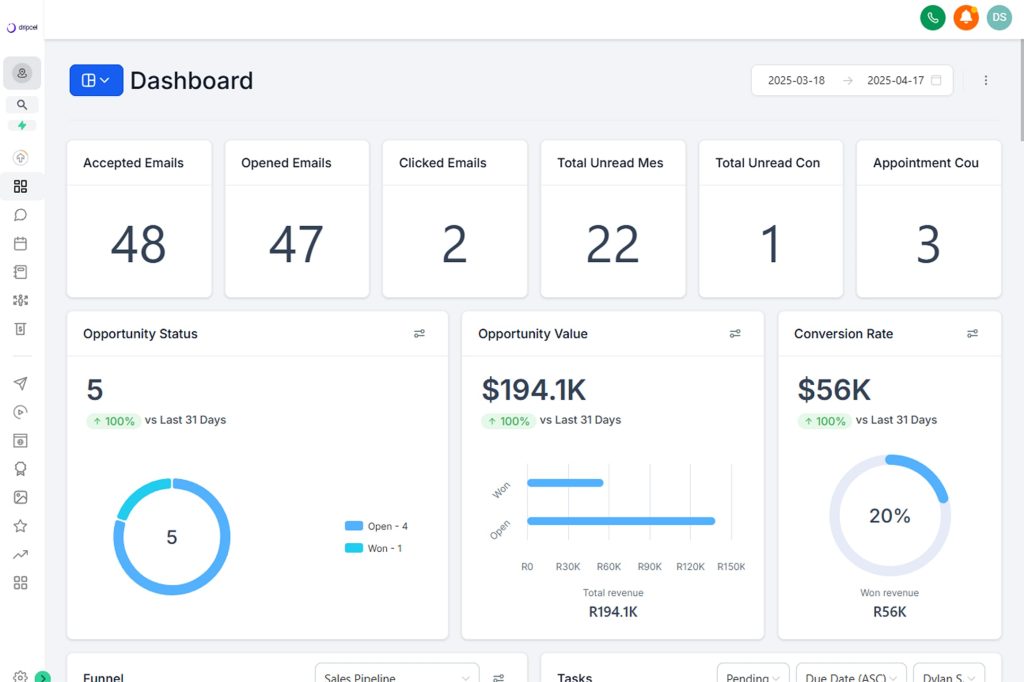
Segmentation based on browsing and purchase history ran deep during testing, and dynamic product recommendations pulled real order data into emails automatically, with revenue attribution reports showing exactly what each campaign earned.
The interface took longer to learn than I expected, and reporting felt more basic than Klaviyo’s, but for a dedicated ecommerce automation tool, the workflow library saved real setup time. If ecommerce isn’t your focus, this list of email sequence software covers more general-purpose options.
Pros:
- 50+ pre-built ecommerce automation workflows
- Advanced segmentation by browsing and purchase behavior
- Dynamic product recommendations inside emails
- Clear revenue attribution reporting per campaign
Cons:
- Interface takes time to learn for new users
- Reporting is more basic than some ecommerce competitors
Pricing:
Starts at $39/month.
12. Moosend – Best For Full Automation on a Tight Budget
At $9 a month, I expected Moosend to feel limited, but I got unlimited emails, a visual automation builder, and 18 pre-built workflow templates without hitting a single feature wall during testing.
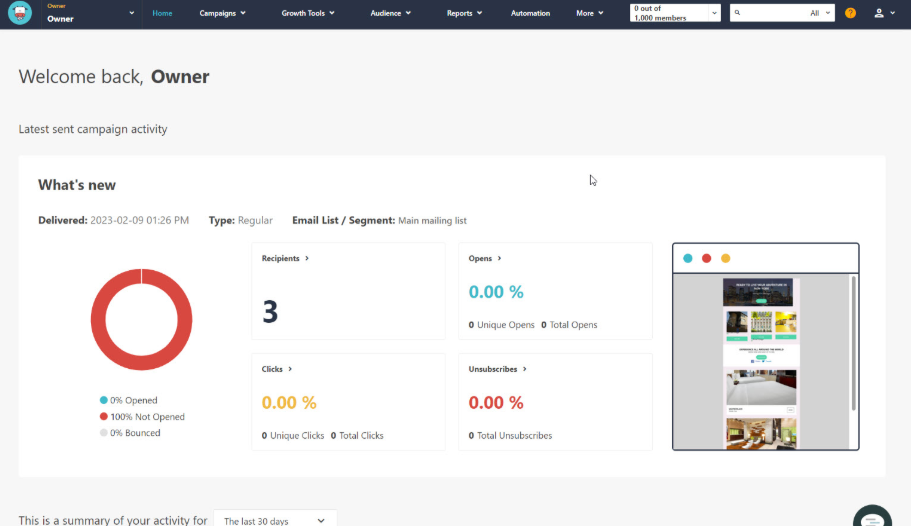
The automation builder supported triggers based on opens, clicks, and page views, and I had a complete welcome flow running in under ten minutes, matching the setup speed of pricier competitors.
Integrations felt thinner than larger platforms, and transactional emails needed a separate add-on, but for the price point, the automation depth outperformed nearly everything else on this list.
Pros:
- Full automation included at a very low starting price
- 18 pre-built workflow templates for fast setup
- AI product recommendations for ecommerce use cases
- Behavior-based triggers inside the visual builder
Cons:
- Fewer integrations than larger competitors
- Transactional emails require a separate add-on
Pricing:
Starts at $9/month.
13. Benchmark Email – Best For Simple, Beginner-Friendly Automation
Benchmark kept things refreshingly simple when I tested it, autoresponders and date-based triggers were ready to go on the free plan without any complicated setup steps.
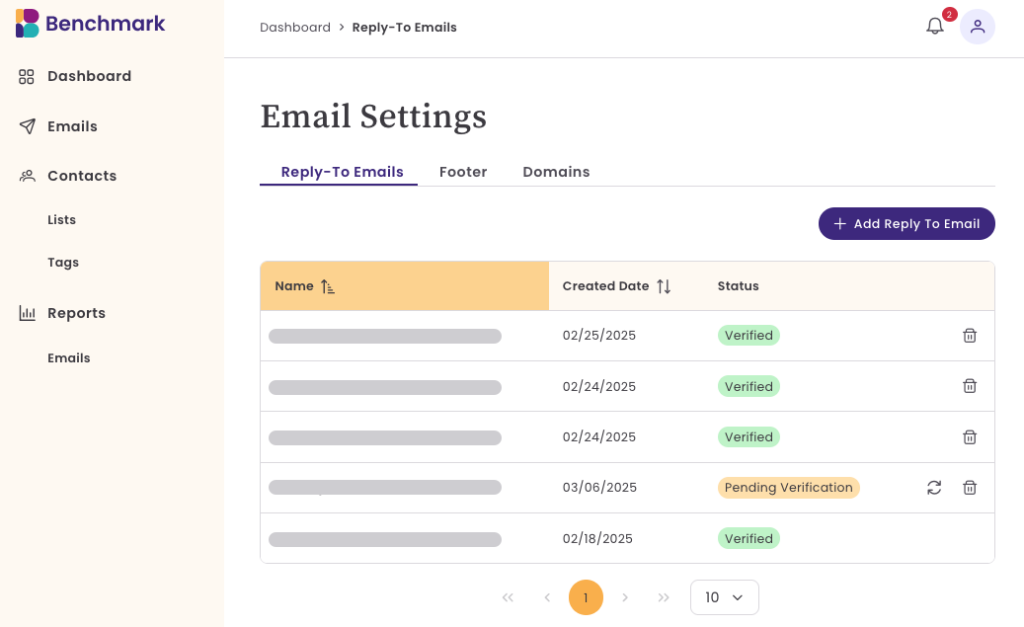
Paid tiers unlocked triggers based on opens, clicks, and page views, and building a basic abandoned cart sequence took only a few clicks using the included workflow templates.
More advanced tools sat behind higher-tier plans, and product updates rolled out slower than competitors during my testing window, but for a business that just wants simple automation done well, it worked.
Pros:
- Simple, uncomplicated automation setup
- Free plan includes autoresponders and date-based triggers
- Logical, easy-to-follow workflow editor
- Templates available in multiple languages
Cons:
- Advanced tools locked behind higher-tier plans
- Slower pace of product updates than competitors
Pricing:
Free plan available; paid plans start at $13/month.
Evaluation Criteria
The evaluation of the email automation software chosen for this article follows an unbiased, systematic approach that ensures a fair, insightful, and well-rounded review. I used six key factors to judge each tool.
- User Reviews and Ratings: I pulled direct feedback and G2 ratings from real users to understand overall satisfaction and common complaints for each tool.
- Essential Features and Functionality: I looked closely at each tool’s automation builder, trigger options, and segmentation depth to judge practical usefulness.
- Ease of Use: I assessed how quickly someone with no automation experience could build a working sequence from scratch.
- Customer Support: I factored in how responsive and helpful support was during setup, especially for less technical users.
- Value for Money: I compared pricing against the actual features unlocked at that price point, not just the sticker price.
- Personal Experience and Expert Opinions: I combined my own hands-on testing with insights from industry reviews to round out each evaluation.
My Top 3 Picks for the Best Email Automation Software
If you only read one section of this list, make it this one. These three cover the range from small business to advanced marketing team.
1. BIGContacts
BIGContacts takes my top spot for any small business that wants CRM and email automation together without paying for features they’ll never use. It’s the easiest way I’ve tested to go from a messy spreadsheet to automated, organized follow-ups, and the forever-free plan means you can start today at no cost.
2. ActiveCampaign
ActiveCampaign is my pick for teams that have outgrown basic automation and need real branching logic, predictive sending, and a built-in CRM to connect sales and marketing. It takes longer to learn, but the depth is worth it once your workflows get complex.
3. Klaviyo
Klaviyo earns the third spot specifically for ecommerce brands on Shopify or WooCommerce. The predictive AI around purchase timing and churn risk is genuinely useful, and dynamic product recommendations inside emails do a lot of the personalization work automatically.
Which Email Automation Software Fits Your Business Type?
Different businesses need different automation depth, and matching the tool to your actual use case matters more than picking the “most powerful” option on paper.
- Small Businesses And Solopreneurs: BIGContacts or MailerLite cover contact management and workflow automation without a steep learning curve or high monthly cost.
- Ecommerce Stores: Klaviyo or Omnisend connect directly to your store platform for cart recovery and purchase-based triggers.
- Marketing Teams Needing Deep Workflows: ActiveCampaign handles complex, multi-branch automation with predictive sending.
- Teams Already Using A CRM: HubSpot or Zoho Campaigns sync automation directly with existing sales data.
- Course Creators And Webinar Hosts: GetResponse bundles funnel building and webinar hosting with email automation.
Save Hours Every Week With the Right Email Automation Software
Email automation software isn’t about replacing the personal touch in your business, it’s about making sure that touch actually reaches people on time, every time, without you having to remember every single follow-up manually.
The right tool depends on your business size, your budget, and how complex your workflows need to be. Start with your biggest pain point, missed follow-ups, slow lead response, or manual list management, and pick the tool built to solve that specific problem first.
For businesses that want contact management and email automation working together from day one, a tool like BIGContacts makes it easy to get started without hours of training or a big software budget.
Frequently Asked Questions
How does email automation software work?
It runs on a trigger-and-action model. A contact takes an action, like joining your list or hitting a renewal date, the software matches it to a workflow you built once, and it sends the right email sequence automatically from there.
What is the best email automation software for small businesses?
BIGContacts and MailerLite both work well for small businesses because they combine automation with easy setup and generous free plans, without requiring a dedicated marketing team to manage them.
Is email automation software expensive?
Not necessarily. Many tools, including BIGContacts, Brevo, and MailerLite, offer free plans or start under $15 a month, making automation accessible even on a tight budget.
Can I use email automation software without coding skills?
Yes. Most modern tools use visual, drag-and-drop workflow builders, so you can set up triggers and sequences without writing any code or hiring a developer.
How long does it take to set up email automation?
A basic welcome sequence typically takes under 30 minutes to build in most tools, though more advanced, multi-branch workflows can take a few hours to configure properly.
Does email automation software work for cold outreach?
Some tools support cold outreach, but most email marketing automation platforms, including BIGContacts, are built for nurturing existing contacts and leads rather than unsolicited cold emailing.
Can I send automated emails from my own domain?
Yes, most platforms let you connect your own domain using DKIM and DNS settings, so automated emails arrive without a generic "via" tag attached to your brand.
What is the difference between email marketing automation and a crm?
Email marketing automation focuses purely on sending sequences, while a CRM with automation built in adds contact management and sales pipeline tracking alongside the emails themselves.
How many emails should an automated sequence include?
Most effective sequences use three to seven emails spaced several days apart, giving contacts enough touchpoints to engage without feeling overwhelmed by frequency.
Will automated emails hurt my deliverability?
No, as long as you avoid sending too frequently and keep your list clean. Automation actually improves deliverability by sending timely, relevant emails people are more likely to open.
Can small teams use the same tools as large enterprises?
Yes, but pricing and complexity usually don't make sense for a small team. Tools like BIGContacts are specifically built for smaller businesses instead of scaled-down enterprise software.
Is a free email automation plan good enough to start?
For most small businesses, yes. Free plans from BIGContacts, Brevo, and MailerLite include real automation features, not just basic sending, making them a solid starting point.
How do I know which automation triggers to use first?
Start with your highest-volume manual task, usually welcome emails or lead follow-ups, and automate that single workflow before expanding into more complex, multi-step sequences.
FREE. All Features. FOREVER!
Try our Forever FREE account with all premium features!