
I have watched businesses spend months chasing new leads while their existing customers quietly drift away. That is the irony of a retention email. It is one of the cheapest tools you have, yet most teams only think about it after someone has already left. If you run a small business, a retention email is how you keep the customers you already fought hard to win.
Getting a new customer costs far more than keeping one you already have. So every time a customer stops opening your emails, stops buying, or just goes quiet, you are watching money walk out the door. A good retention email strategy catches that before it happens.
This guide breaks down what a retention email actually is, the 9 types worth sending, and how to write ones that feel helpful instead of pushy. No jargon, no fluff, just what works.
What Is a Retention Email?
A retention email is any email sent to an existing customer to keep them engaged, remind them of your value, and stop them from quietly leaving. Unlike a cold outreach email, it goes to someone who already knows you and has already bought from or signed up with your business.
It usually shows up in the middle or later stage of the email marketing lifecycle, after a contact has already converted and become a customer, not before.
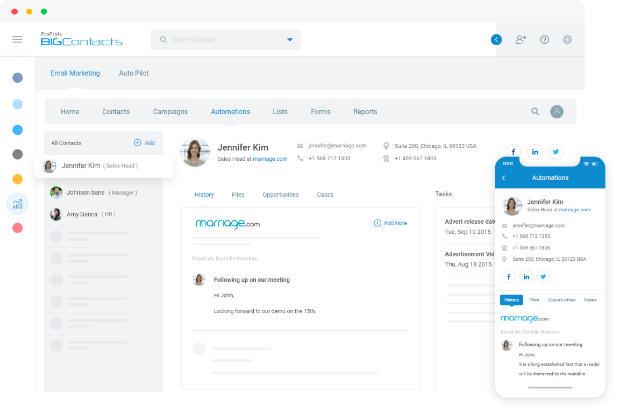
Most small businesses use tools like BIGContacts by ProProfs, an easy all-in-one CRM for contact management, email marketing, and deal tracking, to send these emails automatically instead of typing them out one by one. That single shift, from manual reminders to automated triggers, is often what separates a business that retains customers and one that keeps losing them.
Here are the entities a retention email typically involves:
- Sender: the business or brand the customer already has a relationship with
- Recipient: an existing customer, subscriber, or trial user, not a cold lead
- Trigger: a date, action, or inaction that sets off the email (renewal date, inactivity, milestone)
- Goal: keep the customer engaged, buying, or renewing, not to make a first sale
Why Do Retention Emails Matter?
Retention emails matter because keeping an existing customer costs far less than finding a new one, and email remains one of the highest-return channels you have to do it. A study by Statista in 2024 shows email marketing returns about $36 for every $1 spent, making it one of the cheapest ways to protect revenue you already earned.
The math backs this up in a few clear ways:
- Existing customers already trust your brand, so they need less convincing than a cold lead
- A study by G2 in 2024 shows segmented, personalized email campaigns can lift revenue by up to 760% compared to generic blasts
- A study by Gartner in 2025 shows 73% of sales leaders are now prioritizing growth from existing customers over chasing new ones
For small businesses without a big marketing team, this is good news. You do not need a massive ad budget to protect revenue. You need a system that remembers to follow up, and the fuller picture of how a CRM supports customer retention goes well beyond just email, covering reminders, pipeline tracking, and shared contact history too.
How Does Retention Email Work?
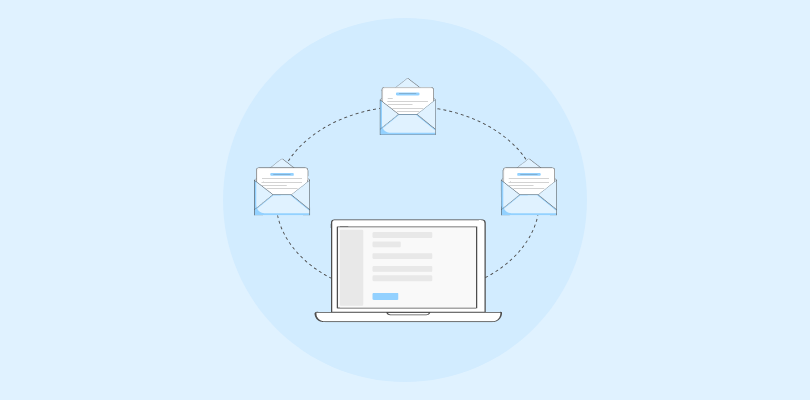
A retention email is not sent on a whim. It works because it is tied to something specific about the customer, a date, an action, or the lack of one, instead of a generic weekly blast that goes to everyone at once. The moment that trigger fires, your system pulls the right message and sends it automatically, without anyone having to remember.
Think of it as a small, ongoing loop rather than a one-time campaign. You watch for a signal, you respond to that signal with a relevant message, and you track whether it worked before you send the next one. Here is how that loop breaks down in practice:
- Segment your contacts. Group customers by status, such as new, active, or at risk of going quiet, so the message matches where they actually are.
- Pick a trigger. Decide what starts the email: a renewal date, a stretch of inactivity, a milestone, or a completed purchase. This is the single most important decision in the whole process.
- Write the message. Keep it short, lead with value, and give the reader one clear next step instead of five competing ones.
- Automate the send. Connect the trigger to your email marketing tool through a drip campaign so it fires the moment the condition is met, not whenever someone remembers to click send.
- Track what happens. Watch opens, clicks, and renewals so you know which emails are actually earning their place in the sequence.
- Adjust the cadence. Tighten or space out your emails based on what the data tells you, not on a fixed schedule you set once and forgot.
This is exactly the gap most small teams describe before they switch to a CRM. Manually tracking renewal dates and follow-ups in spreadsheets or an inbox almost always means someone falls through the cracks, usually the exact customer who was closest to leaving.
Keep More Customers Coming Back Without Chasing Them Manually
9 Types of Retention Emails
There is no single retention email. Different moments in the customer relationship call for different messages, and the strongest customer retention email strategies mix several types together instead of leaning on just one.
Welcome Emails
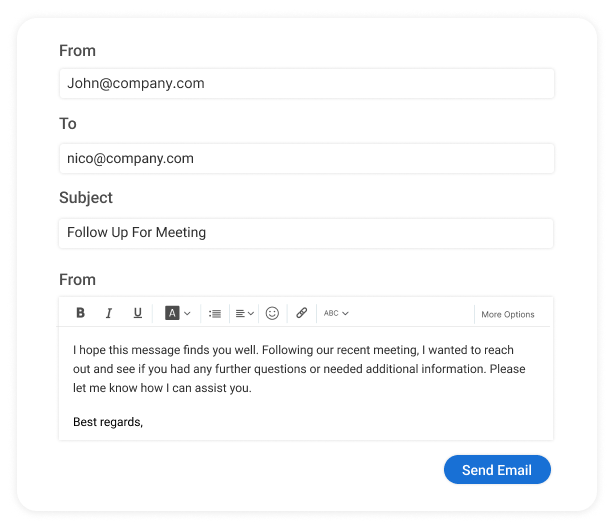
A welcome email lands right after signup or first purchase and sets expectations for what comes next. It should confirm the action worked, explain what to do first, and avoid overwhelming the reader with every feature at once. A short welcome email series spread across a few days usually beats one long email.
- Sent immediately after signup or purchase
- One primary call to action
- Confirms the customer made the right choice
Milestone Emails
A milestone email celebrates a customer’s progress, such as a usage anniversary or a personal record, and reminds them how much value they have already gotten. Spotify Wrapped is the best-known example of this format done well.
- Triggered by a date or a usage threshold
- Uses the customer’s own data to feel personal
- Works even on customers who are already engaged
Win-back Emails
A win-back email targets a customer who has gone quiet, whether that means a lapsed subscription or weeks without logging in. The strongest ones lead with something specific to the reader instead of a generic “we miss you.”
- Triggered by inactivity, not a calendar date
- References the specific reason they might return
- Often pairs with a small incentive or extension
Renewal Emails
A renewal email reminds a customer that a subscription, policy, or service is about to expire and makes it easy to continue. Insurance agencies and subscription businesses lean on these heavily.
- Triggered by a stored expiration or renewal date
- Includes a single, frictionless call to action
- Sent early enough to avoid a lapse, not on the last day
Loyalty Emails
A loyalty email rewards a customer’s continued business with a perk, discount, or status upgrade. It works best when the reward feels earned rather than random.
- Triggered by purchase frequency or account age
- Frames the offer as exclusive, not generic
- Often includes a progress indicator toward the next reward
How to Write Retention Emails?
Writing a retention email that people actually read comes down to a handful of habits, not a formula. Get these right and the rest follows.
- Segment before you send. A brand-new customer and a two-year customer need different messages. At minimum, split contacts into new, active, and at risk.
- Use behavioral triggers, not a calendar. An email sent because someone just hit a snag performs better than one sent because it is Tuesday.
- Personalize past the first name. Real email personalization means referencing what the customer actually did, not just who they are.
- Lead with value. Tell the reader what they can do, not what your product does.
- Write a short, specific subject line. Vague subject lines get ignored; specific ones get opened.
- Give one clear call to action. Multiple links competing for attention lower your click rate.
A tool like BIGContacts by ProProfs makes several of these easier by storing custom fields and tags per contact, so triggers and segments can be built once and left to run.
Common Retention Email Mistakes
Even a solid retention email strategy breaks down if a few common mistakes creep in. Here is what to watch for, and how to fix each one.
- Problem: sending the same mass email to every customer, regardless of stage. Solution: build at least three segments (new, active, at risk) and write for each one separately.
- Problem: emailing too often, which trains people to ignore you, or too rarely, which lets at-risk customers slip away. Solution: tie sends to behavior instead of a fixed schedule.
- Problem: writing about your product instead of the customer’s goal. Solution: swap feature lists for outcome language, such as what the customer gets to do next.
- Problem: ignoring what the customer actually did before you emailed them. Solution: connect your CRM or product data to your email triggers so messages reflect real behavior.
Retention Email Frequency Tips
There is no single right number, but the safest answer is to let behavior set the pace instead of a fixed calendar. A customer who just finished onboarding can handle a follow-up the next day. A customer who has been silent for two weeks needs a different, more careful touch than a weekly newsletter.
Many small business owners worry about over-communicating, especially with clients across different regions or industries. That worry is fair since a bad cadence is one of the more common reasons people unsubscribe from a list altogether.
The fix is not fewer emails, it is more relevant ones. A retention email tied to an actual event, a renewal, a milestone, an inactivity gap, rarely feels like spam because it answers a real moment in the relationship.
Protect Repeat Revenue With Smarter, Better-Timed Follow-Ups
Best Tool for Retention Emails
If you are still tracking renewal dates and follow-ups by hand, the honest answer is that almost any CRM beats a spreadsheet. But the tool needs to match the size of your team, not the size of an enterprise budget.
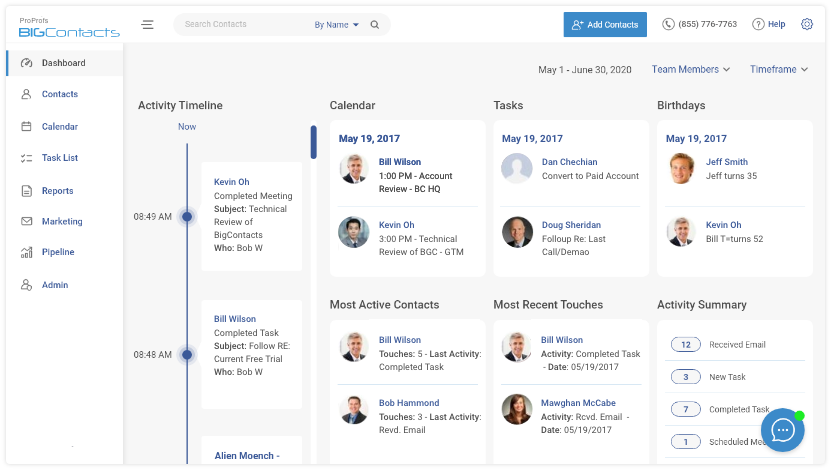
BIGContacts by ProProfs is a simple, affordable CRM built for growing small businesses, with contact management, email marketing automation, task reminders, and sales pipeline tracking in one place. It includes a forever-free plan for up to 100 contacts, so a solo business or a small team can start automating retention emails without committing to a paid tool first.
Entity-attribute facts on what it offers for retention specifically:
- Stores custom fields and tags per contact for segmentation
- Triggers automated drip campaigns based on dates or inactivity
- Tracks email opens and clicks per contact
- Syncs with Outlook and Google Calendar for reminders
- Keeps a shared, searchable history of every email sent to a contact
For teams still weighing options, it helps to see how lead nurturing and retention connect. Nurturing gets someone to buy the first time, retention email keeps them buying after.
Send Retention Emails That Work
A retention email is not a nice-to-have add-on to your marketing. It is one of the most direct ways to protect revenue you already earned, without spending another rupee on ads. Start with one trigger, whether that is a renewal date or a period of inactivity, and build from there.
Pick two or three of the types covered here, write one message for each, and automate the send so nothing depends on someone remembering to hit send at the right time. Small, consistent touches beat a single perfect email sent too late.
For small teams looking for something simple to start with, a tool like BIGContacts makes it easy to set this up without hours of training or a big budget. A good next step is tightening your client follow-up emails first, since renewal and win-back emails both build on that same habit.
Frequently Asked Questions
What Is the Difference Between a Retention Email and a Marketing Email?
A retention email goes to an existing customer to keep them engaged and reduce churn. A marketing email often targets a broader list, including people who have never bought from you, with the goal of a first sale.
What Is a Customer Retention Email Used For?
A customer retention email is used to remind an existing customer of your value, celebrate a milestone, flag a renewal, or win back attention after a period of inactivity, all with the goal of keeping the relationship active.
Is a Client Retention Email Different From a Customer One?
Not really. A client retention email usually refers to the same idea in service-based or B2B businesses, such as agencies or insurance firms, while "customer" is more common in product or ecommerce businesses.
Do Retention Emails Actually Reduce Churn?
Yes, when they are triggered by real behavior instead of sent on a fixed calendar. A renewal reminder or a win-back email sent at the right moment catches customers before they cancel, not after.
What Is a Good Open Rate for Retention Emails?
Retention emails tend to outperform generic marketing blasts because they go to people who already know your brand. Aim to beat your own average open rate over time rather than chasing an industry benchmark.
Can Small Businesses Use Retention Email Marketing?
Yes, and they often benefit the most, since losing even one repeat customer has a bigger impact on a small revenue base than it does for a large company.
What Software Sends Retention Emails Automatically?
Most CRM and email marketing platforms support automated retention emails through triggers like renewal dates or inactivity. Look for one that lets you tag contacts and build simple, rule-based drip campaigns.
Does BIGContacts Support Retention Email Automation?
Yes, BIGContacts lets you tag and segment contacts, then trigger automated email sequences based on dates or inactivity, all from one dashboard alongside your contact and deal records.
Is BIGContacts Free to Start?
Yes, BIGContacts offers a forever-free plan for up to 100 contacts, which is enough for many small businesses to start automating their first retention emails.
How Long Before a Retention Email Shows Results?
Give a new retention email sequence at least one full renewal or inactivity cycle before judging it, often 30 to 60 days, since churn data moves slower than open rates.
What Is the Best Time to Send a Retention Email?
There is no universal best hour. What matters more is timing it to the trigger, a renewal date, an inactivity gap, or a milestone, rather than a fixed day of the week.
Should Retention Emails Include Discounts?
Not always. Discounts work well in win-back or renewal emails, but welcome and milestone emails often perform better when they lead with value or recognition instead of a coupon.
FREE. All Features. FOREVER!
Try our Forever FREE account with all premium features!