
What is the first thing that comes to your mind when you hear ‘sales analytics’?
If the term brings up images of never-ending spreadsheets with an endless volume of data, we have news for you.
You no longer have to equate sales analytics with an overwhelming task requiring tremendous effort. Effective and intelligent sales analytics software can now do the job for you, so you don’t have to spend long hours running the numbers manually.
Undoubtedly, sales analysis can be daunting. There are countless data points to consider and so many metrics to monitor. But things can be made comparatively easier with sales analytics tools. Having a competent tool at your disposal helps you stay updated with important sales figures and analyze current performance to optimize future endeavors.
It’s time to do away with the mundane way of sales analysis that just never seems to produce the results you expect. Use this comparison guide of the 18 best sales analytics software to find a tool that expedites this process.
What Is Sales Analytics Software?
Sales analytics software carries out a deep analysis of sales processes to identify winning strategies and uncover areas of improvement. It centralizes your sales data, automates reporting, and gives you the visibility to forecast revenue, track team performance, and make faster, better business decisions, without the manual effort of spreadsheets.
63% of businesses consider data analytics to result in improved efficiency and productivity.
Sales analytics software can help you draw patterns from past sales activity to predict future outcomes and make better business decisions.
Utilize such a tool to:
- Create in-depth reports
- Gauge the effectiveness of your current processes
- Keep track of team and individual performance
- Make accurate predictions and forecasts based on intelligent analysis
- Visualize sales trends over time using graphs and charts
Analysis helps you zero in on essential sales metrics and increase the overall effectiveness of your organization. You can keep an eye on critical sales numbers and work toward maximizing your business’s growth potential.
What Features Should You Look for in Sales Analytics Tools?
The right sales analytics tool gives you dashboards, custom reports, pipeline tracking, collaboration, and AI recommendations, all in one place. Here are the six features that matter most.
According to a study by McKinsey & Company in 2021, companies that use data-driven insights to understand their sales processes see a 2–5% lift in sales, and those that combine it with cross-functional agility see gains of up to 10%. When you begin searching for a tool to augment your sales analysis operation, here are the essential features you must consider.
1. Dashboard & Reports
The tool should offer visual charts, dashboards, and reports to depict your sales performance. Such visualization will help you monitor trends and get equipped with relevant information effortlessly.
2. Templates
Ready-to-use templates save a lot of time. That’s why you must go for a sales analytics solution offering pre-built templates to help you get started without delay or hassle.
3. Custom Filters
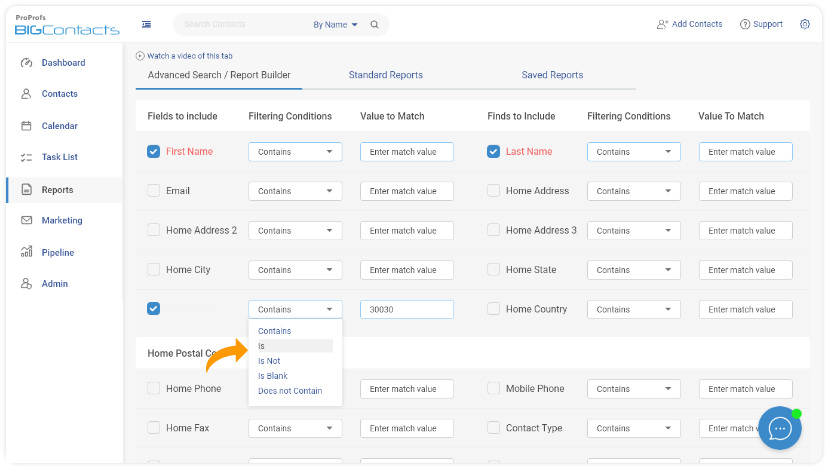
Along with pre-designed templates, you require the functionality to use advanced search filters to create reports that track the most relevant sales metrics for your business.
4. Collaboration
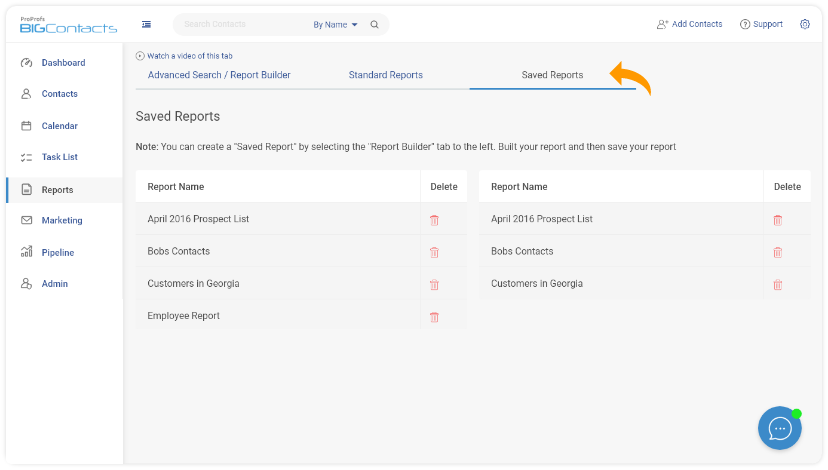
The tool must make it easier to save and share reports with your team in real-time. Such improved accessibility to relevant sales insights can help everyone work collectively.
5. Pipeline Tracking
The tool should offer robust pipeline tracking and management features to monitor its effectiveness. This will provide you with complete visibility into the available opportunities.
6. Intelligent Recommendations
Intelligent analytics software can surface recommendations at the most appropriate time, so you can enhance your efficiency. You can leverage these AI-powered insights to close more sales.
What Are the Benefits of a Sales Analytics Software?
Sales analytics software matters because it replaces guesswork with data. It answers the questions your sales team asks daily: who is performing, what is likely to close, and where the pipeline is leaking.
An effective sales analytics tool can help you answer questions such as-
- Who are your top-performing team members?
- What is the likelihood of you hitting your targets this quarter?
- Are your sales projections realistic enough for your team to work with?
- Is your pipeline filled with high-quality leads?
Sales analytics tools present a host of other advantages to businesses. Some of these are listed below.
1. Predictive Analytics
According to a study by Grand View Research in 2024, the global predictive analytics market was valued at $18.89 billion in 2024 and is projected to reach $82.35 billion by 2030, growing at a CAGR of 28.3%. This goes on to show that the adoption of this forecasting model is on the rise.
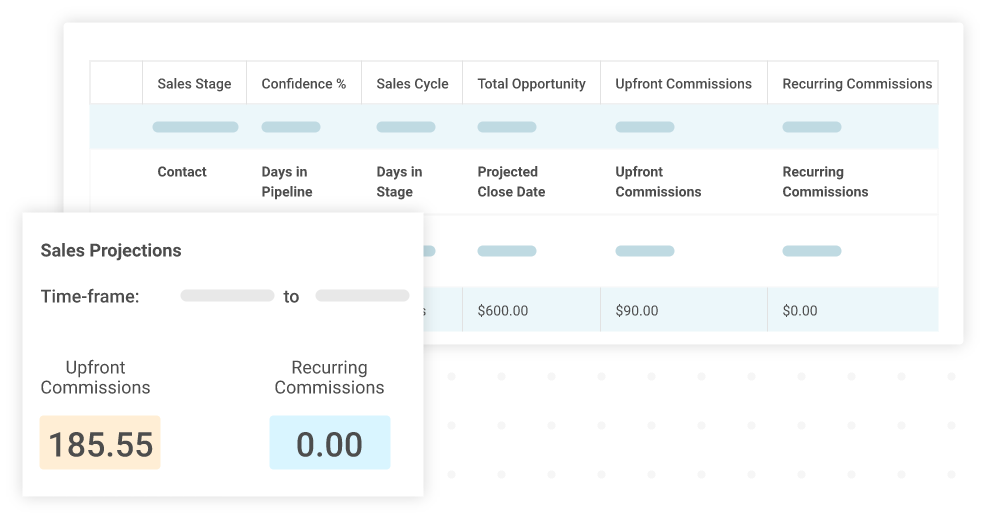
You can partake in this by choosing a powerful sales analytics tool that analyzes historical data to make accurate projections. When your goals are realistic, you are more likely to hit them and become more profitable.
2. Sales Funnel Management
Every stage of your sales funnel needs to be monitored and optimized to boost your overall conversion rate. A powerful sales analytics tool helps you track the conversion rate by stage, so you can identify areas where you lose the most opportunities and take necessary steps to mitigate the issue.
3. Better Decision Making
Sales analysis helps you uncover the most effective strategies and techniques that result in positive sales results. Using sales analytics software, you can improve your decision-making by learning from historical data and trends. The in-depth analysis enabled by such a tool can help you identify hurdles and make data-backed business decisions that support your revenue growth.
4. Enhance Productivity
Sales analysis determines whether your operations are producing the desired results. You can identify actions that drive better results and incorporate more of them in your selling strategies. Sales analytics solutions help you effectively utilize your time and resources, enabling you to hit your sales targets every time!
5. Analyze Customer Behavior & Trends
Get complete visibility into the background of the leads that you are working with.

What source did they come from? What are their needs and expectations? How can you best support them?
Questions such as these can be answered with the help of a comprehensive analytics solution that provides a richer overview of your prospects and mines through the data to identify actions that help move them forward in the sales cycle.
18 Best Sales Analytics Software
The advantages of an effective sales analytics tool are plenty from improved forecasting accuracy to better conversion rates. To derive the maximum benefit from sales tracking and analytics, you must find the most effective software that meets your organization’s unique needs.
We delve deep into the functionality of the 18 best sales analytics tools that you can implement to monitor the productivity of your sales operations. Compare their features with your expectations to find the most reliable software option.
| Tool | Best For | Pricing |
| BIGContacts | Contact Management & Email Marketing for Growing Businesses | Forever free for small teams. Paid starts at $9.99/month. |
| HubSpot Sales Hub | Centralizing sales, marketing, and support operations | Free plan available; paid from $45/month |
| Zendesk Sell | Teams already using Zendesk for customer support | From $19/user/month |
| Copper | Businesses running entirely on Google Workspace | From $23/user/month |
| Sales Cloud Einstein | Enterprises needing AI-powered sales forecasting | From $50/user/month |
| NetSuite CRM | Large businesses needing ERP-integrated CRM analytics | Pricing on request |
| SugarCRM | Mid-size teams needing AI predictions and automated alerts | From $49/user/month |
| Zoho CRM | Businesses managing sales across multiple channels | Free plan available; paid from $14/user/month |
| Pipedrive | Sales-focused teams needing visual pipeline reporting | From $9.90/user/month |
| Insightly | Project-oriented businesses tracking milestones and deals | Free plan available; paid from $29/user/month |
| Nutshell | Teams focused on sales automation and conversion tracking | From $16/user/month |
| Keap | Small and medium businesses needing sales and marketing automation | From $129/month |
| Salesmate | Teams tracking sales goals and activity-based performance | From $12/user/month |
| Freshsales | Affordable CRM analytics for small and medium businesses | Free plan available; paid from $15/user/month |
| Agile CRM | Budget-conscious teams needing basic sales and marketing analytics | Free plan available; paid from $8.99/user/month |
| Nimble CRM | Teams needing social media integration and contact enrichment | From $19/user/month |
| Creatio | Teams wanting no-code automation with full pipeline visibility | From $30/user/month |
| Coupler.io | Teams needing AI-powered cross-channel reporting and dashboards | Free plan available; paid from $24/month |
1. BIGContacts – Best for Contact Management & Email Marketing for Growing Businesses
BIGContacts is a leading CRM solution provider with robust business analytics. It lets you gain complete visibility into your sales pipeline and keep track of opportunities to enhance your forecasting ability. Use this top analytics software to sort through lead data and identify areas of improvement in your selling process. Monitor the effectiveness of individual sales representatives using BIGContacts.
Key Features:
- Filter through sales data easily with advanced search filters
- Choose from a range of pre-built sales report templates to save time
- Track sales opportunities and their related data using a visual sales pipeline
- Keep track of the status of leads and identify high-value prospects to boost your profits
- Automate follow-ups and workflows to improve your sales outcomes
Pros:
- Save custom reports for future use or export them
- Add custom stages and fields to your sales pipeline
Cons:
- Lacks advanced AI-powered lead scoring
- The speed of the tool can drop at times
Pricing:
Forever free for small teams. Paid starts at $9.99/month.
2. HubSpot Sales Hub – Best for Centralizing Sales, Marketing, and Support Operations
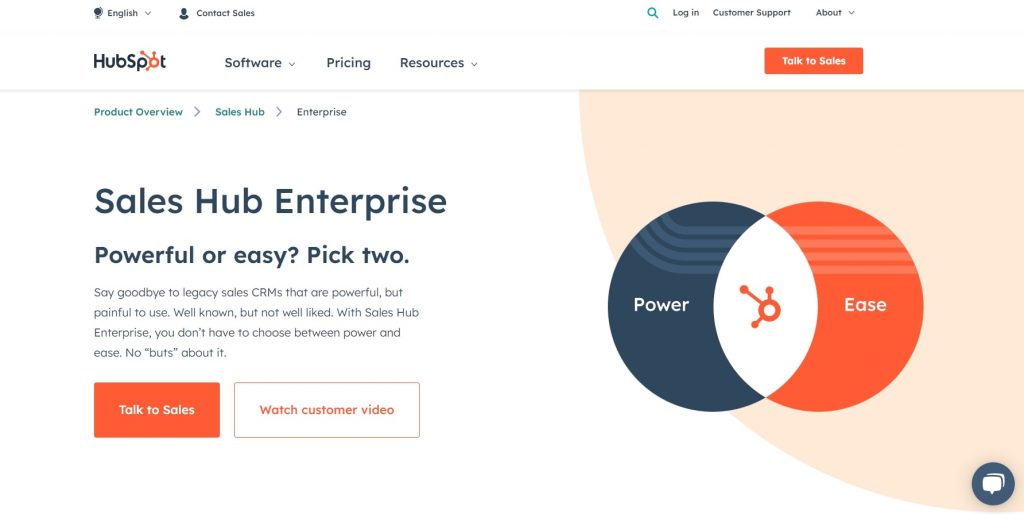
HubSpot Sales Hub brings all your sales data to one place, making it easier to analyze and improve performance. It also enables you to make more accurate sales forecasts by gaining more visibility into sales processes and trends. You can keep track of your leads and automate workflows to nurture them into long-term customers using HubSpot.
Key Features:
- Sort through data easily and report on the most significant metrics
- Use advanced AI-powered conversational insights to improve sales engagement
- Identify winning strategies and create effective sales playbooks for your team
- Use a visual sales pipeline to track and manage leads
- Create custom sales reports using advanced filters
Pros:
- Limit access to confidential information with user permissions
- Integrate with a range of business applications, including Slack, Mailchimp, Shopify, SurveyMonkey, etc.
Cons:
- Activity logs are cluttered and difficult to navigate
- Building dashboards can be challenging
Pricing:
Free plan available. Plans start from $45/month.
3. Zendesk Sell – Integrates CRM With Existing Zendesk Support
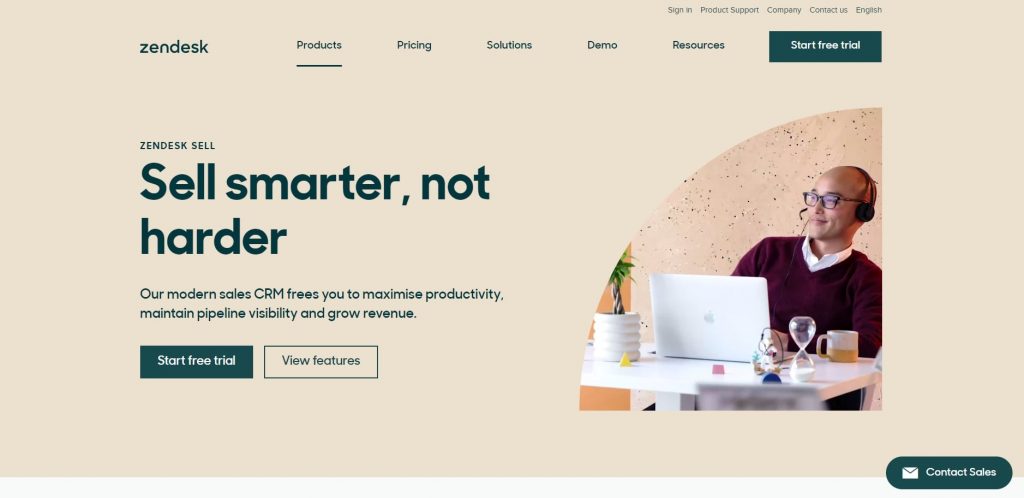
The built-in reporting and analytics capabilities of Zendesk Sell make it a highly effective solution for keeping track of sales performance. The sales CRM tool lets you track all available opportunities using a visual sales pipeline. You can leverage it to make accurate forecasts and analyze trends using pre-built or custom reports.
Key Features:
- Monitor sales metrics using pre-built dashboards
- Create custom reports and dashboards for tracking sales data
- Make accurate revenue predictions and sales forecasts
- Define formulas to score and prioritize leads
- Generate detailed activity reports and track progress toward your sales goals
Pros:
- Use the mobile app to view essential data from anywhere
- Create stages of the sales pipeline for better lead tracking
Cons:
- The dashboard appears cluttered
- Requires better data filtering and sorting options
Pricing:
Starts from $19/user/month.
4. Copper – Best for Businesses Using Google Workspace
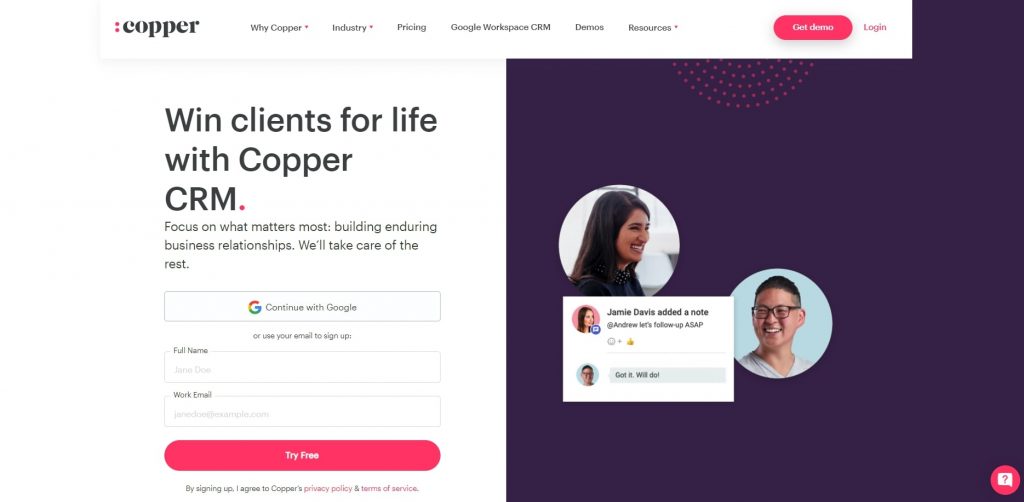
Improved visibility into the sales pipeline can help you make better predictions and business decisions. Copper CRM makes this possible with its insightful sales tracking system. Use the analytics dashboard to keep track of relevant sales data, including leads position, pipeline value, revenue trends, win probability, sales rep performance, etc.
Key Features:
- Generate reports instantly with ready-to-use templates
- Create custom reports with the most relevant data
- Schedule and send reports to selected recipients
- Use forecasting insights to improve business profitability
- Set up a custom sales pipeline to monitor the effectiveness of your sales processes
Pros:
- Find analytics data from anywhere with the mobile app
- Get real time-notifications and alerts for actions that require your attention
Cons:
- Functionality is limited for users working outside the Google Workspace
- AI-based lead scoring is missing
Pricing:
- Starts from $23/user/month
5. Sales Cloud Einstein – Best for AI Driven Analytics
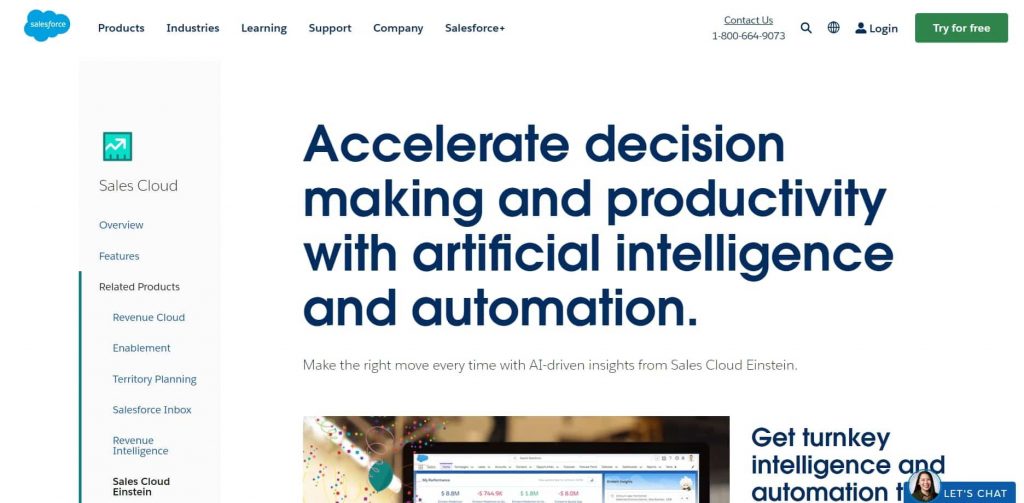
Sales Cloud Einstein by Salesforce lets you drive AI-driven analytics to accelerate your revenue growth. It helps make more profitable business decisions by drilling deeper into historical sales data and uncovering actionable insights into your processes. You can improve your forecasting accuracy and gain better visibility into customer behavior by leveraging this AI-powered sales analytics software.
Key Features:
- Use pre-designed reports and dashboards for quicker sales analysis
- Monitor pipeline health and stay updated with sales trends using advanced analytics
- Predict the likelihood of deals closing by analyzing historical data
- Get AI-powered insights into opportunities to close more deals
- Make accurate forecasts with automated machine learning
Pros:
- View advanced analytics data on any device remotely
- Save time spent on manual data entry by automating data capture for all sales-related activities
Cons:
- The learning curve is steep
- Documentation requires improvement
Pricing:
Starts from $50/user/month.
6. NetSuite CRM – Best for Business Intelligence Capabilities
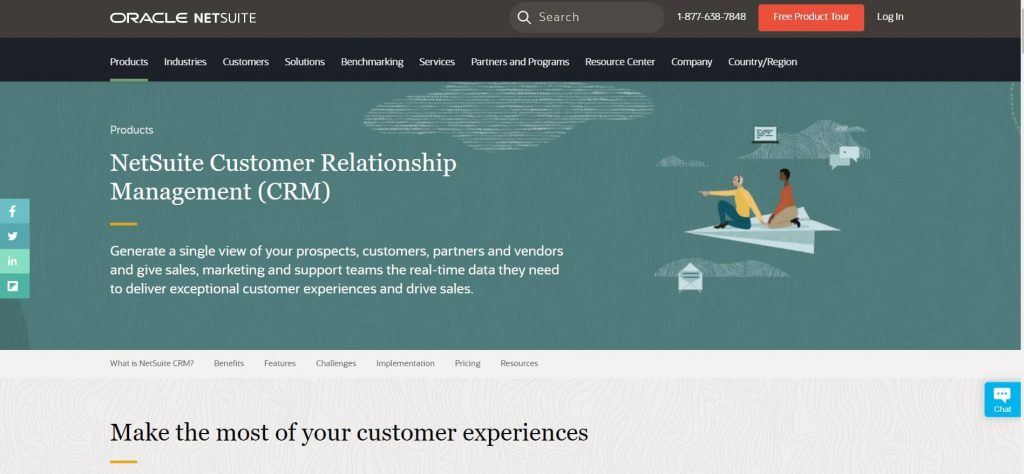
NetSuite CRM lets you track sales trends and gather insights to improve the effectiveness of your sales activities. Discover trends and monitor performance by diving deep into the sales data using the business intelligence capabilities of NetSuite CRM. Get real-time visibility into your sales processes and identify areas for improvement readily.
Key Features:
- Choose from a library of pre-built and customizable reports
- Create role-based analytics dashboards for your team
- Use the built-in SuiteAnalytics Workbook to find actionable insights instantly
- Perform searches and data analysis in real-time
- Define and track KPIs for effective sales analytics
Pros:
- Monitor the performance of your sales pipeline by stages
- Export analytics data to third-party tools easily
Cons:
- Lacks advanced search capabilities
- Setup can be time-consuming and complicated
Pricing:
Available on request.
7. SugarCRM – Best for Lead Management
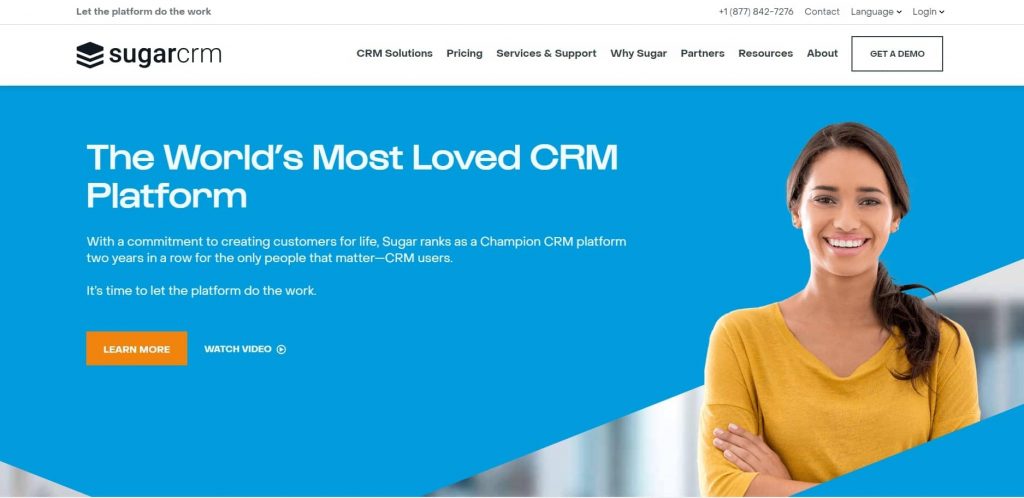
SugarCRM is an effective solution for managing your sales leads and processes. Use the tool to track deals with a sales pipeline and make more accurate business forecasts. Get intelligent insights into customer needs and expectations to improve your sales outcomes. SugarCRM also lets you set up automated alerts for changes in your sales metrics.
Key Features:
- Make AI-powered predictions to improve sales profitability
- Discover the right time to engage with prospects and increase your conversion rate
- Track relevant sales metrics to monitor your business performance
- Identify trends by analyzing historical sales data
- Determine conversion probabilities to focus on the right accounts
Pros:
- Get real-time alerts and insights to improve sales performance
- Automate data entry and recurring processes
Cons:
- The interface can be challenging to navigate
- The setup process can be simplified
Pricing:
Starts from $49/user/month.
8. Zoho CRM – Best CRM for Omnichannel Engagement
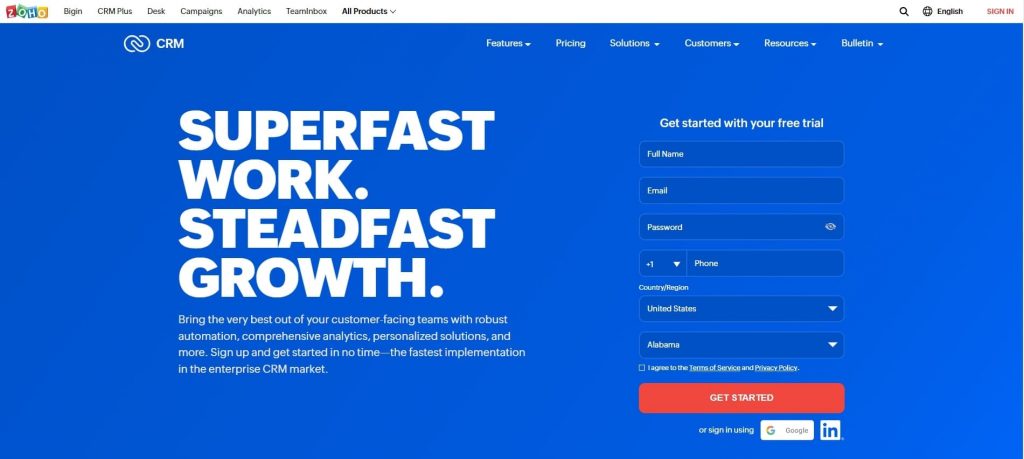
Zoho CRM lets you make better business decisions with its powerful prediction engine and analytics capabilities. Along with helping you track the win probability for your deals, Zoho CRM can help you visualize sales data in various forms, so you can stay updated with information that carries the most value for your business.
Key Features:
- Use deal predictions and insights to focus on more profitable opportunities
- Choose from a range of pre-built templates for your reports
- Create custom reports using advanced data filters
- Use charts, cohorts, quadrants, zone maps, and funnels for sales analysis
- Export your reports as PDFs, CSV files, or spreadsheets
Pros:
- Set up real-time alerts for sales activities and engagement
- Access sales analytics data from anywhere with the mobile app
Cons:
- The interface requires an update
- Customer support is ineffective
Pricing:
Free plan available. Paid plans start from $14/user/month.
9. Pipedrive – Best for Sales-Focused Teams
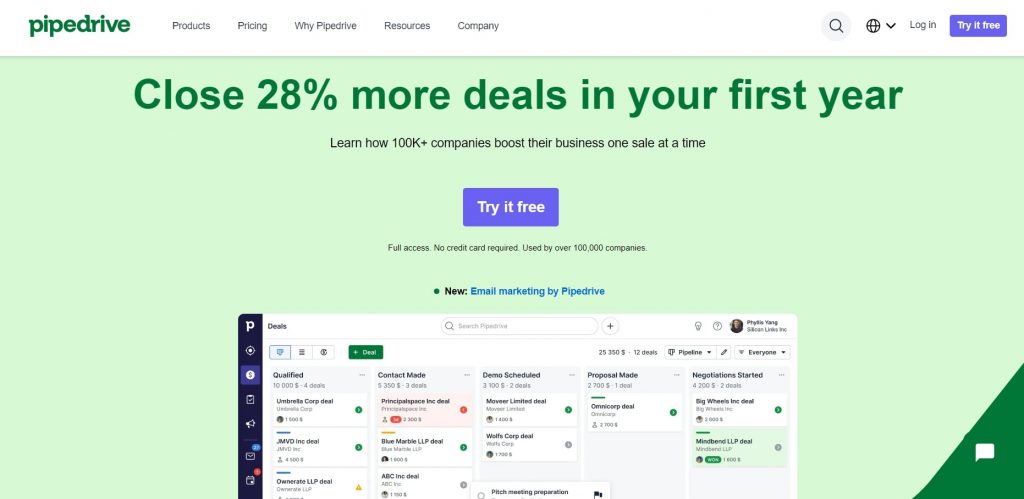
Pipedrive offers interactive reporting dashboards for effective analysis of your sales data. Use the tool to discover insights and winning actions, so you can enhance the profitability of your organization. Pipedrive also lets you set up multiple sales pipelines, allowing you to track the movement of sales leads throughout the process.
Key Features:
- Use custom reports to track the most significant metrics
- Make revenue forecasts by analyzing your previous performance
- Create reporting dashboards and share them with all the stakeholders instantly
- Visualize sales performance with graphs, charts, tables, etc.
- Set sales goals and monitor your progress toward achieving them
Pros:
- Generate reports for tracking conversions and monitoring team performance
- Manage and track deals using customizable sales pipelines
Cons:
- Customer service fails to meet expectations
- Requires more customization options for reports
Pricing:
Starts from $9.90/user/month.
10. Insightly – Best for Project-Oriented Businesses
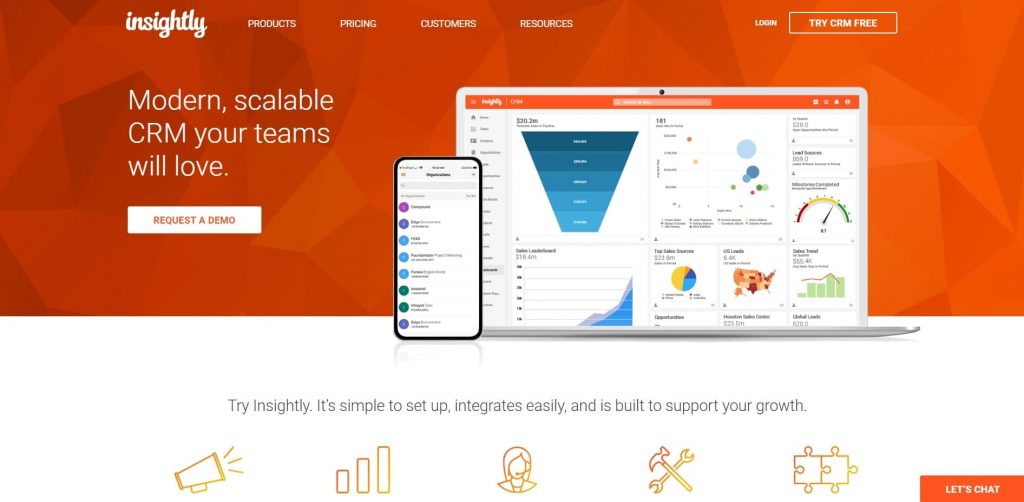
Insightly CRM centralizes your sales data, making its tracking and management easier. The built-in analytics capabilities of this application enable you to make more sales and strengthen your relationships with customers. You can also use Insightly to track the effectiveness of your sales outreach by monitoring email open and click statistics.
Key Features:
- Create custom dashboards to track essential sales metrics
- Use visual charts and graphs to monitor your sales performance
- Build reports using a simple drag-and-drop interface
- Set and track milestones to meet targets on time
- Share the reports with your team members
Pros:
- Use the Android and iOS mobile apps to access data from anywhere
- Data governance and security features are built-in
Cons:
- Documentation and training materials require improvement
- The learning curve is steep
Pricing:
Free plan available. Plans start from $29/user/month.
11. Nutshell – Best for Sales Automation
Nutshell is a CRM solution that can analyze sales data and gather insights to improve business performance. Use this tool to create custom reports that help you track your progress toward meeting sales targets. Nutshell can assist you in keeping track of deal conversion by stages, reps, or actions, so you can discover what works best for your business.
Key Features:
- Leverage historical data to make better sales forecasts
- Generate activity reports to track your team’s performance
- Track conversion rate for individual funnel stages and identify reasons for lost conversions
- Monitor the quality leads in your pipeline and segment them effectively
- Save reports as presentations for quicker reference
Pros:
- Manage sales opportunities using a customizable pipeline
- View sales-related data on any device
Cons:
- The mobile app’s interface requires an update
- Customization options are limited
Pricing:
Starts from $16/user/month.
12. Keap – Best for Sales & Marketing Automation for Small/medium Businesses
Keap has a comprehensive analytics dashboard that lets you gain visibility into sales processes and improve business decision-making. Use Keap to identify trends, compare revenue growth, and manage your invoices effortlessly. This sales analytics CRM will enable you to zero in on important data and generate in-depth reports that provide actionable insights into improving sales performance.
Key Features:
- Create daily, monthly, and weekly sales reports to visualize the growth
- Track trends for revenue growth and business transactions over time
- Use pipeline reporting analytics to keep a check on your pipeline’s health
- Take immediate action directly from your reports
- Utilize advanced filters to sort through your data
Pros:
- Find sales insights on the go with the mobile app
- Segment contact using tags and run reports for specific tags
Cons:
- Requires more advanced search features
- Knowledge base support needs improvement
Pricing:
Starts from $129/month.
13. Salesmate – Best for Sales Tracking
Salesmate is an effective solution for analyzing sales data and keeping track of sales activities. Along with automating the steps of your sales process, the tool can be utilized to set performance goals for routine tracking. Using this sales analytics tool, you can make accurate forecasts and generate reports by analyzing multiple data points.
Key Features:
- Create visual and detailed reports to keep track of relevant sales data
- Forecast sales and revenue to improve your selling strategy
- Set and track tangible sales goals to stay updated with your performance
- Use a custom sales pipeline to visualize the movement of sales opportunities
- Plan and complete tasks on time with a dedicated sales activity tracker
Pros:
- Sales reps can access personalized dashboards to keep track of achieved and pending sales goals
- View analytics data remotely using the mobile app
Cons:
- It does not offer AI-powered lead scoring
- The loading speed of the tool is below par at times
Pricing:
Starts from $12/user/month.
14. Freshsales – Affordable Sales CRM for Small and Medium Businesses
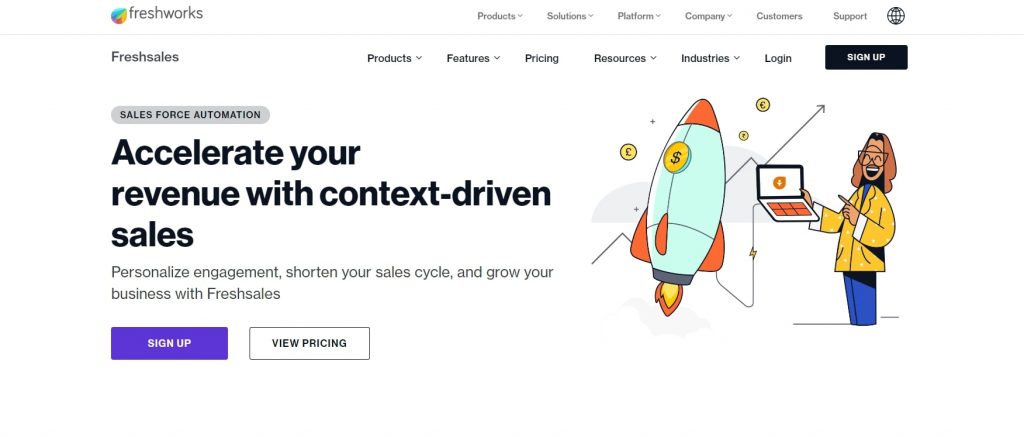
Freshworks’ sales CRM tool- Freshsales offers in-depth analytics into sales processes, so you can track and improve your performance. Create visual reports and dashboards for better tracking of sales data. The tool enables you to make more profitable business decisions with intelligent reports. Use Freshsales to monitor your pipeline velocity, individual rep performance, and deal-closing probability.
Key Features:
- Use dynamic forecasting to make the right business decisions
- Getting started with creating reports instantly with ready-to-use templates
- Schedule the delivery of reports directly to your inbox
- Generate activity reports to track the performance of individual sales reps
- Choose from pre-built sales reports or create custom reports based on your needs
Pros:
- Access sales information on the go with the mobile app
- Use pipeline reports to track the movement of deals and identify any bottlenecks in your sales process
Cons:
- Customer support is substandard
- UI needs an uplift
Pricing:
Free plan available. Plans start from $15/user/month.
15. Agile CRM – Affordable CRM for Sales, Marketing, and Service
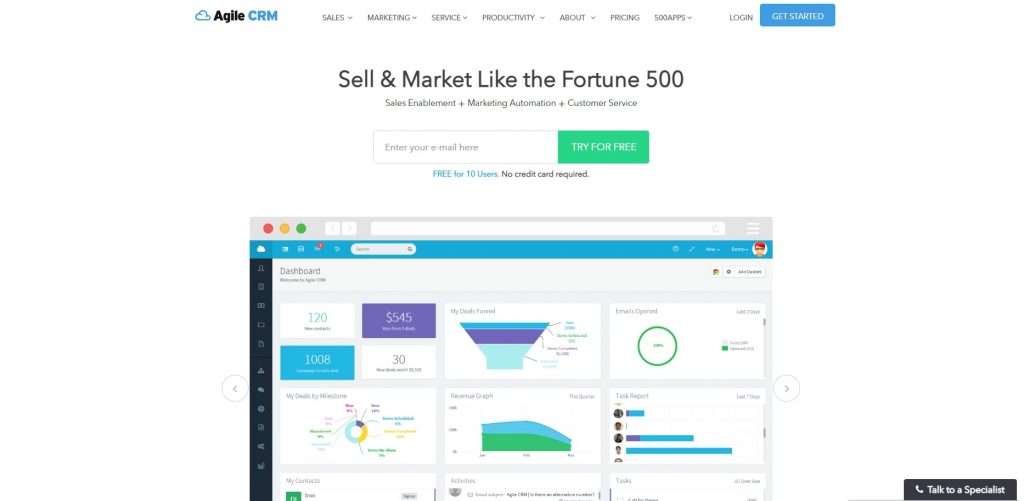
Agile CRM offers deep insights into your sales leads. You can use this analytics tool to track the deals at every stage of the sales process and identify actions that help them move forward. Set up recurring reports and schedule their delivery at a preferable time. Agile CRM lets you create custom reports based on your required criteria.
Key Features:
- Use visual charts and graphs to monitor your sales performance
- Track the movement of leads through individual stages of your sales funnel
- Create custom reports to track the most relevant sales data
- Schedule reports to run and be delivered to your inbox automatically
- Find your most engaged prospects and track their activity, behavior, and preferences
Pros:
- Score leads to prioritizing high-value opportunities
- Track deal statuses and sales information on the go using the mobile app
Cons:
- The user interface needs enhancement
- Limited integrations and plugin options are available
Pricing:
Free plan available. Plans start from $8.99/user/month.
16. Nimble CRM – Best for Social Media Integration and Contact Management
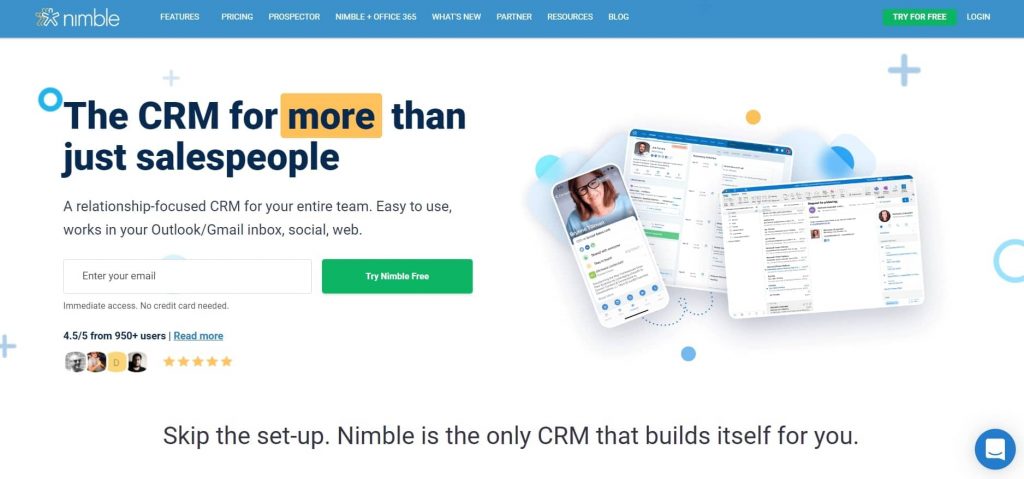
Nimble is a comprehensive CRM solution with data enrichment and analysis features. The tool makes it easier to keep track of your sales team’s performance and identify ways to improve it. Track sales activities, make revenue projections and sales forecasts, manage your pipeline intelligently, and improve your business growth with Nimble.
Key Features:
- View all scheduled and completed sales activities in one place
- Keep track of the most relevant information using custom filters
- Make accurate deal forecasts and revenue predictions by tracking historical sales data
- Offers intelligent insights and recommendations to help you close more deals
- Manage all available opportunities using a visual sales pipeline
Pros:
- Work remotely using the native Android and iOS applications
- Get notified about sales opportunities that require your immediate attention
Cons:
- The mobile app’s interface needs improvement
- Better tagging functionality is required
Pricing:
Starts from $19/user/month.
17. Creatio – Best for No-Code Automation
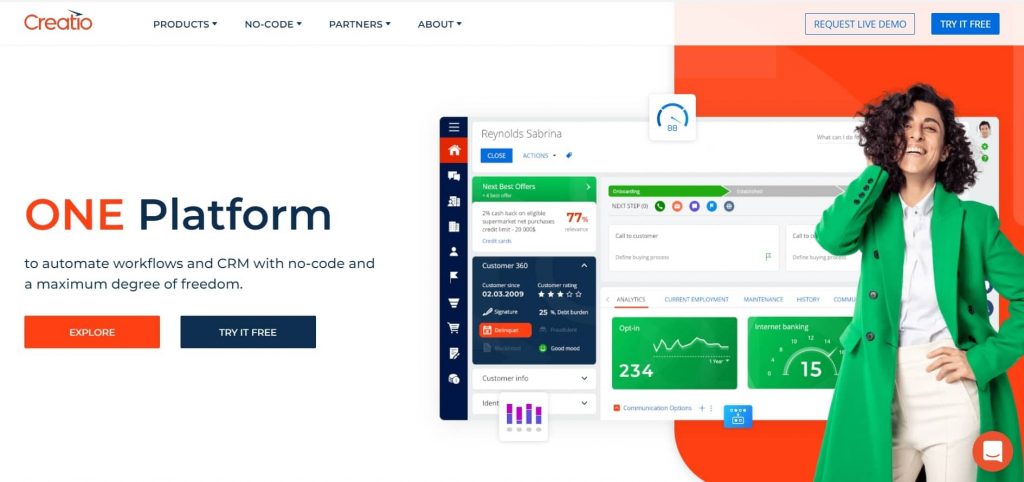
Creatio lets you enhance your sales performance by providing a 360° view of your processes and data. Use the forecasting ability of this tool to set achievable sales targets and allocate business resources appropriately. Creatio also helps you determine the probability of deal closure, so your sales team can focus on the right opportunities.
Key Features:
- Track complete histories for opportunities for better tracking and analysis
- Analyze sales data to make accurate forecasts
- Identify bottlenecks in your sales pipeline and track the conversion rate for each stage
- Keep track of the effectiveness of individual sales representatives
- Define relevant KPIs and monitor them using a comprehensive dashboard
Pros:
- Access essential information from anywhere with Creatio mobile app
- Qualify leads and nurture them with intelligent insights
Cons:
- Filtering capabilities are not advanced
- The interface requires more customization options
Pricing:
Starts from $30/user/month.
18. Coupler.io – Best for AI Reporting & Analytics
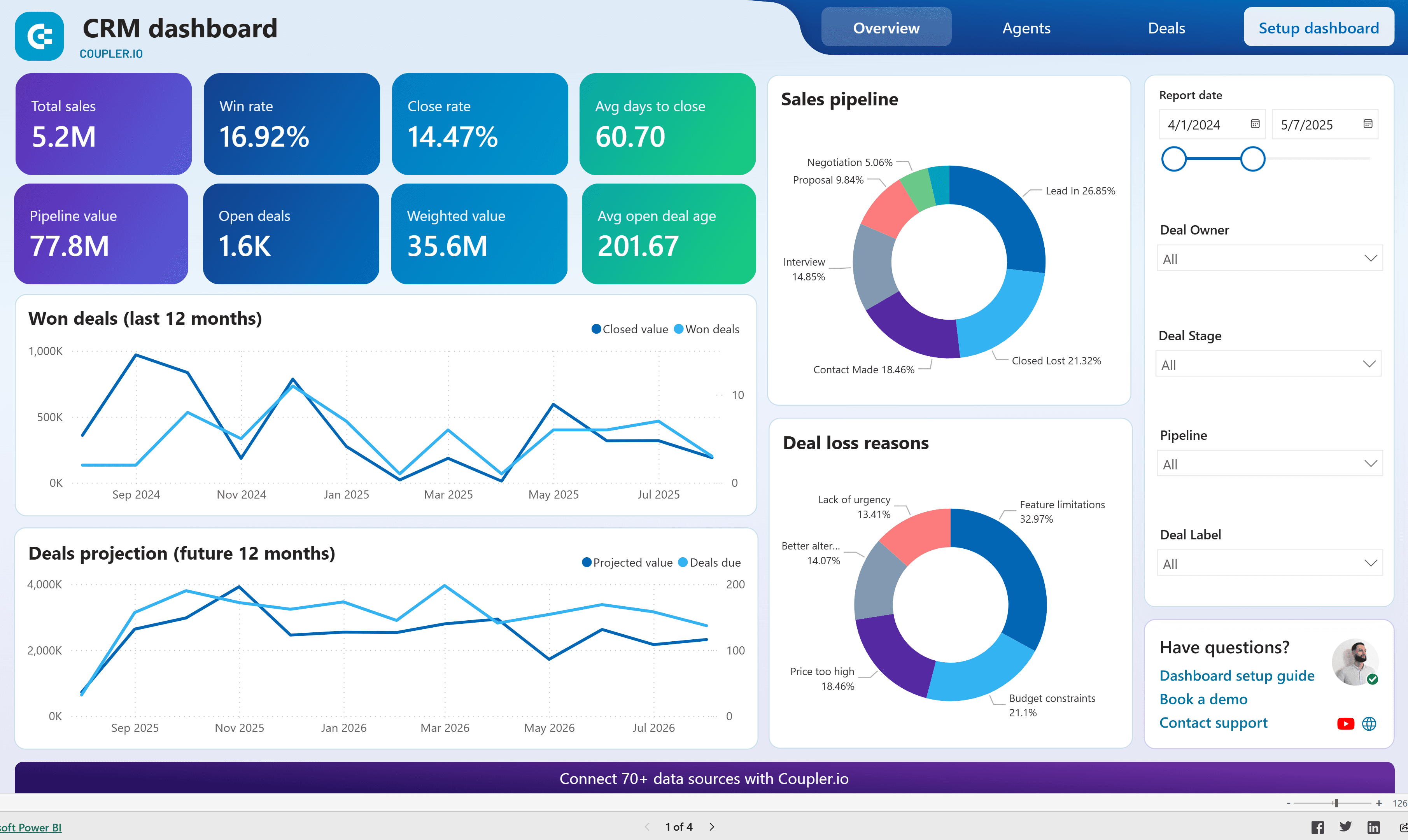
Coupler.io turns complex sales data into clear, actionable reports to help you track performance and drive smarter decisions. It connects your tools, automates reporting, and delivers instant insights with the help of AI. For example, you can easily build a sales funnel dashboard and analyze cross-channel data without coding.
Key Features:
- Combine sales data from 700+ apps
- AI Insights for smart summaries and recommendations
- Analyze large-scale data sets with the MCP Server
- Customize no-code dashboards or use ready-made templates
- Schedule automatic data updates
Pros:
- AI-powered data interpretation
- Cross-channel reporting
Cons:
- Setup may take time for beginners
- Needs a learning curve for customized integrations
Pricing:
Free plan available. Plans start from $24/month with a free trial available.
How Did I Evaluate These Sales Analytics Tools?
Choosing the right tools to feature in this list wasn’t a quick decision. I followed a structured, unbiased evaluation process to make sure every tool earns its place here, not just because it’s popular, but because it genuinely delivers for sales teams. Here’s exactly how I assessed each one.
- User Reviews & Ratings: I started by going through real user feedback on reputable platforms like G2, Capterra, and Trustpilot. Ratings alone don’t tell the full story, so I paid close attention to recurring complaints and praise across reviews, because patterns in user sentiment reveal what a product page never will.
- Essential Features & Functionality: I evaluated each tool on the depth and reliability of its core sales analytics capabilities: pipeline tracking, custom reports, dashboards, forecasting accuracy, and data filters. A tool that lists ten features but delivers five well beats one that stretches thin across all ten.
- Ease of Use: I looked at how quickly a new user — especially someone from a small sales team without a dedicated ops person — can get meaningful insights out of the tool. A clean interface, logical navigation, and a short learning curve all factor in here. If a sales rep needs a manual to pull a basic pipeline report, that’s a problem.
- Customer Support: I examined the quality and accessibility of customer support, including live chat availability, response times, onboarding help, and the depth of self-serve documentation. Support quality matters most during setup and when something breaks mid-quarter.
- Value for Money: I compared what each tool delivers against its pricing tier — free, starter, and premium. The goal was to identify tools where the features justify the cost, and flag where pricing outpaces actual utility. For small businesses especially, the difference between a $9/user/month tool and a $50/user/month tool needs to be clearly worth it.
- Personal Experience & Expert Opinions: Finally, I factored in hands-on observations from testing these tools, along with perspectives from sales operations professionals and CRM consultants. This layer helps surface nuances that user reviews and feature lists miss — like how a tool actually performs at scale, or which integrations work reliably in practice.
My Top 3 Picks for the Best Sales Analytics Software
After evaluating all 18 tools across the criteria above, three consistently stood out, whether you’re a small team replacing spreadsheets or a growing business that needs deeper pipeline intelligence. Here are my top picks.
1. BIGContacts
BIGContacts by ProProfs is my top pick for small and growing sales teams that need a straightforward, affordable way to track pipeline performance and generate reports without spending days on setup. It gives you a visual sales pipeline, pre-built report templates, advanced search filters to slice through lead data, and automated follow-up workflows, all on a forever-free plan for up to 100 contacts. What makes it stand out is the balance between simplicity and actual depth: you can save custom reports, add custom pipeline stages, and monitor individual rep performance without any technical overhead.
2. HubSpot Sales Hub
HubSpot Sales Hub earns its place as a top pick for teams that want to centralize sales, marketing, and customer data in one place without stitching together multiple tools. Its reporting and analytics capabilities are genuinely strong, AI-powered conversational insights, customizable dashboards, and deep pipeline visibility make it one of the most complete analytics platforms available. The free tier is functional enough to get started, and the paid plans scale well as your team grows.
3. Pipedrive
Pipedrive is the standout pick for sales-focused teams that want clean, visual pipeline management paired with solid reporting. Its interactive dashboards make it easy to spot where deals stall, forecast revenue based on pipeline data, and track team performance against goals, all without a steep learning curve. The ability to set up multiple pipelines and share dashboards with stakeholders instantly makes it particularly useful for teams managing different product lines or market segments.
How Does Sales Analytics Software Compare to Spreadsheet Reporting?
Sales analytics software and spreadsheet reporting both track sales data, but the similarity ends there. Software automates, centralizes, and visualizes data in real time, while spreadsheets require manual entry, are prone to errors, and break down as your data volume grows.
| Feature | Sales Analytics Software | Spreadsheet Reporting |
| Data entry | Automated from CRM/pipeline | Manual |
| Real-time updates | Yes | No |
| Visual dashboards | Built-in | Manual setup required |
| Forecasting | AI-powered or automated | Formula-dependent |
| Collaboration | Multi-user, role-based | Version conflicts |
| Scalability | Scales with your business | Breaks under volume |
| Error risk | Low | High (human error) |
| Setup time | Minutes to hours | Days to weeks |
Most small businesses start with spreadsheets and switch to dedicated sales analytics software once their pipeline exceeds what a spreadsheet can reliably track. Tools like BIGContacts by ProProfs are specifically designed for this transition, with a free plan, simple onboarding, and pre-built report templates that eliminate the spreadsheet rebuild from scratch.
Step up Business Decision Making With Sales Analytics Software
Choosing the right sales analytics software means matching the tool’s reporting depth, pipeline features, and pricing to your team’s size and workflow. Start with your top pain point and work outward.
The 18 best sales analytics software listed above are highly recommended solutions that are worth your consideration. These tools can empower your sales team to eliminate the guesswork from their operations and work more efficiently.
While all of these tools can help you analyze sales data and chart your progress toward meeting objectives, not all of them will be the right fit for your organization. To select the most appropriate sales analytics solution, you must understand your team’s requirements and thoroughly assess available tools against these needs.
Focusing on the tool’s usability and extent of customization can help you land an effective sales analytics solution that provides you with all the insights you need to drive better growth for your business. For example, if your primary requirements are pipeline analysis and custom reports, you can benefit from implementing a tool like BIGContacts. This will enable you to take advantage of data and insights to maximize the effectiveness of your sales operations.
Frequently Asked Questions
What is the best sales analytics software for small businesses?
The best sales analytics software for small businesses is one that is affordable, easy to set up, and built around pipeline tracking and custom reports. BIGContacts by ProProfs offers a forever-free plan for up to 100 contacts, pre-built report templates, and a visual sales pipeline, making it an ideal starting point for small teams replacing spreadsheets with a real.
How is a sales analytics platform different from a CRM?
A CRM stores and manages customer data like contacts, interactions, and deals. A sales analytics platform takes that data and transforms it into reports, dashboards, and forecasts. Many modern CRMs include built-in sales analytics features, so you get both in one tool. BIGContacts, HubSpot, and Pipedrive are examples of CRMs with strong built-in analytics.
What metrics should sales analytics tools track?
Sales analytics tools track pipeline value by stage, conversion rate per stage, individual sales rep performance, deal win/loss rates, average deal size, sales cycle length, lead source effectiveness, and forecast vs. actual revenue. The most useful tools let you customize which metrics appear on your dashboard so you focus on what matters most to your business.
Can sales analytics software help with sales forecasting?
Yes. Sales analytics software uses historical deal data, pipeline velocity, and win probabilities to generate revenue forecasts. Tools like Sales Cloud Einstein by Salesforce use machine learning for automated forecasting, while more accessible options like BIGContacts and Pipedrive offer pipeline-based forecasting that is accurate and easy to interpret without a data science background.
Is there a free sales analytics tool available?
Yes. Several sales analytics tools offer free plans. BIGContacts by ProProfs offers a forever-free plan for up to 100 contacts with pipeline tracking and basic reports. HubSpot, Zoho CRM, Freshsales, Agile CRM, and Insightly also offer free tiers. Free plans typically limit contacts, users, or advanced reporting, but are sufficient for small teams getting started.
How do I know if my sales team needs a sales analytics tool?
Your sales team needs a dedicated analytics tool if you rely on manual spreadsheets to track pipeline data, if you cannot quickly answer questions about conversion rates or forecast accuracy, if your sales reps lack visibility into their own performance, or if reporting takes more than a few hours to produce. These are all signs that a CRM with built-in sales analytics will immediately improve your team's efficiency.
What is the difference between sales analytics and sales reporting?
Sales reporting is the process of compiling sales data into a structured format for a specific time period. Sales analytics goes further, it interprets that data to identify trends, predict future outcomes, diagnose pipeline problems, and recommend actions. Reporting tells you what happened. Analytics tells you why it happened and what to do next.
FREE. All Features. FOREVER!
Try our Forever FREE account with all premium features!