
Nobody tells you there’s a vocabulary test before you buy a CRM.
One day you’re running your business on Excel and a follow-up email here and there. The next, you’re sitting in a product demo and the sales rep is throwing around words like “pipeline stages,” “drip sequences,” and “lead attribution” like you’ve known them your whole life.
You haven’t. And honestly, why would you?
This guide is your shortcut. We’ve broken down 43 of the most common CRM terms in plain English, the way a friend who works in tech would explain them over coffee. No jargon, no fluff, just clear definitions with real examples so you know exactly what each term means and whether you actually need it.
What Are CRM Terms?
CRM terms are the vocabulary used to describe the features, processes, and concepts inside a Customer Relationship Management system. They cover everything from how contacts are stored and organized to how emails are automated, how deals are tracked, and how team activity is reported.
Understanding these terms helps you evaluate CRM tools faster, communicate clearly with your team, and use your CRM to its full potential instead of just scratching the surface.
If you prefer watching over reading, this video walks you through what CRM is and how to get started in under a few minutes.
Why Does CRM Terminology Matter?
Most people come to CRM from spreadsheets. You know your customers. You know what you need. But the moment you open a CRM demo or talk to a sales rep, the terminology takes over: “pipeline stages,” “segmentation,” “two-way sync,” “lead scoring.”
Here is the problem: if you do not understand the terms, you cannot ask the right questions. You end up either buying more than you need or missing a feature that would have saved you hours a week.
A study by Gartner in 2023 shows that low CRM adoption rates are often tied to complexity and poor onboarding, not the tool itself. Understanding the language before you commit is one of the simplest ways to make adoption stick.
This guide is organized into five sections so you can find exactly what you need:
- Core CRM Terms
- Contact and Data Terms
- Sales and Pipeline Terms
- Email and Automation Terms
- Reporting and Integration Terms
What Are the Core CRM Terms Every Beginner Should Know?
These are the foundational CRM terms that show up on every platform, every demo, and every comparison article. Start here.
1. CRM (Customer Relationship Management)
CRM stands for Customer Relationship Management. It refers to both a business strategy and the software that powers it. As a strategy, CRM is about building better relationships with your customers over time. As software, it is the tool that stores your contacts, tracks your interactions, manages your sales pipeline, and automates your follow-ups, all in one place.
Example: Instead of digging through your inbox to find the last email you sent a client, your CRM shows you the full conversation history the moment you open their contact profile.
2. Contact
A contact is any individual person stored in your CRM. This could be a lead, a current customer, a past client, or even a business partner. Each contact has its own profile with details like name, email, phone number, company, and a history of every interaction you have had with them.
3. Account
An account is a company or organization in your CRM. Individual contacts are linked to accounts. So if you work with three people at the same company, all three show up under one account, keeping things clean and organized.
4. Lead
A lead is a person or company that has shown some interest in your product or service but has not bought yet. They might have filled out a form on your website, attended a webinar, or been added manually from a business card you collected at an event.
Not all leads are equal. Some are ready to buy. Others just downloaded a free resource. CRM systems help you track and prioritize them. If you want to understand how different types of leads behave, this breakdown of types of leads is a good next read.
5. Prospect
A prospect is a lead that has been qualified, meaning someone on your team has determined they are a real fit for your product or service. The difference between a lead and a prospect is qualification.
Every prospect was once a lead, but not every lead becomes a prospect. For a deeper look at how these three terms relate, see lead vs prospect vs opportunity explained.
6. Opportunity
An opportunity (also called a “deal”) is a qualified prospect that is actively moving through your sales process. When you create an opportunity in your CRM, you are saying: “This one has potential, let’s track it.”
7. Deal
A deal is another word for opportunity, used interchangeably in most CRM platforms. It represents a specific sales transaction in progress. Deals have stages (more on that below), a value, an expected close date, and a contact attached to them.
8. Customer
A customer is a contact who has already purchased from you. In a CRM, customers are typically tagged or moved to a different stage so you can focus on retention, upsells, and relationship management, not just acquisition.
9. User / Seat
A user (also called a “seat”) is a person on your team who has access to the CRM. Most CRM pricing is based on how many users (seats) you need. If you have five salespeople, you need five seats. This is one of the first questions to answer when comparing CRM plans.
10. Admin
The admin is the person who manages the CRM settings, user permissions, and overall configuration. In smaller teams, this is often the owner or a team lead. The admin controls what each user can see and do in the system.
Ready to see what a CRM actually looks like?
BIGContacts offers a forever-free plan!
What Are the Key Contact and Data Terms in a CRM?
These CRM terms relate to how your contact information is stored, organized, and kept up to date. If you have ever lost a client’s phone number or forgotten who you talked to last week, these are the features that solve that.
11. Contact Record
A contact record is the full profile of a single person in your CRM. It includes their basic information (name, email, phone, company), plus a history of every interaction: emails sent, calls logged, notes added, and tasks completed.
Think of it as a living file for each relationship. For tips on keeping these records organized, contact management best practices is worth a read.
12. Activity Log
An activity log is the chronological record of everything that has happened with a contact: emails, calls, meetings, notes, and tasks. It gives you and your team full context before every interaction, so no one starts a conversation cold.
13. Custom Fields
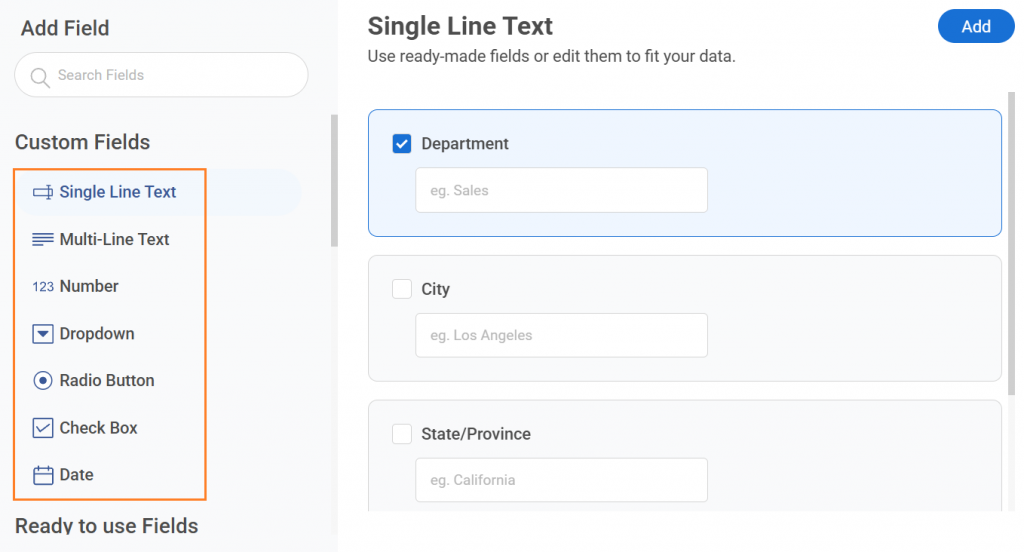
Custom fields are data fields you create yourself to store information that is specific to your business. Standard CRMs come with fields like “Name,” “Email,” and “Phone.” Custom fields let you add things like “Product Type,” “Investment Stage,” or “Seasonal/Full-Time,” whatever your business actually needs to track.
14. Tags
Tags are short labels you attach to contacts to group and filter them quickly. Instead of creating complex folders, you just tag contacts with labels like “Investor,” “Hot Lead,” “Attended Webinar,” or “Real Estate.” You can then pull up every contact with a specific tag in seconds.
15. Segmentation
Segmentation is the process of dividing your contacts into groups based on shared characteristics: industry, location, purchase history, tag, or any other field. Segmented lists let you send targeted emails to the right people instead of blasting everyone with the same message.
16. Deduplication
Deduplication is the process of finding and merging duplicate contact records. If the same person was added twice with slightly different details, deduplication cleans that up. Good CRMs either catch duplicates automatically or give you tools to identify and merge them manually.
17. Data Import
Data import is the process of bringing your existing contact list into a CRM from another source, usually a CSV or Excel file. Most CRMs support this, but the process varies. Good CRMs walk you through field mapping so your data lands in the right columns.
18. Web Form / Lead Capture Form
A web form (also called a lead capture form) is a form embedded on your website that automatically adds new contacts into your CRM when someone fills it out. Instead of manually entering every new inquiry, the CRM captures the data for you.
Example: A dental assisting school had high website traffic but low applicant conversions. A web form feeding directly into a CRM meant every visitor inquiry was captured and followed up automatically, without anyone on the team lifting a finger. Here is a closer look at how lead generation web forms work in practice.
What Are the Key Sales and Pipeline Terms in a CRM?
These CRM terms describe how you track deals as they move from first contact to closed sale. If you have ever lost track of where a prospect stood in your process, these are the concepts that fix it.
19. Sales Pipeline
A sales pipeline is a visual representation of where all your active deals stand at any given moment. Each deal sits in a “stage” that reflects how far along it is in your sales process. The pipeline gives you a bird’s-eye view of your entire sales operation at once.
Example: Moving contacts from “prospect” to “warm lead” to “hot lead” is a pipeline. A CRM just makes it visual and trackable instead of something you have to remember in your head. For a practical walkthrough, see how to build a sales pipeline from scratch.
20. Pipeline Stage
A pipeline stage is one step in your sales process. Common stages include: New Lead, Contacted, Proposal Sent, Negotiating, Won, and Lost. You move a deal from stage to stage as it progresses. Each stage can have tasks, automated emails, or reminders attached to it.
21. Kanban Board
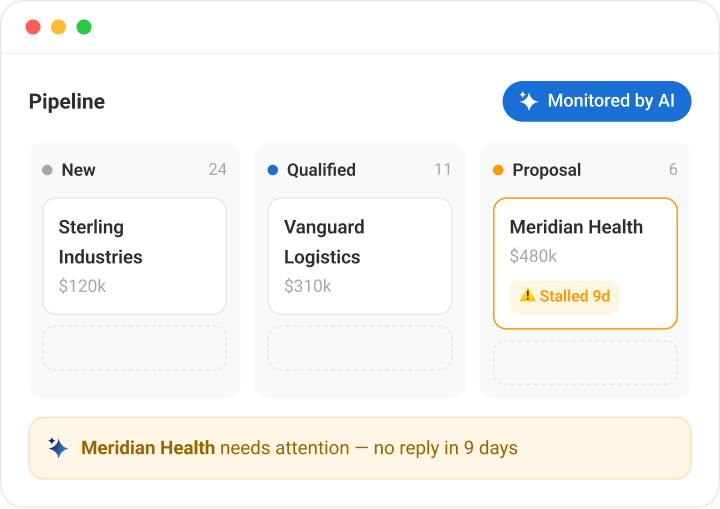
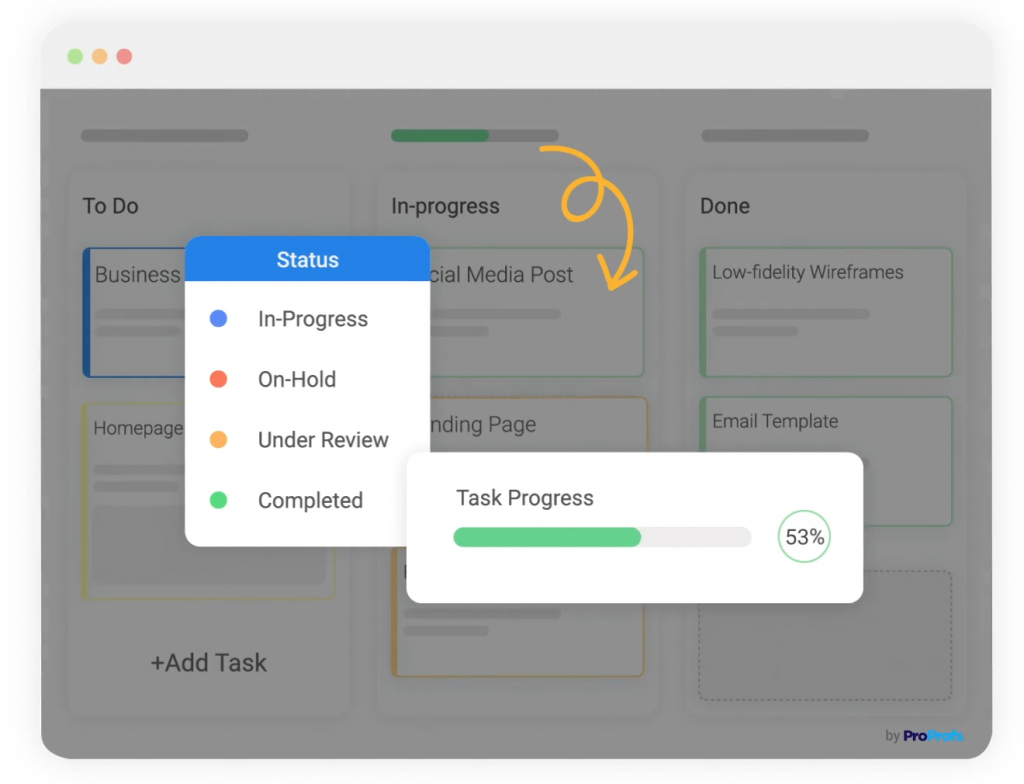
A Kanban board is a card-based visual layout of your pipeline. Each deal is a card, and columns represent pipeline stages. You drag and drop cards from one column to the next as deals progress. It is one of the most popular ways to manage a sales pipeline visually.
22. Deal Stage
A deal stage is the current position of a specific deal in your sales process. Some platforms use “deal stage” and “pipeline stage” interchangeably. The key is that every deal always has a stage, so you always know where it stands.
23. Sales Forecast
A sales forecast is a prediction of how much revenue you expect to close in a given time period, based on the deals currently in your pipeline. CRMs calculate forecasts by multiplying deal values by their probability of closing at each stage.
24. Lead Scoring
Lead scoring is a system that assigns a numerical score to each lead based on how likely they are to buy. Points are added for actions like opening emails, visiting your pricing page, or filling out a form. Higher scores mean hotter leads. It helps your team prioritize the right contacts first.
There are also lead scoring best practices worth reviewing once you are ready to set one up.
25. Lead Source
Lead source is where a contact came from. Examples include: Website, Referral, Event, Cold Outreach, Social Media, or Paid Ad. Tracking lead sources tells you which channels bring your best customers so you can invest more there.
26. Win Rate
Win rate is the percentage of deals you close out of the total deals you work. If you had 20 active deals last month and closed 5, your win rate is 25%. CRMs track this automatically and show trends over time.
27. Churn
Churn refers to customers who stop doing business with you: they cancel, do not renew, or simply disappear. A CRM helps you reduce churn by tracking relationship health, setting reminders for check-ins, and spotting at-risk customers before they leave.
What Are the Key Email and Automation Terms in a CRM?
These CRM terms describe how automated communication works. They are the ones most commonly misunderstood by first-time CRM users because they sound more technical than they are.
28. Email Campaign
An email campaign is a batch of emails sent to a group of contacts at one time. This could be a newsletter, a product announcement, or a promotional offer. In a CRM, you build the email, select your segment, and send. The CRM handles delivery and tracks opens and clicks automatically.
29. Mass Email / Email Broadcast
A mass email (also called an email broadcast) is a single email sent to many contacts simultaneously. It is different from a drip campaign in that it goes out all at once, not over time. This is what a capital-raising firm needs when a press release goes out and they have to notify 75 to 100 investors in one shot.
30. Drip Campaign
A drip campaign is a series of pre-written emails sent automatically to a contact over a set schedule. When someone fills out your web form, the CRM starts sending them emails: Day 1, Day 3, Day 7, with no manual effort from your end. Drip campaigns nurture leads until they are ready to buy.
31. Email Sequence
An email sequence is another term for a drip campaign: a series of timed, automated emails sent to a contact after a specific trigger. Some platforms use “sequence” specifically for sales outreach, while “drip” is used for marketing nurture. In practice, they work the same way.
32. Automation / Workflow Automation
Automation in a CRM means setting up rules that trigger actions automatically, without you lifting a finger. A workflow is the set of instructions that defines those rules. For example: “When a contact fills out the contact form, add the tag ‘New Lead,’ assign it to the sales rep, and send a welcome email.”
See CRM workflow automation explained in more detail if you want to go deeper on this.
33. Trigger
A trigger is the event that starts an automation. Examples of triggers:
- A contact fills out a web form
- A deal moves to a new pipeline stage
- A contact clicks a link in an email
- A specific date arrives (like a follow-up reminder)
When the trigger fires, the automation runs.
34. Follow-Up Reminder / Task
A follow-up reminder is an alert that tells you (or a team member) to take a specific action at a specific time. In a CRM, you can set reminders to call a prospect, send a proposal, or check in with a customer. The goal is to make sure nothing slips through because you forgot.
35. Open Rate
Open rate is the percentage of people who opened your email out of everyone who received it. If you sent an email to 100 contacts and 30 opened it, your open rate is 30%. CRMs track this automatically and surface it in your campaign reports.
36. Click-Through Rate (CTR)
Click-through rate is the percentage of people who clicked a link inside your email. It is a measure of engagement: how compelling was your content and call to action? Higher CTR means your email resonated with your audience.
What Are the Key Reporting and Integration Terms in a CRM?
These CRM terms cover how data flows in and out of your system and how you measure performance. They are essential for making smart decisions and getting your tools to work together without manual effort.
37. Integration
An integration connects your CRM to another tool so data flows between them automatically. Common integrations include email clients (Outlook, Gmail), marketing platforms (Mailchimp), calendar apps, and communication tools. Instead of manually copying data between tools, integrations keep everything in sync.
Example: A business managing 27,000 contacts uses Mailchimp for campaigns. A CRM integration with Mailchimp means contact data and campaign activity stay in sync automatically, no manual exports needed. For a full overview of what this looks like in practice, read this guide on CRM integration.
38. Two-Way Sync
A two-way sync means data flows in both directions between two tools. If you update a contact in your CRM, it updates in your email client too, and vice versa. Many tools offer one-way sync (CRM to email only), so knowing the difference saves you from frustration later.
39. API (Application Programming Interface)
An API is a technical connection that allows two software tools to talk to each other and share data. You do not need to understand how it works technically. Just know that when a CRM says “we have an open API,” it means developers can build custom connections between the CRM and other tools your business uses.
40. Dashboard
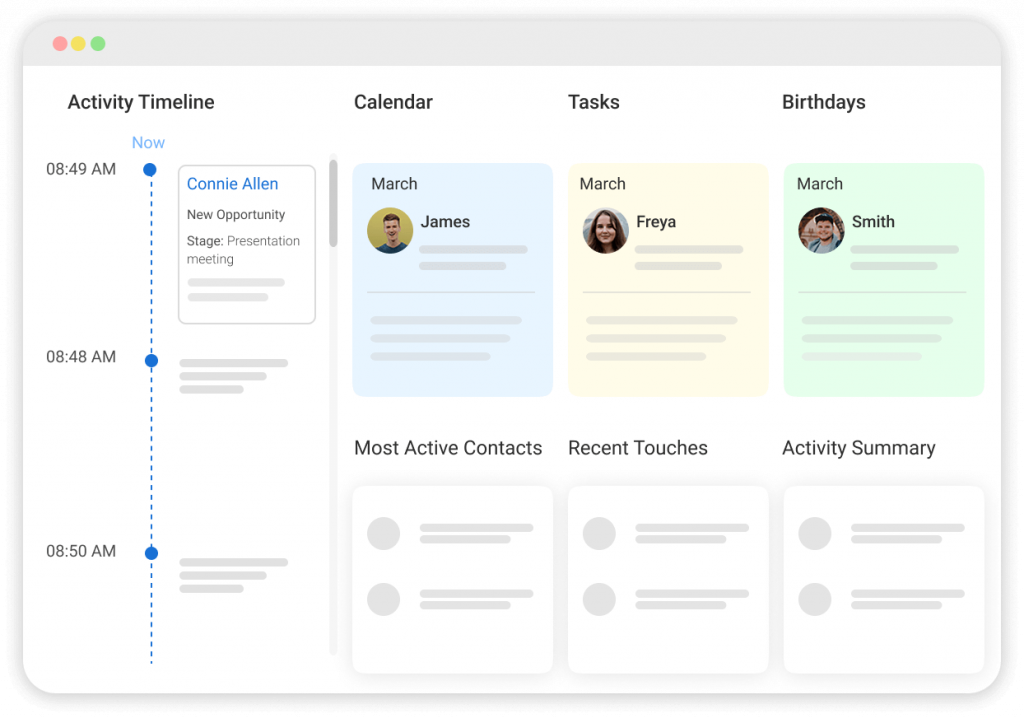
A dashboard is the home screen of your CRM: a visual summary of your most important data at a glance. A good dashboard shows you open deals, upcoming tasks, recent activity, email campaign performance, and pipeline health. Think of it as your business’s control panel.
41. Report
A report is a detailed breakdown of CRM data over a specific time period. Common reports include: sales activity, email performance, deal win rates, and contact growth.
CRM reports help you spot patterns, measure team performance, and make data-driven decisions. For guidance on where to start, here are the best CRM reports to run for your business.
42. Sales Activity Report
A sales activity report shows what your team has been doing: how many calls were made, emails sent, meetings logged, and tasks completed. It is how managers track effort, not just results. It is also how individual reps can see if they are hitting their activity targets.
43. Forever-Free Plan
A forever-free plan is a pricing tier that lets you use a CRM indefinitely without paying, not a time-limited trial. BIGContacts offers a forever-free plan for small teams, which means you can get started, learn the platform, and manage real contacts before spending a single dollar.
How Does a CRM Work? (Step-By-Step)
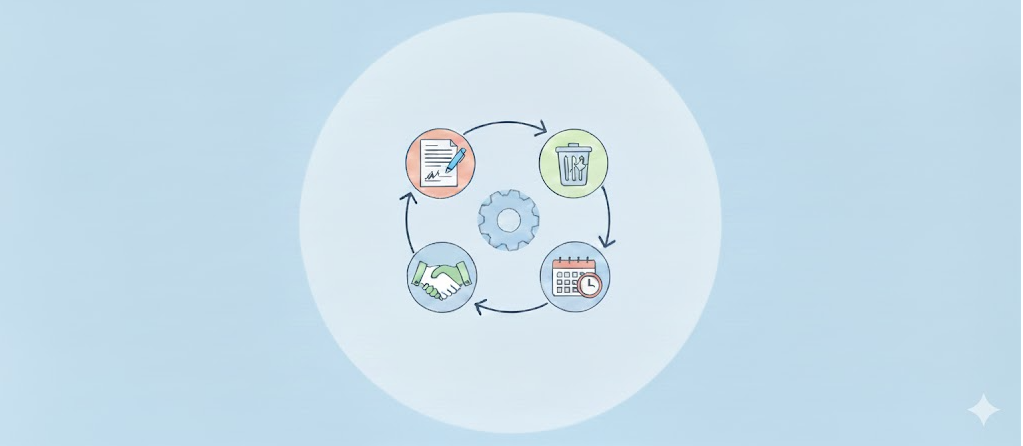
Understanding individual CRM terms is one thing. Seeing how they connect together in a real workflow is another. Here is how the full CRM process actually plays out, from the moment a stranger discovers your business to the moment they become a loyal customer.
Step 1: A Lead Enters Your System
This happens in one of three ways: someone fills out a web form on your site (the CRM captures them automatically), you import a list from Excel or a spreadsheet, or a team member adds them manually after a conversation or event. The lead source is recorded so you know exactly where they came from.
Step 2: A Contact Record Is Created
The moment a lead enters the system, a contact record is built. It captures their name, email, phone number, company, and lead source. Every interaction from this point forward gets added to this record automatically: emails sent, calls logged, notes added.
Step 3: The Lead Is Tagged And Segmented
Based on what you know about the contact, you (or the CRM) apply tags: “Real Estate,” “Hot Lead,” “Attended Webinar.” These tags drop the contact into the right segment so they receive communications relevant to them, not a generic blast. For more on how this works, customer segmentation is worth a read.
Step 4: A Drip Campaign Triggers
If the contact filled out a form or hit a specific tag, an automation kicks in. A drip campaign starts sending a series of pre-written emails over the next few days or weeks: an introduction, a follow-up, a case study, a check-in. This happens without anyone on your team doing anything manually.
Step 5: The Lead Is Qualified And Moved To The Pipeline
After enough engagement, a team member reviews the contact and qualifies them. A deal is created, placed in the first pipeline stage (“New Lead” or “Contacted”), and assigned to a rep. Now the CRM is tracking an active sales opportunity.
Step 6: The Team Tracks Activity Against The Deal
Every call made, email sent, and meeting held gets logged against the deal and the contact record. Anyone on the team can open the deal and see the full history instantly. No one has to ask “what’s the status on this one?” because the answer is right there.
Step 7: The Deal Progresses Through Pipeline Stages
As the rep advances the conversation, the deal moves from “Contacted” to “Proposal Sent” to “Negotiating” to “Won.” At each stage, the CRM can trigger automated tasks or reminders so nothing gets dropped. The pipeline view shows every active deal and its current stage at a glance.
Step 8: Reports Show What Is Working
At the end of the week or month, your CRM generates reports on win rates, open rates, lead sources, and team activity. You can see which channels bring the best leads, which pipeline stages lose the most deals, and where your team spends its time. These reports drive the next round of decisions.
Everything Described Above is Exactly How BIGContacts Works.
How Do CRM Terms Compare to Spreadsheet Terms?
If you are coming from Excel or Outlook, here is a quick translation:
| What You Call It in Excel/Outlook | What It Is Called in a CRM |
| Row in a spreadsheet | Contact record |
| Column header | Field |
| Tab or sheet | Segment or list |
| Folder in your inbox | Tag or pipeline stage |
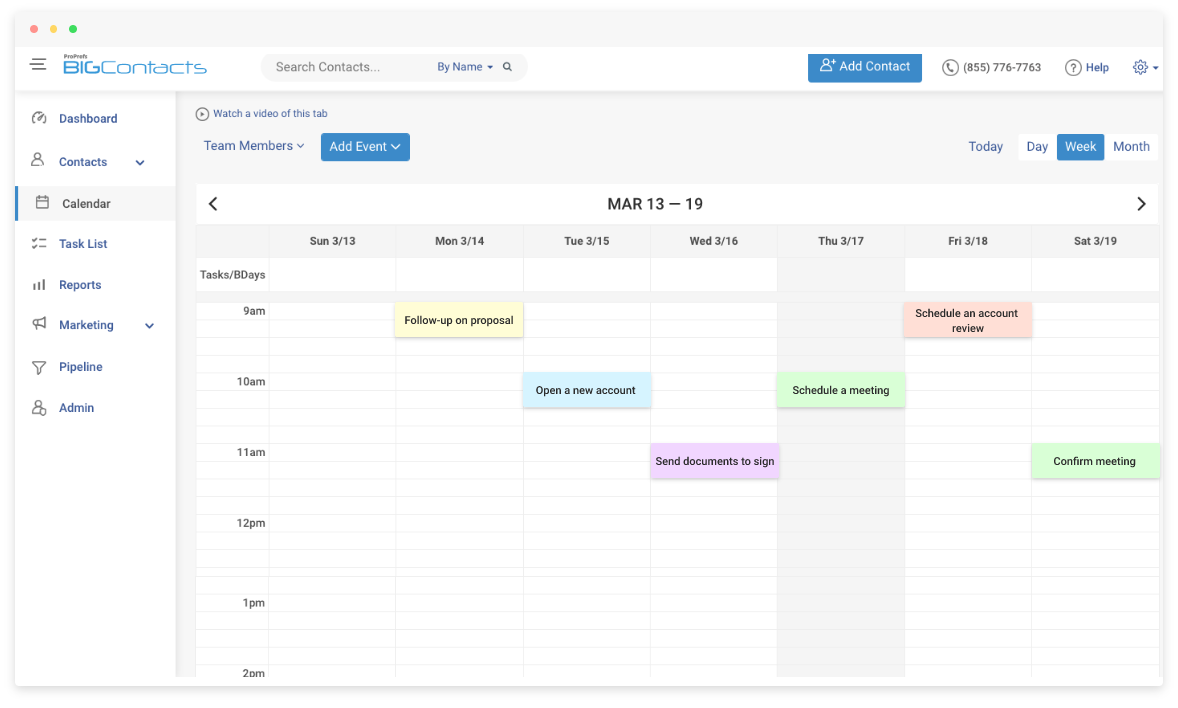
| Calendar reminder | Task or follow-up reminder |
| Mail merge | Email campaign or mass email |
| Sorting by date | Activity log |
| Copying data between files | Integration or sync |
The concepts are not new. CRM just makes them automatic, organized, and shared across your whole team. If you are still weighing CRM vs contact management software, that comparison breaks down the difference clearly.
Which CRM Terms Matter Most for Your Business Type?
Not every CRM term applies to every business. Here is what tends to matter most depending on how your business operates:
- If You Are A Solopreneur Or Freelancer: Contact record, activity log, follow-up reminder, drip campaign, tags. Your priority is never losing track of a client or a conversation.
- If You Run A Team With An Active Sales Process: Pipeline, deal stages, Kanban board, lead scoring, sales activity report. Your priority is visibility across every open deal and consistent team follow-through.
- If Email Marketing Drives Your Revenue: Segmentation, mass email, drip campaign, open rate, CTR, integration. Your priority is reaching the right contacts with the right message at the right time.
- If You Manage Stakeholders, Donors, Or Investors: Contact record, tags, segmentation, email broadcast, custom fields, report. Your priority is keeping complex relationships organized and communications targeted. A personal CRM can be a good fit for this use case.
BIGContacts by ProProfs is a simple, affordable CRM built for growing businesses, with contact management, email marketing, task automation, and sales pipeline tracking in one place. It covers all the terms in this guide without the enterprise complexity.
Turn CRM Confusion Into Clarity and Start Managing Customers Like a Pro
The terms are one thing. Putting them into practice is where it actually clicks.
When you import your first contact list, “contact record” stops being a definition and starts being the thing you use every morning. When you set up your first pipeline, “deal stage” makes immediate sense. When your first drip campaign goes live and leads start responding without you sending a single email manually, “automation” becomes your favorite word.
Most people who have made the switch from spreadsheets say the same thing: the terminology was the barrier, not the technology. Once the terms clicked, the rest of it fell into place faster than they expected.
BIGContacts is built for people who are making this switch for the first time. The interface is straightforward, and the forever-free plan means you can work through every term in this guide hands-on before you ever pull out a credit card.
Frequently Asked Questions
What is the most important CRM term to understand first?
Start with "contact record." Every other CRM feature, pipeline, automation, reporting, connects back to the contact. Once you understand that a contact record is a living profile of your relationship with a person, every other term starts to make sense.
What is the difference between a lead and a contact in a CRM?
A contact is any person in your CRM. A lead is a specific type of contact who has not bought yet and is being evaluated for fit. All leads are contacts, but not all contacts are leads. Some are existing customers, partners, or vendors.
What does pipeline mean in CRM terminology?
A pipeline is a visual map of your active deals, showing where each one sits in your sales process. Each deal moves through stages from first contact to closed sale, and the pipeline lets you see all of them at once so nothing falls through the cracks.
What is the difference between a drip campaign and a mass email?
A mass email goes to many people at the same time, like a newsletter blast. A drip campaign is a series of emails sent automatically over time to an individual contact after a trigger event, like filling out a form. Mass emails are one-time broadcasts. Drip campaigns are ongoing, automated sequences.
What does integration mean in CRM terms?
Integration means connecting your CRM to another tool, like Outlook, Mailchimp, or Gmail, so data flows between them automatically. Instead of manually exporting and importing data, an integration keeps both tools in sync without any extra effort from your team.
What is a forever-free CRM plan?
A forever-free plan is a pricing tier that lets you use a CRM permanently at no cost. It is not a trial. BIGContacts offers a forever-free plan that gives teams full access to core features like contact management, activity logging, and basic email tools with no time limit.
What is the difference between CRM and email marketing software?
Email marketing tools focus on sending campaigns to large lists. CRMs focus on managing individual relationships: tracking interactions, logging history, and managing deals. Many modern CRMs, including BIGContacts, combine both, so you do not need two separate tools. ThisCRM email marketing guide goes further on how the two work together.
What does "seat" mean in CRM pricing?
A seat refers to one user login. CRM pricing is usually based on how many seats you need, one per team member. If you are a solo operator, you need one seat. If you have a team of five, you need five. Always check per-seat pricing before committing to a plan.
FREE. All Features. FOREVER!
Try our Forever FREE account with all premium features!