
Every week, I hear the same story from business owners: “I’ve been managing my contacts in Excel sending campaigns through Gmail and nothing is working.” Contacts are scattered, emails land in spam, and follow-ups fall through the cracks. If that sounds familiar, you already know the pain and you’re ready for a real bulk email software solution.
I’ve spent years testing mass email service platforms across dozens of businesses. The people who struggled most weren’t using the wrong bulk email software, they were using tools that only sent emails without helping them manage contacts. Almost every frustrated buyer I’ve spoken with wasn’t just searching for a bulk email tool. They were saying, “I need to organize my contacts and email them, all at once” That gap is exactly what this guide addresses.
In this blog, I’m breaking down the 10 best bulk email software options for 2026, free and paid with a special focus on tools that combine bulk email sending with solid contact management. Let’s cut through the noise.
What Do Google, Yahoo, and Microsoft Require from Bull Email Senders?
This is the most important section to read before you pick any mass email service. In 2026, the rules around bulk email sending have changed dramatically and ignoring them means your emails will be permanently rejected.
2026 Bulk Sender Requirements – Mandatory Checklist
- SPF (Sender Policy Framework): A DNS record verifying which servers are authorized to send email from your domain. Required by Google, Yahoo, and Microsoft.
- DKIM (DomainKeys Identified Mail): Adds a cryptographic signature to emails proving they haven’t been altered. Mandatory for bulk senders sending 5,000+ emails/day.
- DMARC: Ties SPF and DKIM together and tells receiving servers what to do when authentication fails. A p=quarantine policy is the 2026 safe baseline.
- One-Click Unsubscribe: List-Unsubscribe headers must be present in all marketing emails. Unsubscribe requests must be honored within 48 hours.
- Spam Rate: Must stay below 0.3% (Google recommends under 0.1%). Monitor this with Google Postmaster Tools.
- Microsoft Enforcement: As of May 2025, Outlook permanently rejects emails from domains that fail authentication with error code 550; 5.7.515.
The good news? Every bulk email software on this list handles SPF, DKIM, and DMARC setup for you or walks you through it. This is a non-negotiable when choosing your platform.
Top 10 Bulk Email Software Tools (Free & Paid)
Here are the 10 best bulk email software platforms I’ve reviewed, tested, or gathered real-world insights on.
| Tool | Best For | Pricing |
|---|---|---|
| BIGContacts | Contact management & email marketing for growing businesses | Free for growing teams. Paid plan starts at $9.99/month |
| Brevo | Budget-friendly all-in-one bulk emailing | Starts at $7.4/user/month |
| ActiveCampaign | Advanced marketing automation | Starts at $15/user/month |
| Mailchimp | Beginners and small lists | Starts at $6/month |
| GetResponse | AI-powered email generation | Starts at $19/user/month |
| ConvertKit (Kit) | Drip campaigns for creators | Starts at $25/user/month |
| HubSpot | Centralizing sales, marketing & support | Starts at $15/user/month |
| Mailmodo | Interactive AMP email marketing | Starts at $39/month |
| Campaigner | Workflow automation for larger teams | Starts at $59/month |
| Salesforce Marketing Cloud | Enterprise-scale bulk campaigns | Starts at $1,250/org/month |
| SendPulse | Email + SMS + WhatsApp combined | Starts at $8/month |
1. BIGContacts – Best for Contact Management & Email Marketing for Growing Businesses
Right now, BIGContacts is my go-to recommendation for any business owner who is shifting from Excel or Outlook and needs a real system to manage contacts and run bulk email campaigns simultaneously.
What makes BIGContacts stand out is how naturally the contact management feeds into the email side. I can build a segmented list of 500 contacts tagged as “warm leads” or “past clients” and send a campaign to all of them in one shot — no exporting, no copy-pasting, no switching tools. Whether I am sending a monthly newsletter to 1,000 contacts, a follow-up sequence to 200 prospects who clicked a previous email, or a re-engagement campaign to 300 cold contacts, the whole flow happens inside the same platform where those contacts live.
The dynamic campaign lists make bulk sending genuinely useful at scale — when a new contact matches a segment’s criteria, they are automatically pulled into the right list before the next send. DKIM setup is handled by the support team, templates are ready to personalize out of the box, and the reporting dashboard covers open rates, click rates, unsubscribes, and spam marks. If you are still managing contacts in Excel, this is the tool I would point you to first.
Ideal for: Growing businesses, nonprofits, contractors, startups, and solo operators who need both contact management and bulk email in one affordable tool.
Pros:
- Dynamic and static mailing lists for precision targeting by tags and custom fields
- Autopilot automates email sequences based on pipeline stage and behavioral triggers
- Full 360° contact history: every email, note, call, and task in one timeline
- DKIM domain authentication handled directly by the support team
Cons:
- No downloadable or on-premise version
- No dedicated account manager for the free plan, unlike the paid
Pricing:
A free plan is available for growing teams. Paid plan starts at $9.99/month.
Here’s what Brian Gotta, President at CoachDeck, shared about his experience with BIGContacts:

2. Brevo – Best Budget-Friendly All-in-One Mass Email Service
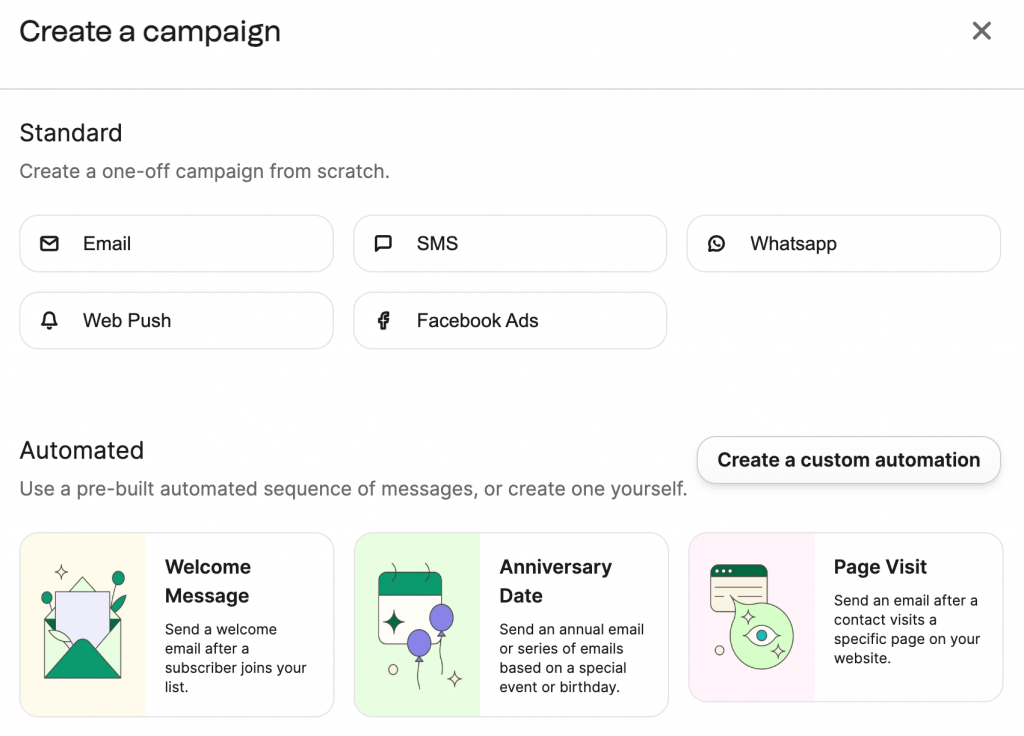
When a colleague of mine was looking to replace an outdated tool after hitting its contact-limit pricing wall, I pointed her toward Brevo (formerly Sendinblue) and it’s been working well. For a small ecommerce business sending to about 8,000 contacts, the pricing is quite reasonable.
What struck her most was the pricing model: Brevo charges by email volume, not contact list size. That means you’re not penalized for keeping old contacts in your database. The drag-and-drop editor is intuitive, the dynamic text personalization works cleanly, and the automation workflows cover the basics very well.
For businesses wanting to go beyond email with SMS campaigns, WhatsApp outreach, transactional emails, Brevo handles it all under one roof. It’s one of the few mass email services that truly earns the “all-in-one” label at an accessible price.
Ideal for: Budget-conscious small businesses, ecommerce stores, and marketers who need email + SMS + CRM without paying for unused features.
Pros:
- Marketing automation with custom triggers and behavioral conditions
- Built-in CRM with centralized contacts and dynamic text personalization
- Multi-channel: email, SMS, WhatsApp, and transactional emails in one platform
- Strong deliverability with SPF, DKIM, and DMARC authentication tools\
Cons:
- Interface can feel cluttered when managing advanced campaign settings
- Third-party integrations sometimes require additional technical setup
Pricing:
Starts at $7.40/user/month.
3. ActiveCampaign – Best for Marketing Automation & Bulk Email Sequences
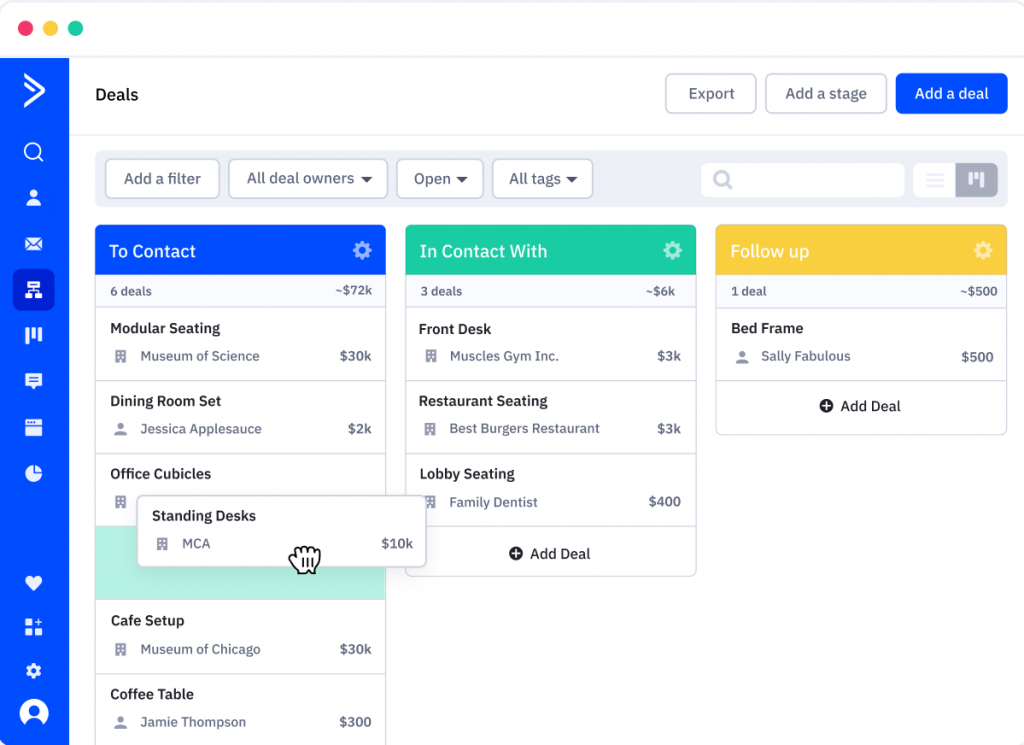
A few years ago, I used ActiveCampaign to run email sequences for a product launch and it was the most seamless automation experience I’d had up to that point. The visual workflow builder made it easy to map out complex if-then logic without needing a developer, and the tagging system let me segment contacts by behavior, not just by static lists.
What I found particularly impressive was how the tool handled large lists. I was sending upwards of 20,000 contacts across segmented campaigns, and not once did I see deliverability issues or lag in the editor. The dynamic content blocks meant each subscriber saw a version of the email tailored to their profile which translated directly into higher click-through rates.
The only drawback: ActiveCampaign is built for marketing teams who live in automation workflows. If you’re a solo operator or small business just starting out, the platform can feel overwhelming.
Ideal for: Marketing teams, growing SMBs, and agencies that need sophisticated automation workflows, behavioral triggers, and large-scale segmentation.
Pros:
- 870+ automation templates and advanced if-then workflow logic
- Deep segmentation via tags, custom fields, and behavioral data
- Drag-and-drop email editor with dynamic content blocks
- Email autoresponders with time-based and action-based triggers
Cons:
- Email template editor occasionally lags during heavy editing
- Some users report inconsistent deliverability on very high-volume sends
Pricing:
Starts at $15/user/month.
4. Mailchimp – Best Bulk Email Marketing Software for Beginners
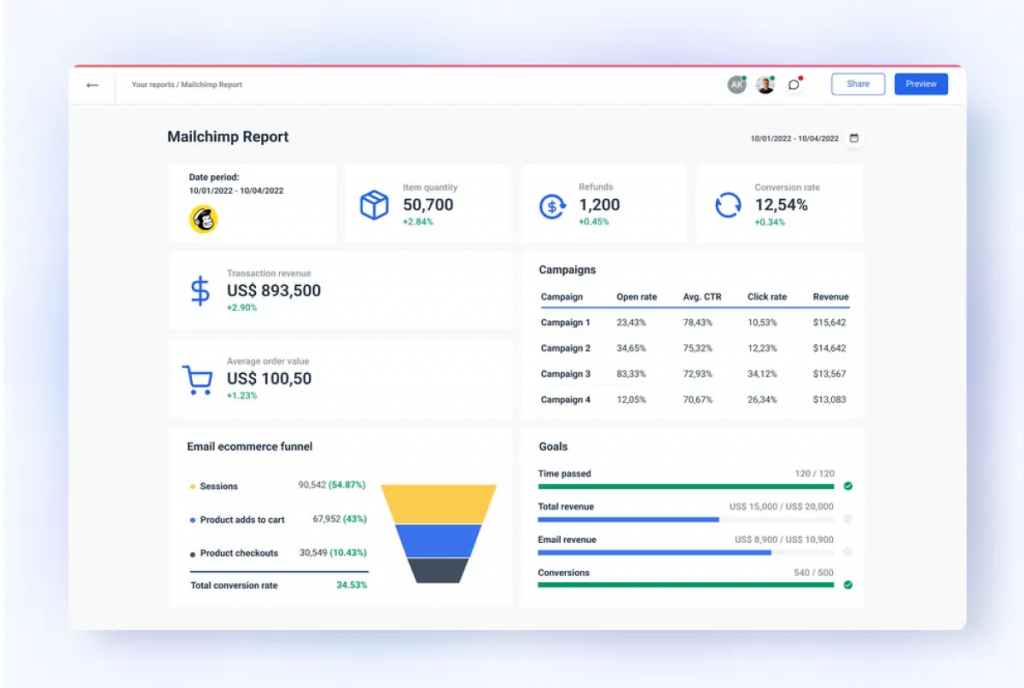
Image source: Catchr
Mailchimp was the first bulk email service I ever used, back when I was managing a small newsletter for a community group. At the time, it felt like magic; drag a few blocks around, hit send, and watch the opens roll in.
That beginner-friendliness is still Mailchimp’s biggest strength today. The template library is extensive, the drag-and-drop editor is one of the cleanest in the market, and the A/B testing feature is easy to set up even without a background in email marketing. The behavior tracking gives you enough data to start optimizing campaigns without feeling overwhelmed.
Where Mailchimp loses ground and where many small business owners leave it is pricing. The per-contact pricing model means costs scale quickly as your list grows, and inactive contacts count against your limit. If you have a list of 5,000 contacts but only email 2,000 regularly, you’re still paying for all 5,000.
Ideal for: Beginners, small lists under 2,000 contacts, and businesses that need a polished email tool with minimal setup time.
Pros:
- Extensive library of professionally designed email templates
- Intuitive drag-and-drop email builder with minimal learning curve
- Behavior tracking and branching logic for targeted delivery
- Built-in A/B testing for subject lines, content, and send times
Cons:
- Per-contact pricing becomes expensive quickly as lists grow
- Platform can be slow or glitchy during peak usage times
Pricing:
Starts at $6/month.
5. GetResponse – Best Bulk Email Software with AI Email Generation
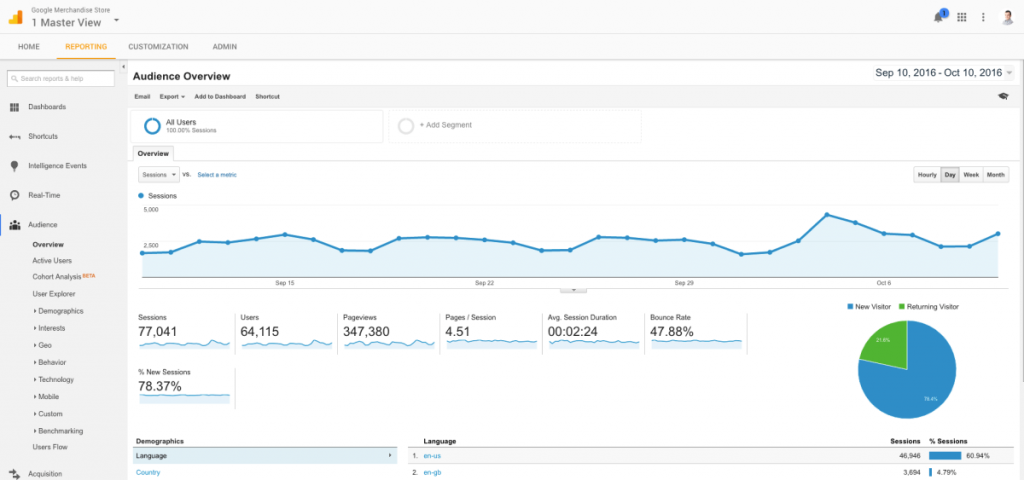
Image source: GetResponse
A friend of mine who runs a mid-size digital agency switched to GetResponse after growing frustrated with manually writing email content for a dozen client campaigns every month. The AI email generator was the feature that sold him and after watching him use it for a few months, I can see why.
The AI doesn’t just write generic copies. It takes inputs about your campaign goal, audience, and tone, then generates drafts that are genuinely usable with light editing. Combined with the visual workflow builder, he was able to cut email production time in half. The landing page builder is also a standout feature.
One thing to keep in mind: the AI generator sometimes produces content that feels a little template-y and needs a human pass to sound authentic. And the mobile app, while functional, doesn’t have full campaign management features.
Ideal for: Marketing teams and agencies that produce high email volumes and want AI assistance to speed up content creation alongside powerful automation.
Pros:
- AI email generator reduces content creation time significantly
- Integrated landing page builder included in email plans
- Visual workflow builder for intuitive automation setup
- Advanced list segmentation with behavioral and demographic filters
Cons:
- AI-generated content can require editing to sound natural and on-brand
- Mobile app lacks full campaign management functionality
Pricing:
Starts at $19/user/month.
6. ConvertKit (Kit) – Best Mass Email Service for Drip Campaigns
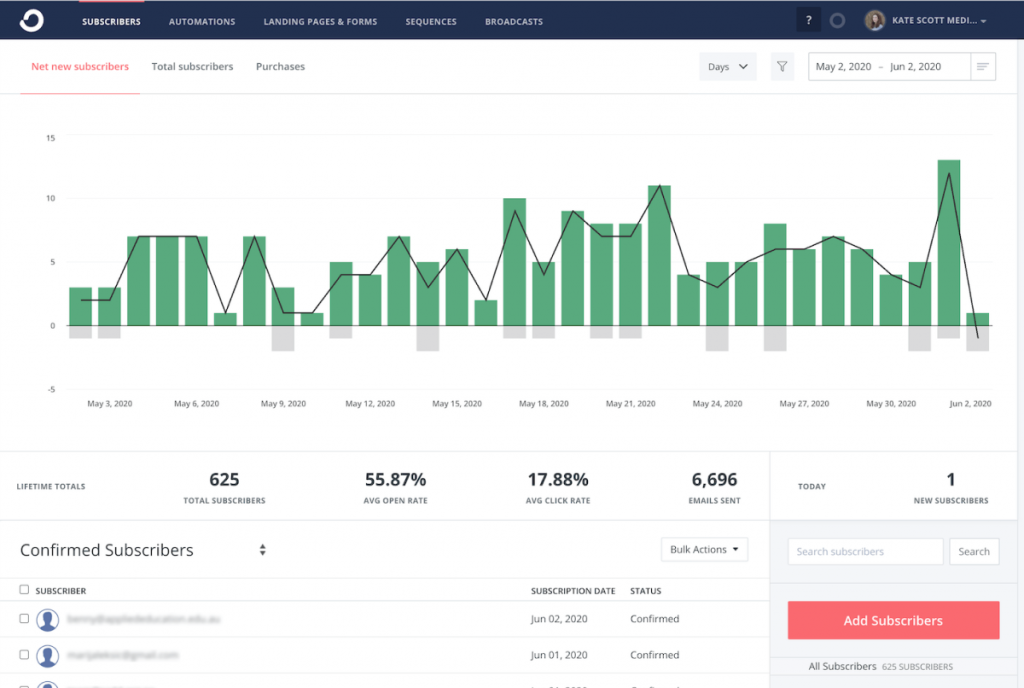
Image source: Agency Analytics
I tried ConvertKit a couple of years ago when I was helping a content creator set up a newsletter-based business. The platform is built around one core idea: sequences. Everything is organized around what email goes out to whom, in what order, based on what trigger and it executes that smoothly.
The A/B testing for subject lines is particularly clean, the mobile-responsive editor makes sure every email looks great on any device, and the deliverability rates were consistently strong throughout my testing. The tagging system for audience segmentation is flexible and powerful.
The tagging system, while powerful, can get complex to manage as your contact list grows. And design customization is limited.
Ideal for: Content creators, bloggers, coaches, and info publishers who need powerful drip sequences and audience tagging for email-first businesses.
Pros:
- Tag-and-list based segmentation for precise campaign targeting
- Clean email editor producing mobile-responsive emails by default
- Strong deliverability with focused anti-spam infrastructure
- A/B testing for subject lines to optimize open rates
Cons:
- Limited design customization compared to Brevo or Mailchimp
- Tagging system can become complex with large lists
Pricing:
Starts at $25/user/month.
7. HubSpot – Best for Centralizing Sales, Marketing & Support Operations
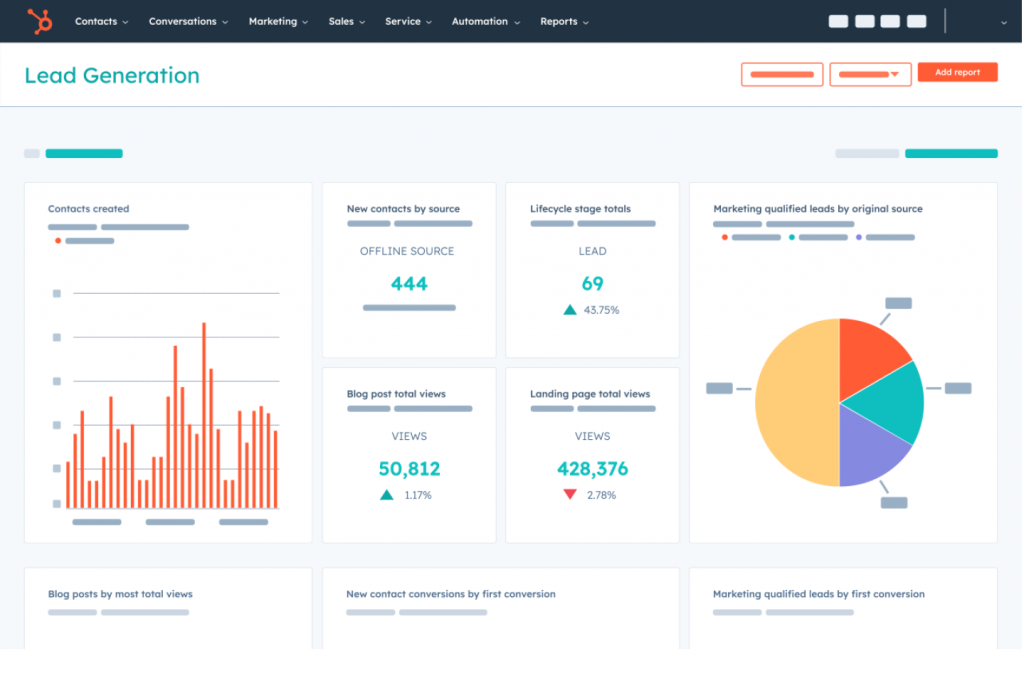
HubSpot is the platform that keeps coming up in customer conversations usually as the one people are leaving. That’s not a knock on HubSpot’s capabilities: it’s genuinely powerful. But for the vast majority of small businesses, it’s significantly overbuilt and overpriced relative to what they actually use.
When I tested HubSpot for bulk email campaigns, the experience was smooth. The A/B testing, contact segmentation, and pre-built template library are all polished. The real value is the unified platform, when you have sales, marketing, and support teams all working out of the same CRM, HubSpot’s integration is hard to match.
The challenge is cost and complexity. Most small business owners I’ve spoken with paid for features they never touched. If your team has grown to where you need a true unified platform across multiple departments, HubSpot makes sense.
Ideal for: Mid-size businesses and growing teams that need a unified platform for sales, marketing, and customer support, and can justify the pricing.
Pros:
- A/B testing for email campaign optimization
- Email automation with behavioral triggers for lead nurturing
- Deep contact segmentation for targeted bulk email delivery
- Pre-built email templates for fast campaign creation
Cons:
- Pricing scales quickly and becomes cost-prohibitive for small teams
- Template customization feels restricted compared to competitors
Pricing:
Starts at $15/user/month.
8. Mailmodo – Best for Interactive AMP Email Marketing
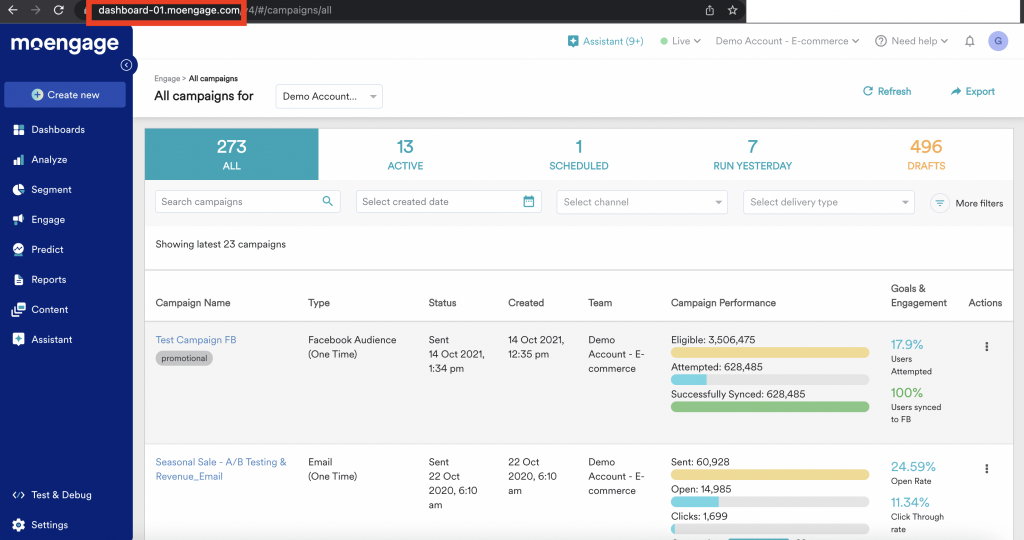
Image source: MoEngage
Mailmodo occupies a genuinely unique position in the bulk email marketing software space. Most email platforms send static emails that people read and click. Mailmodo lets you embed interactive elements like surveys, forms, quizzes, even mini-games directly inside the email.
The AMP (Accelerated Mobile Pages) email technology behind Mailmodo is still relatively rare in the market. Combined with a library of over 500 pre-built templates, unlimited contact imports, and solid automation features, it’s a compelling option for ecommerce brands and businesses where engagement metrics matter most.
The main limitation is the English-only support, and it’s a pure email marketing tool with no built-in CRM or sales pipeline. For businesses that want contact management alongside email campaigns, you’d need to pair Mailmodo with a separate CRM.
Ideal for: eCommerce businesses, event organizers, and marketers who want to boost engagement with interactive emails and forms inside the inbox.
Pros:
- AMP-powered interactive emails with forms and quizzes inside the inbox
- 500+ pre-built email templates with drag-and-drop editor
- Unlimited contact imports and segmented list management
- Email automation for drip campaigns and behavioral sequences
Cons:
- Customer support only available in English
- No built-in CRM or sales pipeline
Pricing:
Starts at $39/month.
9. Campaigner – Best Bulk Email Sending Software for Workflow Automation
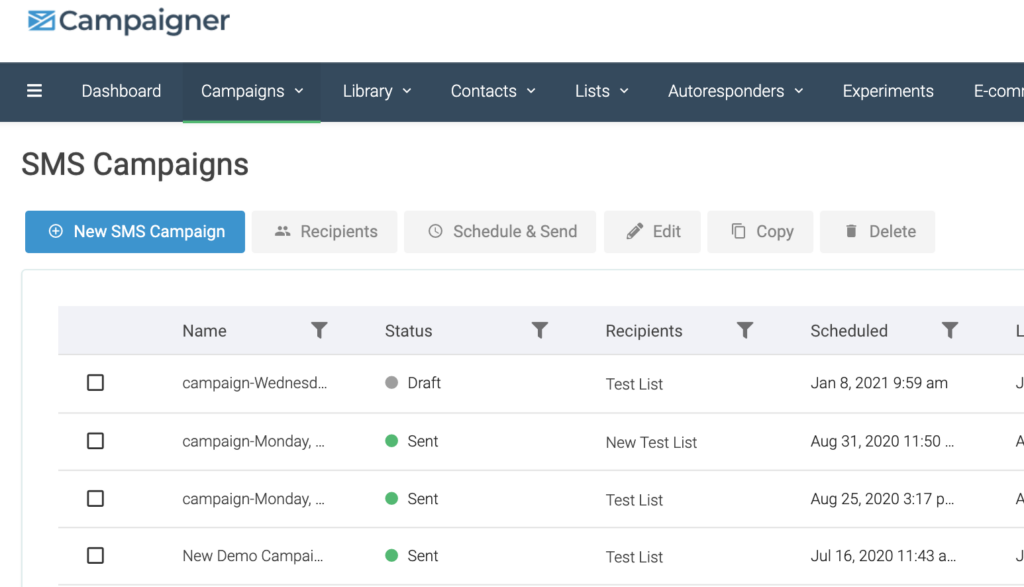
Image source: Campaigner
Campaigner was a platform I explored when consulting for a retail client running complex, multi-stage email campaigns with a large list. The workflow automation builder is genuinely advanced more so than many mid-market tools in this space. Setting up branching sequences based on user behavior, conversion events, or time delays was straightforward once I got past the initial setup.
The dynamic content feature was particularly effective. Rather than creating a dozen variants of the same email, I could define rules within a single template. The autoresponders and conversion tracking rounded out a solid automation toolkit.
The main friction points: the starting price is higher than most alternatives on this list, and the automation builder requires more steps than simpler tools for routine workflows. Customer support response times were also a recurring complaint.
Ideal for: Marketing teams running high-volume, complex campaigns with advanced segmentation, dynamic content, and multi-stage automation requirements.
Pros:
- Advanced workflow automation with behavioral triggers and conversion tracking
- Dynamic email content personalizes based on user attributes and behavior
- Autoresponders that engage audiences without manual intervention
- Drag-and-drop editor with solid template customization
Cons:
- Higher starting price compared to most competitors on this list
- Automation builder requires multiple steps for simple tasks
Pricing:
Starts at $59/month.
10. Salesforce Marketing Cloud – Best Enterprise Bulk Email Marketing Service
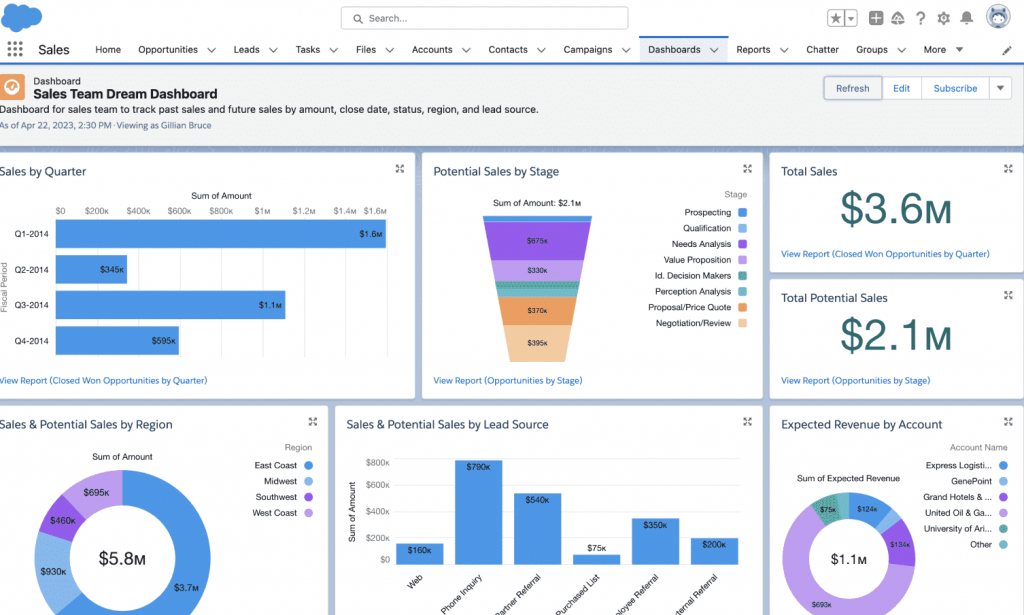
Image source: Trailhead
Salesforce Marketing Cloud is in a different category from everything else on this list both in capability and in price. I’ve worked alongside teams that use it, and for large organizations managing millions of contacts across multiple brands, segments, and regions, it’s powerful in ways that other platforms simply can’t match.
The lead scoring, advanced segmentation, AI-powered send-time optimization, and deep integration with the broader Salesforce ecosystem make it a genuinely enterprise-grade platform. For sales-driven organizations with dedicated marketing operations teams, it’s a strong investment.
But for the small businesses, startups, and SMBs that make up most of this guide’s audience. It’s simply not the right fit. The slow customer support response times make it prohibitive for teams that just need to send organized bulk campaigns to a few thousand contacts.
Ideal for: Large enterprises and organizations with dedicated marketing operations teams, complex multi-brand campaigns, and existing Salesforce infrastructure.
Pros:
- AI-powered lead scoring and predictive send-time optimization
- Deep integration with the Salesforce CRM ecosystem
- Advanced segmentation and multi-channel campaign management
- Custom user roles and data access permissions for large teams
Cons:
- Steep learning curve requiring dedicated training and admin time
- Customer support response times frequently reported as slow
Pricing:
Starts at $1,250/org/month.
My Top 3 Picks for the Best Bulk Email Software
If you’re short on time, here are my top 3 picks that I’d recommend to most businesses looking for a reliable bulk email software. Each one stands out for a different reason, so there’s a good chance one of them fits exactly where you are right now.
1. BIGContacts
BIGContacts is my top pick for any business owner who is tired of juggling spreadsheets and Gmail and needs one clean system to manage contacts and run email campaigns at the same time. What sets it apart from other bulk email software is the combination of a full contact management system with dynamic list segmentation, automated follow-up sequences, and solid deliverability tools.
2. Brevo
Brevo earns its spot here because it does something most bulk email software gets wrong: it charges by email volume instead of contact list size, which means you are never penalized for having a large database. For small businesses and ecommerce stores that want email, SMS, and basic CRM features without paying a premium, Brevo delivers more value per dollar than almost anything else on this list.
3. ActiveCampaign
If you have moved past basic bulk sending and need serious automation, ActiveCampaign is the tool to look at. The visual workflow builder, deep behavioral segmentation, and 870+ automation templates make it one of the most powerful mass email software options available for growing teams.
How Were These Tools Evaluated?
Every tool in this list was assessed using a consistent framework across six dimensions:
- Personal Experience: Direct testing and personal use across multiple business contexts.
- Community Ratings: User reviews from G2, Capterra, Trustpilot, and Reddit.
- Feature Evaluation: Core feature depth with deliverability controls, segmentation, automation, reporting.
- Ease of Use: Can a solo business owner run this without a developer?
- Customer Support: Response times, onboarding assistance, documentation quality.
- Value for Money: True cost relative to features at 1,000, 5,000, and 20,000 contacts.
What Features Should You Look for in Bulk Email Sending Software?
Here’s a scoring rubric I use when evaluating any mass mailing software. These are the factors that actually determine whether a tool works for your business.
| Feature | Why It Matters | Weight |
|---|---|---|
| Deliverability controls | SPF/DKIM/DMARC, spam rate monitoring, IP reputation | High |
| Segmentation & tagging | Ability to target specific groups with personalized campaigns | High |
| Automation depth | Drip sequences, trigger-based follow-ups, autopilot workflows | High |
| Contact management | Import from Excel/CSV, custom fields, 360° contact history | High |
| Reporting & analytics | Open rate, clicks, bounces, unsubscribes, campaign performance | Medium |
| Integrations | Outlook, Gmail, Zapier, CRM tools, Webforms | Medium |
| Pricing / free plan limits | Contact limits, email send limits, per-user vs. flat pricing | Medium |
| Ease of use | Learning curve, drag-and-drop editor, template library | Medium |
Choose the Right Bulk Email Software and Start Turning Contacts into Conversations
Picking the right bulk email software is less about finding the most feature-packed tool and more about finding the one that fits how your business actually works. If your contacts are scattered across spreadsheets and your follow-ups are happening (or not happening) in Gmail, the right platform will feel like a relief, not a learning project. The tools on this list cover every budget, every team size, and every level of technical comfort.
Before you commit to anything, get clear on two things: how you manage contacts today, and how you want campaigns to flow from that contact data. Those two answers will point you to the right category faster than any feature comparison.
For businesses starting from scratch or moving away from something overly complex like HubSpot or Pipedrive, it is worth looking at platforms that keep things simple without cutting corners on deliverability or automation. BIGContacts is one option worth exploring in that space, particularly if you are managing a few hundred to a few thousand contacts and need campaigns, follow-ups, and contact history all in one place.
Frequently Asked Questions
Can I send bulk emails for free?
Yes. Several tools offer genuinely usable free plans. BIGContacts offers a forever free plan for up to 100 contacts, Brevo allows 300 emails/day free with unlimited contacts, and Mailchimp's free plan supports up to 500 contacts. These are solid starting points for small lists.
Is sending bulk email legal?
Yes, as long as you comply with regulations. In the US, CAN-SPAM requires accurate sender info, a clear opt-out mechanism, and no deceptive subject lines. In Europe, GDPR requires explicit consent before emailing. Every tool on this list helps you stay compliant with unsubscribe management and consent tracking.
What is the difference between bulk email, drip campaigns, and sequences?
Bulk email is a one-time broadcast to a large list (e.g., a newsletter). Drip campaigns are automated series triggered by a time delay. Email sequences are behavior-triggered emails that stop when the contact takes a specific action. Most good bulk email software supports all three.
How many emails can I send per day without getting flagged as spam?
There's no universal limit, but best practices suggest starting with 100–500 emails/day on a new domain and ramping up over 2–4 weeks. Keep your spam complaint rate below 0.1%, maintain proper authentication (SPF/DKIM/DMARC), and clean your list regularly.
What is the best free bulk email software for small businesses?
BIGContacts offers the most balanced free plan for small businesses that need both contact management and email campaigns — free forever for up to 100 contacts. For pure email volume, Brevo's free tier (300 emails/day, unlimited contacts) is hard to beat.
What's the best bulk email software for nonprofits?
Nonprofits need to segment members, volunteers, donors, and supporters — and send targeted communications to each group. BIGContacts handles this naturally through contact types and tags. For larger nonprofits, Brevo or Mailchimp with CRM integrations are also strong options.
How do I import contacts from Excel into bulk email software?
Most platforms accept CSV or Excel file imports directly. You'll typically map your spreadsheet columns to the platform's contact fields during upload. BIGContacts, Mailchimp, Brevo, and ActiveCampaign all offer guided import wizards. Clean your data before importing to avoid high bounce rates.
Can bulk email software integrate with Outlook?
Yes. Most CRM-based bulk email tools like BIGContacts offer Outlook integration via email forwarding or Zapier, allowing two-way email sync so that emails sent and received through Outlook appear automatically in the contact's history inside the CRM.
What is email deliverability and why does it matter?
Email deliverability refers to how reliably your emails reach recipients' inboxes rather than spam folders. It's determined by your sender reputation, authentication setup (SPF/DKIM/DMARC), spam complaint rate, and list quality. Poor deliverability means your campaigns are invisible, regardless of content quality.
How do I avoid my bulk emails going to spam?
Set up SPF, DKIM, and DMARC before your first send. Clean your contact list regularly, warm up new sending domains gradually, keep your spam complaint rate under 0.1%, include a visible one-click unsubscribe link, and avoid spam-trigger language in subject lines. Most quality bulk email software handles authentication setup for you.
What is the best bulk email software for eCommerce businesses?
For eCommerce, Brevo is a strong choice — it integrates with Shopify and BigCommerce and supports product-recommendation emails and dynamic discount codes. If you also need CRM and sales pipeline functionality alongside email campaigns, BIGContacts is worth evaluating for smaller ecommerce operations.
FREE. All Features. FOREVER!
Try our Forever FREE account with all premium features!