

Let me guess. Your agents are jumping between tabs mid-call. Follow-ups are falling through the cracks. And somewhere in a spreadsheet, there is a customer who was promised a callback three days ago and is still waiting. If any of that sounds familiar, you do not have a people problem. You have a system problem. And the good news is, it’s solvable.
Good call centre CRM software brings everything together in one place: customer history, call notes, follow-up tasks, and communication logs, so your team always knows exactly where things stand.
I have tested and compared dozens of these platforms, and shortlisted the 10 best options for 2026. In-depth comparisons, honest pros and cons, and clear recommendations based on team size and budget. Straight to the point, just what you actually need to make the right call.
What Is Call Centre CRM Software?
Call centre CRM software is a specialized platform that connects your phone system with customer data, interaction history, and workflow automation, all in one place. If you want the broader foundation first, this is easier to understand in the context of what a CRM is. Unlike a generic CRM, it’s built specifically to handle the speed and volume of call centre operations.
When a call comes in, the CRM pulls up the customer’s profile, past interactions, open tickets, and notes instantly, which is known as a screen pop. Agents don’t need to ask ‘Can you remind me of your issue?’ because the answer is already on their screen, which is one of the simplest ways a CRM can improve customer experience.
Outbound teams get auto-dialers and call scheduling tools. Managers get real-time dashboards tracking KPIs like AHT (Average Handle Time), FCR (First Call Resolution), CSAT (Customer Satisfaction Score), and ASA (Average Speed of Answer). If you want to go deeper into what to track, see these practical guides on CRM metrics and CRM reporting.
At its core, call centre CRM software turns every interaction into structured, searchable data that improves over time.
10 Best Call Centre CRM Tools
Here’s a quick-reference comparison table before we dive into each tool:
| Tool | Best For | Pricing |
|---|---|---|
| BIGContacts | Easiest All in One CRM for Contact Management, Email Marketing & Deal Tracking | Free for growing teams. Paid plan starts at $9.99/month |
| EngageBay | Sales automation & lead scoring | Free plan; Paid from $12.74/user/month |
| HubSpot CRM | Centralising sales, marketing & support | Free (up to 5 users); Paid from $15/user/month |
| Freshcaller | Voice service & call routing | Free plan; Paid from $11.99/user/month |
| LeadSquared | Lead management & auto-dialer | Starts at $29.80/user/month |
| CloudTalk | Calling automation & smart dialers | Starts at $25/user/month |
| Net2Phone | Workflow management & VoIP | Starts at $18.99/user/month |
| Five9 | Enterprise employee & workforce management | Starts at $175/user/month |
| KrispCall | Unified call centre management | Starts at $15/user/month |
| Zoho CRM | Omnichannel Engagement | Starts at $14/user/month |
1. BIGContacts – Easiest All in One CRM for Contact Management, Email Marketing & Deal Tracking
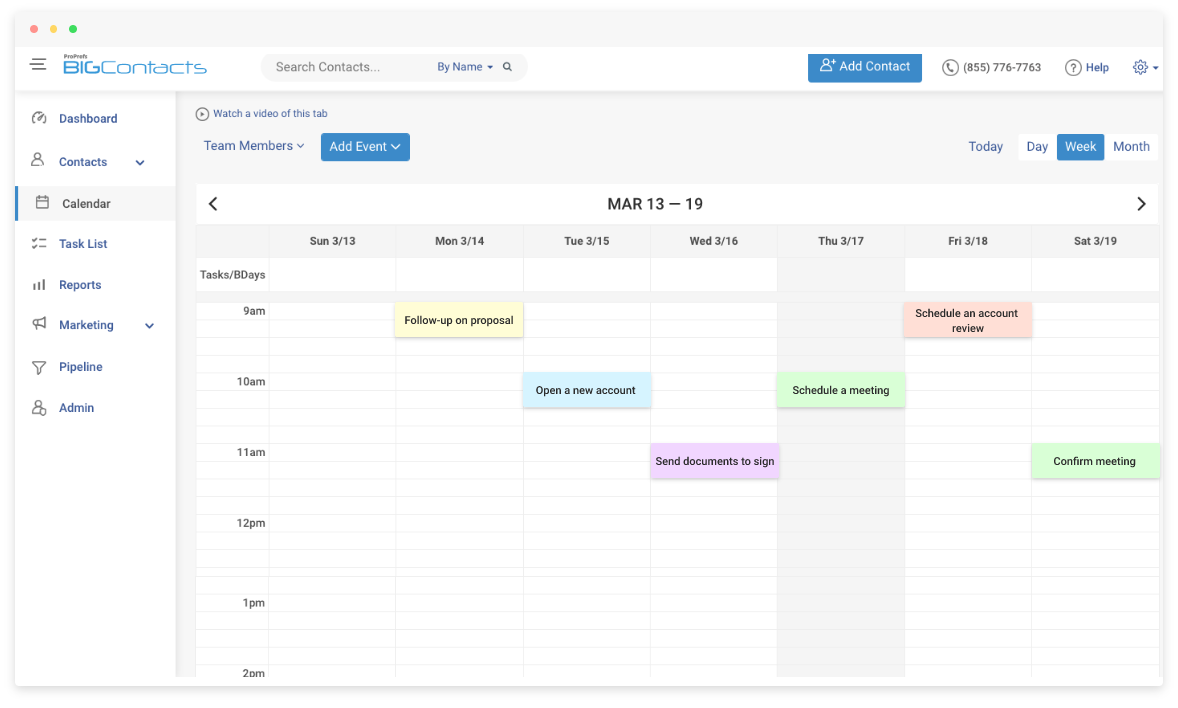
There’s a reason BIGContacts is the tool I keep coming back to when helping teams get their call center operations under control. It’s especially useful for teams that also need stronger day-to-day client management beyond basic call handling. After using this tool for around two years, what stands out most is how cleanly it handles the two things that break most call centre workflows: disorganised contact data and inconsistent follow-ups.
The 360° contact view means every agent on the team can see the full history of a customer, every call note, email, task, and activity before they even say hello. Combined with its email marketing and automation features, it’s one of the most well-rounded call centre CRM solutions for teams that need more than just a phone logger.
Where BIGContacts really pulls ahead for call centre teams is its integration ecosystem. The Intercom live chat integration keeps customer conversations connected to contact records, so agents always have context whether the interaction started on chat or a call. And for outbound teams, the Myphoner integration is a genuine time-saver. Instead of agents manually hunting for the next number to dial, Myphoner serves up a structured call queue that keeps them moving without interruption. On the back end, the AI assistant built into the CRM saves agents from digging through old notes mid-call, since it can pull up relevant contact history the moment a record opens.
Pros:
- Offers a complete 360° view of all customer interactions, including calls, notes, tasks, and emails in a single contact record
- Advanced contact segmentation using tags, custom fields, lists, and groups for targeted outreach
- AI assistant surfaces relevant contact history instantly, cutting down agent prep time before a call
- Built-in email campaign tools with scheduling, personalisation, and campaign analytics
- Workflow automation (Autopilot) to trigger follow-up actions based on contact activity or pipeline stage
- Powerful reporting and activity dashboards that give managers visibility across the full team
Cons:
- No downloadable or on-premise version
- No dedicated account manager for the free plan, unlike the paid version
Pricing:
A free plan is available for growing teams. Paid plan starts at $9.99/month.
2. EngageBay – Best for Sales Automation
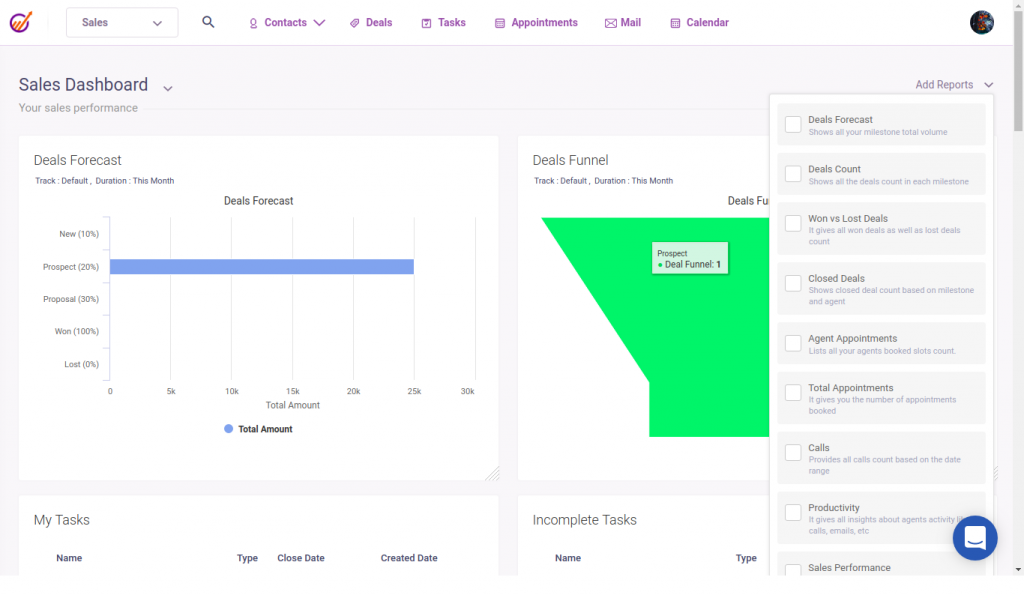
A colleague of mine who managed a small outbound sales team switched to EngageBay after outgrowing their basic CRM, and the feedback was immediately positive. What she appreciated most was how the drag-and-drop automation builder let her team set up complex email + call sequences without needing a developer.
EngageBay stood out for its all-in-one approach: CRM, marketing automation, live chat, and call tracking all under one roof at a price point that made sense for a lean team.
For call centres running both inbound support and outbound sales, this kind of consolidation is a serious operational advantage. The live chat feature was particularly valued for quickly handling customer queries without routing them through the phone queue.
Pros:
- Call tracking functionality logs and monitors all customer calls with timestamps and agent notes
- Live chat support module for real-time customer engagement without leaving the CRM
- Visual automation page builder for creating multi-step workflows that include call tasks, emails, and delays
- Lead scoring automatically prioritises high-value contacts so agents focus their calling efforts effectively
Cons:
- Landing pages and webinar features don’t support reusable headers and footers, limiting brand consistency
- Template customisation options are limited compared to dedicated email marketing platforms
Pricing:
Free plan available. Paid plans start at $12.74/user/month.
3. HubSpot CRM – Best for Centralising Sales, Marketing, and Support Operations
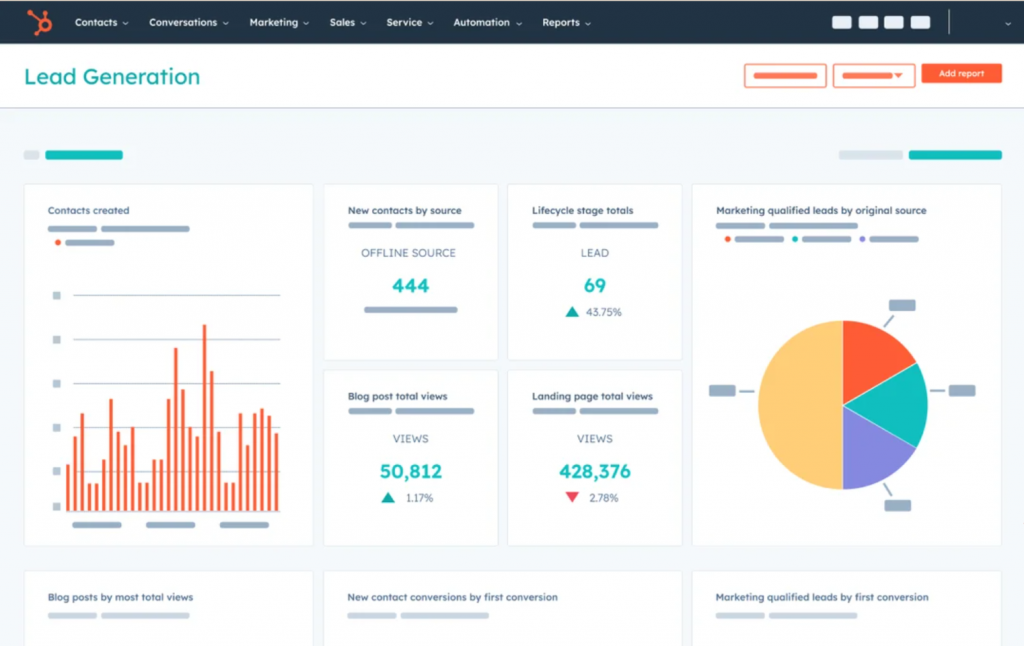
When I evaluated HubSpot for a mid-sized customer support team that was struggling with siloed data across three departments, the immediate benefit was clear: everything finally lived in one place. Sales reps, support agents, and marketing coordinators could all see the same customer record, no more “the sales team didn’t tell us about that complaint.”
HubSpot’s CRM calling software is particularly strong for teams that need omnichannel visibility. That makes it a sensible option for businesses comparing broader customer service CRM setups, not just standalone calling tools. Call logging, email tracking, live chat, and ticketing all feed into the same contact timeline. For call centres that also handle email and social, this unified view is genuinely transformative.
The free tier is also unusually generous, which makes it a real option for teams just getting started with crm call center integration.
Pros:
- Unified contact timeline aggregates calls, emails, chats, and tickets across all channels in one view
- Built-in calling feature lets agents make calls directly from the CRM with auto-logging
- Deal tracking and lead lifecycle management streamline the full sales pipeline within the same platform
- Real-time analytics dashboards provide instant visibility into agent and team performance
Cons:
- Initial setup and configuration can be time-consuming, especially for teams with complex workflows
- Advanced reporting and A/B testing features are locked behind higher-priced tiers
Pricing:
Free for up to 5 users. Paid plans start at $15/user/month.
4. Freshcaller – Best for Voice Service & Call Routing
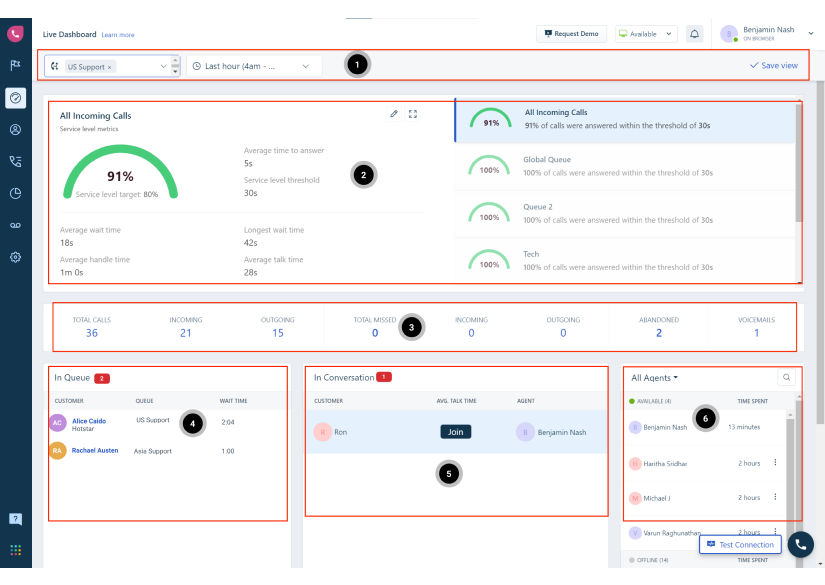
Freshcaller was the tool that genuinely surprised me when I tested it specifically for voice operations.Most CRMs treat calling as an add-on feature; Freshcaller treats it as the core product. For readers who are mainly evaluating voice-first tools, this pairs well with our roundup of the best inbound call center software.
What I found most valuable for call centre use was the automatic display of caller details and previous tickets the moment a call connects. Agents had full context before saying a word, which visibly shortened average handle times during our testing.
The call recording and playback feature also proved practical for training. Managers could pull specific calls to coach agents rather than relying on memory or secondhand accounts.
Pros:
- Multi-level IVR setup allows sophisticated call routing without requiring technical expertise to configure
- Real-time call monitoring dashboard gives supervisors live visibility into queue depth, agent status, and active calls
- Caller details and prior ticket history surface automatically on the agent screen when a call connects
- Call recording and playback functionality supports ongoing agent training and quality assurance
Cons:
- Call quality can be inconsistent depending on network conditions, which is a notable limitation for high-volume teams
- Reporting template customisation options are limited compared to enterprise-grade contact centre platforms
Pricing:
Free plan available with basic features. Paid plans start at $11.99/user/month.
5. LeadSquared – Best for Lead Management & Outbound Calling
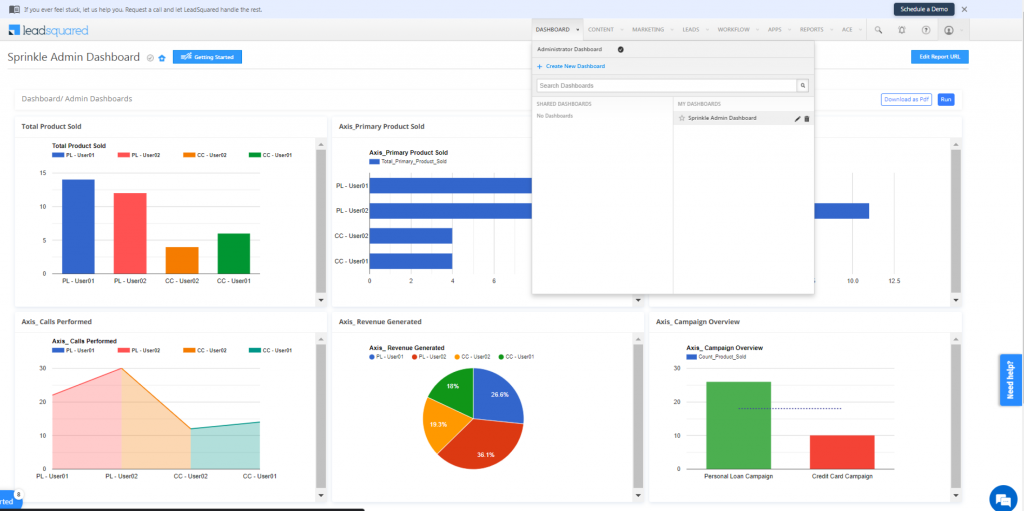
A sales manager I know in the education sector used LeadSquared to overhaul their entire outbound calling workflow, and the change in conversion rates was measurable within weeks. The auto-dialer alone eliminated the dead time between calls that was quietly killing agent productivity.
What made LeadSquared particularly effective as CRM calling software was the combination of lead scoring, call tracking, and multi-channel lead capture all in one system. Leads coming in from web forms, emails, or social media were automatically prioritised and routed to the right agent.
For teams doing high-volume outbound calling with a specific target audience, this kind of intelligent prioritisation is a game-changer.
Pros:
- Auto-dialer feature increases agent talk time by automating the outbound dialling process between calls
- Multi-channel lead capture integrates with email, social media, landing pages, and web forms simultaneously
- Call tracking and recording tools give managers detailed visibility into outbound call performance and agent activity
- Lead scoring automatically ranks contacts by engagement and conversion likelihood, helping teams focus their calling efforts
Cons:
- Platform performance can slow down when running large-scale campaigns, which disrupts workflow timing
- Scheduled reports cannot be exported in multiple formats like CSV, Excel, or PDF, limiting data portability
Pricing:
Starts at $29.80/user/month.
6. CloudTalk – Best for Calling Automation & Smart Dialers
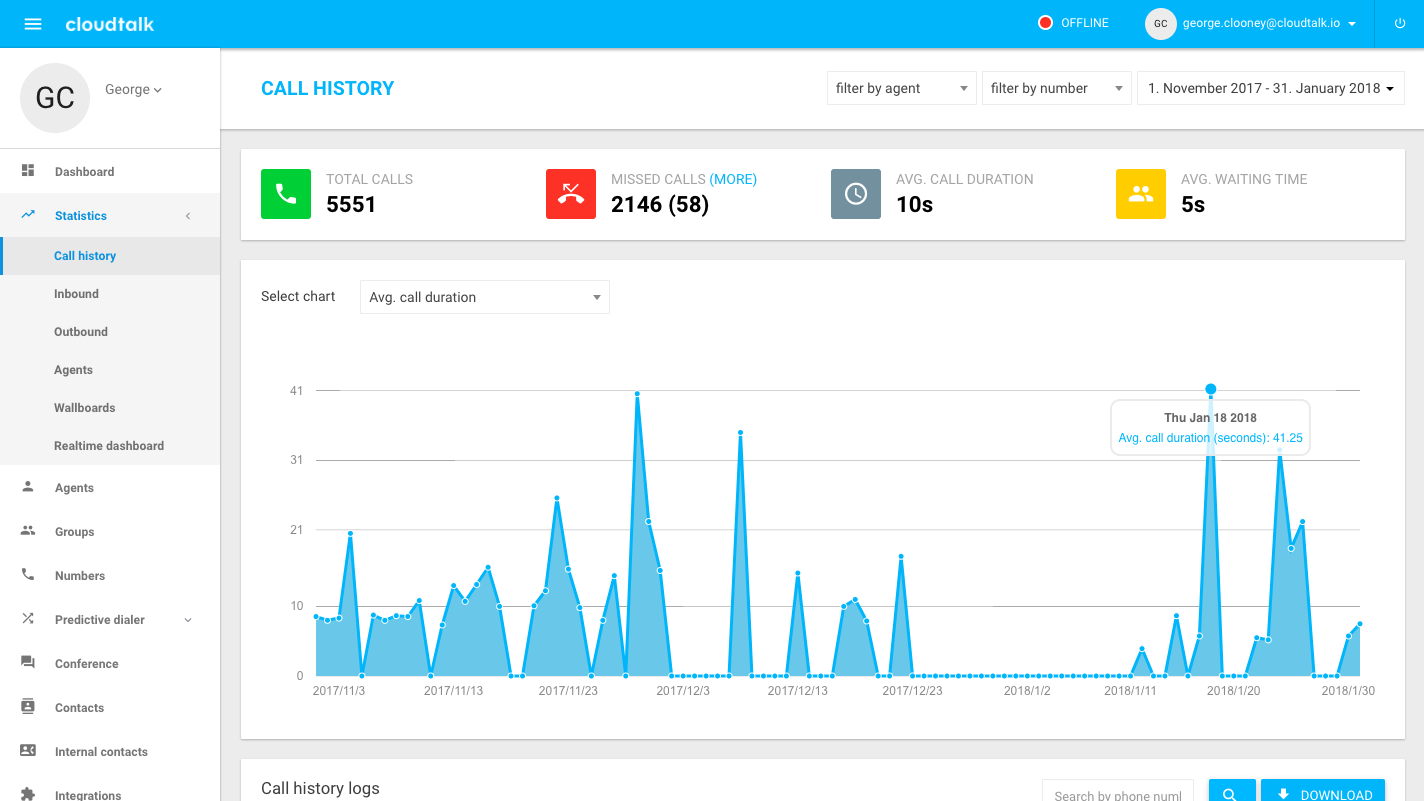
Image source: Super Monitoring
CloudTalk was the tool a friend of mine in a BPO operation chose after struggling with manual call management processes that couldn’t scale. The smart dialer was the headline feature. It automatically manages call flows, reduces idle time between calls, and connects agents only when a live person picks up, saving hours of wasted effort across a team every single week.
As call centre automation CRM software, CloudTalk delivers a strong feature set for teams focused on high-volume outbound calling.
The IVR system routes inbound callers efficiently, while call monitoring and whispering give supervisors the ability to guide agents during live calls which is particularly valuable during agent onboarding and performance coaching. Integration with external CRM systems means call data flows back into existing workflows without disruption.
Pros:
- Smart dialer automates outbound calling flows, managing call sequencing and reducing idle time between connections
- IVR system guides inbound callers through automated menus to the correct department or agent
- Call monitoring and whispering features allow supervisors to listen in and coach agents during live calls
- Customisable SMS and email templates enable consistent outreach across multiple communication channels
Cons:
- Reporting customisation options are limited, making it harder to build granular performance analyses
- Occasional audio drops and call quality issues have been reported, particularly in high-volume scenarios
Pricing:
Starts at $25/user/month.
7. Net2Phone – Best for Workflow Management & VoIP Integration
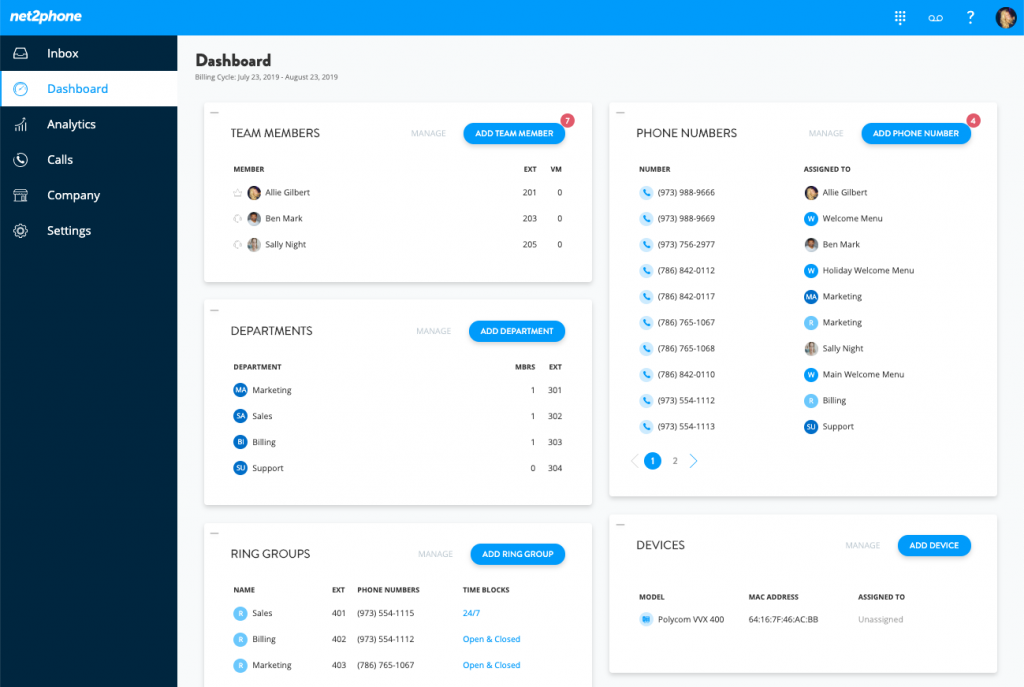
Image source: Net2Phone
When I reviewed Net2Phone for a team that was heavily reliant on VoIP and needed their calling and CRM workflows tightly connected, the platform’s strength was clear from the start. The automated workflows for call routing and task assignment meant that calls weren’t just logged, they triggered specific follow-up actions based on outcomes.
What particularly impressed me was the multi-channel interaction tracking. Whether a customer called, emailed, or sent a message through another channel, everything fed into the same contact record.
For managers tracking agent performance and customer engagement across channels, Net2Phone’s CRM with phone system integration created a unified operational view that was genuinely easy to work with.
Pros:
- Web calling capability allows agents to make and receive VoIP calls directly within the CRM interface
- Multi-channel interaction tracking captures voice, email, and messaging history in a single contact record
- Automated workflows handle call routing and task assignment based on configurable rules and triggers
- Auto-dialling and voicemail drop features increase outbound calling efficiency for high-volume teams
Cons:
- Initial setup can be technically complex and may require IT support or vendor assistance to configure properly
- Customer support response times and quality have been inconsistent based on user feedback
Pricing:
Starts at $18.99/user/month.
8. Five9 – Best for Enterprise Employee & Workforce Management
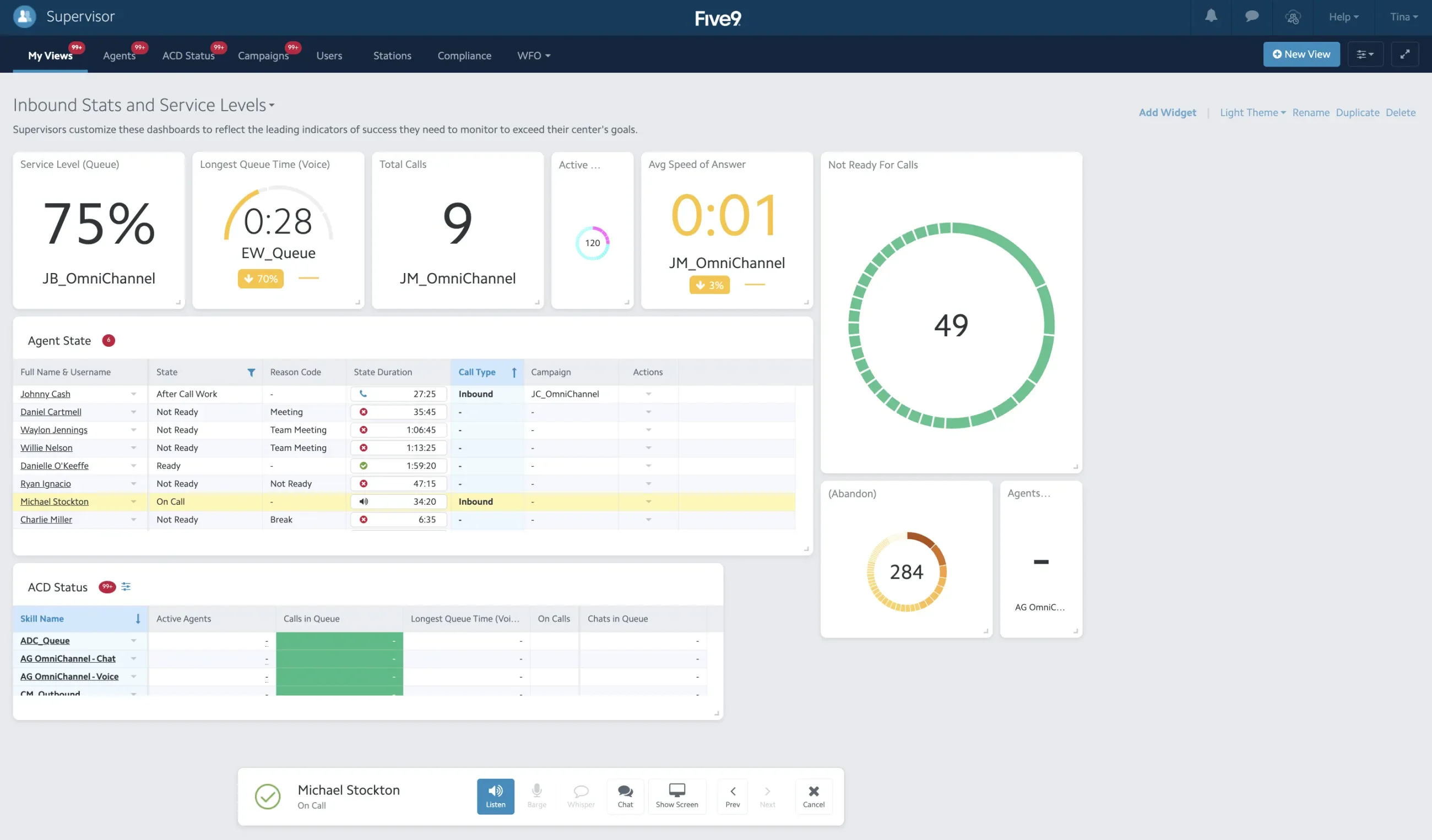
Image source: Five9
Five9 sits in a different category from most tools on this list. It’s designed for enterprise-scale call centres where workforce management is as important as call handling. When I explored it during an evaluation for a large financial services team, the workforce management features were the most sophisticated I’d seen: scheduling, forecasting, agent adherence tracking, and real-time performance monitoring all worked together seamlessly.
The predictive dialer is another standout. For outbound teams making thousands of calls per day, it automatically dials numbers and connects agents only when a live person answers.
The IVR and ACD capabilities are equally mature, making it one of the most complete call centre CRM solutions available for teams that have outgrown lighter-weight platforms.
Pros:
- Workforce management tools cover scheduling, forecasting, and adherence tracking to maintain optimal staffing levels
- Automatic call distribution routes inbound calls to the right agent based on skill, availability, and customer priority
- Predictive dialer maximises agent talk time by automatically connecting calls only when a live person answers
- IVR system handles complex call routing scenarios, reducing the need for human intervention in routing decisions
Cons:
- Setup and customisation can be complex and time-consuming, often requiring dedicated admin resources
- Third-party integration options could be expanded, particularly for newer communication platforms
Pricing:
Starts at $175/user/month.
9. KrispCall – Best for Unified Call Centre Management
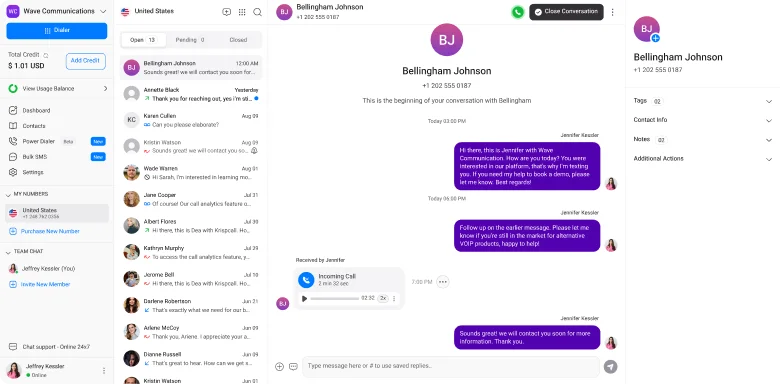
Image source: Krispcall
KrispCall took a different approach from most platforms I’ve reviewed, and it shows. Rather than building a CRM with calling bolted on, they built a unified communication hub where calls, SMS, voicemails, and recordings all live in one place, what they call the “unified call box.”
When a teammate showed me their setup, the first thing I noticed was how little context-switching was required. Everything was in one view, which made following up on complex cases far simpler.
KrispCall offers numbers in over 100 countries, making it a practical call centre CRM solution for teams handling cross-border customer bases. The AI-powered call summaries and smart recommendations also reduce after-call wrap-up time, which directly improves agent throughput and AHT.
Pros:
- Unified call box consolidates calls, SMS, voicemails, and recordings in a single dashboard, eliminating tool-switching
- Global virtual phone numbers across 100+ countries support international calling without complex infrastructure
- Call monitoring, whispering, and barging tools enable live quality assurance and real-time agent coaching
- IVR, call routing, forwarding, and queue management provide full inbound call workflow control
Cons:
- Advanced automation features and AI tools require higher-tier plans, limiting access for budget-constrained teams
- Some integrations require custom configuration or technical setup beyond standard onboarding
Pricing:
Starts at $15/user/month.
10. Zoho CRM – Best Omnichannel Call Centre CRM for Scaling SMBs
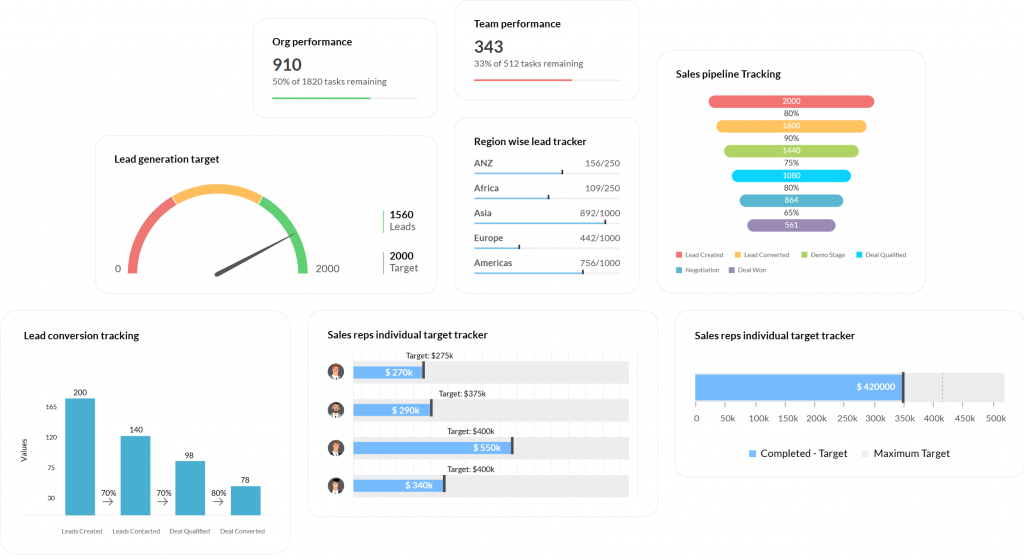
I know someone who runs a mid-sized customer support operation. When they moved to Zoho CRM, the first thing they mentioned was how much the omnichannel context changed their agents’ day-to-day. Everything, including calls, emails, live chat, and social, finally flowed into one contact record.
What makes Zoho CRM stand out as call centre CRM software for growing teams is the depth of its telephony integrations. Through Zoho Voice and third-party CTI connectors available on the Zoho Marketplace, agents can make and receive calls directly inside the CRM, with automatic call logging and real-time caller pop-ups.
The AI assistant Zia adds another layer by flagging the best times to call leads, predicting deal outcomes, and surfacing anomalies in sales data. For SMBs scaling and looking for a CRM with phone system capabilities without jumping to enterprise pricing, Zoho hits a genuinely strong sweet spot.
Pros:
- Native Zoho Voice integration and support for third-party CTI connectors enable click-to-call and automatic call logging directly within the CRM
- Omnichannel contact timeline aggregates calls, emails, live chat, and social media interactions in a single customer record
- Zia AI assistant provides predictive lead scoring, call timing recommendations, and sales anomaly detection
- Highly customisable with custom modules, workflow automation, blueprints, and territory management available on mid and higher tiers
Cons:
- The platform has a steeper learning curve than simpler CRMs, and new users often require time to configure it effectively
- Advanced features like Blueprint, CPQ, and Zia AI are only available on the Enterprise plan and above
Pricing:
Free plan for up to 3 users. Paid plans start at $14/user/month.
My Top 3 Picks for the Best Call Centre CRM Software
After testing and comparing every tool on this list, these three stood out consistently across ease of use, feature depth, and real-world performance for call centre teams. If you’re comparing this category more broadly, you may also want to review our guide to the best call center CRM.
1. BIGContacts
If I had to recommend one tool for all centre teams, BIGContacts would be it. The 360-degree contact view, built-in email automation, and follow-up workflows give agents everything they need without the complexity that bogs down larger platforms. The forever-free plan makes it genuinely accessible for teams just getting started, and the paid tiers scale cleanly as operations grow.
2. Freshcaller
For teams where voice quality and call routing are the top priority, Freshcaller is the strongest dedicated option on this list. The multi-level IVR, real-time call monitoring, and automatic display of caller history the moment a call connects make a noticeable difference in how efficiently agents handle high call volumes.
3. HubSpot CRM
For teams that need more than just call management and want a single platform covering sales, support, and marketing, HubSpot CRM delivers the most complete out-of-the-box experience. The unified contact timeline, native calling feature, and deep integration ecosystem mean that as your call centre operation evolves, HubSpot grows with it.
What’s the Difference Between a Call Centre CRM and a CCaaS Platform?
This is a common question and an important one.
A CCaaS (Contact Centre as a Service) platform is primarily focused on how calls are handled: routing, queuing, IVR menus, voice infrastructure, and agent availability. Think of it as the “phone system” layer.
A call centre CRM, on the other hand, is focused on who the customer is: their history, preferences, prior issues, and relationship with your brand. That overlap becomes even clearer when you look at how CRM for customer service works in practice. It’s the “intelligence” layer.
The most effective call centre setups combine both using CTI (Computer Telephony Integration) to bridge the two systems. Many modern platforms blend these capabilities, making the line between them increasingly blurry.
What Are the Key Features of a Call Centre CRM?
Not all features are created equal. Based on community feedback, real user data, and our own testing, here are the features that consistently separate good call centre CRMs from great ones:
- 360° Contact View: Every agent sees the complete history of a contact like calls, emails, tasks, and notes, before the conversation even starts.
- Task & Follow-up Automation: Ensures no callback or commitment slips through the cracks, with automated task creation tied directly to contact activity.
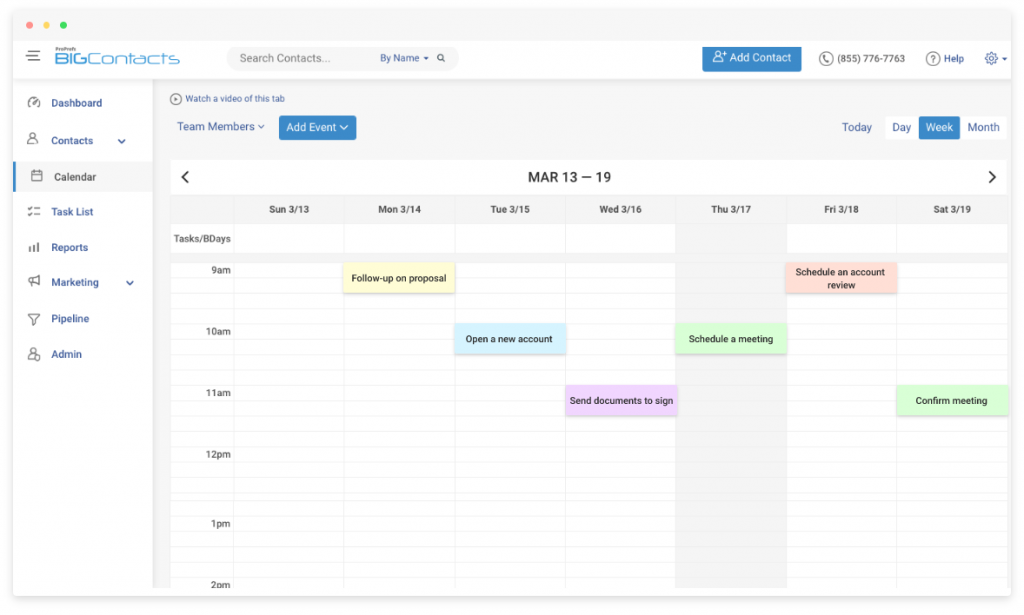
- Email Marketing & Drip Campaigns: Lets teams nurture leads and follow up with customers through targeted email sequences without switching platforms.
- Pipeline / Deal Tracking: Useful for call centres handling sales or renewals, giving teams visibility into where each contact sits in the journey.
- Reporting & Analytics: Real-time and historical dashboards tracking KPIs that matter: AHT, FCR, CSAT, queue depth, and more.
- Workflow Automation: Auto-assigns follow-up tasks, sends post-call emails, and triggers actions based on call outcomes.
- Ease of Use & Onboarding: Especially critical for teams with high agent turnover. If it takes months to learn, it’s the wrong tool.
How Do You Measure Call Centre Effectiveness Using a CRM?
A CRM is only as useful as the KPIs it helps you track. Here are the metrics that matter most and what to look for in your CRM’s reporting to measure them:
| KPI | What It Measures | Target Benchmark |
|---|---|---|
| AHT (Average Handle Time) | Total time per interaction (talk + hold + wrap-up) | Varies by industry; lower is generally better |
| FCR (First Call Resolution) | % of issues resolved without a follow-up | Industry average: 70–75% |
| CSAT (Customer Satisfaction Score) | Post-call customer satisfaction rating | Aim for 80%+ |
| ASA (Average Speed of Answer) | Time customers wait before an agent picks up | Under 20 seconds is a common target |
| Call Abandonment Rate | % of callers who hang up before reaching an agent | Under 5% |
| Agent Utilisation Rate | % of time agents are actively on calls vs. idle | 85–90% for most call centres |
Evaluation Criteria
Every tool in this guide was assessed against six weighted factors:
- User Reviews & Ratings: Feedback from real users across verified review platforms, Reddit, and community forums weighted on recurring themes, not outliers.
- Essential Features & Functionality: CTI integration, auto-logging, IVR, ACD, screen pops, recording, QA, omnichannel support, and reporting depth were all assessed individually.
- Ease of Use: Interface clarity, onboarding speed, and learning curve which are critical factors for teams with high agent turnover.
- Customer Support Quality: Responsiveness, documentation quality, and availability of dedicated onboarding support.
- Value for Money: Feature depth relative to price point, including free plan generosity and paid tier transparency.
- Personal Testing & Expert Insights: Hands-on configuration, real workflow simulations, and input from practitioners in sales, support, and call centre operations.
Cut Through the Noise: Pick the CRM Your Call Centre Actually Needs
Picking the right call centre CRM isn’t just a software decision. It’s a decision about how your team will spend every hour of every shift. The wrong tool means agents digging through tabs, managers flying blind on performance, and customers repeating themselves on every call. The right tool means faster resolutions, better data, and a team that actually enjoys their work.
Start by mapping your non-negotiables: CTI integration, call logging, and the KPIs you need to track. Then match those requirements to the tools in this list based on your budget and team size. Don’t let features you’ll never use drive the decision.
If you’re still finding your footing, BIGContacts is a low-risk place to start. The free plan gives you contact management, follow-up automation, and email tools without a credit card, and it scales as your needs evolve.
Frequently Asked Questions
How does CTI improve call centre performance?
CTI (Computer Telephony Integration) connects your phone system to your CRM so agents see caller information instantly on screen. This reduces Average Handle Time (AHT) because agents don't spend time searching for records, improves First Call Resolution (FCR) because agents have full context, and raises CSAT because customers don't have to repeat themselves.
What KPIs should I track in a call centre CRM?
The most important KPIs are AHT (Average Handle Time), FCR (First Call Resolution), CSAT (Customer Satisfaction Score), ASA (Average Speed of Answer), call abandonment rate, and agent utilisation rate. Your CRM should surface these in real-time supervisor dashboards and historical reports.
Is there a free CRM for call centres?
Yes. BIGContacts offers a forever-free plan for startups with up to 100 contacts. EngageBay, HubSpot, and Freshcaller also offer free plans with basic calling and contact management features. Free plans are a practical way to test a platform before committing to a paid tier.
What is the best CRM for small call centres?
For small call centres and SMBs, BIGContacts, EngageBay, and KrispCall offer the best balance of features and affordability. HubSpot's free plan is also a strong starting point for teams with under five users who need contact management and basic calling tools without a budget commitment.
How do I measure call centre effectiveness using a CRM?
Use your CRM's reporting tools to track FCR, AHT, CSAT, ASA, and abandonment rates. Most quality call centre CRMs include real-time dashboards and exportable reports. Look for tools that let you filter metrics by agent, date range, and channel to identify specific performance gaps and coaching opportunities.
FREE. All Features. FOREVER!
Try our Forever FREE account with all premium features!