
Sales is a tough game, and it’s only getting tougher. Between constant cold calls, prospecting, and endless emails, it’s easy to feel like your efforts are in vain. This is where sales engagement software comes in.
I’ve used this tool extensively to automate outreach, personalize interactions at scale, and ensure no lead falls through the cracks.
Modern buyers expect timely follow-ups, tailored messaging, and seamless conversations across email, phone, LinkedIn, and beyond. If you’re juggling all this manually, you need the right sales engagement platform to bring structure to chaos
In this updated list, I’ve rounded up 7 of the top sales engagement tools for 2026. I’ve personally used (or closely evaluated) each of these tools and will share my experiences and honest insights.
Let’s dive in!
7 Best Sales Engagement Software Platforms for This Year
Below are my seven picks for sales engagement tools that can boost efficiency and revenue. For each platform, I’ll share my personal take (from hands-on use or close observations), along with key pros, cons, pricing, and who it’s best suited for.
| Tools | Best For | Pricing |
|---|---|---|
| BIGContacts CRM | Easiest All in One CRM for Contact Management, Email Marketing & Deal Tracking | Free for growing teams. Paid plan starts at $9.99/month. |
| HubSpot Sales Hub | Sales automation and sequences | Starts at $18/user/month |
| Salesforce Sales Cloud | Engagement intelligence and advanced reporting | Starts at $25/user/month |
| Salesloft | Outbound cadences and pipeline building | Starts at custom pricing |
| Zendesk Sell | Lead generation and outreach automation | Starts at $19/agent/month |
| Freshsales | Sales sequences and AI insights | Starts at $15/user/month |
| Zoho SalesIQ | Lead scoring and website visitor tracking | Starts at $17/agent/month |
1. BIGContacts – Easiest All in One CRM for Contact Management, Email Marketing & Deal Tracking
BIGContacts is the CRM I’m using right now, and it feels like the perfect mix of simplicity and useful features. As a small business owner, I like how easy it is to manage sales without a steep learning curve, and my team adopted it quickly.
The sales pipeline view is one of my favorite parts. I can clearly track leads through custom stages like Qualified, Demo Scheduled, and Closed Won, and BIGContacts helps automate follow-ups so nothing slips through the cracks. The AI Pipeline Tracker adds a nice safety net here too, flagging deals that have gone quiet longer than expected so a stalled conversation doesn’t just fall off my radar.
Email engagement is another big win. Drip campaigns, automatic triggers, and a centralized timeline for emails, calls, and meetings keep everything organized, saving us time and helping us focus more on closing deals.
Pros:
- Visual drag-and-drop sales pipeline boards provide clear insight into each deal’s stage and progress
- Built-in email marketing to set up automated drip sequences that nurture leads with personalized emails at just the right intervals
- A unified contact history that captures all communications (emails, calls, meetings, tasks, notes) in one place
- Ready-to-use reports (and custom report options) help track engagement levels, pipeline health, and team performance at a glance
- AI Pipeline Tracker flags stalled deals before they quietly go cold
Cons:
- No downloadable or on-premise version
- No dedicated account manager for the free plan, unlike the paid
Pricing:
A free plan is available for growing teams. Paid plan starts at $9.99/month
2. HubSpot Sales Hub – Best for Sales Automation for Growing Teams
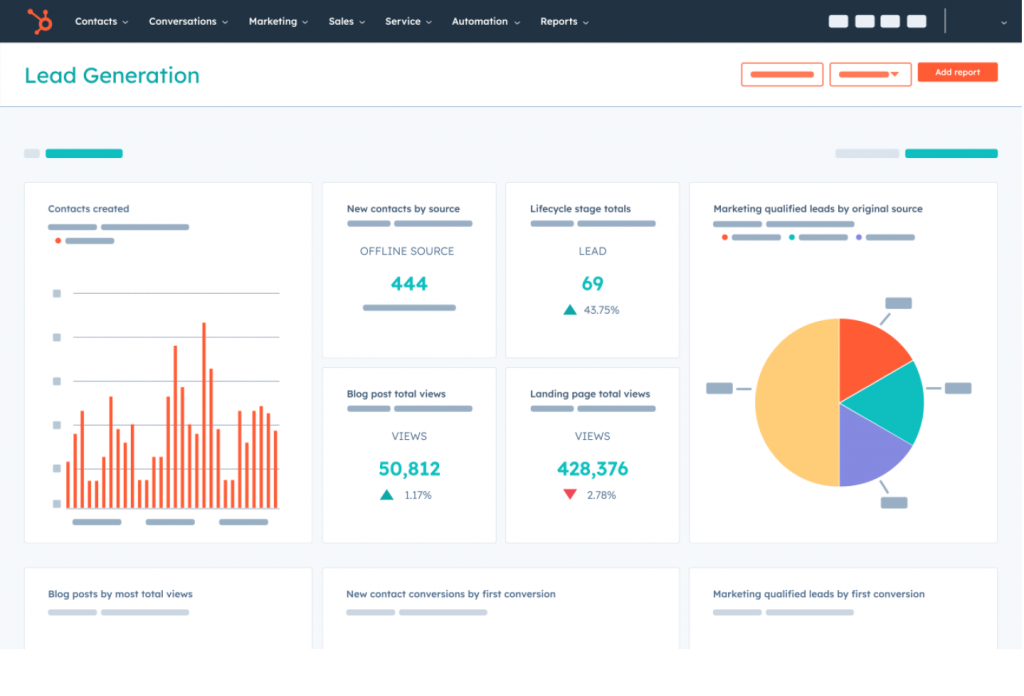
Image source: HubSpot
I’ve used HubSpot Sales Hub as our team grew, and it really stands out for sales automation. One feature I liked was automated email sequences, which helped me stay in touch with warm leads without constantly following up manually. HubSpot handled the timing, and it kept conversations moving until prospects were ready to respond.
That said, I quickly realized many of HubSpot’s best features aren’t included in the free plan. While the free CRM is solid for basics like deal tracking and email logging, advanced automation, sequences, and deeper reporting require a paid upgrade. We eventually moved to the Starter plan, which boosted our productivity a lot.
In daily use, HubSpot gave us a complete view of the pipeline with every email, call, and meeting logged in one place. Tools like templates and meeting links were also helpful. The only downside is that it can feel overwhelming at first, with a learning curve for new team members, but once set up, it’s a strong platform for scaling sales engagement.
Pros:
- Powerful Sales Automation from multi-step email sequences to task reminders
- 360° pipeline view of all deals and prospects
- Activity tracking & templates to automatically log calls and emails
- For those on Professional or higher plans, HubSpot offers conversation intelligence tools (like call recording and AI analysis)
Cons:
- HubSpot’s free plan, while a great introduction, lacks many key sales engagement features
- The platform is packed with features, which can be overwhelming for new users
Pricing:
Starts at $18/user/month.
3. Salesforce Sales Cloud – Best for Advanced Engagement Intelligence
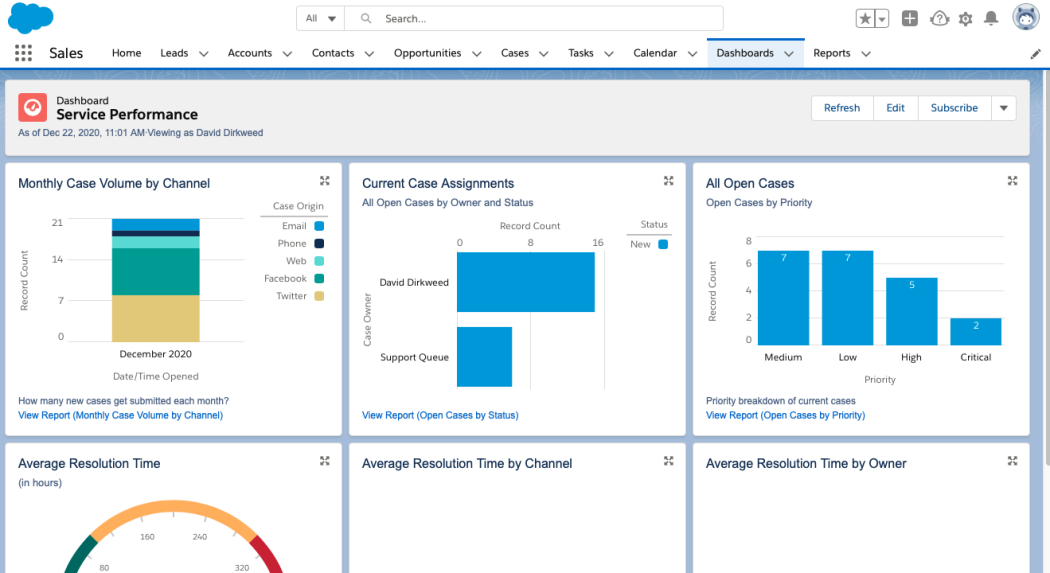
Image Source: PCMAG
Salesforce Sales Cloud is one of the biggest names in the CRM industry, and it’s especially strong for larger organizations. A Sales Director friend of mine was impressed by its engagement intelligence, which tracks detailed prospect activity like email opens, link clicks, and even website visits. That kind of insight makes it easier to know when a lead is truly interested and tailor follow-ups accordingly.
Salesforce also shines in reporting and analytics. The platform offers powerful dashboards that can show exactly where deals are stalling and how the sales funnel is performing. The only downside is that setting up advanced reports often takes expertise or a dedicated admin.
From my own experience with demos and trials, Salesforce feels extremely robust. It supports workflow automation, outreach sequences, AI-powered recommendations through Einstein, and integrations through the AppExchange. It’s a feature-rich platform that works well for teams looking to scale sales engagement with deep customization.
Pros:
- Engagement insights & tracking to see exactly how prospects interact with emails and website content – e.g., open rates, link clicks, page visits
- Highly organized workflows to automate routine tasks like follow-up reminders
- Through features like email templates, sequence builders (Salesforce Engage/Pardot), and dynamic content insertion, Salesforce lets you personalize outreach
- Salesforce’s Einstein AI can analyze your sales data and recommend next best actions
Cons:
- Salesforce is incredibly powerful, but that power brings complexity. New users often face a steep learning curve
- While Salesforce offers support, some users (especially smaller customers) have reported slow response times or a lack of personalized attention when issues arise
Pricing:
Starts at $25/user/month.
4. Salesloft – Best for Building Multi-Touch Sales Pipelines
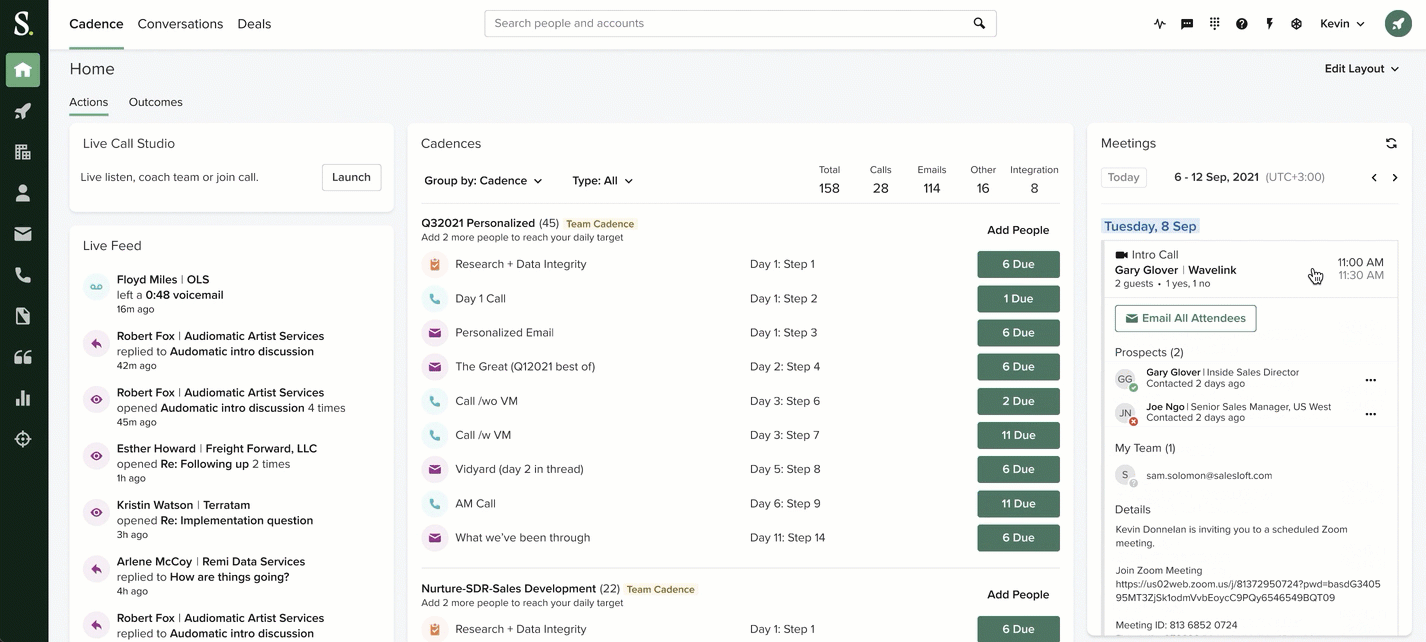
Image source: G2
Salesloft is often mentioned as a top sales engagement platform for outbound sales teams. From what I gathered through reviews and demos, it works like a command center for reps, helping them run multi-channel outreach sequences and track every interaction with cold or warm prospects.
One standout feature is prospect prioritization and automation. Salesloft integrates with CRMs like Salesforce or HubSpot, lets teams filter leads by engagement, and triggers actions like moving prospects through cadences or alerting reps when someone clicks a link. This makes follow-ups faster and outreach more efficient.
Salesloft also gets strong praise for email tracking, analytics, and daily task dashboards that guide reps through calls, emails, and follow-ups. The main downsides are that pricing isn’t transparent, and some users report occasional interface lag. Overall, it’s best suited for sales teams operating at scale rather than very small businesses.
Pros:
- Salesloft lets you design and execute highly personalized sales cadences across email, phone calls, voicemails, and even social touches
- The in-depth reporting feature tracks key metrics, such as email open rates, click-through rates, etc.
- Improves forecasting accuracy for deals using insights such as deal stage, pipeline coverage, sales velocity, etc.
- By analyzing engagement signals (e.g., which deals have high interaction vs. gone cold), Salesloft can help sales leaders assess the health of the pipeline
Cons:
- While the interface is generally user-friendly, some users report that Salesloft can occasionally be sluggish
- If you’re a solo salesperson or a tiny team, Salesloft’s extensive features might be more than you actually need
Pricing:
Custom pricing.
5. Zendesk Sell – Best for Lead Generation and Simple CRM Integration
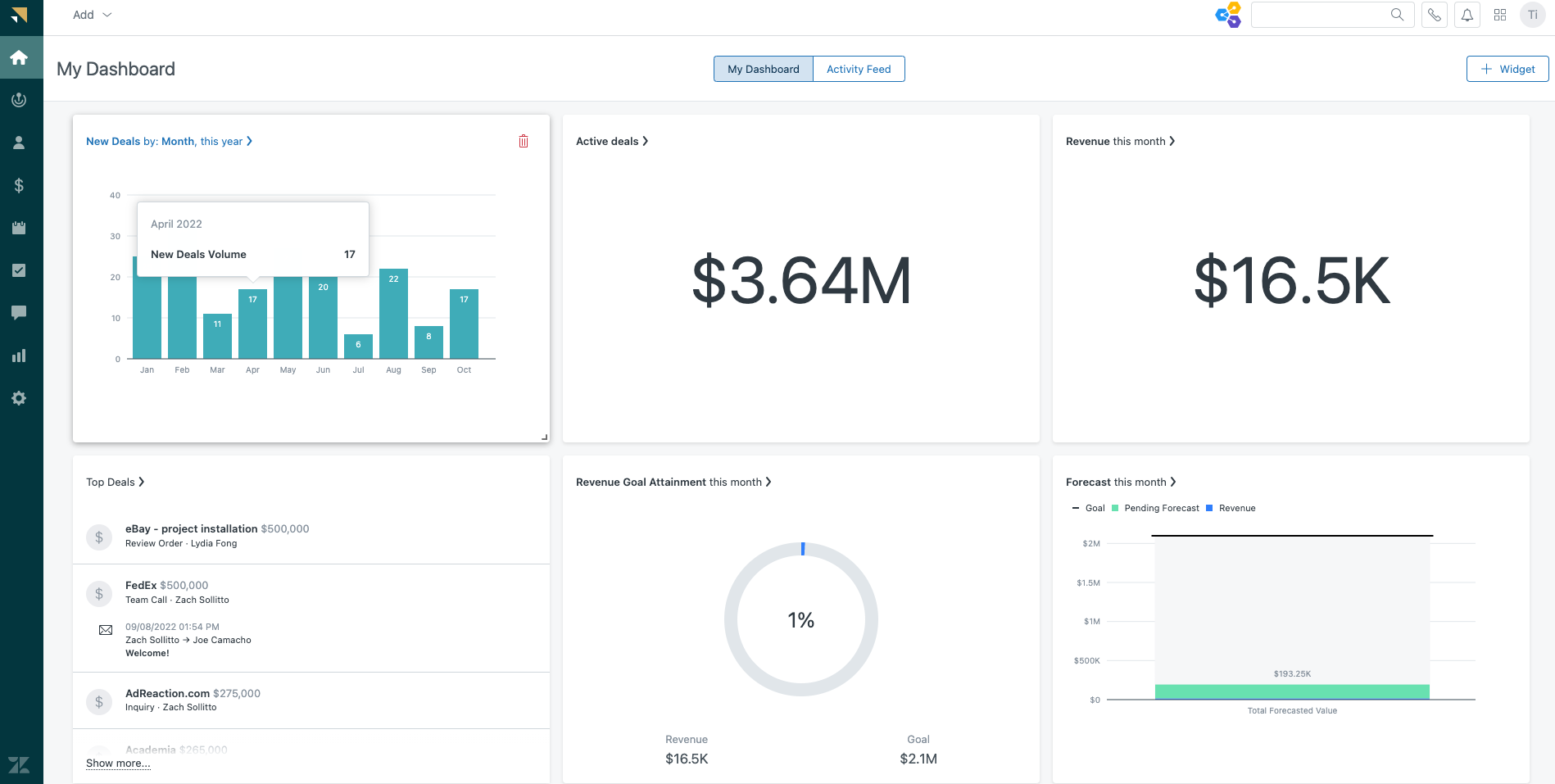
Image source: G2
I’ve used Zendesk Sell since its early days as Base CRM, and revisiting it recently, I was impressed by how much it has evolved. One major upgrade is Zendesk Reach, a built-in lead generation tool that helps you quickly find prospects by industry, role, or other criteria. What used to take hours of manual research now takes just minutes.
Zendesk Sell also makes outreach automation simple. I tested a basic email sequence with follow-ups, and the setup was very straightforward. You can track opens and clicks easily, which helps prioritize who to call or engage next. It may not be as advanced as dedicated outreach tools, but it works well for a CRM-focused platform.
The pipeline view is clean and visual, with drag-and-drop stages and Smart Lists that act like dynamic to-do lists for deals needing attention. Integrations with Zendesk’s support tools are a nice bonus, though the entry plan limits pipeline customization and some advanced lead gen features require higher-tier add-ons.
Pros:
- Zendesk Sell includes a Reach feature that helps you quickly find and import new leads
- Provides a clear visual sales pipeline, letting you see exactly where each deal stands
- Allows sales reps to create email templates and multi-step outreach sequences to engage leads
- Tracks key sales metrics like lead conversion rates, sales cycle length, and email engagement
Cons:
- The entry-level plan only supports up to 2 sales pipelines
- Some users have reported that Zendesk Sell’s customer support can be slow or less responsive than expected
Pricing:
Starts at $19/agent/month.
6. Freshsales (Freshworks CRM) – Best for Automated Sales Sequences & AI Insights
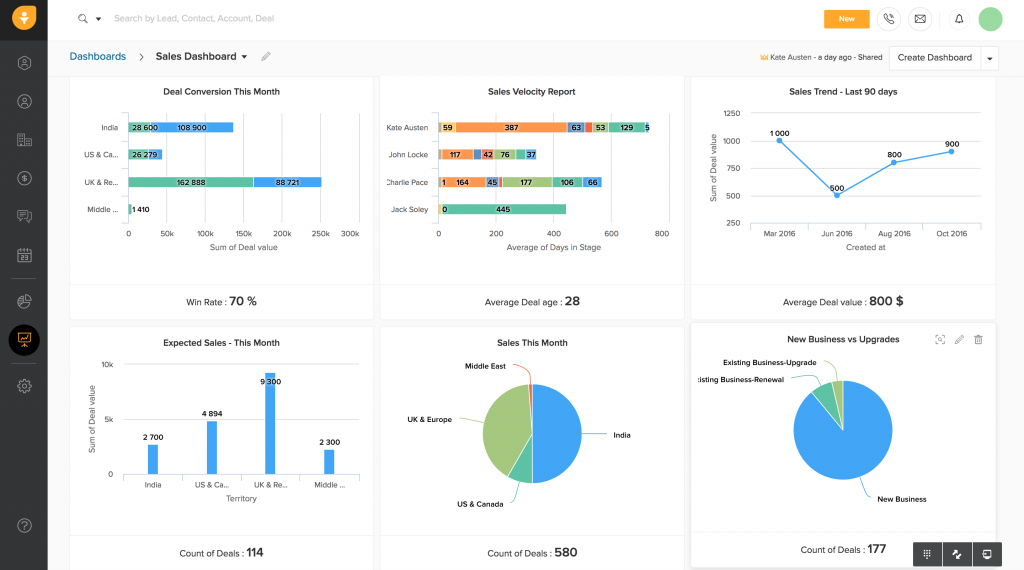
Freshsales has become a strong sales engagement platform, and its Sales Sequences feature really stood out to me. In a demo after a Freshworks virtual summit, I saw how you can automate multi-step outreach with emails, calls, follow-up tasks, and even SMS. Once activated, it keeps engagement consistent without relying on manual reminders.
Another highlight is its AI engine, Freddy, which provides lead scoring and next-best-action suggestions. It can identify “hot” leads based on activity like email opens, link clicks, or pricing page visits, helping reps focus attention where it matters most.
Freshsales also offers a clean contact timeline, Kanban-style deal pipelines, and useful alerts for deals going cold. The free plan is quite limited, though, and integrations aren’t as extensive as bigger competitors. Still, it’s an affordable, user-friendly option that works especially well for growing small and mid-sized teams.
Pros:
- It enables you to set up multi-step sales sequences (emails, calls, SMS, and tasks) to engage prospects consistently
- The platform provides a comprehensive view of each lead/contact, including their contact info, communication history (emails, calls, meetings), and even behavior insights
- Freshsales comes with a variety of reports and an analytics dashboard that let you track your sales performance in detail
- Freshsales leverages AI (Freddy AI) to offer smart recommendations and lead scoring
Cons:
- Freshsales does have a free tier (for up to 3 users), but it omits many key sales engagement features
- While Freshsales covers the essentials and integrates with other Freshworks tools nicely, it offers fewer native third-party integrations than some larger CRMs
Pricing:
Starts at $15/user/month.
7. Zoho SalesIQ – Best for Lead Scoring and Real-Time Visitor Engagement
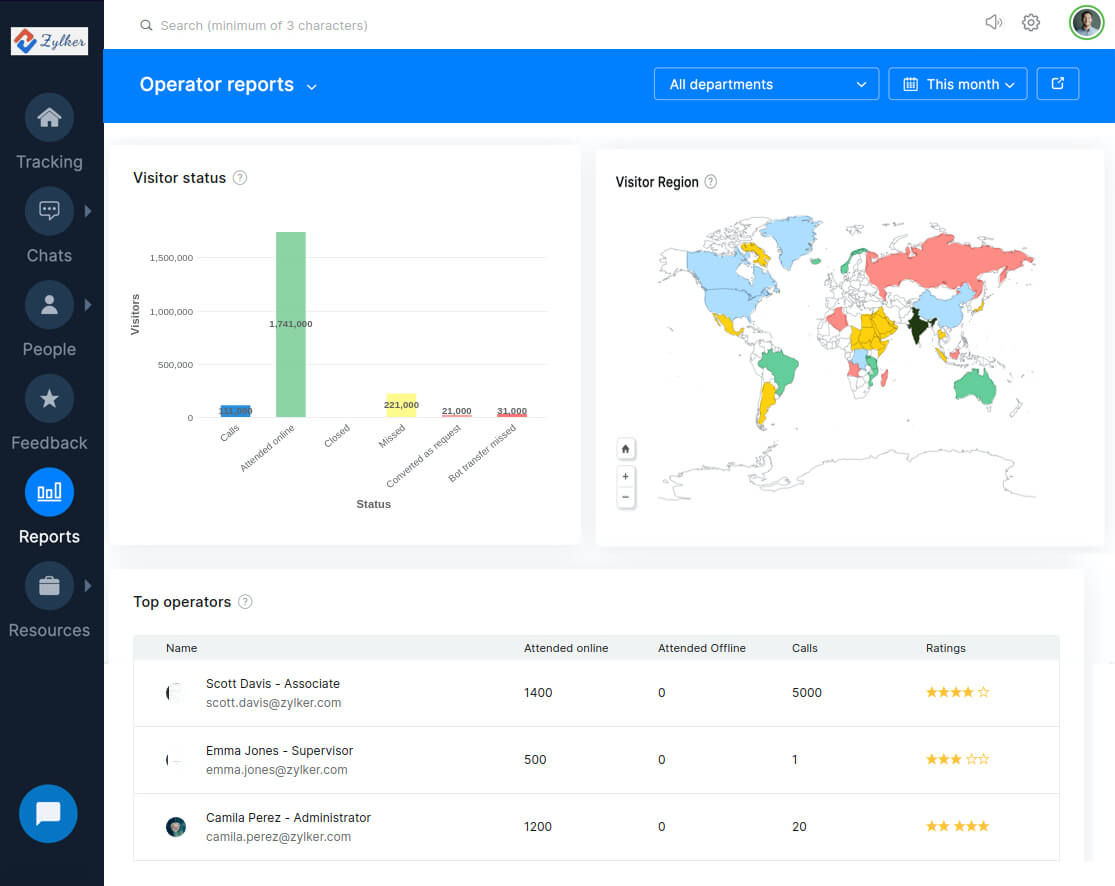
Image Source: ZohoWeb
Zoho SalesIQ is a great tool for website lead engagement, especially through live chat and visitor tracking. When I tested it, I was impressed by how it shows real-time visitor behavior, like who’s on your pricing page and what actions they take next. It feels like seeing a prospect’s “digital body language.”
Its lead scoring is one of the biggest strengths. You can assign points based on activity like page visits, time spent, or chat interactions, and SalesIQ automatically highlights the hottest leads. This helped me focus outreach on high-intent visitors instead of chasing everyone equally.
The live chat and chatbot features also make it easier to engage visitors instantly and capture leads quickly. However, the free plan is limited, and SalesIQ works best as an add-on alongside a CRM rather than a full sales engagement platform on its own.
Pros:
- Visitor behavior tracking on your website, including their location, pages visited, etc.
- The platform automatically assigns scores to leads based on their engagement level with your website
- Automated repetitive tasks such as lead nurturing, appointment scheduling, etc.
- Detailed reports on chat volume, visitor engagement, agent performance, etc.,
Cons:
- The free version of SalesIQ is quite limited – for instance, lead scoring and chatbot support are not available unless you’re on a paid plan
- Zoho SalesIQ is fantastic for capturing and engaging website leads, but it’s not a full-fledged sales pipeline or outreach tool on its own
Pricing:
Starts at $17/user/month.
My Top 3 Picks for the Best Sales Engagement Software
If you want to skip the long list and go straight to the strongest options, these three tools cover the most common sales engagement needs. I picked them based on usability, automation depth, and how well they support consistent follow-ups.
1. BIGContacts
If you want a simple sales engagement software that keeps your pipeline clean and follow-ups consistent, BIGContacts is the one I’d pick first. It combines pipeline visibility with drip campaigns and reminders, so deals don’t stall because someone forgot to nudge a lead.
2. HubSpot Sales Hub
HubSpot works best when your team relies on sequences, templates, and task automation to move fast. I liked it for teams that want a structured workflow for outreach and follow-ups, plus an ecosystem that can scale into CRM and reporting when you’re ready.
3. Salesforce Sales Cloud
Salesforce is ideal if you need deeper engagement intelligence, dashboards, and customization across a larger team. It’s powerful for tracking what prospects do across emails and touchpoints, and for building reports that leadership can actually use to spot pipeline issues early.
How to Choose the Right Sales Engagement Platform
Before we get to the list, it helps to know what to look for in a sales engagement solution. Based on user reviews, expert insights, and my own trials, here are the key criteria to keep in mind when evaluating sales engagement software:
1. Team Size and Needs
Start by identifying what your team actually needs. A small startup may want simple outreach and quick setup, while a larger organization may require advanced analytics, AI-driven insights, and enterprise-level scalability.
2. Ease of Use and Adoption
A platform should feel intuitive from day one. Your reps shouldn’t need weeks of training just to send sequences or log activities. The easier the system is to adopt, the faster your team can focus on selling instead of learning software.
3. Integration With Your Existing Stack
Make sure the platform works smoothly with the tools you already use. Strong CRM and email integrations are essential to avoid manual data entry and ensure every prospect interaction stays logged in one central place.
4. Automation and Personalization
At a minimum, the software should automate routine tasks like follow-ups, call reminders, and meeting scheduling. More advanced tools also help personalize outreach through dynamic fields or AI suggestions, which can improve response rates significantly.
5. Analytics and Reporting
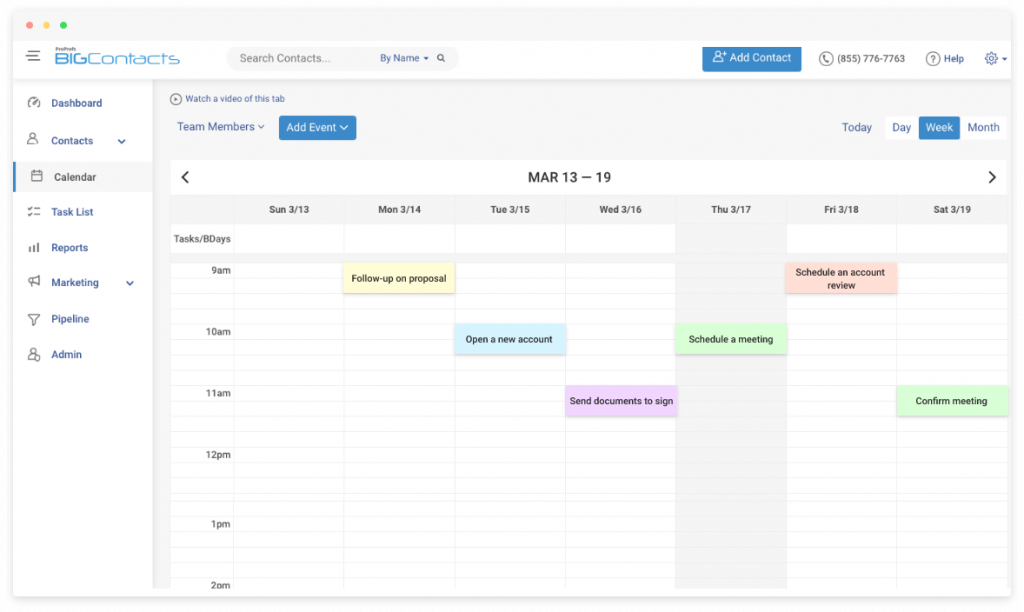
Sales engagement is driven by data. Look for reporting that tracks email engagement, call outcomes, sequence performance, and pipeline movement. The best platforms provide actionable insights without requiring complex setup or reporting expertise.
6. Customer Support and Onboarding
If you’re new to sales engagement tools, strong onboarding matters. Responsive support, training resources, and a helpful knowledge base can make adoption smoother and help you resolve issues faster.
7. Value for Money
Pricing varies widely, so weigh cost against what you actually get. Sometimes a slightly higher-priced platform delivers better ROI by saving time, improving productivity, and helping your team close more deals.
With these criteria in mind, let’s jump into the top sales engagement software platforms of 2026 and find the best fit for your team.
Drive More Revenue With Smarter, Consistent Sales Engagement
At the end of the day, the best sales engagement software is the one that helps your team follow up on time, stay organized, and personalize outreach without adding extra busywork. When your calls, emails, and next steps live in one place, it gets easier to move deals forward and spot what’s slowing your pipeline down.
As you shortlist tools, think beyond feature checklists. Focus on the real friction points that hurt execution, like messy data migration, low CRM adoption, integration gaps with Gmail or Outlook, and reports that take too long to pull. The right platform should reduce those headaches so reps can spend more time engaging prospects and less time updating systems.
If you want something that keeps the workflow simple while still covering essentials like pipeline visibility, reminders, and email follow-ups, BIGContacts is a practical option. It tends to fit teams that want momentum and clarity without needing a complex setup to get value.
Frequently Asked Questions
What features should I look for in sales engagement tools?
Look for email and calendar integration, sequencing or drip automation, task and reminder management, pipeline visibility, lead prioritization, and reporting that’s easy to interpret. If your team struggles with adoption, prioritize simplicity, fast setup, and smooth data import from spreadsheets or existing CRMs.
What are common challenges when implementing sales engagement software?
The biggest issues are messy data migration, weak integration with Gmail or Outlook, low rep adoption, and reports that feel complicated. Tools that offer clean import templates, simple workflows, and clear activity timelines usually get adopted faster and reduce the “too many tabs” problem.
How much does sales engagement software cost?
Pricing varies based on features and team size. Many tools start around $9–$25 per user per month, while advanced platforms can go much higher. If you only need basic pipeline tracking and follow-ups, lower-cost options can work well without forcing you into complex plans.
FREE. All Features. FOREVER!
Try our Forever FREE account with all premium features!