


If you work in manufacturing, you know the truth: the gap between a well-organized plan and real-world production can feel like chaos. You’re dealing with multi-stage deals, unpredictable supply chains, engineering changes, and buyers demanding real-time delivery updates.
When critical data is scattered across spreadsheets, email inboxes, and disparate ERP systems, the result is lost time, missed details, and reactive—not proactive—management. That chaos ends with choosing a tool for contact management and CRM for manufacturing. It’s the single source of truth that connects your sales pipeline, quote generation, order processing, and communication.
In this guide, I’ll walk you through the best CRM options built specifically for manufacturing companies. My goal is simple: to help you choose a CRM that streamlines your operations and supports the complex way your team already works. Let’s dive in.
Why Manufacturing Companies Need a CRM Tool
Most manufacturers I speak with are not asking for “another system.” They are asking for:
- Fewer surprises in production
- Fewer manual updates
- And faster, more accurate answers for customers
A good contact management tool and CRM for manufacturing companies helps with:
- Centralized customer & order data: No more digging through email chains or shared drives. Sales, customer service, and operations see the same contact, quote, and order history.
- Quote-to-cash visibility: Top manufacturing CRM guides highlight the importance of linking quotes, orders, and production schedules so sales does not overpromise on delivery dates.
- Better demand forecasting & production planning: By combining sales pipeline data with historical orders, a manufacturing CRM can feed better demand forecasts into your planning and ERP tools.
- Stronger relationships with distributors & OEMs: You gain complete visibility into who is selling what, where bottlenecks are, and which customers need proactive follow-up.
Comparison Table of Best Contact Management & CRM for Manufacturers
Here’s a quick comparison table so you can instantly see which CRM aligns best with your manufacturing workflows and budget.
| Software | Best For | Pricing |
|---|---|---|
| BIGContacts | Contact management & email marketing for growing businesses | Free for growing teams. Paid plan starts at $9.99/month |
| Claritysoft | Sales Management | Starts at $49/user/month |
| Method CRM | QuickBooks Integration & Quote-to-Cash Management | Starts at $27/user/month |
| NetSuite | Customer Service Management | Custom pricing |
| Maximizer CRM | Lead Management | Starts at $65/user/month |
| HubSpot | Centralizing sales, marketing, and support operations | Starts at $15/user/month |
| Creatio | Workflow Automation | Starts at $25/user/month |
| Teamgate | Contact Management | Starts at $40/user/month |
| Apptivo | Sales Pipeline Management | Starts at $20/user/month |
Top 9 CRM for Manufacturing SMBs & Enterprises
While curating this list, I evaluated each tool based on ease of use, adaptability, and scalability. My assessment is based on personal experiences, reviews shared on software comparison sites, input from industry peers, and customer testimonials.
1. BIGContacts – Best for Contact Management & Email Marketing for Growing Businesses
I use BIGContacts as my main hub to manage all the leads and sales of my manufacturing business.
For the last two years, I’ve relied on this tool to manage distributor relationships, OEM partners, high-value B2B customers, and repeat bulk buyers. I’ve also used it to track RFQs, follow-ups, contract renewals, and post-sales touchpoints—giving me a complete view of every account across the sales lifecycle.
The built-in email tools and automation save me a lot of manual effort. I set up simple follow-up sequences, send targeted email campaigns, and capture website inquiries directly into the CRM through web forms. I can also track high-potential leads likely to place bulk orders and plan inventory and production accordingly.
For visibility, I rely on the customizable pipeline and straightforward reports. I can match the stages to my real sales process and quickly see which deals need attention. Also, integrations with Outlook, Google Workspace, and QuickBooks keep my communication and financial information aligned without extra work.
Pros:
- A comprehensive 360° view of all contacts, including emails, transactions, files, and activities, enhancing visibility and productivity
- Custom web forms capture leads and store all field data directly in the CRM
- Calendar management helps track tasks, meetings, and other activities, enhancing team collaboration
- Adaptable sales pipeline feature to customize and track every stage of the sales process
Cons:
- No option for a downloadable or on-premise version
- The dark user interface option is not available
Pricing:
A free plan is available for growing teams. Paid plan starts at $9.99/month.
2. Claritysoft CRM – Best for Sales Management
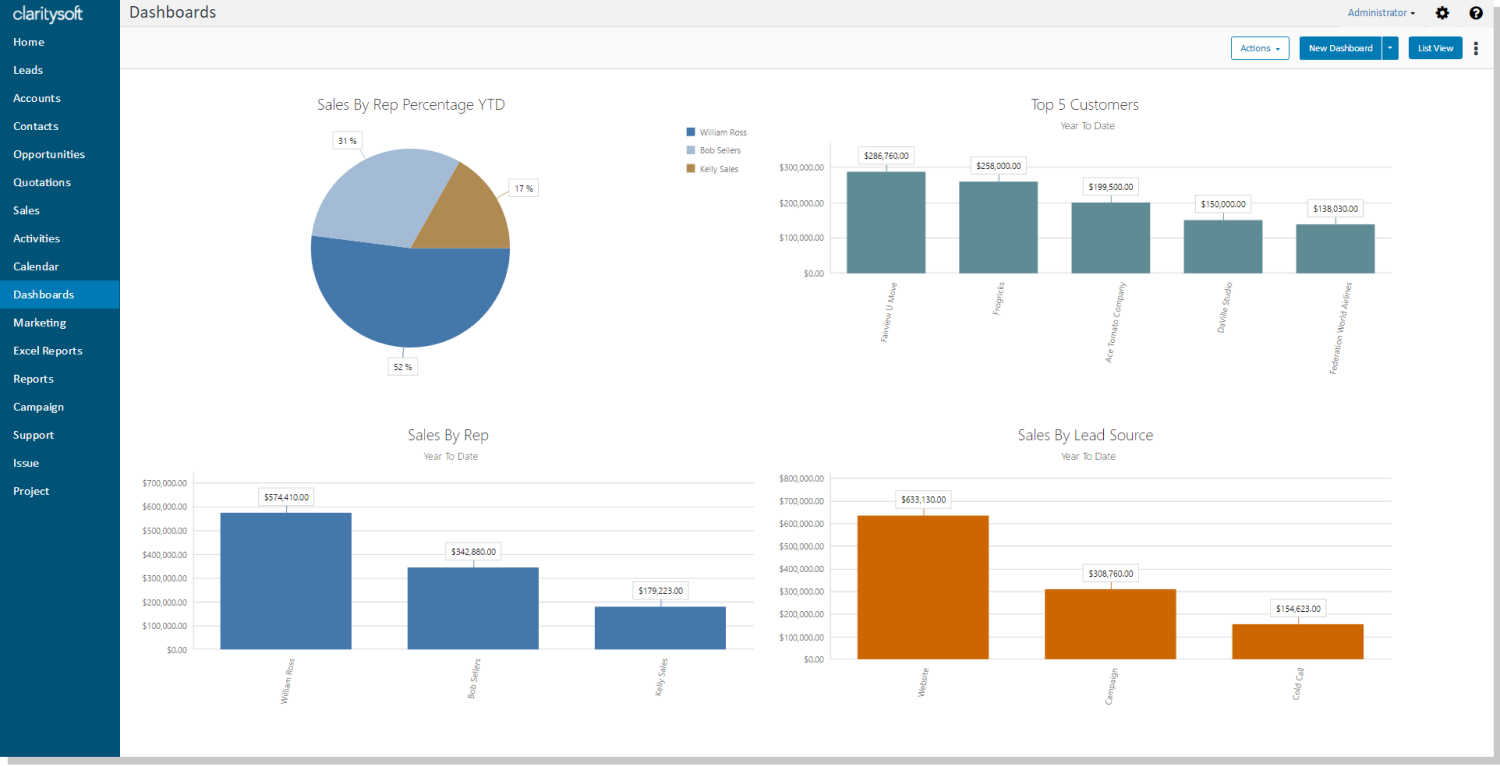
Image source: Claritysoft CRM
Claritysoft stood out to me when I needed a straightforward way to keep manufacturing sales data clean, visible, and easy to act on. I had all my accounts, contacts, and deals in one place, with a clear view of quotes, opportunities, and follow-ups. The interface felt straightforward, so I could quickly pull up customer history, see open opportunities, and understand where each deal stood in the sales cycle.
I relied a lot on its sales automation features. I sent bulk emails through Outlook, scheduled tasks, and set reminders so important RFQs or follow-ups did not slip through the cracks. The lead and opportunity tracking helped me focus on the right deals at the right time.
For manufacturing-specific work, I found the combination of contact management, opportunity tracking, and basic inventory/order visibility quite useful. ClaritySoft integrated with tools like QuickBooks, Outlook, and Mailchimp, which kept my data consistent across systems.
Pros:
- Provides strong sales management capabilities with clear opportunity and pipeline tracking
- Offers bulk email features through Outlook, helping sales teams run campaigns directly from their inbox
- Includes activity reminders and task scheduling to reduce missed follow-ups and deadlines
- Supports no-code customization of fields and layouts, making it flexible for different sales processes
Cons:
- Lead module is less customizable than the contacts module, which can limit how teams structure their lead data
- Importing accounts and contacts from spreadsheets can be complex and may require careful field mapping
Pricing:
Starts at $49/user/month.
3. Method CRM – Best for QuickBooks Integration & Quote-to-Cash Management
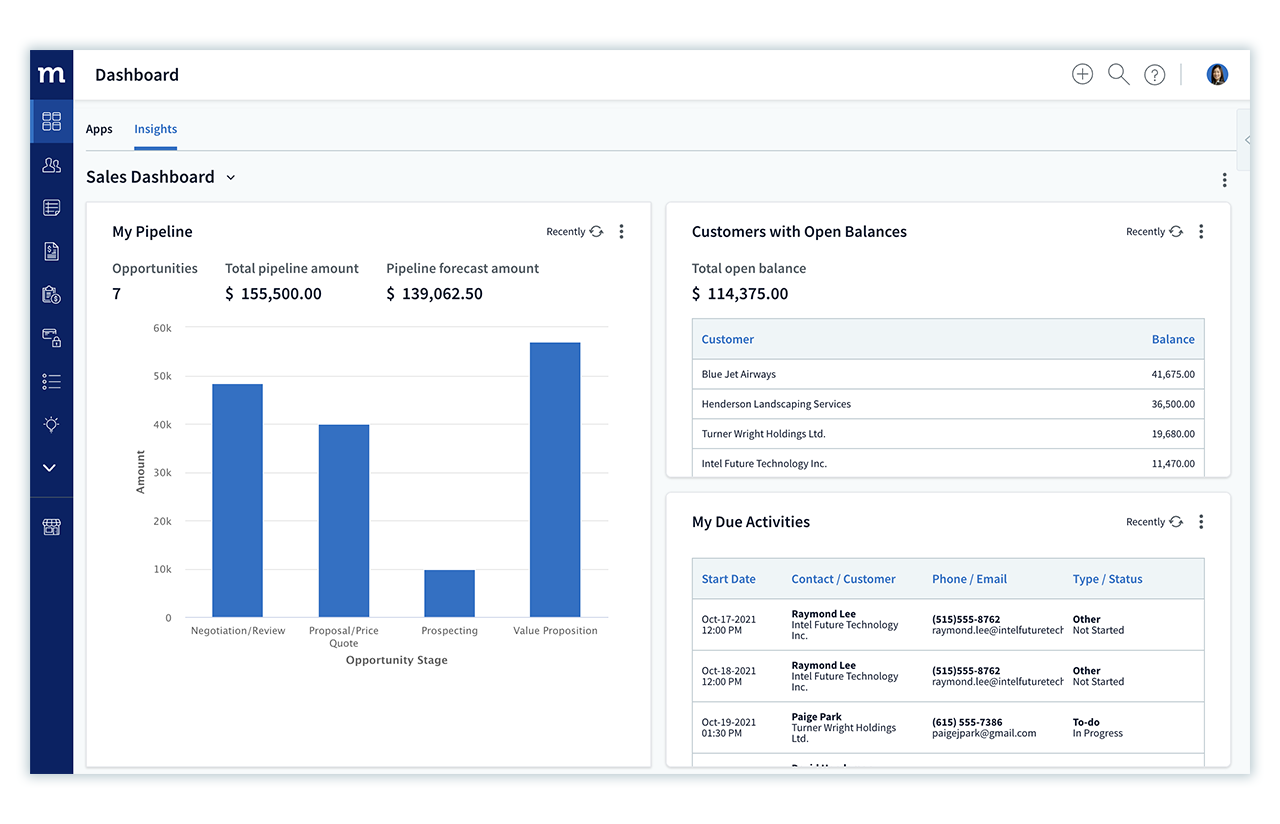
Image source: Method CRM
Method CRM stood out to me because it felt like a natural extension of QuickBooks rather than a separate system that required constant syncing and manual updates. As a manufacturing CRM, it helped me manage customer information, quotes, sales orders, invoices, and payment details from one place while keeping accounting data synchronized in real time. For manufacturing companies that rely on QuickBooks, this reduced duplicate data entry and gave sales, service, and accounting teams access to the same up-to-date information.
I found Method particularly useful for managing quote-to-cash processes. I could track opportunities, generate estimates, create sales orders, and monitor customer interactions without switching between multiple systems. The customer portal was another valuable feature, allowing customers to view invoices, make payments, and access important account information without contacting the team directly.
What I liked most was the platform’s flexibility. Manufacturers often have unique workflows, approval processes, and customer requirements that do not fit neatly into standard CRM templates. With Method’s customizable fields, workflows, and automation tools, I could adapt the system to match specific business processes while maintaining a strong connection between sales operations and accounting.
Pros:
- Provides real-time, two-way synchronization with QuickBooks
- Supports quote, sales order, invoice, and payment management in one system
- Offers customizable workflows, forms, and customer portals
- Helps align sales, customer service, and accounting teams with shared data
Cons:
- Delivers the most value for businesses already using QuickBooks
- Advanced customizations may require additional setup and planning
Pricing:
Starts at $27/user/month (billed annually).
4. NetSuite – Best for Customer Service Management
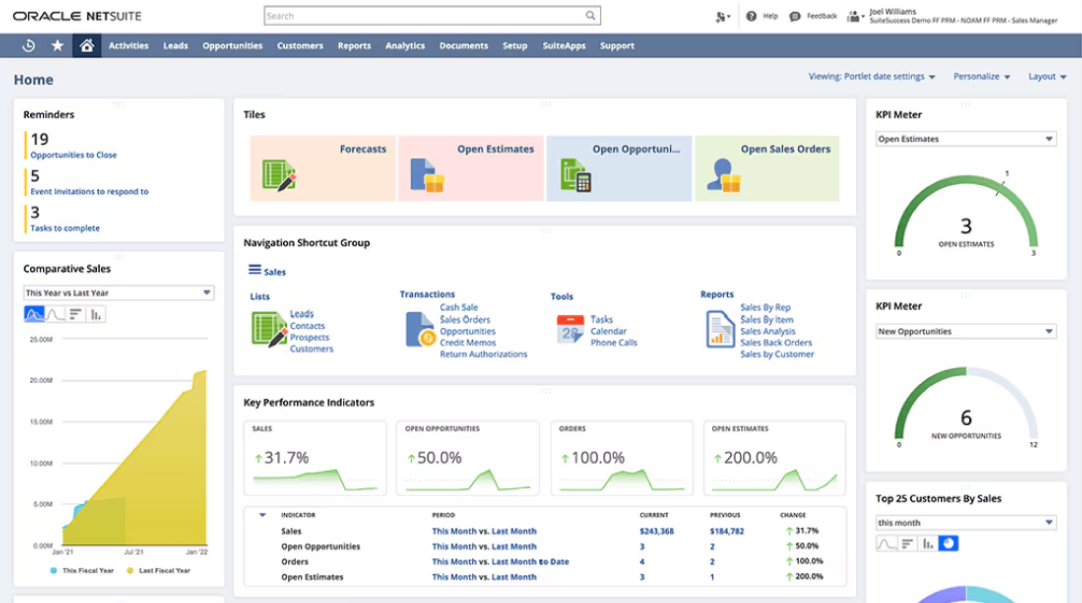
Image source: NetSuite
When I spoke with a manufacturing operations head who used NetSuite, they told me it became their single system for everything from CRM to inventory and finance. They really liked how account, quote, order, and shipment details were tightly connected.
They also mentioned how much they relied on NetSuite’s real-time dashboards and reports. Management could view open opportunities, confirmed orders, backlog, and key financial metrics all in one place, which made sales and production meetings more grounded in data. Whenever a customer called about an order, the team could quickly pull up inventory, fulfillment status, and past communication, which made service conversations smoother.
What stood out most in their feedback was NetSuite’s depth as a hybrid ERP and CRM. At the same time, they were clear that it took planning, a good implementation partner, and proper training to really unlock its value for a manufacturing environment.
Pros:
- Combines CRM, ERP, inventory, and finance in a single integrated platform
- Provides real-time dashboards and reports for sales, operations, and management
- Offers strong order management and fulfillment tracking directly linked to CRM records
- Handles multi-location, multi-entity, and multi-currency needs common in larger manufacturers
Cons:
- Implementation and setup can be complex and time-consuming, especially for smaller teams
- Licensing and customization costs may be higher than those of lightweight CRM tools
Pricing:
Custom pricing.
5. Maximizer CRM – Best for Lead Management
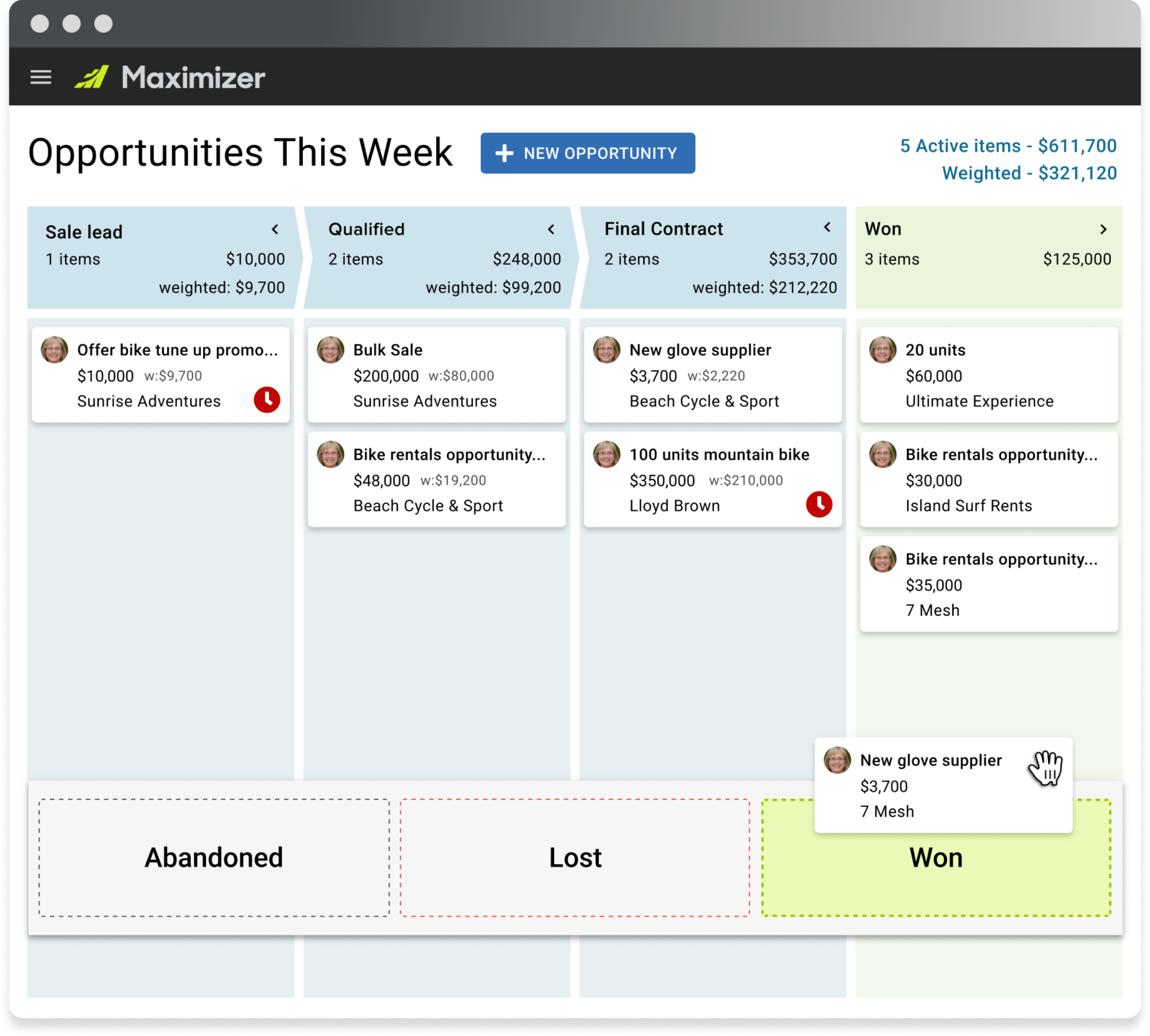
Image source: Maximizer
What I noticed first with Maximizer was how clearly it organized customer history, leads, and deal activity without feeling cluttered. I could see contacts, companies, notes, past emails, and open opportunities together, which made it much easier to understand the full history of each account. The layout felt structured, so I always knew where to look for what I needed.
I depended on Maximizer a lot for managing leads and deals. I tracked every inquiry, moved it through the pipeline, and used the built-in reminders so I did not forget follow ups or quotes. The sales forecasting tools helped me see how much business was likely to close in the coming weeks, which made planning and reporting much simpler.
I also used its integrations and mobile access quite often. Syncing with Outlook kept my emails and calendar aligned with what I saw in the CRM, and the mobile app helped me review accounts and update notes after meetings.
Pros:
- Provides a 360 degree view of customers, including contacts, activities, and opportunities
- Offers strong lead and opportunity management to support structured sales pipelines
- Includes forecasting tools that help sales teams estimate revenue and plan ahead
- Integrates with Outlook and other common tools to keep communication in sync
Cons:
- The amount of data entry and customization required can be time-consuming and challenging
- Missing some functionalities in the mobile version reduces efficiency when working remotely
Pricing:
Starts at $65/user/month.
6. HubSpot – Best for Centralizing Sales, Marketing, & Support Operations
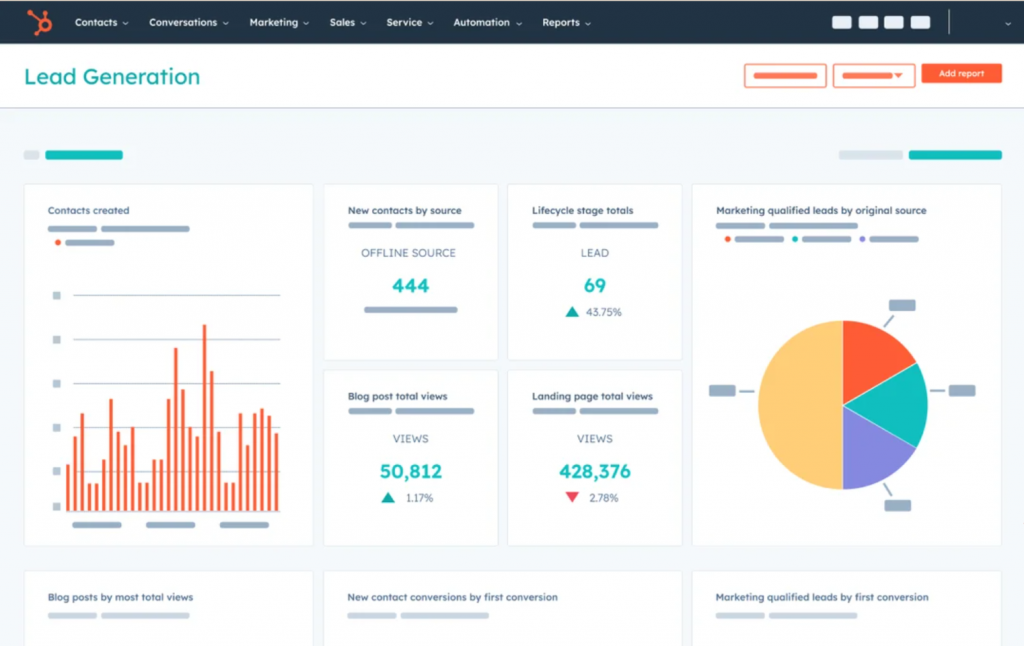
Image source: HubSpot
HubSpot felt less like a traditional CRM and more like a shared workspace where sales, marketing, and support activity naturally came together. I could see every email, form submission, page visit, and ticket on a single timeline for each contact. It helped me understand what stage each customer was in and what kind of follow up made sense next.
I relied on HubSpot a lot for follow ups and campaigns. I set up email sequences for leads, created simple nurturing workflows, and tracked deals in the pipeline view. Moving deals from stage to stage felt easy, and I could quickly see which opportunities needed my attention. The built in reports gave me a quick idea of which campaigns were bringing in the best leads.
I also used the integrations and automation to cut down on manual work. Connecting HubSpot with my email and calendar meant I did not have to log everything by hand. Forms on the website sent new leads straight into the CRM with all their details, and support tickets were linked to the same contact record.
Pros:
- Provides a unified view of contacts across sales, marketing, and support
- Offers strong email automation, sequences, and simple workflows for follow ups
- Includes an intuitive visual pipeline for tracking deals and forecasting revenue
- Integrates with many tools and platforms, which helps centralize data and activity
Cons:
- Some users find the initial setup process to be complicated and time-consuming.
- It doesn’t offer extensive reporting features or A/B testing options.
Pricing:
Starts at $15/user/month.
7. Creatio – Best for Workflow Automation
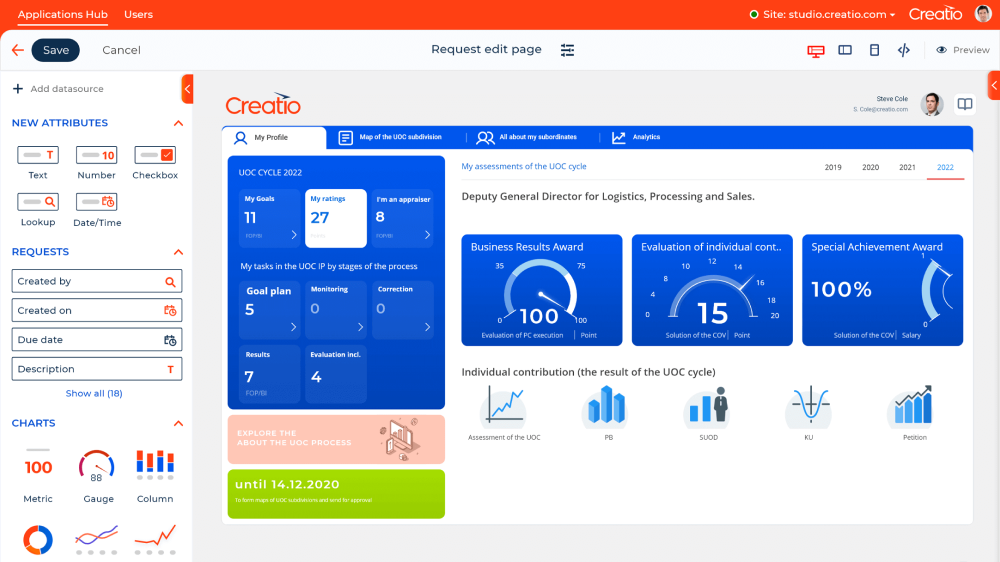
Image source – Creatio
Creatio appealed to me when I needed more control over processes, not just contact and deal tracking. I kept all my leads, accounts, and opportunities organized, and I could see every call, email, and task on one screen. The interface felt structured, so it was easy for me to move between contacts, deals, and activities without feeling lost.
I relied on Creatio’s no code tools to build and tweak workflows. Using the visual designer, I set up processes for lead qualification, approvals, and follow ups without needing a developer. Whenever a trigger happened, like a new inquiry or a deal moving to a new stage, the system automatically created tasks, sent emails, or updated fields.
I also made good use of its reporting and integration options. The dashboards showed me how many leads were in each stage, which processes took the longest, and where deals were getting stuck. Connecting Creatio with email and other tools meant my communication history stayed linked to the right records.
Pros:
- Combines CRM and process automation, allowing teams to manage data and workflows in one system
- Provides a visual, no code process designer that lets users build and modify workflows without developers
- Offers detailed dashboards and analytics for tracking leads, deals, and process performance
- Supports strong activity and communication tracking across calls, emails, and tasks
Cons:
- Online forms require HTML coding, which can be challenging for non-technical users
- Lacks integration with social media platforms, limiting the ability to manage social interactions directly within the CRM
Pricing:
Starts at $25/user/month.
8. Teamgate – Best for Contact Management
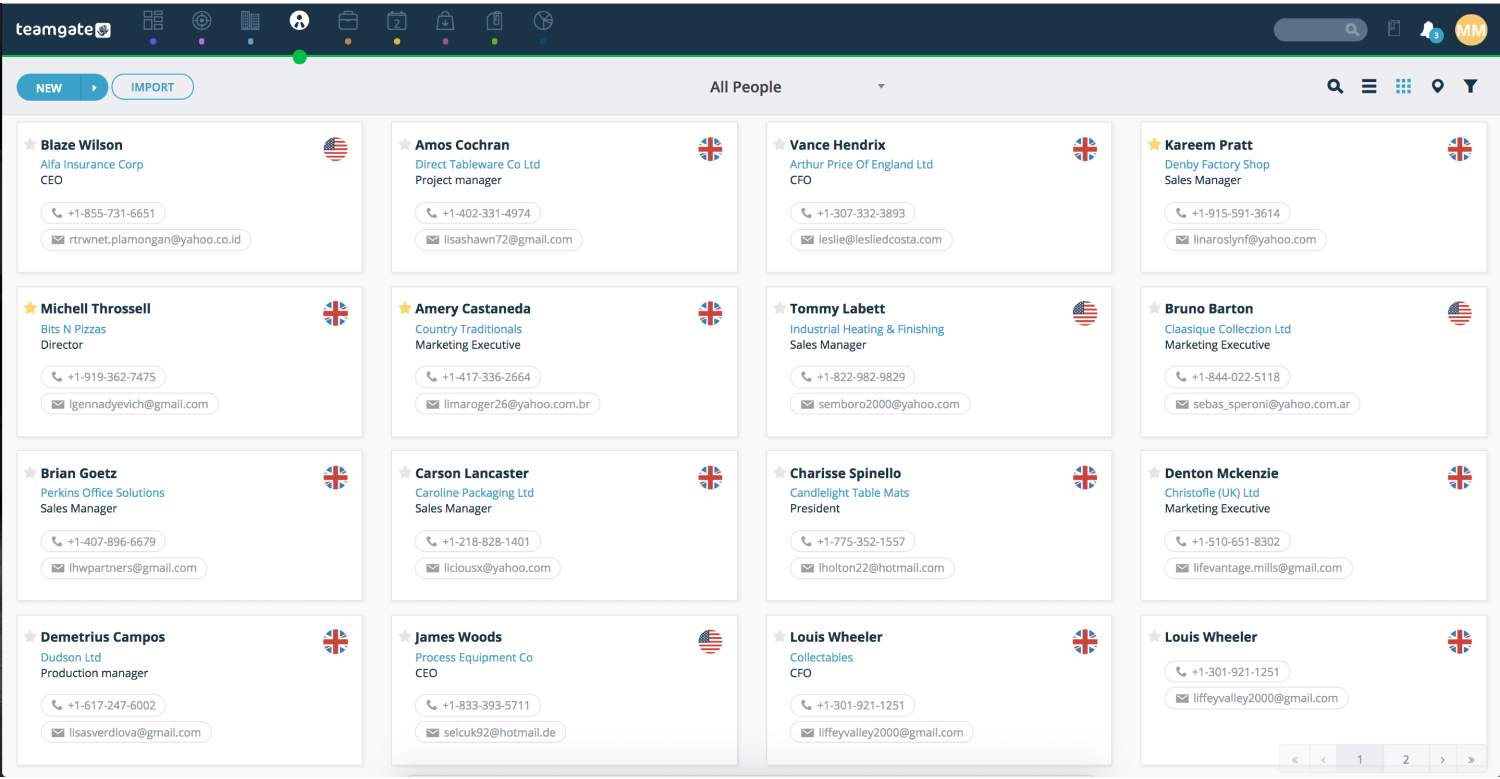
Image source: Teamgate
I spoke with a sales manager who used Teamgate, they told me it worked really well as a simple, focused CRM for their outbound work. They kept all their leads, contacts, and companies in one place and always had the full history of calls, emails, and notes available when talking to a customer.
They mentioned that the Smart Dialer and pipeline view were the features they relied on most. The team made calls directly from Teamgate, logged outcomes in a few clicks, and then dragged deals between stages in the visual pipeline. This made it easy for them to see where each opportunity stood and which deals needed attention before the week ended.
They also appreciated the basic analytics and integrations. Teamgate helped them track targets, conversion rates, and activity levels, which made one on one reviews more concrete. Integrations with tools like email and accounting helped keep their data aligned, and the goal tracking feature gave the team a simple way to monitor daily and monthly performance.
Pros:
- Offers a clean, user friendly interface that is easy for sales teams to adopt
- Includes Smart Dialer functionality so calls can be made and logged directly from the CRM
- Provides a visual, drag and drop sales pipeline that helps users manage deals clearly
- Supports goal tracking and performance metrics to keep teams focused on targets
Cons:
- The server goes down occasionally disrupting the workflow
- The mobile app lacks some functionalities present in the desktop version
Pricing:
Starts at $40/user/month.
9. Apptivo – Best for Sales Pipeline Management
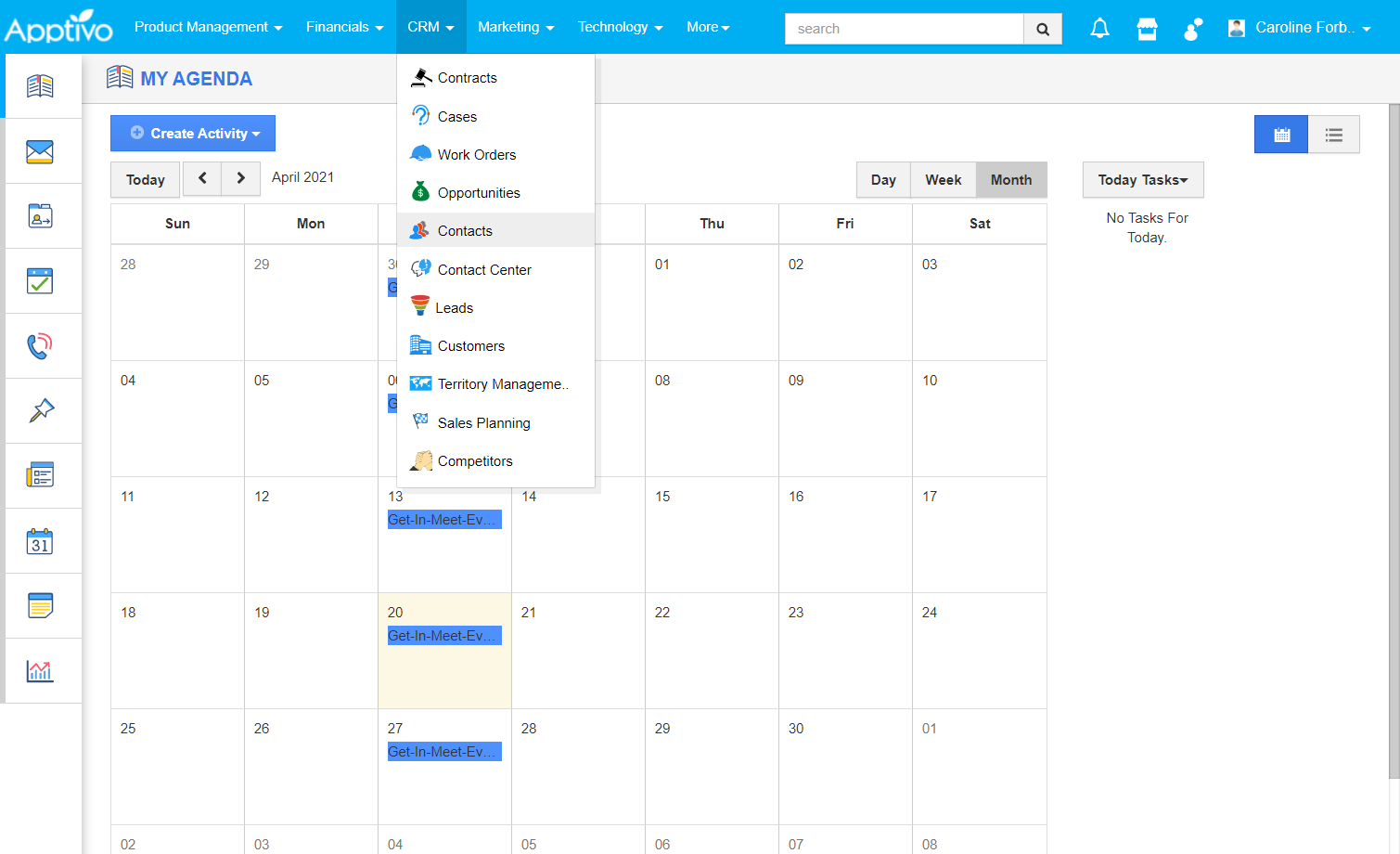
Image source: Apptivo
Apptivo worked well for me when I wanted a CRM that connected sales activity with light operational tracking. I liked that it gave me one place to manage customers, deals, and basic operations. I kept my contacts, companies, and opportunities organized and always knew what stage each deal was in. The customizable pipeline helped me match the stages to how we actually sold, so moving deals through the process felt very natural.
I also used Apptivo for simple inventory and work management. I tracked items, created work orders, and kept an eye on what was pending or completed. Having this information close to my deals and customers helped me see what was actually happening after a sale, instead of treating operations as a separate world.
The built-in email tools, templates, and automation saved me time on follow-ups and routine communication. I connected Apptivo with accounting tools like QuickBooks, so financial information stayed closer to my customer records.
Pros:
- Combines CRM, basic inventory, and work order management in a single platform
- Offers customizable sales pipelines that can match different sales processes
- Includes email templates and automation to reduce manual follow up tasks
- Integrates with accounting tools such as QuickBooks for smoother financial tracking
Cons:
- Importing new addresses can be slow, often making manual entry quicker, which can be time-consuming
- Apptivo’s unresponsive customer service, especially for billing issues, can result in ongoing charges even after canceling the service
Pricing:
Starts at $20/user/month.
My Top 3 Picks: CRM for Manufacturing
If you’re short on time, here’s a quick look at my top 3 picks of the best CRM for manufacturing:
1. BIGContacts
Best for contact management & email marketing for startups & small to medium businesses. BIGContacts offers advanced contact management, task automation, and seamless email marketing integration. Ideal for enhancing your CRM capabilities and improving efficiency.
2. HubSpot
Best for centralizing sales, marketing, & support operations. HubSpot excels in providing a centralized platform to manage your sales, marketing, and support functions. Helps streamline operations and boost productivity.
3. Apptivo
As the best tool for supply chain management, Apptivo distinguishes itself with its robust supply chain management features. It ensures smooth operations and effective inventory tracking.
Here’s a version that’s aligned with your updated blog and the manufacturing context:
Evaluation Criteria
The tools covered in this contact management and CRM for manufacturing guide were evaluated using a structured, practical framework focused on how well they actually work for manufacturers. Here are the key factors I used:
1. User Reviews & Real World Feedback
I looked at user ratings and detailed reviews from reputable software comparison sites, with special attention to feedback from manufacturing and B2B companies. This helped me gauge real world satisfaction, common issues, and how these tools perform in day to day operations.
2. Manufacturing Specific Features & Functionality
Each tool was assessed on how well it supports manufacturing workflows, not just generic sales. This includes contact and account management, quote and order tracking, basic inventory or work orders, ERP or accounting integrations, and support for distributors, partners, and multi step B2B deals.
3. Ease of Use & Team Adoption
I evaluated how simple it is for sales, operations, and customer service teams to start using the CRM. Interface clarity, learning curve, mobile access, and how quickly a team can adopt the tool in a busy manufacturing environment were all taken into account.
4. Integrations & Tech Fit
Since most manufacturers already utilize ERP, accounting, and other systems, I considered how well each CRM integrates with tools like NetSuite, QuickBooks, email platforms, and other business applications. The goal was to see how easily the CRM can fit into an existing tech stack without creating more silos.
5. Pricing & Value For Money
I compared pricing against the features and depth each tool offers for manufacturing use cases. The focus was on whether small, medium, and growing manufacturing companies can get enough value from the CRM without overpaying or being forced into unnecessary modules.
6. Personal Experience & Expert Input
Where possible, I drew on my own hands-on use of the tools, conversations with users in manufacturing, and expert opinions from implementation partners and industry sources. This helped validate which CRMs are practical in real manufacturing environments, not just impressive on paper.
5-Step CRM Migration Checklist for Manufacturers
Moving data from spreadsheets (or an old system) to a new CRM can be scary. Use this simple checklist to ensure a smooth transition:
1. Clean Your Data First
Do not upload messy data. Delete duplicate contacts and old suppliers before you export your current lists.
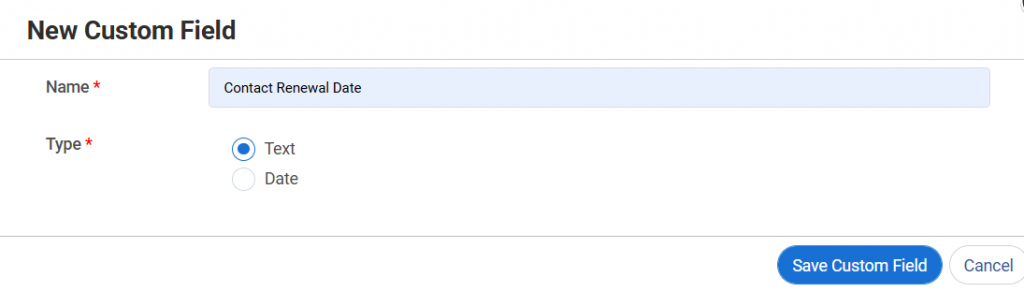
2. Define Your “Fields”
Manufacturers have unique needs. Ensure your new CRM has custom fields for things like “Distributor Type,” “Region,” or “Last Order Date.”
3. Map Your Process
Draw your sales process on a whiteboard. (e.g., Lead In -> Quote Sent -> Sample Sent -> Negotiation -> Closed Won). Recreate this pipeline in the CRM.
4. Integrate the ERP
If you have an accounting or inventory system (like QuickBooks or SAP), check if it integrates. If not, you can use a tool like Zapier to connect them.
5. Train the “Floor”
A CRM fails if only management uses it. Train your sales reps and account managers. Show them how it saves them time, not just how it generates reports for you.
Transform Your Manufacturing Operations With The Right CRM
Choosing a CRM for manufacturing is really about making daily work easier for your teams and interactions more reliable for your customers. When your leads, quotes, orders, and communication all sit in one place, you spend less time hunting for answers and more time moving deals forward, keeping promises, and planning production with confidence.
With the right manufacturing CRM software in place, your sales, operations, and service teams can finally work together. You get cleaner forecasts, fewer last-minute surprises, and faster responses when customers ask, “What is the status of my order?” or “Can you deliver by this date?”
You do not have to get everything perfect on day one. Start with a tool that fits your size, your current tech stack, and the way your team already works, then grow from there. If you are looking for a simple, contact-focused CRM for manufacturing companies that offers better visibility and smoother follow-ups, BIGContacts can be a practical first step. You can bring your customer data and day-to-day sales activity under one roof.
Frequently Asked Questions

Why do manufacturing companies need a dedicated CRM instead of just using ERP?
ERP is great for finance, inventory, and production, but it is not designed to manage leads, pipelines, and customer interactions end-to-end. A manufacturing CRM fills this gap by tracking every touchpoint before and after the order, improving forecast accuracy, follow-ups, and overall customer experience across sales, service, and operations.
What features should I look for in manufacturing CRM software?
Look for strong account and contact management, quote and order tracking, customizable pipelines, task automation, and reporting. Integrations with ERP, accounting, and email tools are key. For modern manufacturing teams, mobile access, role-based dashboards, and support for distributors, partners, and multi-location operations are also crucial.
How long does it usually take to implement a CRM for manufacturing companies?
Implementation time depends on complexity. A lightweight CRM with basic pipelines and email integration might go live in a few weeks. When you add ERP integration, custom workflows, and multiple teams or locations, it can stretch to several months. Starting with a focused pilot and a simple rollout plan speeds things up.
FREE. All Features. FOREVER!
Try our Forever FREE account with all premium features!