
Over the years of managing countless marketing campaigns and customer relationships, I’ve learned one thing the hard way—your CRM marketing software can make or break your entire strategy.
I’ve seen marketers struggle with messy lead data, fragmented campaign tracking, and endless back-and-forth between sales and marketing teams. You spend hours collecting leads, but by the time your sales team follows up, half of them have gone cold. Campaigns get launched without proper segmentation, emails go to the wrong audience, and reporting takes forever to piece together from five different tools.
That’s where a solid CRM marketing system steps in. It brings every part of your marketing and sales process under one roof—lead capture, nurturing, automation, analytics, and communication.
In this guide, I’ll share the 9 best CRM marketing software I’ve personally seen to help teams track leads, automate campaigns, and build stronger customer relationships.
9 Best CRM Marketing Software Tools
This curated list of the best marketing CRMs is based on personal research and experience, plus insights from peers and user reviews. We’ll go through each option’s highlights, what it excels at, where it might fall short, and who it’s best suited for.
| Software Name | Best For | Pricing |
|---|---|---|
| BIGContacts | Easiest All in One CRM for Contact Management, Email Marketing & Deal Tracking | Free for small teams. Paid plan starts at $9.99/month |
| HubSpot | Marketing automation | Starts at $18/user/month |
| Salesforce | AI-powered marketing campaigns in large organizations | Starts at ~$25/user/month |
| Zoho CRM | Lead generation and affordable scaling | Starts at ~$19/user/month |
| SugarCRM | AI-driven lead nurturing | Starts at $59/user/month |
| Nutshell | B2B marketing and sales automation | Starts at $16/user/month |
| Freshmarketer | Multichannel engagement & marketing automation | Starts at $19/user/month |
| Insightly | Project-oriented businesses with integrated marketing | Starts at $99/month |
| Agile CRM | Web engagement | Starts at $9.99/user/month |
1. BIGContacts – Easiest All in One CRM for Contact Management, Email Marketing & Deal Tracking
BIGContacts has been my go-to CRM for years; a simple yet powerful solution for managing contacts and automating email campaigns. It’s perfect for growing and established businesses looking for an efficient way to organize customer data and streamline marketing.
You can easily store detailed contact information, add custom fields (such as industry or preferences), and segment contacts based on behavior or interests. For example, an e-commerce store could tag customers by favorite categories such as “Electronics” or “Fashion” to send targeted promotions that truly resonate.
What really sets BIGContacts apart is its email automation feature. You can create personalized drip campaigns that automatically send the right messages at the right time — like a blog post to warm up a lead, followed by a testimonial, and later, a special offer. The AI Marketing Campaign Designer makes building these sequences even faster, generating a full draft from a short description of the goal and audience so you’re rarely starting from a blank screen. It keeps your audience engaged without constant manual work.
Pros:
- Enables you to send targeted emails to contacts based on specific actions or events
- The ability to access all previous emails, associated contact details, tasks, notes, etc., from one dashboard to stay organized
- Provides in-depth reports of marketing campaigns to make data-driven decisions
- Offers dynamic and static lists for effective contact segmentation based on demographics, behavior, or engagement level
- Automates repetitive tasks and reminders to increase organizational productivity and focus on high-value activities
- AI Marketing Campaign Designer drafts full email sequences from a simple prompt, cutting setup time
Cons:
- No downloadable or on-premise version
- Dark user interface option not available
Pricing:
Free for small teams. Paid plan starts at $9.99/month.
2. HubSpot – Best for Centralizing Sales, Marketing, and Support Operations
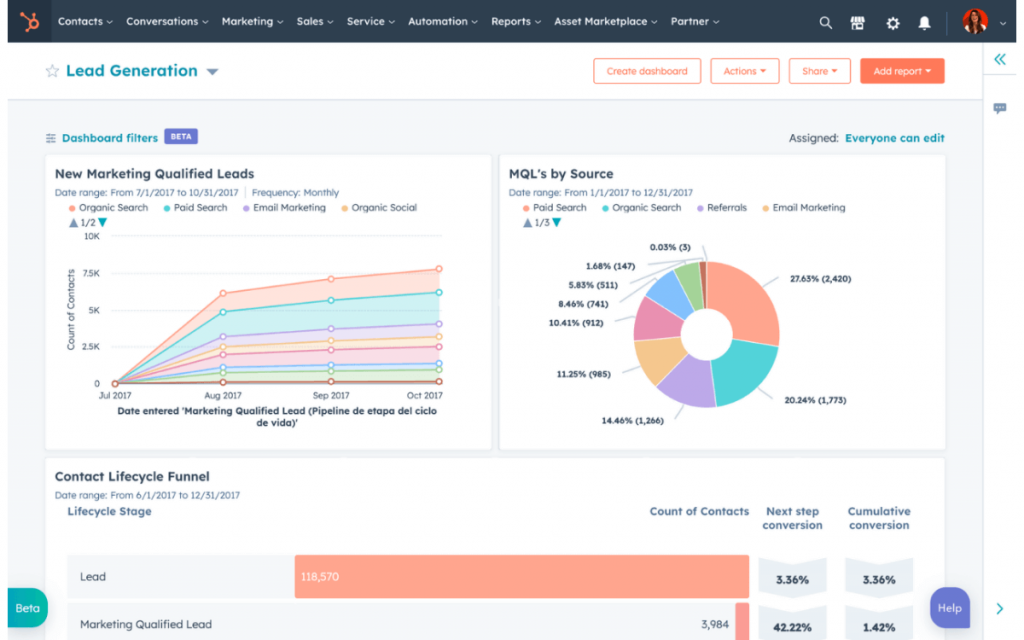
Image Source: HubSpot
I’ve used HubSpot for marketing automation, and it’s easily one of the most complete CRMs out there. It brings everything — marketing, sales, and customer service — under one roof, which makes managing campaigns super easy.
What stood out to me most is how effortless it is to capture and nurture leads. I could set up forms and pop-ups that automatically sent contacts straight into segmented lists based on behavior, interest, or demographics. From there, HubSpot’s workflow builder made automation simple — I could design email sequences that triggered automatically, like sending a thank-you email after a download or a follow-up blog post a few days later.
Beyond automation, the platform gives you solid analytics and tools for social media, blogging, and ad management. It really feels like a centralized command center for all marketing efforts — especially great if you’re juggling multiple channels and want to keep everything in sync.
Pros:
- Enhances targeting efforts by automatically gathering additional information about contacts, such as demographics or behavior
- Built-in analytics provides valuable insights into key metrics to measure campaign effectiveness
- A wide selection of pre-built templates to create professional-looking emails without extensive design skills
- Allows you to optimize marketing campaigns through A/B split tests
Cons:
- The free plan caps the product library feature for only 100 products, which can be limiting for most companies
- The reporting functionality is not as advanced as the competitors
Pricing
Starts at $18/user/month.
3. Salesforce – Best for Large and Complex Marketing Operations
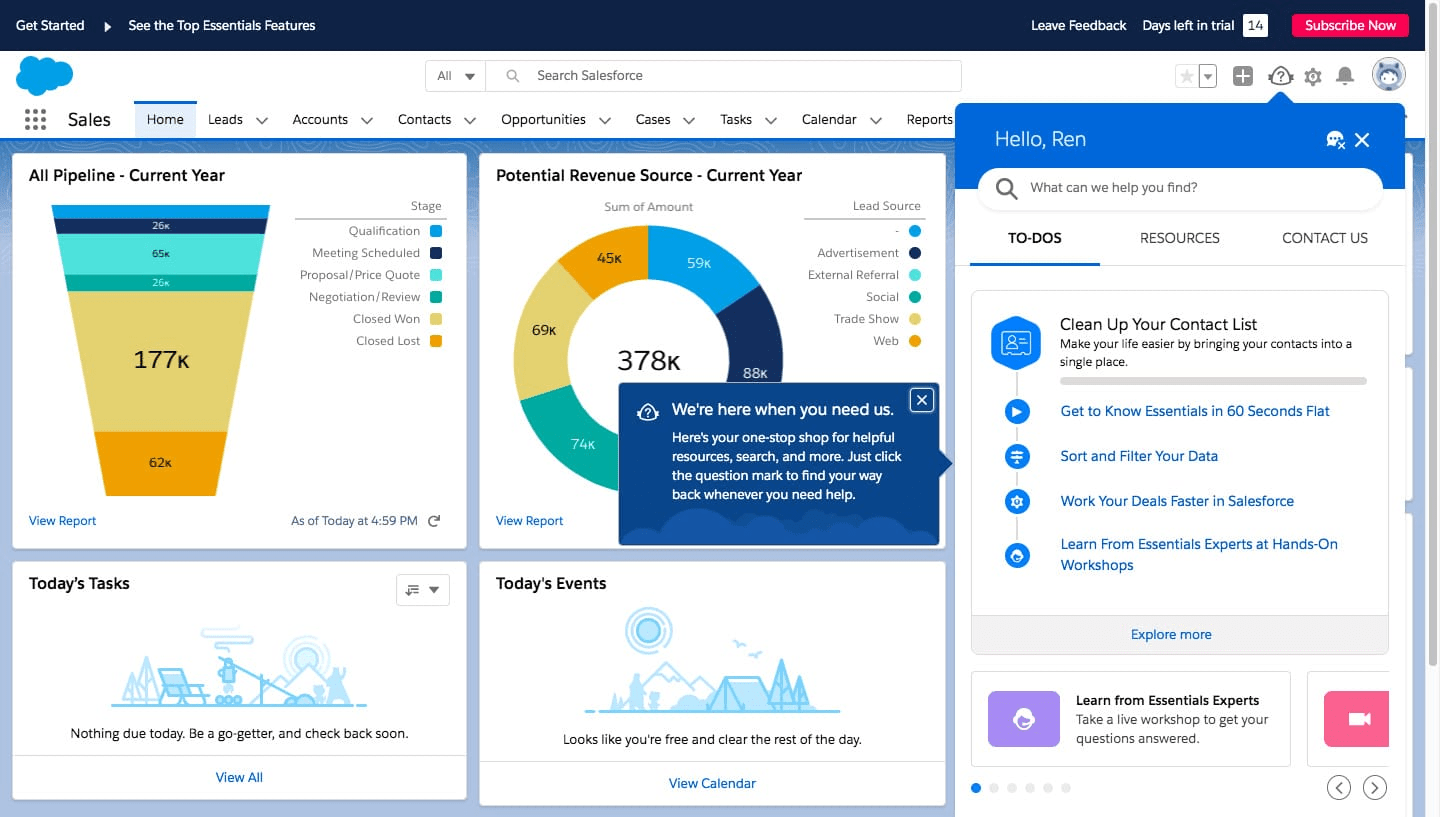
Image Source: Fitsmallbusiness
Salesforce is a powerhouse when it comes to CRM, and its marketing tools are just as impressive. I’ve seen it in action at a peer’s company, where they used Salesforce to automate complex outreach campaigns with incredible precision.
Its built-in AI, Einstein, analyzes customer data to personalize campaigns automatically — deciding the best time to send emails or suggesting which product to promote based on user behavior. It takes the guesswork out of marketing and makes personalization effortless.
What I like most is how scalable and customizable it is. You can automate lead capture, run multi-channel campaigns, and dive deep into detailed analytics, all while tailoring workflows to your team’s exact process. It’s best suited for larger organizations that need flexibility and advanced automation.
Pros:
- Automated marketing campaigns across email, social media, etc., to ensure consistent messaging
- Segmented contact lists to tailor marketing efforts to specific customer segments
- AI-powered analytics to make data-driven decisions and take immediate action
- Dynamic content creates a more engaging experience for the audience
Cons:
- The UI feels complex to use, according to some users
- Some users have felt that the customer support was not up to their expectations
Pricing:
Starts at ~$25/user/month.
4. Zoho CRM – Best for Lead Generation & Affordable Scaling
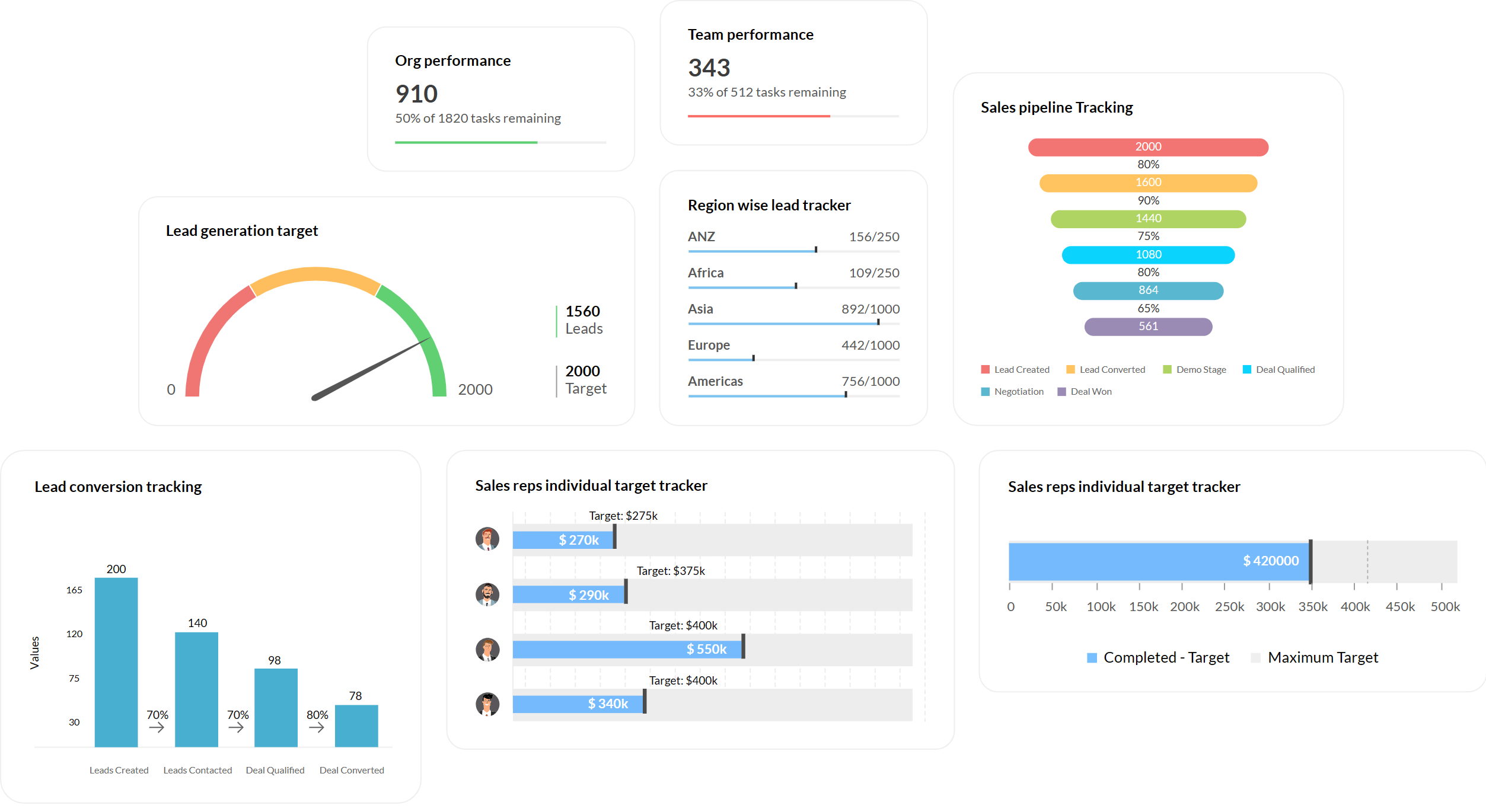
Image Source: Zoho
A few years ago, I tried Zoho CRM while looking for an affordable yet capable marketing CRM, and it exceeded my expectations. It’s part of the wider Zoho ecosystem, so you can easily connect it with tools like Zoho Campaigns or Zoho Social as your business grows.
What I found most useful was how smoothly it handled lead generation and scoring. You can capture leads from web forms, social media, or imported lists, then automatically score them based on activity or job title — perfect for prioritizing follow-ups.
Zoho’s segmentation and automation features also make marketing effortless. I could tag leads by interest, send tailored email campaigns, and automate follow-ups instantly. For example, when someone filled out a demo form, Zoho would send a thank-you email and assign a task to my team automatically. It’s flexible, scalable, and a great fit for growing businesses.
Pros:
- Lead segmentation based on source, website activity, buying preferences, etc., to send personalized marketing campaigns
- Reminders and automated follow-ups increase the chances of conversion
- Email analytics tools to optimize marketing campaigns and improve effectiveness
- Lead nurturing by delivering targeted content throughout the customer journey
Cons:
- The standard plan does not come with A/B testing capabilities for email campaigns
- Some users feel that the UI is hard to navigate and takes time to get used to
Pricing:
Starts at ~$19/user/month.
5. SugarCRM – Best for AI-Driven Lead Nurturing
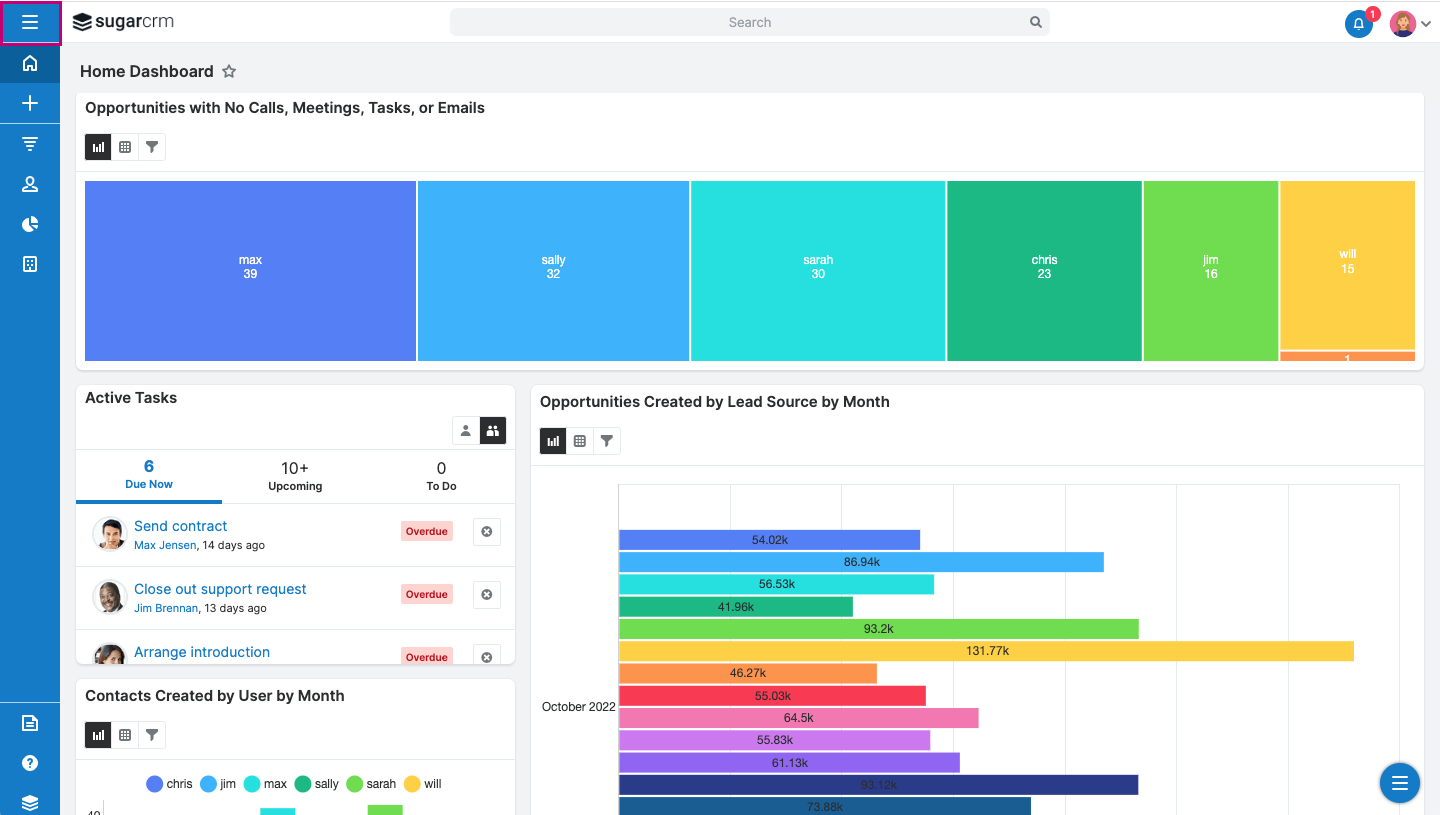
Image Source: Capterra
SugarCRM stands out for its AI-powered lead nurturing, which adds a smart layer to traditional marketing automation. When I tried Sugar Market, I was impressed by how it used AI to track lead behavior and automatically score them in real time. For instance, if someone visited a pricing page or downloaded a whitepaper, their score jumped instantly — helping the sales team focus on hot prospects.
Its predictive analytics were equally useful. The system could forecast which leads were more likely to convert or respond to certain offers, allowing me to tailor campaigns more effectively.
Beyond AI, SugarCRM handles multi-step campaigns, email marketing, and social posting well, but it’s the intelligent automation that makes it stand out. It feels like having a built-in strategist guiding your next move.
Pros:
- Automates multi-step marketing campaigns tailored, ensuring they reach at the right time
- Lead scoring and qualification help focus on the right opportunities
- AI-driven predictive analytics to make data-driven business decisions by analyzing customer data and patterns
- A drag-and-drop editor to design visually appealing emails without requiring extensive coding knowledge
Cons:
- It is a premium tool, which can be unaffordable for small businesses
- Some users complain that sometimes, the tool takes too long to load
Pricing:
Starts at $59/user/month.
6. Nutshell – Best for B2B Marketing & Sales Automation
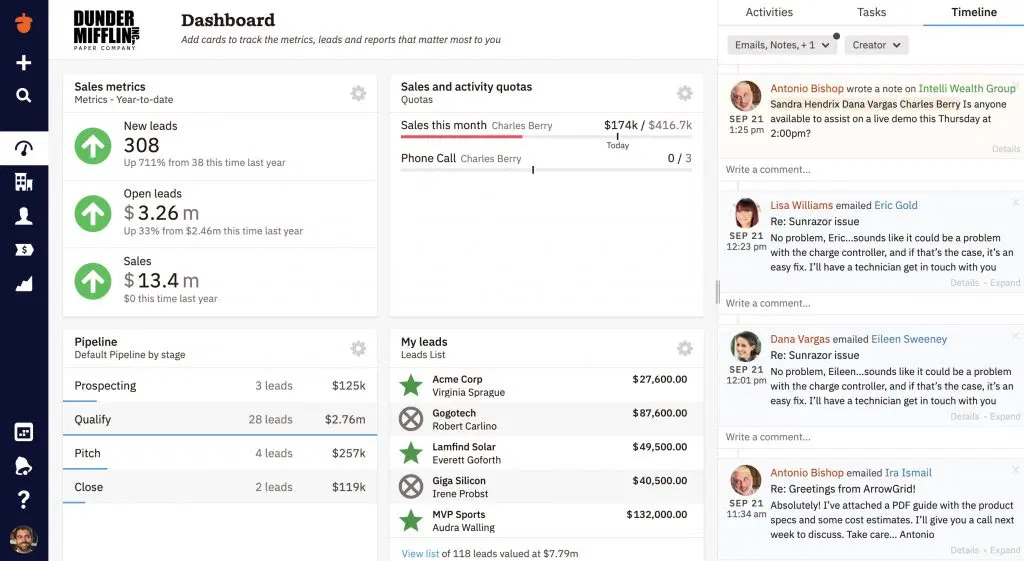
Image Source: Nutshell
Nutshell is an underrated CRM that’s great for aligning marketing and sales, especially for B2B teams. A colleague of mine uses it extensively to run coordinated campaigns across email, social media, and webinars — all from one place. For instance, they could send event invites, post automatically on LinkedIn, and follow up differently with attendees and no-shows afterward.
What I like about Nutshell is its smart organization. You can segment contacts by industry, region, or deal stage, making it easy to send relevant content to the right people. Plus, the visual pipeline view gives marketers clear visibility into where leads stand in the sales process, helping tailor follow-ups more effectively.
Overall, it’s simple, well-integrated, and bridges the gap between marketing and sales beautifully — ideal for small to mid-sized B2B companies looking to stay organized and convert faster.
Pros:
- Allows you to find all the relevant information, including previous interactions, important notes, and contact details, in one place
- Customizable reports offer insights into your marketing campaigns
- Targeted lists with advanced filtering options to tailor campaigns for the right audience
- Multi-step drip email sequences with automated triggers to follow up with leads seamlessly
Cons:
- The basic plan does not let you track email engagement details
- The advanced search option sometimes shows inaccurate results
Pricing:
Starts at $16/user/month.
7. Freshmarketer – Best for Multichannel Engagement & Marketing Automation
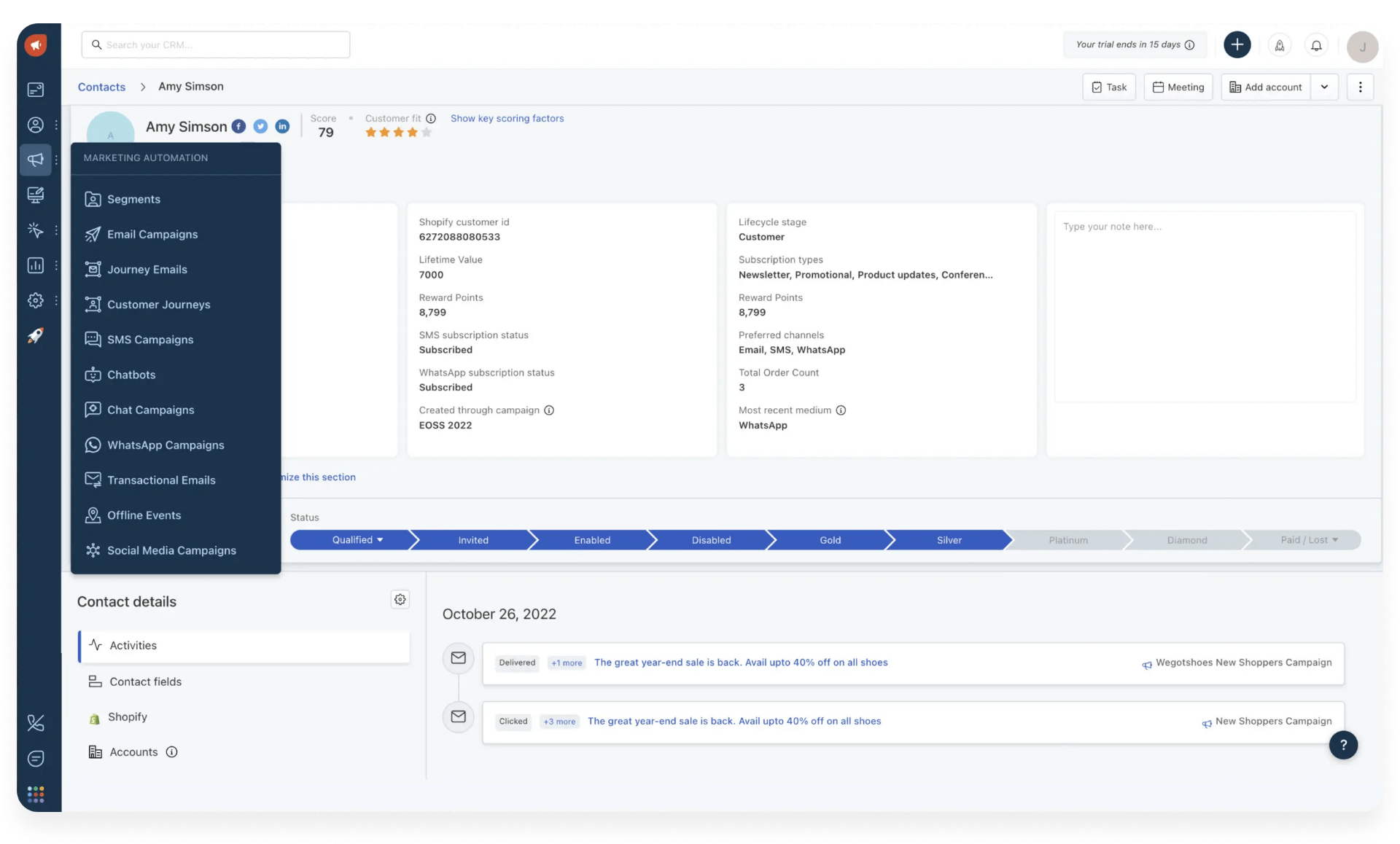
Image source: Freshmarketer
I’ve used Freshmarketer’s free version for a while, and it’s been great for managing multichannel campaigns without extra tools. It lets you engage leads through email, SMS, web push, and in-app messages — all from one dashboard.
In one campaign, I set up a sequence where new sign-ups got a welcome email, an SMS reminder a few days later, and a web push if they revisited the site. This simple automation boosted conversions noticeably since it reached people on their preferred channels.
I also like how Freshmarketer handles lead scoring. It automatically tracks engagement — like email opens or page visits — and assigns scores so you can instantly see who’s ready to talk. It’s efficient, intuitive, and perfect for teams wanting smarter, multi-touch marketing.
Pros:
- Lead management tools can capture, nurture, and convert effectively, streamlining marketing efforts
- The ability to create personalized email campaigns and automate follow-ups
- Segment your audience based on demographics, behavior, and interests to deliver targeted messages
- Allows you to personalize marketing messages by using dynamic content
Cons:
- Freshmarketer imposes a cap on the number of customers in the free plan
- The software has a steep learning curve
Pricing:
Starts at $19/user/month.
8. Insightly – Best for Project-Oriented Businesses With Integrated Marketing
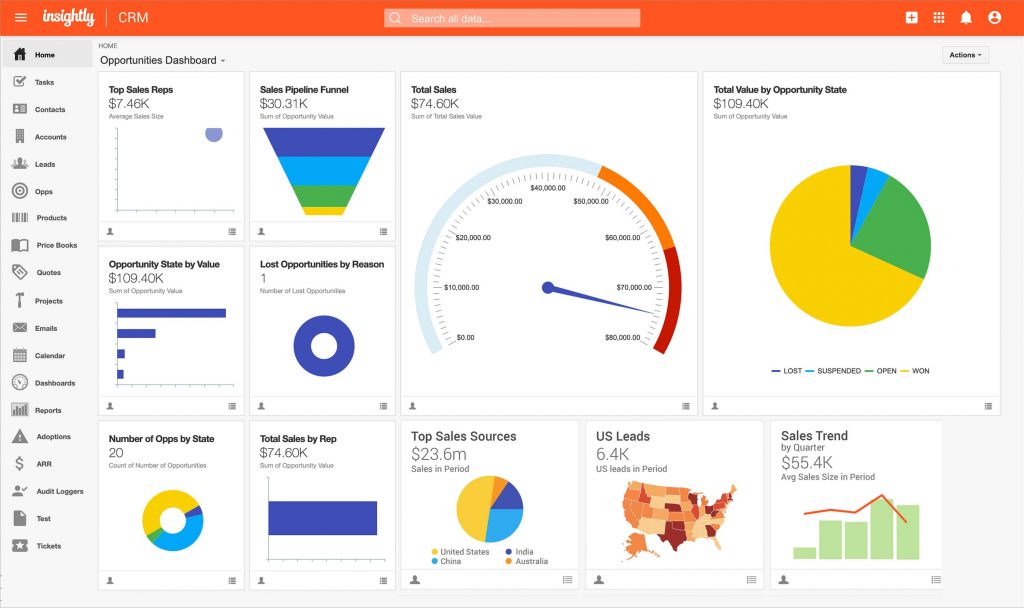
Image Source: Insightly
I tried Insightly after hearing about it at a marketing event, and I was impressed by how well it combines CRM and project management. It’s great for automating repetitive tasks — like sending welcome emails, assigning follow-ups, and tagging leads automatically when they come in through forms.
The Customer Journeys feature was my favorite. With its drag-and-drop builder, I could map out full marketing workflows — from welcome emails to follow-ups and sales alerts — almost like managing a project pipeline. It kept my campaigns organized and consistent without much manual input.
What makes Insightly stand out is how it captures leads from multiple sources and visualizes them in an easy-to-follow pipeline. For project-based teams or agencies, it’s a perfect blend of CRM and campaign management in one tool.
Pros:
- Allows you to segment and score leads based on their behavior and interest level, making it easier to follow up
- A drag-and-drop editor that enables easy customization of emails to tailor messages to perfection
- Provides insights into campaign performance with advanced reporting and analytics to make data-driven decisions.
- The ability to automate lead routing to ensure they are automatically directed to the most appropriate executives
Cons:
- Neither the free nor the basic plan comes with multivariate email testing capabilities
- The software sometimes lags, even with a slight network fluctuation
Pricing:
Starts at $99/month.
9. Agile CRM – Best for Web Engagement
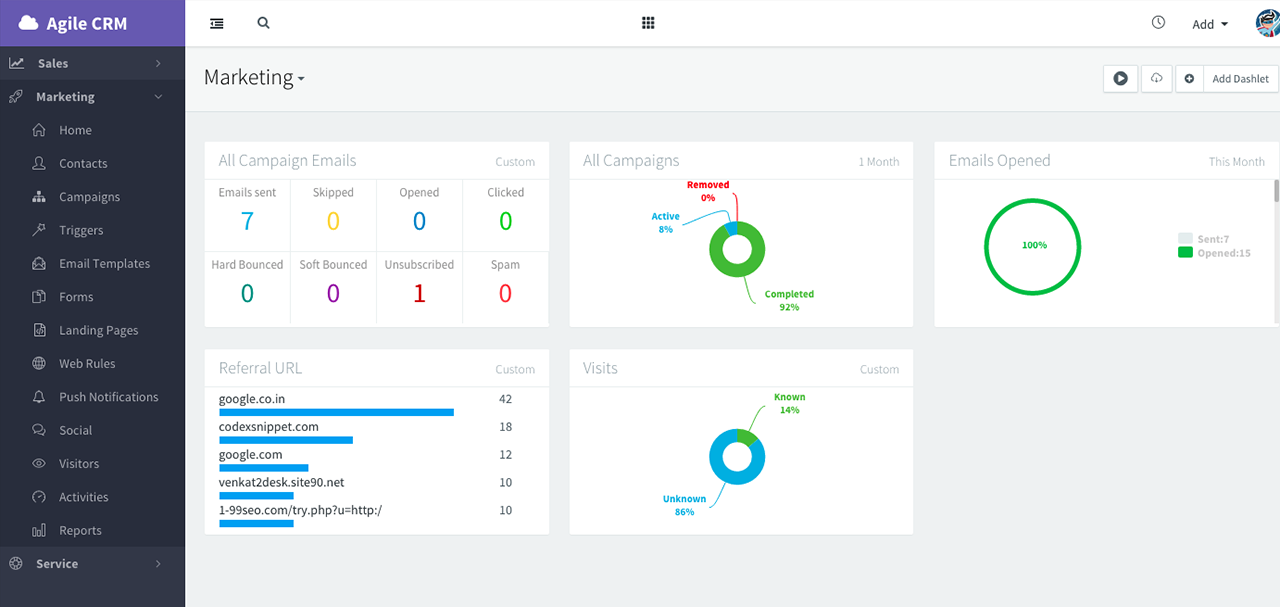
Image Source: G2
Agile CRM is a budget-friendly tool that combines sales, marketing, and customer service in one platform. What I really like about it is its strong web engagement features — you can use pop-ups, forms, and surveys to interact with visitors in real time. For example, if someone lingers on your pricing page, Agile can automatically trigger a discount pop-up or chat invite to boost conversions.
It also includes built-in email marketing, letting you create and automate personalized campaigns based on user behavior or tags like “Abandoned Cart.” The drag-and-drop landing page and form builder make campaign setup easy, even without coding.
Since Agile CRM unifies marketing, sales, and support, your whole team can track leads, deals, and customer interactions in one place — perfect for small businesses wanting an all-in-one, affordable solution.
Pros:
- A user-friendly landing page builder that lets you effortlessly create custom landing pages, emails, web forms, surveys, etc.
- Easily automate marketing campaigns to drive more conversions and achieve business goals
- Advanced tracking like email open rates to gain valuable insights into marketing campaigns
- A wide range of pre-designed email templates for marketing campaigns to match your brand’s unique style
Cons:
- The free plan does not come packed with marketing automation capabilities
- Some users complain that the email builder tool lacks flexibility
Pricing:
Starts at $9.99/user/month.
Benefits of Using a CRM for Marketing
Implementing a CRM tool for marketing can revolutionize your outreach and customer relationship strategy. Here are some key benefits:
1. 360° View of Customers
All your customer details (contact info, preferences, past communications, purchase history) are stored in one place. This holistic view lets you craft more personalized and effective marketing messages, improving engagement and loyalty.
2. Workflow Automation
A marketing CRM automates repetitive tasks – from sending welcome emails to scheduling social posts – saving you hours of manual work. You can set up drip campaigns or trigger messages based on customer actions (sign-ups, link clicks, etc.) to nurture leads without constant hands-on effort.
3. Improved Lead Targeting & Nurturing
Use the CRM to segment leads by demographics or behavior and deliver content tailored to their interests. For instance, you can filter contacts who clicked on a pricing page and send them a special offer. This targeted approach increases conversion rates and moves prospects smoothly through your sales funnel.
4. Data-Backed Insights
Analytics and reporting features show what’s working and what’s not. Track email open rates, campaign ROI, lead sources, and more. These data-driven insights help you make smarter marketing decisions and quickly adjust strategies to boost ROI.
5. Better Team Collaboration
A marketing CRM often serves as a single source of truth for both marketing and sales teams. Everyone can see the status of leads and campaigns, which aligns team efforts and ensures no prospect falls through the cracks. It also promotes consistent messaging across channels, reinforcing a positive brand perception.
6. Higher Customer Retention
By continuing to engage customers post-sale (with personalized newsletters, exclusive offers, customer service follow-ups, etc.), a CRM helps improve the customer experience beyond the initial purchase. Satisfied customers are more likely to remain loyal and even advocate for your brand.
Marketing CRM Software – My Top 3 Picks
With so many strong options, the right choice really depends on what your team values most. Here are my top three picks and why they stand out:
1. BIGContacts
BIGContacts is simple, affordable, and great for small businesses. You get automated drip campaigns, segmentation, and clean contact management without the heavy learning curve. The free plan is a bonus for startups.
2. HubSpot
HubSpot brings marketing, sales, and automation under one roof. Its workflow builder and email automation save hours of manual work. The free plan is solid, though advanced features can get pricey.
3. SugarCRM
SugarCRM shines with its AI-driven lead scoring and predictive insights. It’s best for larger teams managing high lead volume and wanting data-backed decisions. It’s on the pricier side but delivers strong automation and intelligence.
How I Evaluated These Marketing CRMs
When reviewing and comparing these marketing CRMs, I wanted the process to be fair, practical, and genuinely helpful for anyone choosing a new tool. Here’s how I approached it:
- User Reviews & Ratings: I started by looking at real user feedback on trusted sites like G2 and Capterra. These reviews gave me a solid sense of what users love, what frustrates them, and how each CRM performs in real-world use. If a feature got consistent praise or complaints, I factored that heavily into my evaluation.
- Essential Features & Functionality: I tested and analyzed the core marketing features of each CRM — contact management, email automation, workflows, analytics, and integrations. My goal was to see how well each tool handled the must-haves for effective marketing, not just how long their feature lists were.
- Ease of Use: A CRM is only as good as your team’s ability to use it. So, I paid close attention to interface design, navigation, and learning curve. Tools with cluttered dashboards or complex workflows lost points, while clean and intuitive ones stood out.
- Customer Support: I also checked how responsive and helpful each company’s support team was. Quick and useful help can make or break the onboarding experience, especially for smaller teams. I reviewed available channels like chat, email, and knowledge bases to see who truly supports their users.
- Value for Money: Price alone doesn’t define value — results do. I compared each CRM’s cost against its feature quality and scalability. For instance, I evaluated whether SugarCRM’s AI features justify its price and how much ROI you can expect from affordable tools like BIGContacts or Agile CRM.
- Personal Experience & Expert Opinions: Lastly, I leaned on personal experience and insights from industry peers who actively use these CRMs. Having spent time testing most of these tools myself, I’ve seen what actually works in day-to-day marketing — beyond what’s promised in brochures.
Automate Campaigns & Boost ROI With the Right CRM
Choosing the right marketing CRM isn’t just about managing contacts — it’s about unlocking smarter, more efficient growth. The right tool can help you automate repetitive tasks, personalize every interaction, and finally make sense of your data. With so many options available, the best CRM is the one that fits your team’s size, goals, and workflow without adding unnecessary complexity.
By investing time in finding the right system, you’ll gain more than just organization. You’ll be able to nurture leads faster, align sales and marketing efforts, and improve ROI through data-backed decisions. Whether you need advanced AI insights, seamless automation, or simplicity, the right platform can completely transform how you connect with your audience.
If you’re just getting started or looking to simplify your marketing setup, consider exploring BIGContacts. It’s intuitive, affordable, and built to help small and growing businesses manage marketing with ease — so you can focus less on tools and more on building lasting customer relationships.
Frequently Asked Questions

How does a Marketing CRM help increase ROI?
A marketing CRM boosts ROI by automating repetitive tasks, improving lead targeting, and helping you track campaign performance. It ensures every marketing effort reaches the right audience, reduces manual errors, and helps focus resources on the most promising leads, ultimately increasing conversions and customer retention.
What features should I look for in CRM marketing software?
Look for contact management, email automation, segmentation, analytics, and integrations with tools like QuickBooks or Mailchimp. Ease of use is key — the CRM should help streamline workflows, not complicate them. Features that automate lead nurturing and reporting are especially valuable for growing businesses.
Are marketing CRMs suitable for small businesses?
Absolutely. Many CRMs, like BIGContacts, are designed for startups and small teams. They offer affordable plans, simple interfaces, and automation features that save time. Even basic CRM tools can help small businesses manage leads, send targeted emails, and build stronger relationships without needing a large marketing team.
What are the common challenges when using a marketing CRM?
The most common issues are integration difficulties, data import errors, and a learning curve for new users. Choosing an intuitive platform and using free trials or demos helps avoid these problems. Strong customer support and easy onboarding resources can also make the transition much smoother.
How do I choose the best CRM for my business?
Start by identifying your goals — lead generation, automation, or analytics. Then, compare pricing, scalability, and integrations. Opt for tools that align with your workflow and budget. Testing free trials, like BIGContacts’ 15-day trial, helps you see if the CRM fits your needs before committing.
FREE. All Features. FOREVER!
Try our Forever FREE account with all premium features!