

Business consulting looks glamorous from the outside, but you and I know what it really feels like.
You are juggling clients, proposals, projects, retainers, remote teams, endless calls, and a growing pile of “I’ll update this later” spreadsheets. Things work, but it often feels fragile. One missed follow-up or delayed invoice, and everything gets messy.
That is exactly where the right business consulting software stack makes a real difference. When I started treating my tools as part of my operating system, not just “nice to have” apps, I saw fewer surprises and a lot more control. Client information stayed in one place, projects were easier to track, and billing stopped depending on my memory.
In this guide, I am sharing what has worked for me after testing and using many of these tools in real consulting work. My goal is simple. Help you pick a small, powerful set of tools that reduces chaos, protects your time, and lets you focus on the part you actually enjoy – Working with clients and delivering results.
Quick Comparison: 11 Best Business Consulting Software Tools
Here is a quick snapshot before we dive into details. Prices are approximate and can change, so always check the vendor’s site for the latest deals.
| Software | Best For | Pricing (Starts From)* |
|---|---|---|
| BIGContacts | Easiest All in One CRM for Contact Management, Email Marketing & Deal Tracking | Free for growing teams. Paid plan starts at [aut$9.99/monthomate-price] |
| HubSpot CRM | Centralizing Sales, Marketing, & Support Operations | Starts at $15/user/month |
| ProProfs Project | Enterprise Project Management | Starts at $39.97/month |
| ClickUp | Flexible task and project management | Starts at $7/user/month |
| FreshBooks | Invoicing and accounting | Starts at $19/month |
| QuickBooks | Managing income, expenses, and taxes | Starts at $11.40/user/month |
| Clockify | Simple time and productivity tracking | Starts at $3.99/user/month |
| factoHR | Time, attendance, and HR for larger teams | Starts at $69/month for up to 50 employees |
| TimeCamp | Profitability analysis on projects | Starts at $2.99/user/month |
| PandaDoc | Contract and proposal management | Starts at $19/user/month |
1. BIGContacts – Easiest All in One CRM for Contact Management, Email Marketing & Deal Tracking
I am using BIGContacts as my primary CRM, and it has become the central place where I organize every client relationship. I can easily access contact details, past conversations, tasks, and deal stages on one screen, so I don’t have to jump between apps to remember who said what in the last meeting.
I also find the tool’s email and workflow automation quite impressive. In just a few clicks, I can set up drip campaigns and follow-up sequences that automatically send out emails based on tags, activities, or form submissions, allowing me to nurture leads even when I am busy with delivery work. I can connect web forms, import spreadsheets, and build custom fields, so every record matches the way I am actually running my consulting pipeline instead of forcing me into a rigid structure.
On the integration side, I can keep my financial data in sync by connecting BIGContacts with QuickBooks, so invoices, transactions, and client records are always up-to-date between sales and accounting. What I have come to rely on is the AI-powered dashboard, which flags contacts that have gone quiet and calls out which engagements deserve attention that week, so nothing slips through simply because I got busy delivering work.
Pros:
- Allows you to manage contact details, previous interactions, transactions, notes, social media activity, etc., in one place
- Email marketing automation features enable you to craft personalized drip campaigns
- Calendar view and to-do lists to keep track of upcoming tasks
- In-depth reports to stay updated with business performance
- AI-powered dashboard surfaces stalled contacts and priority follow-ups automatically
Cons:
- No option for a downloadable or on-premise version
- The dark user interface option is not available
Pricing:
A free plan is available for growing teams. Paid plan starts at $9.99/month.
2. HubSpot CRM – Best for Centralizing Sales, Marketing, & Support Operations
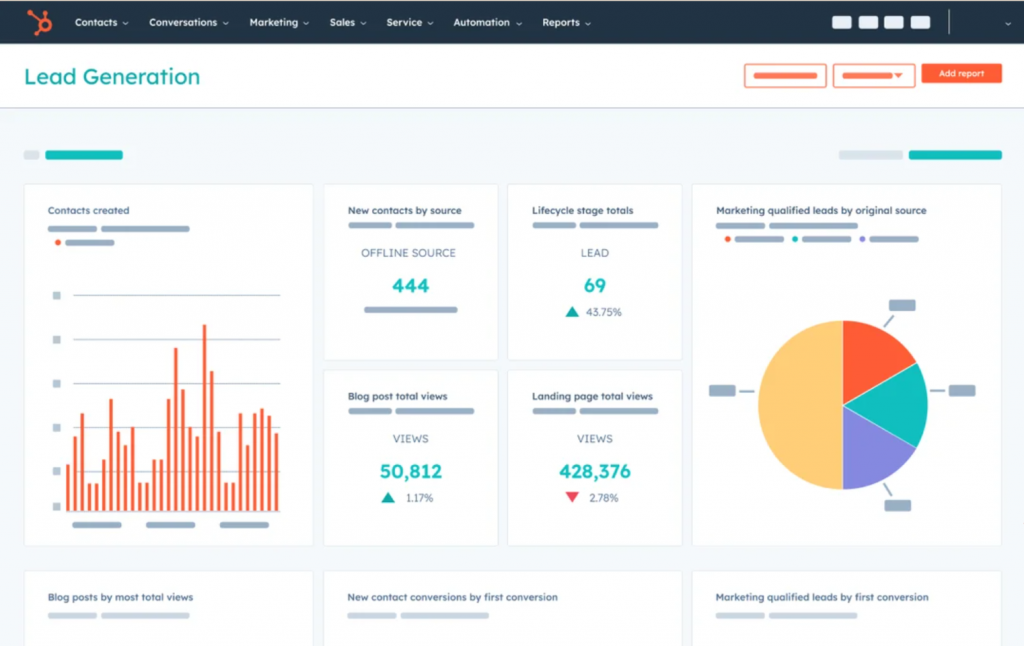
Image Source: Hubspot
I used HubSpot CRM when I wanted a free but capable system to get my consulting pipeline under control. I started by moving all my leads and clients into HubSpot, then I created deal stages that matched my actual consulting process from initial discovery to signed proposal. The contact timeline helped me review emails, calls, and notes in one place before every meeting, which gave me more context with less prep time.
I leaned a lot on the built in templates, email tracking, and meeting links. The meeting scheduler synced with my calendar and let clients book calls without long email threads, which quietly removed a lot of friction.
As the pipeline grew, I explored more of the reporting and integration features. I hooked HubSpot into tools like Gmail, Google Calendar, and a few marketing apps so my activity flowed into the CRM automatically.
Pros:
- Keeps customer data clean by using automation to enforce consistency and remove outdated data from your CRM
- Custom templates to generate personalized email content based on your recipient’s interests and behavior
- Detailed reports on sales activity, productivity, and team performance
- A mobile CRM application to access important client information anytime, anywhere
Cons:
- The free plan doesn’t offer several features like sales automation, custom reporting, analytics, etc.
- You may find the reporting capabilities to be somewhat limited
Pricing:
Starts at $15/user/month.
3. ProProfs Project – Best for Enterprise Project Management
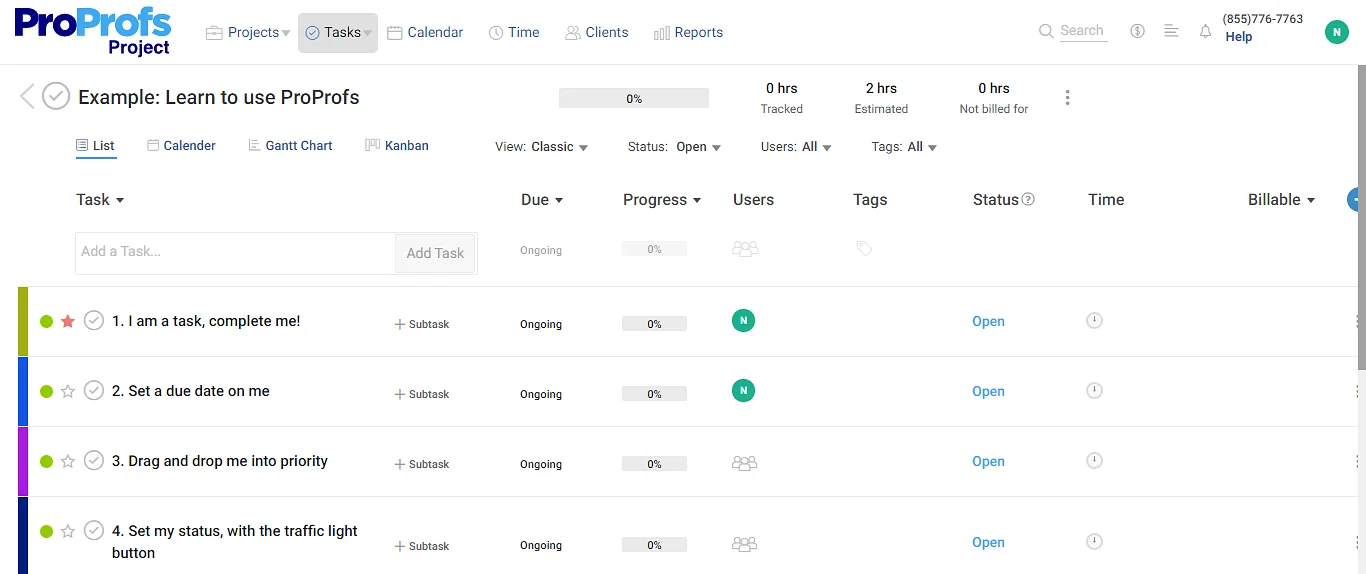
Image Source: Simplilearn
I used ProProfs Project when I had multiple consulting engagements running at the same time, and I needed a clear way to see everything in motion. I set up separate projects for each client, then broke them into milestones and tasks with deadlines, owners, and priorities. The Gantt chart and timeline views gave me a simple visual of what was overlapping and where the bottlenecks might appear.
Inside each project, I relied heavily on discussions, file sharing, and task comments. Instead of spreading information across lengthy email chains, I posted updates directly on tasks and mentioned team members in the same message. I also used automated notifications so everyone saw new assignments, due date changes, and status updates without me manually chasing people.
On the business side, I used ProProfs Project’s time tracking and billing features to connect delivery and revenue. The reports helped me see which projects were consuming more time than expected and which ones were performing well.
Pros:
- Gantt charts and Kanban boards to track progress, identify dependencies, and manage resources efficiently
- Collaboration with team members using comments, sharing files, discussing tasks, etc.
- Enables you to schedule and prioritize projects to meet deadlines consistently
- Automates invoicing to make the billing process more efficient and reduce errors
Cons:
- The software requires a constant and stable internet connection to function seamlessly
- The software comes with plenty of enterprise-level project management features, which may not be possible to explore in the short trial period
Pricing:
Starts at $39.97/month.
4. ClickUp – Best for Flexible Task & Project Management
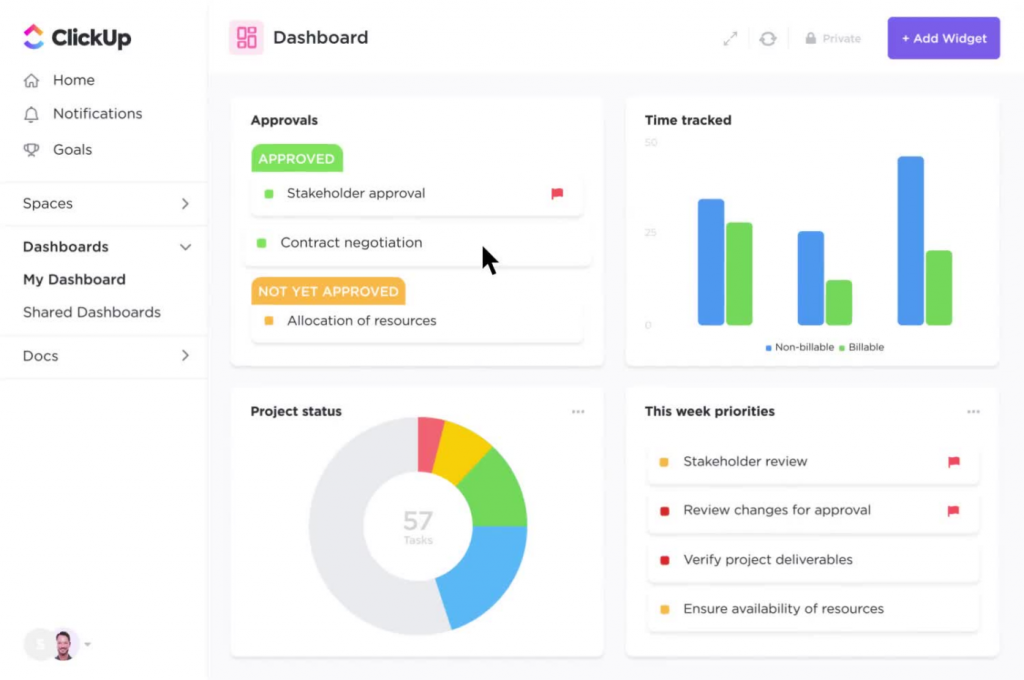
Image Source: G2
I used ClickUp when my work started to spread across different types of consulting projects and internal initiatives, and I needed more flexibility in how I structured tasks. I created separate spaces for each client, with folders for discovery, implementation, and ongoing support. Inside those, I built lists of tasks and subtasks, then switched between list, board, and calendar views depending on what I needed that week.
Custom fields and automation became some of my favorite features. I added fields for things like client priority, billing model, and workstream, then filtered and sorted tasks to see exactly what mattered that day. I also set up automations to move tasks between stages, assign owners when a task entered a specific status, and post comments when due dates changed.
I integrated ClickUp with other tools in my consulting stack so that communication and time tracking stayed connected. I integrated it with calendar tools so deadlines appeared automatically, and I utilized time tracking integrations to directly link hours to tasks.
Pros:
- Customizable task management with task automation, sprint points, custom fields, etc.
- Simplifies complex projects by breaking them down into levels of subtasks
- Automates routine work and processes with customizable actions, triggers, and conditions
- The ability to save time by leveraging hundreds of templates for team use cases, views, tasks, checklists, etc.
Cons:
- The free plan comes with only 100 MB of storage space, which is slightly impractical for everyday use
- Some users have reported occasional performance issues
Pricing:
Starts at $7/user/month.
5. FreshBooks – Best for Invoicing & Accounting
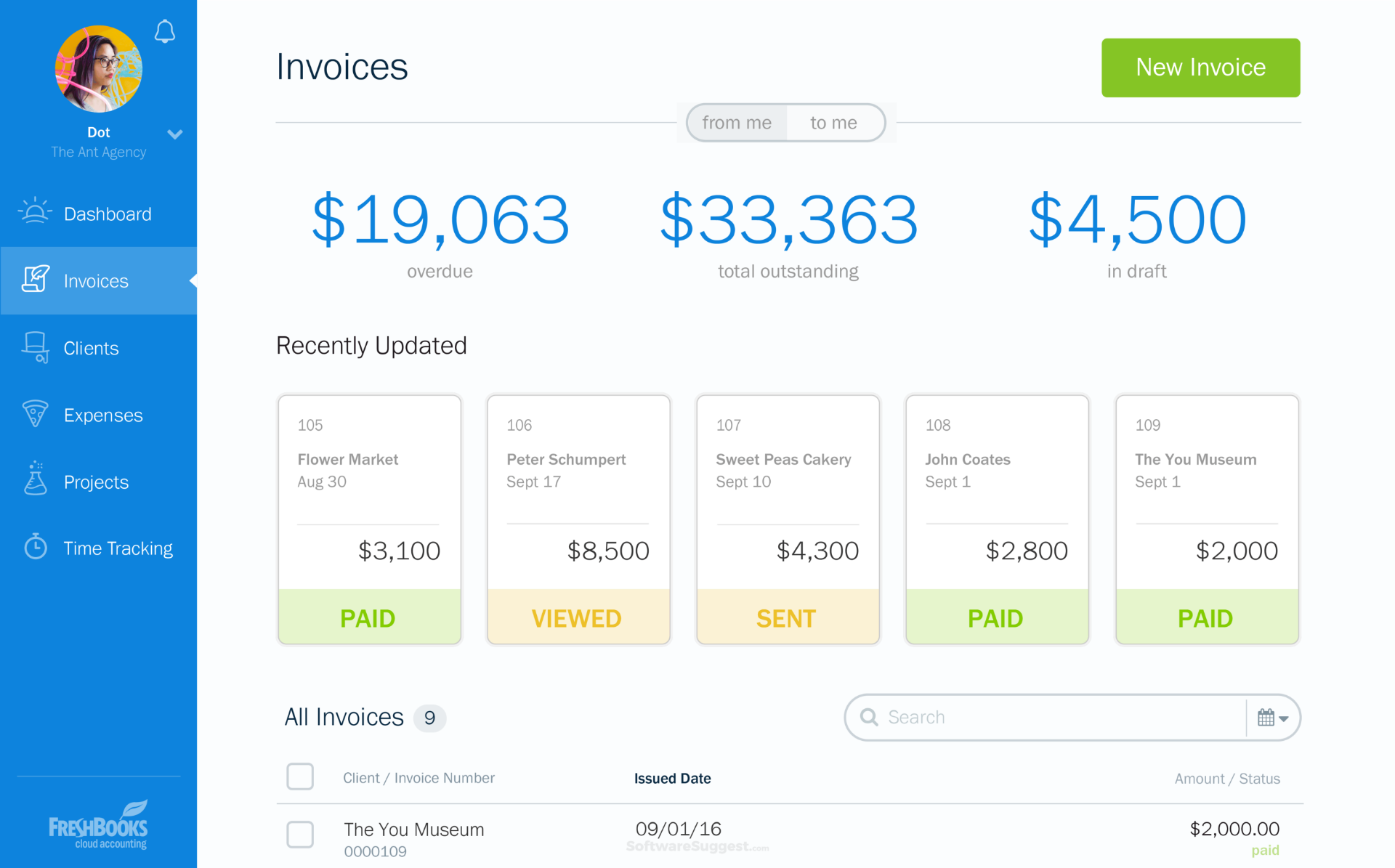
Image Source: Software Suggest
I used FreshBooks when invoicing and expense tracking started eating more time than I was comfortable with. I set up my clients and projects inside the system, then created branded estimates and invoices that looked professional without needing a designer.
FreshBooks’ time tracking and project features became very handy for consulting work. I logged billable hours directly against projects, attached expenses where needed, and then converted that data into invoices without retyping information. For long running projects, I used the reports to compare estimated time against actual time spent, which gave me a better understanding of where I was underpricing or overdelivering.
I connected FreshBooks with payment gateways so clients could pay online, which shortened the gap between invoice and cash in the bank. I also used its reporting features to monitor revenue, expenses, and profit trends over time, which made quarterly and yearly reviews less painful.
Pros:
- Allows you to create and send estimates to clients with ease with your logo, colors, and fonts
- A built-in timer that helps you keep track of every billable hour
- Offers file sharing, client collaboration, and profitability tracking to help you manage projects
- Provides in-depth dashboards to help you keep track of your financial performance
Cons:
- The software sometimes crashes when dealing with a large volume of data
- The basic plan does not offer custom email templates and signatures
Pricing:
Starts at ~$19/month.
6. QuickBooks – Best for Managing Income, Expenses, & Taxes
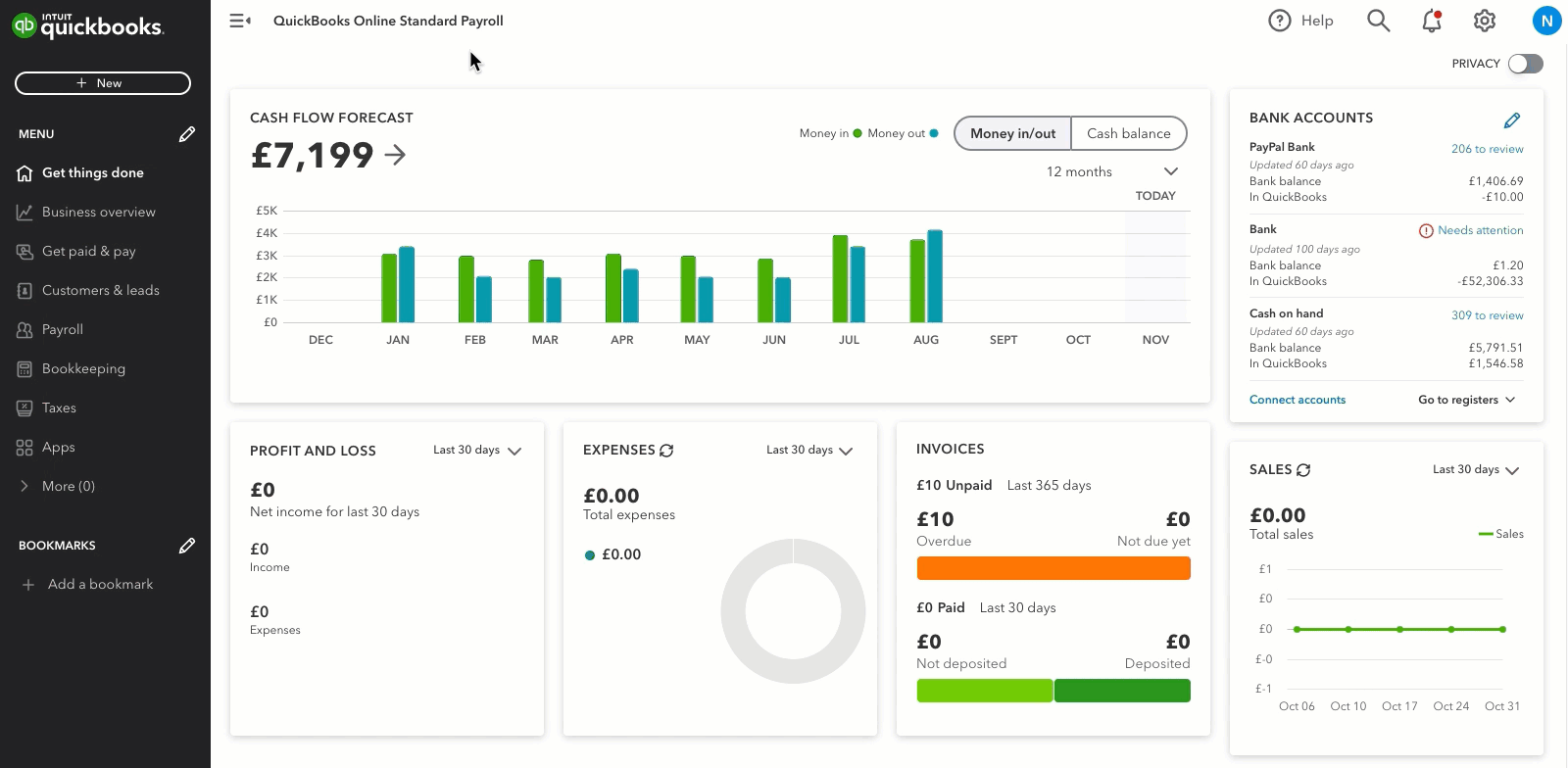
Image Source: Quickbooks
I used QuickBooks Online when my consulting practice needed more structured accounting and cleaner financial reporting. I connected my bank accounts and credit cards, then let QuickBooks import and categorize transactions so I did not have to manually enter every expense.
I also used QuickBooks to generate financial reports that went beyond what simple invoicing tools provided. I reviewed profit and loss statements, cash flow, and balance sheets to understand how the consulting business was really performing. For larger clients, I created classes or projects within QuickBooks, allowing me to view revenue and costs by client or engagement, which proved extremely helpful.
Integrations played a big role as well. I connected QuickBooks to time tracking tools and invoicing workflows, which meant billable hours and invoices flowed into accounting with fewer manual steps. When tax season arrived, I exported the relevant reports and shared them with my accountant instead of scrambling through folders and spreadsheets.
Pros:
- Allows you to track payments and expenses by syncing transactions automatically
- Offers professional-looking, customizable templates that make it easy to create and send invoices quickly
- Allows you to pay bills directly from your account and automate payment for recurring invoices
- Offers a tool for employee timesheets and project tracking to track work hours accurately
Cons:
- You don’t get bill management capabilities in the basic plan
- Some users report that the tool does not offer advanced features for invoice designing
Pricing:
Starts at $11.40/user/month.
7. Clockify – Best for Simple Time & Productivity Tracking
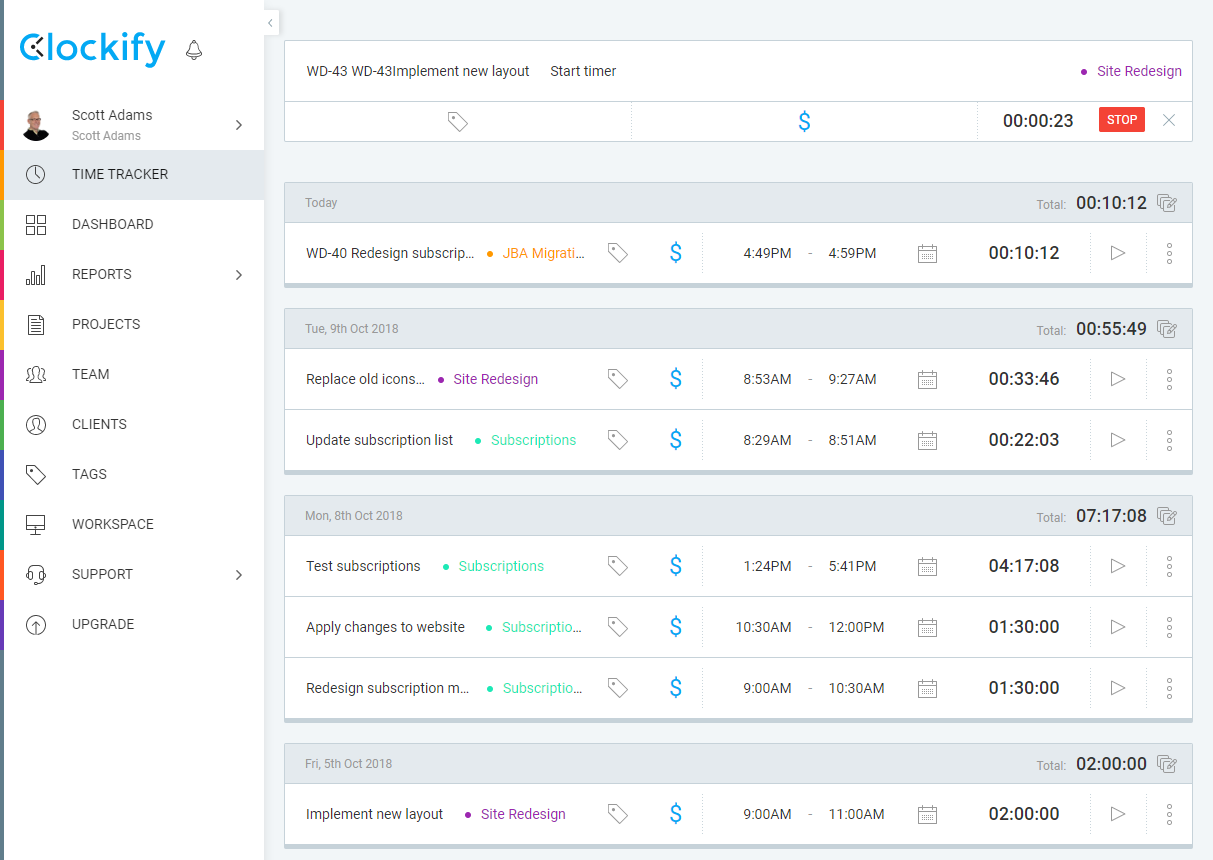
Image Source: Youtrack
I used Clockify when I wanted a straightforward way to measure where my workday really went. I installed the app, created projects and clients, and then started the timer whenever I switched tasks. After a week, I had a very honest picture of how much time I spent on deep work, emails, meetings, and admin.
For consulting projects, I tracked billable and non-billable hours separately and assigned them to the right clients and workstreams. When I needed to prepare invoices or internal reports, I exported time logs and shared summaries that were easy to understand.
I also used Clockify in a team setting. We asked everyone to track time against shared projects, then reviewed the data weekly to understand workload, overtime, and bottlenecks. This made it easier to rebalance tasks and justify hiring or subcontracting decisions.
Pros:
- Allows you to track time accurately using a free timer or by manually entering hours
- Provides comprehensive reports that showcase time spent on various activities and projects
- Efficient scheduling to avoid overloading team members and ensure project completion within set deadlines
- Project expense tracking makes invoicing and budgeting easier
Cons:
- The free plan does not track breaks and time offs
- Some users have reported that the mobile app faces occasional syncing issues
Pricing:
Starts at $3.99/user/month.
8. factoHR – Best for Time, Attendance, & HR
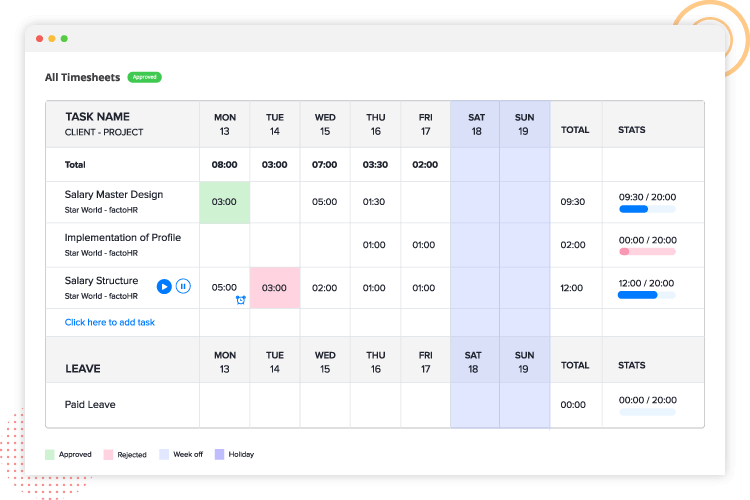
Image Source: factorHR
I used factoHR when my consulting work involved managing an in-house team that needed proper HR and attendance tracking. I set up employee profiles, configured shift timings and policies, and then connected it to the attendance sources we were using.
From there, I leaned on factoHR’s timesheet and project allocation features to connect time with actual work. Team members logged their hours against tasks and projects, and I reviewed those timesheets to see how much effort each engagement required.
The biggest benefit came when I integrated factoHR with payroll and accounting flows. Attendance and approved timesheets fed into payroll calculations, which reduced errors and last minute corrections. I then used the reports to analyze staffing costs by department or project, which supported more informed decisions about hiring, resourcing, and pricing.
Pros:
- Clock-in and Clock-out features to easily record start and end times for work shifts, providing accurate data for time tracking.
- Timesheet management to help employees submit detailed timesheets of their hours, tasks, and project allocations.
- Project-based tracking feature to assign tasks within timesheets for accurate time tracking of activities.
- The Overtime Tracking feature auto-calculates overtime hours, ensuring labor law compliance.
Cons:
- The free trial is available for a limited time
- The “Essential” plan lacks the payroll management feature
Pricing:
Starts at $69/month for up to 50 employees.
9. TimeCamp – Best for Profitability Analysis on Projects
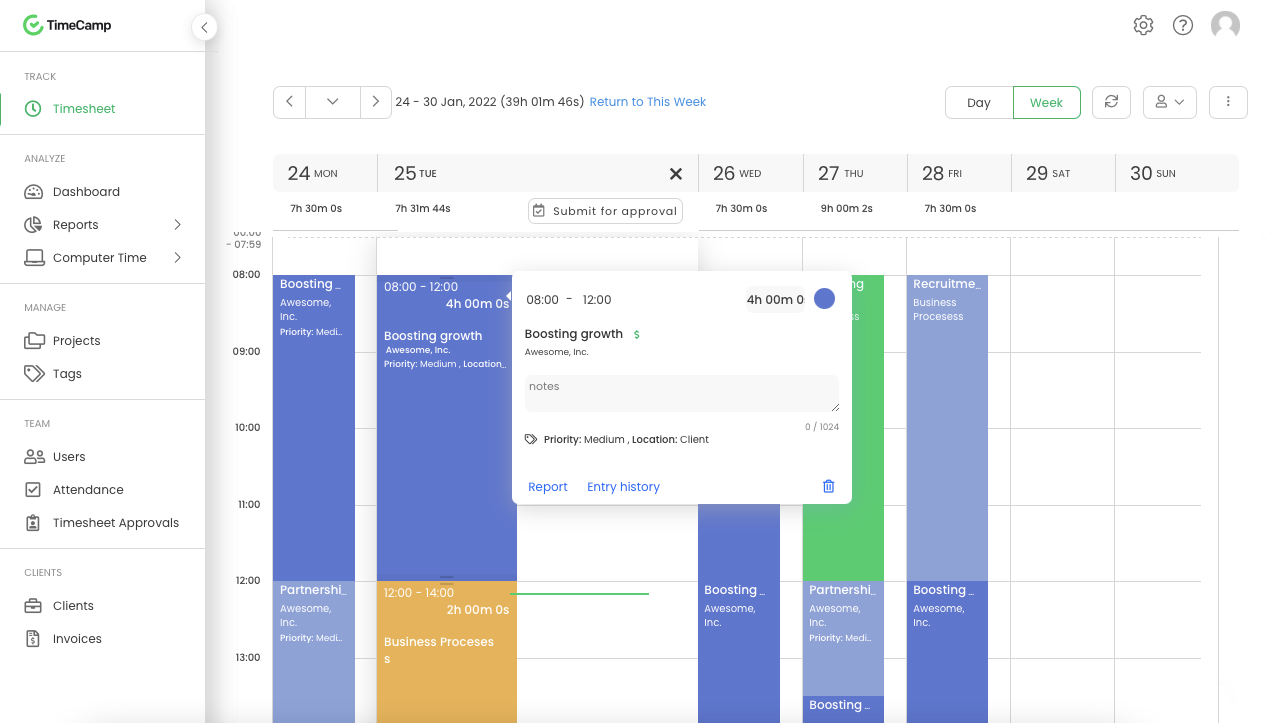
Image Source: G2
I used TimeCamp when I needed a more detailed understanding of profitability across different consulting projects. I configured projects, clients, and tasks, then encouraged the team to log time throughout the day using automatic tracking where possible. TimeCamp captured not just hours, but also the applications and websites that people used, which gave me an unbiased view of how work hours were actually spent.
Once we collected enough data, I used TimeCamp’s reporting features to compare billable time, non-billable work, and associated costs for each project. I tied in billing rates and project budgets, and the system showed me which engagements stayed healthy and which ones quietly leaked time.
I also integrated TimeCamp with other tools like project management and accounting platforms. Tasks from our project tool appeared in TimeCamp for tracking, and summary data flowed into invoicing and reporting workflows. This reduced the manual work required to connect effort, billing, and financial performance.
Pros:
- Automatic time tracking to eliminate the need for manual input and ensure accurate counting of work hours
- Detailed reports on time usage to analyze productivity, identify time-wasting activities, and make data-driven decisions
- The ability to generate invoices based on tracked time, ensuring accurate billing for clients
- Budgeting features that let you set cost limits for projects and track them to ensure they stay within budget
Cons:
- The free plan does not track attendance, overtime hours, or time-offs
- Some users complained of having issues with the checkout page, which is somewhat confusing and requires design improvements
Pricing:
Starts at $2.99/user/month.
10. PandaDoc – Best for Contract & Proposal Management
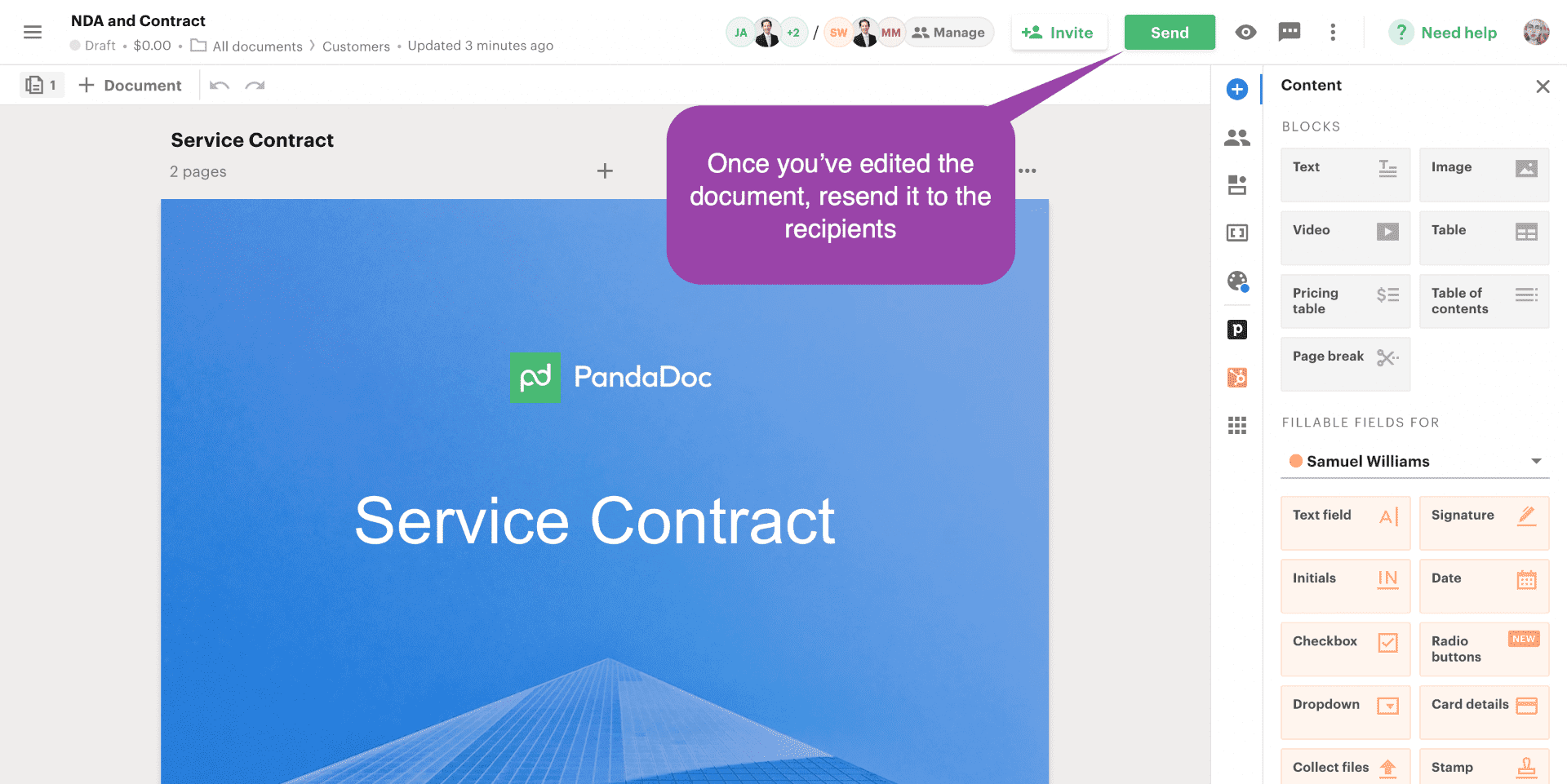
Image Source: Pandadoc
I used PandaDoc when I wanted to clean up how I handled proposals and contracts in my consulting practice. I took my existing Word and PDF templates, moved them into PandaDoc, and then rebuilt them using its editor. That let me create modular templates with sections for scope, pricing, timelines, and terms that I could reuse across deals.
The e signature and tracking features added real clarity to my sales cycle. I sent proposals as secure links, watched when clients opened them, and saw which pages they viewed the most. When clients were ready, they signed electronically, and PandaDoc recorded a full audit trail.
Over time, I integrated PandaDoc with my CRM and billing tools. I pulled contact and deal data straight from the CRM into new documents, which reduced errors and double entry. For some engagements, I also enabled payment collection inside the signed document, so clients could confirm terms and pay the first invoice in one smooth flow.
Pros:
- Seamless e-signature collection and robust audit trails for easy tracking of document signatories
- Efficient document management through streamlined approval workflows and reliable version control capabilities
- Real-time notifications to stay informed when clients engage with your proposals
- Enables you to immediately request and securely collect payments from clients upon contract signatures
Cons:
- The starter plan has no CRM integration support
- The company’s customer support could have been better, as reported by some users
Pricing:
Starts at $19/user/month.
My Top 3 Picks for the Best Business Consulting Software
If you want a lean, effective stack without overcomplicating things, these are the three tools I keep coming back to.
1. BIGContacts
BIGContacts is becoming the CRM I am relying on the most because it is keeping all my contacts, conversations, and follow-ups organized in one place while handling email automation and QuickBooks syncing in the background, so I am continuously managing my consulting pipeline without feeling overwhelmed.
2. ClickUp
ClickUp worked best for me when I needed a flexible workspace for all client tasks and internal projects. Its custom fields, views, and automations allowed me to structure work the way I wanted, while still keeping deadlines, priorities, and ownership completely clear.
3. FreshBooks
FreshBooks helped me streamline my invoicing and expense tracking by allowing me to quickly turn tracked time and project costs into professional invoices. Its simple reports on income and expenses provided a clear sense of how profitable each consulting engagement actually was.
How We Evaluated These Business Consulting Software Tools
- User reviews and ratings: I relied on reviews and ratings from sites like Capterra, G2, SaaSworthy, Productive, Tech.co, GetApp, and vendor pages to see how the tools performed in real life, paying special attention to patterns in feedback rather than one off opinions.
- Essential features and functionality: I checked whether each tool actually supported core consulting workflows like managing clients, running projects, tracking time, billing, and handling proposals, instead of just looking impressive on a long feature list.
- Ease of use: I focused on tools that felt intuitive and quick to set up, because busy consultants do not have time for steep learning curves or interfaces that make simple tasks harder than they need to be.
- Customer support and documentation: I looked at how responsive support teams were reported to be and whether the help center, guides, and onboarding materials made it easy to solve problems without losing billable hours.
- Value for money: I compared starting prices, limits, and real feature depth to see which tools delivered the best balance of power and affordability for solo consultants, small firms, and growing teams.
- Personal experience and expert opinions: Where I had already used a tool, I drew from my own experience and combined it with feedback from consultants and service based teams, so the recommendations reflected real usage rather than just marketing promises.
Key Features To Look For In Business Consulting Software
From reading top ranking guides and using these tools in real consulting work, I kept seeing the same core features stand out as non-negotiable. No matter which business advisory software you choose, these are the things I would not compromise on.
1. Unified Client View
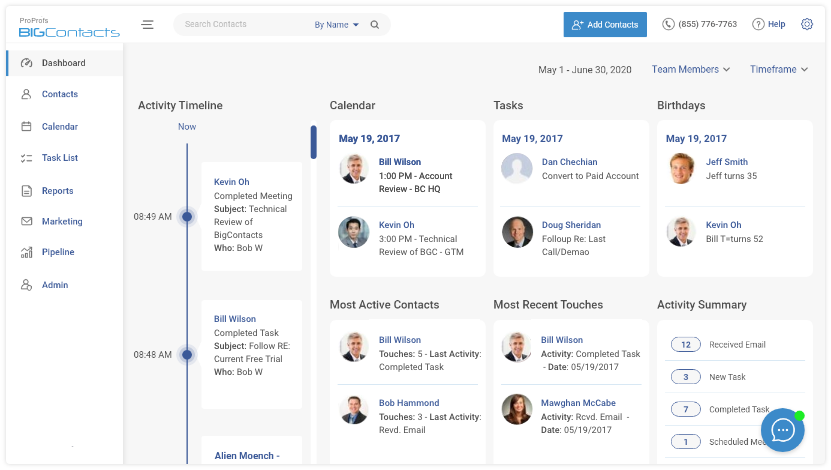
I always look for a tool that gives me one clean view of each client with contact details, emails, calls, notes, documents, deals, and tasks together. When everything sits in one place, I can open a record before a meeting and instantly remember the full context instead of hunting through inboxes and files.
This is what turns a CRM or consulting management software from a database into a real relationship hub.
2. Strong Integrations
Good business consulting software tools never exist in isolation; they connect to your email, calendar, accounting, proposal tools, time tracking, and even niche apps like Trello, Asana, or Stripe.
I pay close attention to native integrations and whether the tool works with platforms like Zapier or Make so I can automate handoffs between systems. Strong integrations let you build a lean stack where data flows smoothly instead of being copied manually.
3. Remote Friendly Collaboration
Since most consulting work now involves remote or hybrid teams, I treat collaboration features as essential. I look for shared boards or project views, real time comments, mentions, file sharing, and reliable notifications, along with mobile access for people on the move.
When a tool does this well, status calls become shorter and clients stay informed without constant chasing.
4. Reporting & Profitability Insights
I want my software for consultants to tell me which projects are profitable, which retainers are underpriced, and where my team is stretched too thin.
Tools that offer clear reports on time spent, budgets, revenue, and utilization make it much easier to adjust pricing, scope, or staffing before issues turn serious. If a tool cannot answer basic profitability questions, it usually does not stay in my stack for long.
5. Security, Compliance, & AI Transparency
When client data and strategic documents live inside a platform, I pay careful attention to security, permissions, and how any AI features are used. I look for role based access, clear data handling policies, and the ability to control where data is stored and how it is processed.
With more tools adding AI, I also want a transparent explanation of what the AI is doing and the option to limit it for sensitive or regulated projects, especially in management consulting software used with enterprise clients.
A Simple 5-Step Checklist To Choose Your Consulting Tech Stack
Instead of buying tools randomly, walk through this quick checklist.
Step 1: Map your use cases
List your top five recurring workflows, for example:
- Lead to closed deal
- New client onboarding
- Monthly retainer reporting
- Fixed-fee project delivery
- Time and expense capture
Now mark where you are losing time or dropping balls. That tells you which type of management consulting software you really need first.
Step 2: Decide on “all-in-one” vs modular
Ask yourself:
- Do I want one platform that does CRM, projects, and billing reasonably well?
- Or do I prefer specialized tools that integrate?
Smaller teams often start with a flexible CRM or project tool plus simple time tracking. Growing firms often add specialized consulting management software for financials or proposals.
Step 3: Shortlist 2–3 tools per category
For each category (CRM, projects, time tracking, billing, proposals):
- Shortlist 2–3 tools
- Check that they integrate with each other (or support Zapier / n8n type workflows)
- Filter out anything with weak support or confusing pricing
Step 4: Run a 30-day pilot on real client work
Do not test tools in isolation. Use them on:
- One active project
- One new proposal
- One monthly reporting cycle
Track:
- How much manual work disappears
- How easy it is for your team to adopt the tool
- Whether clients notice a smoother experience
Step 5: Check long-term fit and AI / data policies
Before you commit:
- Review data storage, AI usage, and security certifications
- Confirm that the tool can scale with more clients, seats, and integrations
- Make sure you can export your data if you switch later
If a tool passes this 5-step test, it is usually a safe addition to your stack.
Improve Client Relationships With the Best Business Consulting Software
Running a consulting business becomes much easier when your tools quietly support the way you work. With the right mix of business consulting software, you spend less time fixing admin issues and more time serving clients, improving delivery, and growing your practice with confidence.
The real benefit is not the software itself, but the clarity and control it gives you across every engagement. As you build your stack, choose tools that remove friction, simplify communication, and help you stay organized even when projects multiply.
And if you want a CRM that keeps all your client interactions, follow ups, and deals in one place without adding complexity, BIGContacts fits naturally into that kind of streamlined setup.
Frequently Asked Questions

What are the different types of business consulting software?
Business consulting software generally includes CRM tools, project management platforms, time tracking apps, accounting and billing systems, and proposal or contract tools. Together, these solutions function as business advisory or consulting management software that supports everything from lead management to delivery and invoicing.
How can you know which type of business consulting software is required for your business?
The simplest way is to start with your biggest bottlenecks. If leads slip through, you need a CRM. If projects run off track, you need project management software. If billing takes too long, focus on time tracking and accounting tools. Your daily challenges usually point to the right category.
How do you choose the best business consulting software?
Begin by defining the workflows you want to improve, then shortlist a few tools that match your needs. Evaluate ease of use, integration options, pricing, and data security. If a tool makes your work easier, fits your budget, and connects well with your existing apps, it’s a strong choice.
What are the benefits of having business consulting software for your business?
Business consulting software helps you work more efficiently by automating admin tasks, organizing client information, and improving project visibility. It strengthens client communication, reduces errors, and gives you better insight into profitability, helping you deliver consistent, high quality consulting services.
How much does business consulting software cost for small businesses and startups?
Costs vary depending on features and team size. Many tools offer free plans or affordable starter tiers under ten dollars per user each month, while advanced plans cost more. You can easily test different options before committing, ensuring you only pay for tools that genuinely support your business.
FREE. All Features. FOREVER!
Try our Forever FREE account with all premium features!