
I’ve talked to hundreds of business owners who came to me with the same question: “We keep hearing about CDPs. Do we need one, or is our CRM enough?” Nine times out of ten, the answer is: your CRM is enough. You just need to use it better.
The confusion between CDP vs CRM is understandable. Both deal with customer data. Both promise a “unified view” of your customers. But they work very differently, serve different teams, and solve different problems. If you pick the wrong one, you’ll either overpay for complexity you don’t need or underinvest in the foundation your business actually requires.
I’ll walk you through exactly what each tool does, how they differ, when to use which, and how to make the right call for your business.
What Is a CRM?
A CRM, or Customer Relationship Management system, is software that helps you track and manage your interactions with current and potential customers. It stores contact details, logs emails and calls, tracks where each lead is in your sales pipeline, and helps your team follow up at the right time.
Think of it as your team’s shared memory for every customer relationship your business has ever had.
What a CRM stores and tracks:
- Contact information (name, email, phone, company, role)
- Full history of emails, calls, meetings, and notes
- Sales pipeline stages (lead, prospect, negotiation, won, lost)
- Tasks and follow-up reminders
- Deals and revenue forecasts
- Tags and custom fields for segmentation
- Email campaign activity
Who uses a CRM:
Sales teams, account managers, customer support reps, and small business owners who manage direct relationships with customers and leads.
Want to see how a CRM works in practice? This short video walks you through what CRM is and how to get started in minutes.
What Is a CDP?
A Customer Data Platform (CDP) is software that collects customer data from every digital source your business uses, including website, mobile app, email platform, ad networks, and in-store systems, and stitches it all together into a single unified customer profile.
Where a CRM tracks known customers through direct interactions, a CDP can also track anonymous visitors and match that anonymous behavior to a known customer when they eventually identify themselves.
What a CDP collects and tracks:
- Website behavior (pages viewed, time spent, clicks)
- Mobile app interactions
- Ad click and impression data
- Email open and click behavior
- Purchase and transaction history across channels
- In-store and offline interactions
- Anonymous-to-known identity resolution
Who uses a CDP:
Marketing operations teams, data analysts, and enterprise marketing departments running personalization and segmentation at scale across multiple channels.
What Is the Difference Between a CDP and a CRM?
The core difference between CDP vs CRM comes down to this: a CRM manages relationships with people you already know. A CDP builds a behavioral picture of everyone who interacts with your brand, including people you haven’t met yet.
Here is a side-by-side comparison:
| Feature | CRM | CDP |
| Primary purpose | Manage relationships and sales | Unify behavioral data across channels |
| Data type | Known contacts, direct interactions | First-party behavioral + anonymous data |
| Who manages it | Sales, support teams | Marketing ops, data teams |
| Data entry method | Manual + semi-automated | Fully automated via APIs and code |
| Anonymous visitor tracking | No | Yes |
| Real-time data processing | Limited | Yes |
| Best for | B2B sales, relationship management | B2C marketing, multichannel personalization |
| Typical user size | SMB to enterprise | Mid-market to enterprise |
| Setup complexity | Low to medium | High |
| Cost | Affordable | Expensive |
The one-line version: A CRM is your team’s relationship manager. A CDP is your marketing team’s data engine.
How Does a CRM Work?
A CRM organizes customer data through a combination of manual input from your team and automated data capture from integrations.
Here is how a typical CRM process runs:
- A new lead comes in: through a web form, email, or phone call. The lead’s contact details are added to the CRM automatically or by a team member.
- The lead enters the pipeline: they’re assigned a stage (e.g., “New Lead,” “Contacted,” “Proposal Sent”) so your team knows exactly where they are.
- Every interaction is logged: emails sent, calls made, and notes taken are all recorded against the contact’s profile.
- Tasks and reminders are set: the CRM reminds your team to follow up at the right time, so no lead falls through the cracks.
- The deal moves or closes: when a deal is won or lost, the record is updated and the data feeds into reports and forecasts.
- Post-sale relationship continues: the customer record stays active, with notes on purchases, preferences, and support history for ongoing relationship management.
BIGContacts by ProProfs follows exactly this workflow as a straightforward CRM built for small and growing business teams that need contact management, email marketing, task automation, and sales pipeline tracking without the complexity or cost of enterprise tools. There’s even a forever-free plan to get started.
Ready to Boost Conversions With AI-Powered CRM?
How Does a CDP Work?
A CDP works entirely differently. It pulls data in automatically from every tool and channel your business uses.
- Data Collection: The CDP connects to your website (via tracking code), app, email platform, ad networks, and other tools through APIs or pre-built integrations.
- Identity Resolution: It matches data from different sources to the same person. If someone clicks an Instagram ad, then visits your website, then signs up via email, the CDP knows it’s the same person.
- Profile Building: A unified customer profile is created and updated in real time, combining behavioral, transactional, and demographic data.
- Segmentation: Marketing teams use the CDP to build audience segments based on behaviors (e.g., “visited pricing page 3 times but didn’t buy”).
- Activation: Those segments are pushed to ad platforms, email tools, or personalization engines to trigger relevant campaigns.
- Analysis: Leadership and data teams use CDP data to understand the complete customer journey and make strategic decisions.
How Do CDP and CRM Compare in Real-World Situations?
The fastest way to understand the difference between CDP vs CRM is to look at how each one plays out in actual business situations. The same business goal can require a completely different tool depending on who needs the data and what they need to do with it.
| Business Situation | What the Team Needs | Right Tool | Why |
| A B2B sales rep needs to follow up with 30 leads, track outstanding proposals, and log call notes | Contact history, task reminders, pipeline visibility | CRM | All the data is tied to known, named contacts and direct interactions |
| An e-commerce marketing team wants to retarget visitors who browsed a category twice without buying | Anonymous browsing behavior, cross-channel identity stitching, real-time segmentation | CDP | A CRM only tracks people who have identified themselves. It cannot capture anonymous site behavior |
| A growing SMB with 500 contacts wants to send monthly newsletters and manage a simple sales pipeline | Contact list management, email campaigns, follow-up tracking | CRM | A CDP would cost five times more and offer capabilities the team has no use for |
| A retail brand wants to personalize the homepage for returning visitors based on past purchases | Cross-channel behavioral profiles, real-time personalization | CDP | This requires stitching data across sessions and devices. A CRM cannot do this |
| A financial services firm wants its sales reps to see which pages a prospect visited before a call | Behavioral context layered onto known contact records | CRM + CDP | The CDP enriches the CRM record so the sales rep has behavioral context alongside conversation history |
| A SaaS company wants to identify users at risk of churning based on in-app behavior | Product usage data, behavioral signals, predictive segmentation | CDP | Churn prediction requires tracking behavioral patterns across sessions. A CRM only shows logged interactions |
| A nonprofit wants to track donor communications and send segmented campaign emails | Contact management, email campaigns, donor history | CRM | The nonprofit’s needs are relationship-based and communication-driven, classic CRM territory |
| A startup with 10 employees wants to get organized and stop losing leads | Basic contact management, pipeline tracking, task reminders | CRM | CDPs require dedicated data teams and significant budget. A CRM is the right starting point |
The pattern is clear: if the goal involves managing known people and direct conversations, use a CRM. If the goal involves tracking behavior across channels and building profiles at scale, including anonymous activity. A CDP is the right tool.
What Problems Does a CRM Solve?
A CRM directly solves the most common pain points small and mid-sized businesses face when managing customer relationships and sales activity. If any of the situations below sound familiar, a CRM is what your business needs.
Contacts Scattered Across Tools And Inboxes
When customer information lives in Outlook, spreadsheets, sticky notes, and three different people’s heads, your team wastes time searching for context before every call.
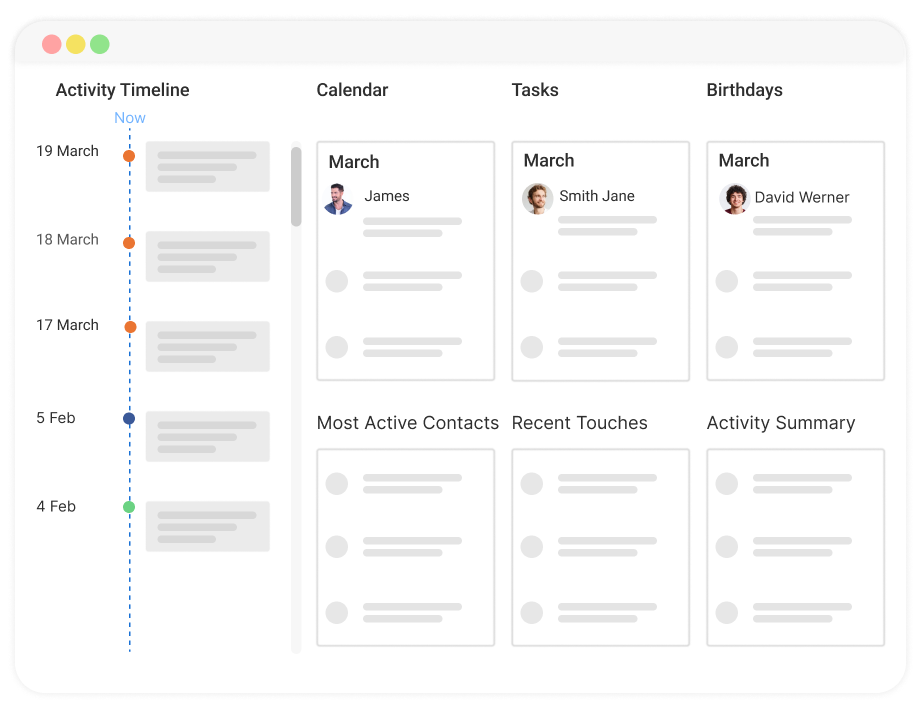
A CRM gives everyone a single place to find everything: contact details, full communication history, and the latest notes, all in one profile. Good contact management starts with getting all your data out of silos and into a shared system.
Leads Going Cold Because Of Missed Follow-Ups
Most deals don’t close on the first touchpoint. They require consistent, timely follow-up. Without reminders, follow-ups slip.
A CRM logs every task and sends automated reminders so your team reaches out at the right moment, every time. The difference between a won deal and a lost one is often just one follow-up that didn’t happen.
No Visibility Into Where Deals Stand
When your sales pipeline exists only in someone’s memory or an unstructured spreadsheet, you can’t see which deals are close to closing, which ones are stalled, or where the team should focus this week.
A CRM gives you a live view of your entire sales pipeline, broken down by stage, by rep, and by deal size, so nothing gets missed and forecasting becomes possible.
Two Reps Emailing The Same Customer Differently
Without a shared system, two team members can reach out to the same lead with completely different messages on the same day.
A CRM prevents this by showing the full interaction history for every contact, so your team always knows who said what and when.
Customer Context Disappearing When Team Members Leave
When a sales rep or account manager moves on, they often take their knowledge of key relationships with them. A CRM keeps all of that context, including every call, every preference, and every note, in the system, not in someone’s head.
New team members can pick up relationships exactly where they left off.
Email Campaigns Sent To The Wrong People
Without customer segmentation, marketing emails go to everyone or no one. A CRM lets you tag and filter contacts by industry, deal stage, location, or any custom field, so you send the right message to the right segment every time.
No Reporting On What’s Actually Working
A CRM tracks CRM metrics like email open rates, deal conversion rates, and team activity, giving you real data to make decisions instead of guessing. If a follow-up sequence isn’t converting, you’ll see it in the numbers.

What Problems Does a CDP Solve?
A CDP solves a different category of problems: the ones that show up when your business has multiple data sources that don’t talk to each other.
Data Silos Across Your Tech Stack
Most businesses run a website analytics tool, an email platform, an ad network, a CRM, and maybe a mobile app, all generating customer data separately. None of these tools know what the others are seeing.
A CDP pulls all of that data into one unified place, so your marketing team finally has a single source of truth instead of five conflicting dashboards. This is the foundational problem CDPs were built to solve.
Incomplete Customer Profiles
A CRM tells you what happened when your team spoke to a customer directly. A CDP tells you everything else: which pages they visited, how long they stayed, what they clicked, what they ignored, and how they behaved across sessions and devices.
Without that behavioral context, your sales and marketing teams are working with half the story. A CDP fills in the gaps that direct interactions alone can never capture.
Anonymous Traffic Going To Waste
The vast majority of people who visit your website never fill out a form or identify themselves. Without a CDP, all of that behavioral data disappears the moment they close the tab. A CDP captures and stores that anonymous activity.
When a visitor eventually identifies themselves, by signing up, making a purchase, or clicking an email, the CDP stitches their past anonymous behavior to their new known profile. That means you can personalize their experience based on what they already showed interest in, not just what they told you.
Poor Personalization At Scale
Sending the right message to the right person at the right time is simple in theory and hard in practice when your data is scattered. Without a CDP, achieving this level of personalization requires a data analyst, manual audience exports, and a lot of guesswork.
A CDP automates audience segmentation in real time. When someone browses a product category three times without buying, a personalized follow-up goes out automatically, without anyone on your team having to trigger it manually.
No Visibility Into The Complete Customer Journey
A CRM shows you the interactions your team had with a customer. An analytics tool shows you page views. An email platform shows you open rates. But none of them show you how all of those moments connect: how a customer first discovered you through an ad, visited your pricing page twice, opened an email, and then booked a call.
A CDP maps the full journey from first anonymous touchpoint to closed deal, across every channel and device, so you can see what’s actually driving conversions and where people are dropping off.
How Do CDP and CRM Work Together?
When businesses use both, they typically connect the two so the CDP enriches CRM records with behavioral data.
For example: your CRM holds your sales rep’s contact, including name, company, deal stage, and email history. Your CDP has been tracking that same person’s website behavior. They visited your pricing page four times this week and downloaded a case study. When these systems sync, your sales rep sees all of that behavioral context inside the CRM and can reach out at exactly the right moment.
This combination is powerful, but it requires technical setup, budget, and a team big enough to actually act on the data. For most small businesses, a well-configured CRM alone delivers more value than a CDP integration ever would.
When Should You Use a CRM vs a CDP?
Use a CRM when:
- Your business relies on direct conversations, including calls, emails, meetings, or support tickets
- You have a sales team that manages leads and deals
- You need to track follow-ups and relationship history
- You’re a small or mid-sized business getting organized for the first time
- You want to send targeted email drip campaigns to your contact list
- Your team needs a shared system to avoid duplicating outreach
Use a CDP when:
- You run multichannel marketing campaigns across web, app, email, and ads
- You need to track anonymous visitor behavior and connect it to known users
- You have a large marketing team doing advanced segmentation and personalization
- You’re at a scale where manual data management is impossible
- You have a dedicated data engineering team to manage integrations
- Your budget supports enterprise software costs (CDPs typically start at $1,000+/month)
Use both when:
- You’re a mid-market or enterprise company with separate sales and marketing teams
- Your CRM manages sales and relationships while your CDP powers marketing personalization
- You want your CDP to enrich your CRM records with behavioral data
The honest answer for most small businesses: Start with a CRM. Get your contact data organized, your pipeline tracked, and your follow-ups automated. You’ll know when you’ve outgrown it.
Choose the Right Tool and Build a Customer Data Foundation That Actually Drives Growth
Most businesses that come to us asking about CDPs actually need a CRM. The problems they describe, scattered contacts, missed follow-ups, no visibility into deals, and inconsistent email outreach, are CRM problems, not CDP problems.
Start there. Get your contacts organized, your pipeline running, and your team aligned in one system. That foundation alone will improve your sales and marketing results more than any sophisticated data platform.
Once you’re running a tight CRM operation and your marketing needs outgrow it. That’s the right time to start looking at CDPs.
For teams ready to get started, BIGContacts by ProProfs is a simple, affordable CRM built for growing small businesses, with contact management, email marketing, task automation, and sales pipeline tracking all in one place. It takes minutes to set up and comes with a forever-free plan, so you can get organized today without a big budget commitment.
Frequently Asked Questions
What is the main difference between a CDP and a CRM?
A CRM manages direct, identified customer relationships, including contacts, conversations, and sales pipelines. A CDP unifies behavioral data from every digital channel your customer touches, including anonymous activity. CRMs support sales and service teams. CDPs support marketing and data teams.
Does a small business need CDP?
Most small businesses do not need a CDP. CDPs are built for companies with large marketing teams running multichannel campaigns at scale. A CRM gives small businesses everything they need: organized contacts, email marketing, follow-up reminders, and pipeline tracking, at a fraction of the cost.
Can a CRM replace a cdp?
A CRM cannot fully replace a CDP. CRMs track known customer interactions through direct contact. CDPs track anonymous and multi-source behavioral data, handle identity resolution across devices, and power real-time personalization across channels. These are fundamentally different functions.
Can a CDP replace a CRM?
A CDP cannot replace a CRM. CDPs do not manage sales pipelines, log individual conversations, or support the day-to-day work of sales and support reps. CRMs and CDPs serve different teams and solve different problems.
What is the difference between a CDP and a DMP?
A CDP collects first-party data from your own customers and builds individual, identified profiles. A DMP collects anonymous, third-party data primarily for ad targeting new audiences. CDPs are long-term relationship tools. DMPs are short-term advertising tools, and they're declining as third-party cookies phase out.
Which teams use a CRM vs a CDP?
Sales teams, account managers, and customer support reps use CRMs. Marketing operations, data analysts, and enterprise marketing teams use CDPs. In companies that use both, the CDP feeds enriched data into the CRM so sales reps have behavioral context alongside their contact records.
Is a CDP the same as a customer data warehouse?
No. A data warehouse stores historical data for analysis. A CDP stores, unifies, and activates customer data in real time. CDPs are built to trigger marketing actions, not just to store and query data. A warehouse is for reporting; a CDP is for personalization.
How much does a CDP cost compared to a CRM?
CRMs for small businesses start at free and scale to a few hundred dollars per month. CDPs are enterprise software. Most start at $1,000 or more per month and require technical implementation. For small and mid-sized businesses, a CRM delivers significantly better ROI per dollar spent.
Does BIGContacts offer CDP features?
BIGContacts is a CRM built for small businesses, offering contact management, email marketing, task automation, and pipeline tracking. It does not function as a full CDP, but it gives growing businesses everything they need to manage customer relationships effectively, including a forever-free plan to start.
What is CDP vs CRM vs marketing automation?
A CRM manages customer relationships and sales activity. A CDP unifies behavioral data across all channels. Marketing automation sends targeted messages to the right people based on triggers and rules. Many CRMs, including BIGContacts, include basic marketing automation, making them a practical all-in-one solution for small businesses.
When should a business move from CRM to CDP?
A business should consider adding a CDP when it runs marketing campaigns across multiple digital channels, needs to track anonymous visitor behavior, has a marketing team that requires real-time audience segmentation, and has the technical resources to implement and manage the integration.
Can CDP and CRM data be integrated?
Yes. Many businesses connect their CDP and CRM so that behavioral data collected by the CDP enriches the contact records in the CRM. This gives sales reps behavioral context, including which pages a prospect visited, alongside their conversation history. This helps them reach out with better timing and more relevant messaging.
FREE. All Features. FOREVER!
Try our Forever FREE account with all premium features!