
An ActiveCampaign alternative is any CRM or email marketing platform that replicates or offers better features for contact management, email automation, and pipeline tracking without the complexity or cost that makes ActiveCampaign unfit for some small and mid-sized businesses. The best alternatives offer simpler onboarding, transparent pricing, and native integrations with tools like Gmail and Outlook that small teams already use every day.
I’ve seen this play out dozens of times: a small business owner signs up for ActiveCampaign because it looks powerful, spends weeks learning it, uses maybe 20% of the features, and ends up paying $200–$350 a month. If that sounds familiar, you’re already halfway to finding the right ActiveCampaign alternative for your business.
I’ve personally tested and researched over a dozen CRM and email marketing platforms, not from a product page, but from the perspective of someone who’s sat through the demos, done the free trials, and talked to real business owners, consultants, and non-profits who’ve made the switch.
In this guide, I’ll walk you through the 10 best ActiveCampaign alternatives for 2026, what they’re genuinely good at, where they fall short, and which one is most likely to solve your actual problem, whether you’re migrating from a spreadsheet or escaping a bloated enterprise tool.
Key Takeaways:
- ActiveCampaign’s contact-based pricing grows your bill as your list grows, even if your usage stays the same.
- The right alternative depends on your pain point: cost, complexity, ecommerce needs, or missing CRM depth.
- Flat-rate unlimited user pricing is the most cost-effective structure for small teams managing up to 1,000 contacts.
- Native Gmail and Outlook sync that auto-logs emails to contact records is a must-have for small B2B teams.
- Email automation, segmentation, and pipeline visibility are the three features that matter most when switching platforms.
- Most small teams complete a full migration in one to two weeks, including contact import, pipeline setup, and team onboarding.
Why Are People Looking for ActiveCampaign Alternatives?
Before jumping into the list, it’s worth understanding why thousands of users are actively searching for a better option. Here’s what’s actually pushing people out:
- The Price Keeps Climbing & It’s Hard to Justify: ActiveCampaign charges based on how many contacts you store, not how many emails you actually send. That sounds fine at first, but it gets painful fast. For a small business that isn’t running daily campaigns, that’s a lot of money for a tool that’s mostly sitting idle.
- The Interface Hasn’t Kept Up: Multiple users across Reddit and other communities describe the platform as “really slow,” with frustrating design quirks like padding adjustments locked to 5-pixel increments and image uploads that lag noticeably. These aren’t deal-breakers for a dedicated marketing team with time to spare, but for a business owner who just wants to send a follow-up email, they add real friction to every session.
- It’s Packed With Features Most People Never Touch: ActiveCampaign has built an impressive feature set over the years with advanced conditional logic, predictive sending, split automation, CRM pipelines, site tracking, and more. When a platform has so many options that you’re not sure where to start, you end up either using 10% of what you’re paying for or spending hours in tutorials just to send a drip sequence.
- Small Teams Get a Bad Deal on Pricing: ActiveCampaign’s cost structure isn’t built for teams of 1–5 people. There’s no flat-rate option that says “pay this amount, add as many users as you need.” Instead, you’re paying per contact tier, which means the bill grows as your audience grows even if your team size and actual usage stay exactly the same.
- Switching Tools Mid-Growth Is Disruptive but Staying Is Worse: The longer you stay on a tool that doesn’t fit, the more it costs you in missed follow-ups, unused features, and team members who avoid logging in because the software feels like homework. As one Reddit user put it bluntly: “I’ve been using ActiveCampaign for 2 years, and I still don’t fully understand how the automation builder works.”
That failure rate isn’t a technology problem. It’s a usability problem. And it’s exactly why so many businesses are looking for something simpler, more affordable, and easier to actually stick with.
Top 10 ActiveCampaign Alternatives for This Year
Built from hands-on research, community feedback, real buyer conversations, and verified pricing data. The focus is on tools that work for small teams, SMBs, and enterprises.
| Tool | Best For | Starting Price |
|---|---|---|
| BIGContacts | Easiest All in One CRM for Contact Management, Email Marketing & Deal Tracking | Free for growing teams. Paid plan starts at $9.99/month |
| Brevo | Budget-friendly multi-channel marketing | Starts at $6.40/month |
| MailerLite | Simplest email marketing for beginners | Free up to 1,000 contacts; paid starts at $9/month |
| HubSpot | Centralizing Sales, Marketing, and Support Operations | Starts at $15/user/month |
| EngageBay | Targeted Marketing & Workflow Automation | Starts at $14.90/user/month |
| Mailchimp | Email marketing with strong templates | Starts at $13/month |
| Kit (ConvertKit) | Visual automation for creators and solopreneurs | Starts at $29/month |
| Omnisend | Omnichannel marketing for e-commerce | Starts at $11.20/month |
| Klaviyo | SMS + email for e-commerce stores | Starts at $45/month |
| GetResponse | Landing pages + email marketing combined | Starts at $18.90/month |
1. BIGContacts – Easiest All in One CRM for Contact Management, Email Marketing & Deal Tracking
BIGContacts is exactly what growing teams need when they’re done paying for features they’ll never use. Right now, using BIGContacts with my team, the thing that keeps standing out is how quickly everything gets done – drip campaigns go live in under an hour, contact imports from Excel are clean, and the Outlook and Gmail sync automatically logs every email to the right contact record without any manual workarounds.
The pricing model is where BIGContacts really separates itself from ActiveCampaign. Unlimited users on paid plans means a 3-person team and a 10-person team pay the same flat rate.
The 360-degree contact view is the feature I find myself relying on most. Every note, tag, email, task, and deal stage tied to a contact is visible in one place, no tab switching, no hunting through inboxes. For a small B2B team managing a handful of high-value relationships, that visibility changes how you sell. On top of that, a built-in AI assistant helps draft and refine campaign emails and flags stalled deals in the pipeline, so the manual busywork stays to a minimum.
Pros:
- Native Gmail and Outlook sync with automatic email logging to each contact record
- Drip campaigns and autopilot follow-up sequences are included in the base plan
- 360-degree contact view with notes, tags, custom fields, and full activity timeline
- Includes built-in email campaign tools with scheduling, personalization tags, and open/click tracking
How BIGContacts Compares to ActiveCampaign
ActiveCampaign is built for high-volume email marketing with deep automation logic. It’s powerful, but that power comes with a learning curve and a price tag that grows sharply with your contact list. BIGContacts is built for a different use case: growing teams that need clean contact management, reliable email follow-ups, and a pipeline they can actually see and use. If you’re spending more time learning your CRM than using it, BIGContacts is the more practical choice.
Pricing: A free plan is available for growing teams. Paid plan starts at $9.99/month.
2. Brevo – Best for Multi-Channel Marketing
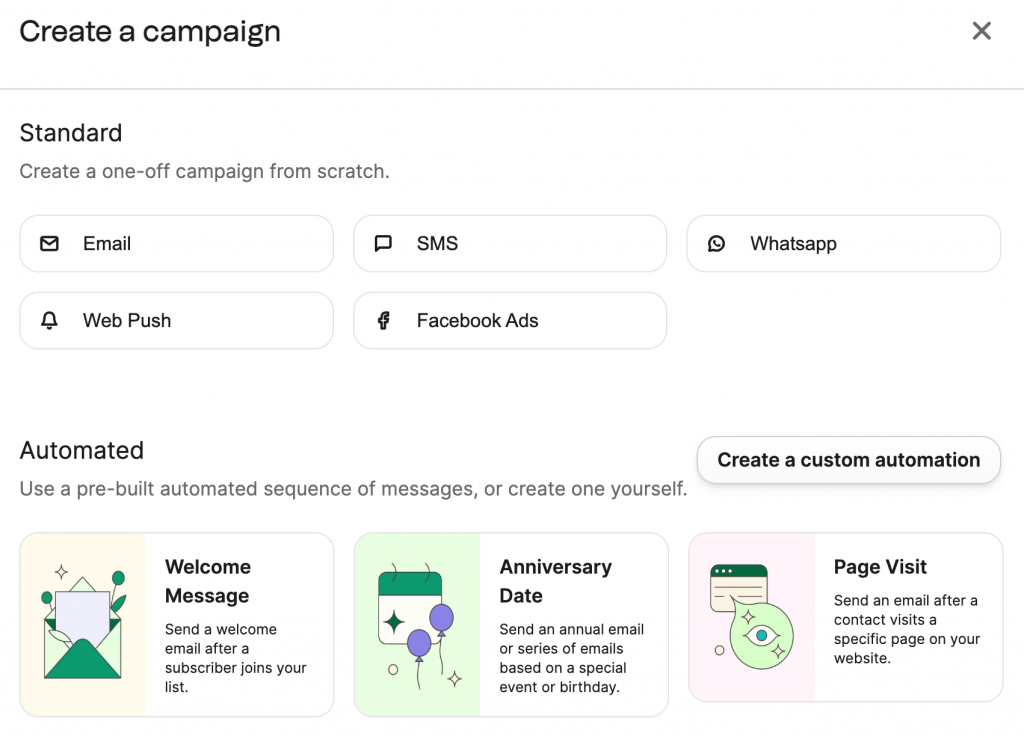
Image source: Brevo
The contact-based pricing model is where most email platforms quietly drain your budget and Brevo was the first alternative I tested that fundamentally solves that problem. Unlike ActiveCampaign, which charges based on how many contacts you store, Brevo bills by emails sent. I had 30,000 contacts loaded and was only paying for the campaigns I actually ran.
I ran several multi-step email sequences through Brevo’s automation builder and found the workflow logic significantly more approachable than ActiveCampaign’s visual editor. The addition of SMS and WhatsApp support from the same dashboard meant I stopped bouncing between tools.
What caught me off guard was how usable the built-in CRM actually was. It’s not Pipedrive or HubSpot in depth, but for a small B2B team that needs to track deals and log client conversations, it covered the essentials without extra configuration.
Pros:
- Native SMS, WhatsApp, and email campaigns managed from a single platform
- Pre-built automation templates for common marketing workflows cut setup time significantly
- Advanced segmentation by behavior, custom attributes, and engagement history
- AI-powered send-time optimization available on paid plans
How Brevo Compares to ActiveCampaign
ActiveCampaign’s per-contact pricing model becomes expensive fast. Once your list crosses a few thousand, you’re paying a premium even for contacts you rarely email. Brevo flips this entirely by charging per send, not per contact, which makes it the more economical choice for businesses with large but occasionally contacted databases. ActiveCampaign has a deeper automation engine for complex behavioral workflows, but for teams that need reliable multi-channel campaigns at a predictable cost, Brevo consistently wins on value.
Pricing: Starts at $6.40/month.
3. MailerLite – Best for Non-Technical Users
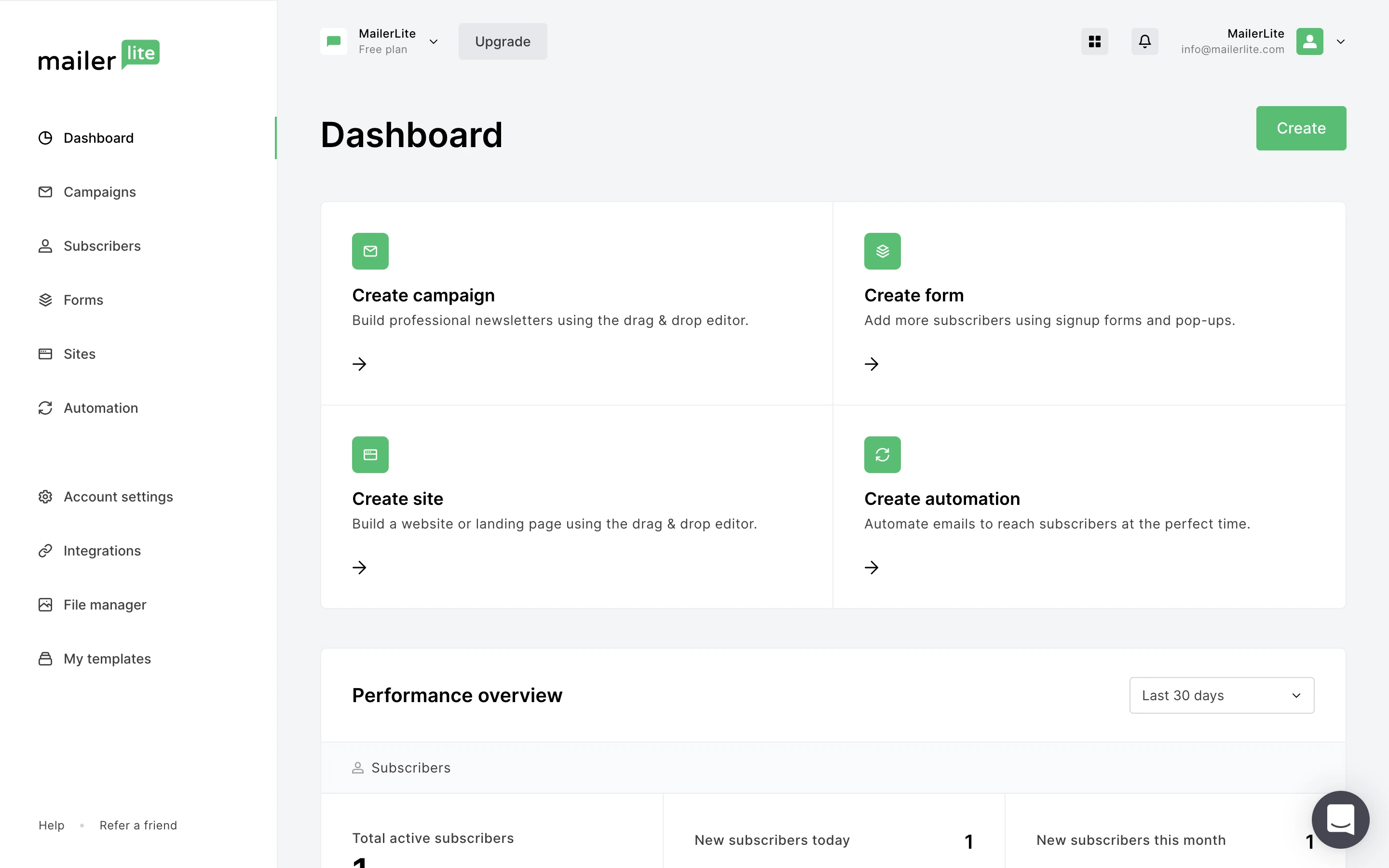
Image source: MailerLite
After spending too long fighting with ActiveCampaign’s editor just to send a basic newsletter, MailerLite felt like a genuine reset. The drag-and-drop email builder is fast and forgiving with no padding quirks, no slow media uploads, and no unexplained validation errors mid-campaign.
MailerLite’s free plan was the other thing that made me take it seriously as a recommendation for non-technical users. For a non-profit managing member communications or a solopreneur running a small newsletter, the free tier covers real use cases without requiring a credit card.
The visual automation builder was more capable than I expected at this price point. I could branch sequences based on whether a subscriber opened an email, clicked a link, or submitted a form, conditional logic that covers 90% of small business automation needs without requiring any technical knowledge to configure.
Pros:
- Generous free plan supporting 1,000 subscribers and 12,000 emails per month
- Drag-and-drop email editor rated among the cleanest and fastest in its category
- Visual automation builder with conditional branching and behavioral triggers
- Built-in landing page and pop-up form builder included across all plans
How MailerLite Compares to ActiveCampaign
ActiveCampaign offers more sophisticated automation logic and deeper CRM functionality, but that power comes at a cost – both in dollars and in the time required to learn it. MailerLite trades depth for accessibility: the interface is faster, the free plan is more generous, and most small business users reach their marketing goals without ever needing the features ActiveCampaign hides behind higher tiers. If your priority is getting campaigns out the door quickly without a learning curve, MailerLite is the more practical starting point.
Pricing: Free up to 1,000 subscribers. Paid plans start at $9/month.
4. HubSpot – Best for Centralizing Sales, Marketing, and Support Operations
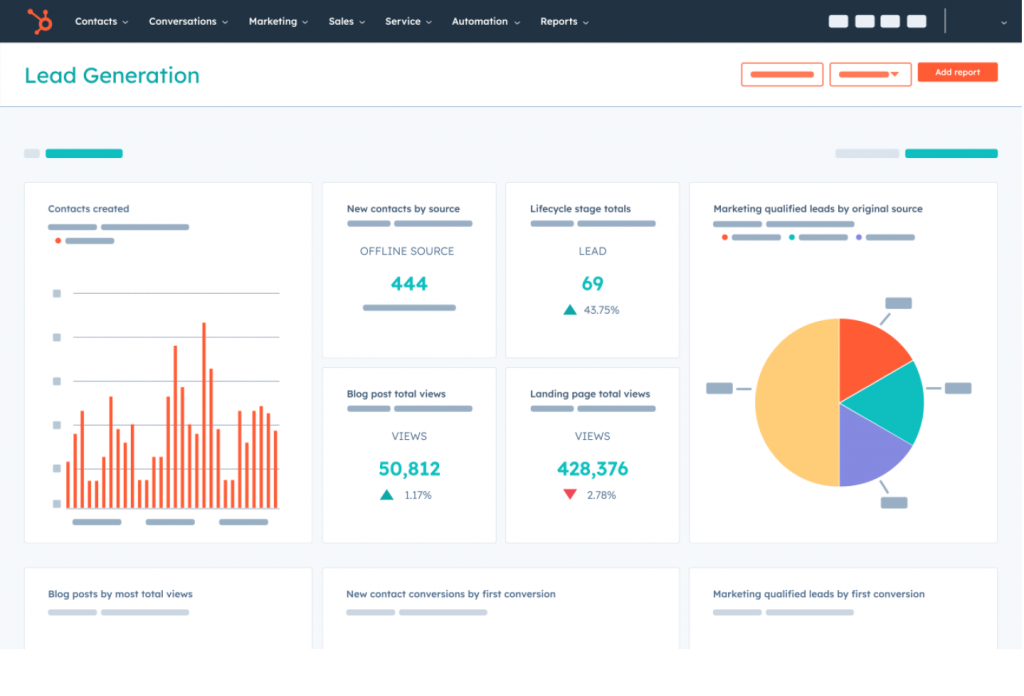
Searching for a single platform that could handle sales, marketing, and support without turning into a full-time admin project led me to HubSpot. The UI is clean, the basics are fast, and a friend of mine who migrated from a heavier CRM described it simply: export CSV, import, remap fields, and suddenly you have reliable email tracking and a mobile experience that doesn’t fall apart during a client call.
The free CRM is what makes HubSpot worth testing, even if you’re not sure you’ll stay. Contact records include a full activity timeline, deal associations, and email tracking without paying anything.
The paid Marketing Hub layers on email automation, segmentation, and campaign analytics that are more polished and easier to interpret than ActiveCampaign’s reporting interface.
Pros:
- Free CRM with genuine contact management, deal tracking, and email logging
- Over 1,900 native integrations via the HubSpot Marketplace
- Sales Sequences for automated outreach combining email templates and task reminders
- Native Gmail, Outlook, and Office 365 email integration via HubSpot Sales extensions
How HubSpot Compares to ActiveCampaign
ActiveCampaign is primarily an email marketing and automation tool with CRM features added on. HubSpot is the inverse – a CRM-first platform with marketing automation built around it. For teams that want a unified view of the customer across sales, marketing, and support, HubSpot provides better structural alignment. For teams that primarily need sophisticated email automation at a lower cost, ActiveCampaign technically goes deeper. The real differentiator is whether you need a marketing tool or a business platform, and HubSpot is clearly the latter.
Pricing: Free CRM available. Paid plans start at $15/user/month.
5. EngageBay – Best for Targeted Marketing & Workflow Automation
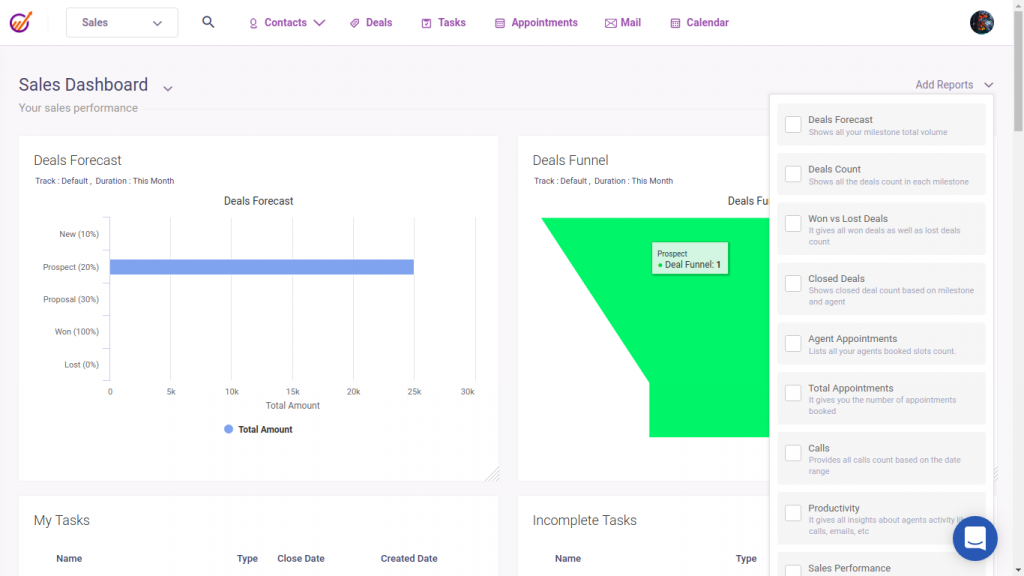
Finding a platform that handled marketing, a sales pipeline, and customer support without an enterprise price tag was something I’d largely given up on before I tested EngageBay. The combination of all three modules under one subscription is genuinely rare.
The marketing automation module let me set up behavioral workflows triggered by form submissions, link clicks, and page visits without consulting documentation for each step. The live chat and helpdesk being integrated meant I cut two tools from the stack entirely, which reduced both complexity and monthly cost in a single switch.
Where the friction showed up was in customization. The template editor and custom field handling have documented limitations that more mature platforms handle more fluidly.
Pros:
- All-in-one marketing, sales, and support modules under a single subscription
- Visual sales pipeline with drag-and-drop deal management
- Built-in helpdesk and live chat; no third-party support tool required
- Lead scoring, appointment scheduling, and landing page builder are included in base plans
How EngageBay Compares to ActiveCampaign
ActiveCampaign focuses narrowly on email marketing and automation. It doesn’t include a helpdesk or live chat, and its CRM is secondary to its marketing engine. EngageBay covers more ground at a lower starting price, making it the better choice for small teams that want to consolidate tools. The trade-off is depth: ActiveCampaign’s automation logic is more sophisticated, and EngageBay’s email template customization is more limited. For teams that want “good enough across everything” over “best-in-class at one thing,” EngageBay is the more practical pick.
Pricing: Starts at $14.90/user/month.
6. Mailchimp – Best for Email Marketing
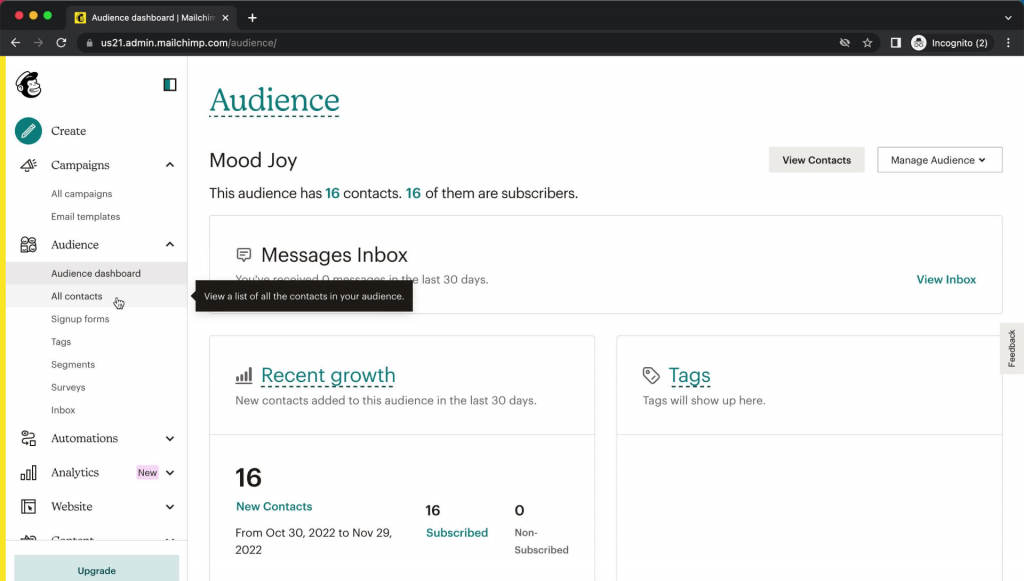
Image source: Mailchimp
Mailchimp was actually the first email marketing tool I ever used, back when I was running campaigns for a small local business. The template library is extensive, the drag-and-drop editor is genuinely helpful, and the audience segmentation logic works in a way that feels intuitive rather than technical.
Automation has improved significantly since the early days. Welcome sequences, abandoned cart reminders, and re-engagement campaigns can all be configured without touching code.
For a small business that wants solid email marketing without committing to a full CRM system, Mailchimp still earns its reputation as the standard entry point for a reason.
Pros:
- Extensive library of professionally designed, mobile-responsive email templates
- Audience segmentation by behavior, demographics, engagement, and purchase data
- Transactional email support for order confirmations and automated notifications
- Drag-and-drop campaign builder with a guided setup flow for new users
How Mailchimp Compares to ActiveCampaign
Both Mailchimp and ActiveCampaign use contact-based pricing, which means both become expensive as your list grows. Mailchimp has the edge in ease of use and template quality. It’s faster to learn and faster to launch. ActiveCampaign has the edge in automation depth, with more sophisticated conditional logic and better CRM integration. If you primarily send campaigns and newsletters and don’t need complex behavioral automation, Mailchimp is the simpler, more cost-predictable choice at small list sizes.
Pricing: Starts at $13/month.
7. Kit (ConvertKit) – Best for Creators and Solopreneurs
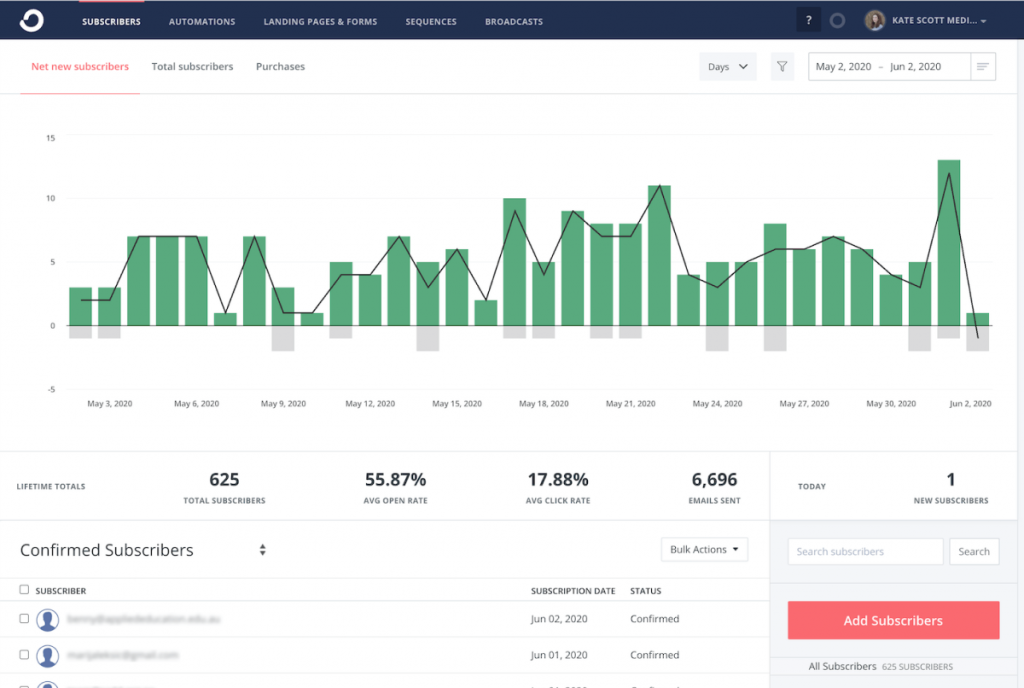
Image source: Kate Scott
Switching to Kit, formerly ConvertKit changed how I thought about email sequences entirely. Instead of building campaigns inside a contact-list system, Kit organizes everything around subscriber behavior, which means your automation actually reflects how real people move through your content and offers rather than which list they happen to be on.
The visual automation builder was the feature that tipped my decision. I could map out the full logic of a welcome sequence, if they clicked this, send that; if they didn’t open within 3 days, try a different subject line. For a creator or solopreneur managing a subscriber relationship rather than a sales pipeline, this approach to email marketing is the most natural one available.
Where Kit shows its limits is CRM depth. It’s built entirely for list-based subscriber communication. There’s no contact record with call logging, deal stages, or team collaboration. If your use case extends beyond email sequences into relationship management, you’ll need a separate tool alongside it.
Pros:
- Visual automation builder with drag-and-drop logic mapping across subscriber journeys
- Subscriber tagging system enables precise segmentation without complex list management
- Rule-based triggers fire on clicks, purchases, form submissions, and custom events
- Built-in landing page and form builder with professional, customizable templates
How Kit Compares to ActiveCampaign
ActiveCampaign and Kit both offer behavioral automation, but they’re built for different audiences. ActiveCampaign targets marketers and small business teams that need CRM + automation in one place. Kit targets individual creators and solopreneurs who want clean, subscriber-centric email sequences without CRM overhead. Kit is simpler and more focused; ActiveCampaign is broader and more complex. If your business runs on content, courses, or a newsletter, Kit is the more natural fit at a lower operational cost.
Pricing: Starts at $29/month.
8. Omnisend – Best for E-Commerce Omnichannel Marketing
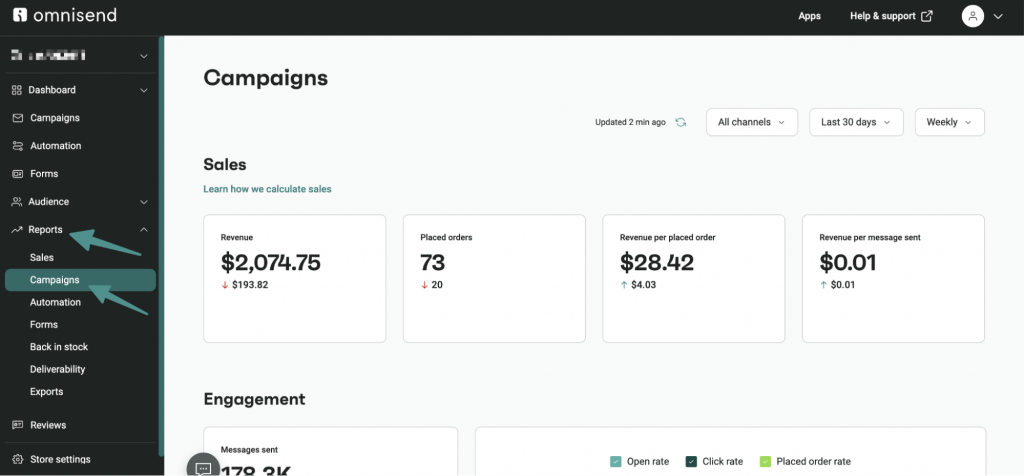
Image source: Omnisend
Integrating Omnisend into an e-commerce marketing setup was the first time I felt like my campaigns were actually working with my store data rather than alongside it. The platform automatically pulls purchase history, browsing behavior, and order data from Shopify and WooCommerce.
The pre-built workflows for cart abandonment, post-purchase follow-ups, and win-back sequences saved significant setup time, and the ability to add SMS and web push notifications into the same automation workflow without managing separate platforms. This was the main reason I kept recommending it for e-commerce clients over ActiveCampaign.
For non-e-commerce use cases, Omnisend is a harder sell. The feature set is specifically calibrated for retail and D2C brands, and service businesses or B2B teams won’t get the same return on the platform’s distinctive capabilities.
Pros:
- Pre-built automation workflows for cart abandonment, welcome series, and post-purchase sequences
- SMS, web push, and email integrated into a single campaign workflow
- Multi-store management from one Omnisend account
- Customizable discount code generation embedded directly in email and SMS campaigns
How Omnisend Compares to ActiveCampaign
ActiveCampaign is a generalist platform that works across industries. Omnisend is a specialist built specifically for e-commerce, which means it goes deeper on the things online retailers actually need like purchase-based segmentation, revenue tracking per campaign, and omnichannel workflows that connect email, SMS, and push in one sequence. For e-commerce businesses, Omnisend typically delivers better results at a lower cost of complexity. For everyone else, ActiveCampaign’s broader feature set is the more useful choice.
Pricing: Starts at $11.20/month.
9. Klaviyo – Best for SMS and E-Commerce Personalization
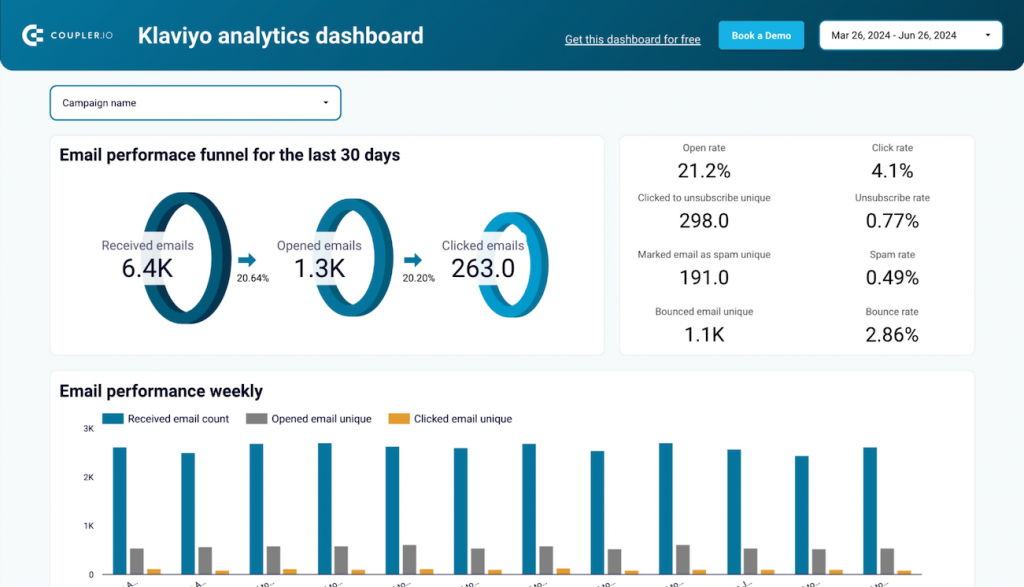
Image source: Coupler
When I needed a platform that could combine SMS and email into genuinely coordinated campaigns, Klaviyo was the only tool that matched what I was looking for. The predictive analytics models customer lifetime value, churn probability, and next likely purchase date, which lets you trigger campaigns at genuinely meaningful moments rather than arbitrary time intervals.
The Shopify integration is the tightest I’ve encountered in this category. Product recommendations, abandoned cart data, and full order history flow into contact records automatically, and the pre-built e-commerce flows were live within a few hours of connecting the store.
The cost is the honest limitation here. At the starting price, with SMS credits adding to the bill at scale, Klaviyo is the most expensive platform on this list by a significant margin. For small stores still building an audience, the price is hard to justify. For established e-commerce brands with 10,000+ subscribers, the revenue attribution data alone frequently justifies the spend.
Pros:
- Predictive analytics, including CLV modeling, churn probability, and next purchase date forecasting
- Best-in-class Shopify and WooCommerce integration with automatic data sync
- Pre-built e-commerce workflows for cart recovery, post-purchase, and win-back campaigns
- Unified email, SMS, and push notification management from a single dashboard
How Klaviyo Compares to ActiveCampaign
ActiveCampaign is a broader marketing automation platform designed for diverse business types. Klaviyo is a precision tool designed specifically for e-commerce revenue optimization. If you’re running a Shopify or WooCommerce store and want to drive revenue through behavioral email and SMS, Klaviyo’s predictive analytics and native integrations outperform ActiveCampaign’s capabilities in that specific context. If you’re not in e-commerce, Klaviyo’s pricing premium is hard to justify.
Pricing: Starts at $45/month.
10. GetResponse – Best for Landing Pages and Conversion Funnels
Image source: GetResponse
Looking for a platform that could handle paid traffic, landing page conversion, and email nurturing without requiring three separate tools brought me to GetResponse. The drag-and-drop page builder was genuinely the best I’ve used at this price point. Professional-looking pages without any coding knowledge, built in an afternoon, with templates that actually converted.
The conversion funnel builder was the feature that set it apart from the other tools I tested. It sequences lead capture, email nurturing, and sale completion in a single visual flow, which is something most email platforms either don’t offer or bolt on awkwardly from a third-party integration. For teams running paid campaigns that need to see the full funnel in one place, that matters.
The CRM layer is where GetResponse shows its limits. It works for basic contact management, but it lacks the custom reporting and deep workflow automation that dedicated CRM tools provide. For teams whose primary need is converting paid traffic into leads and customers, GetResponse earns its place. For teams that need relationship management depth beyond that, it’s a secondary choice.
Pros:
- Conversion funnel builder sequences lead capture, email nurture, and sale completion visually
- Mobile-responsive email templates across the full library
- Webinar hosting feature, which is a rare capability at this price range
- SMS marketing integrationis available on higher-tier plans
How GetResponse Compares to ActiveCampaign
ActiveCampaign is stronger on automation depth and CRM functionality. GetResponse is stronger on landing pages, website building, and conversion funnels. The choice between them comes down to where your biggest gap is: if you’re losing potential customers before they even get into your email list, GetResponse addresses the top of the funnel more directly. If you need better nurturing and follow-up once contacts are in your system, ActiveCampaign’s automation goes deeper.
Pricing: Starts at $18.90/month.
How Did I Evaluate These ActiveCampaign Alternatives?
Every tool on this list was evaluated against the same six criteria. No sponsored placements, no feature checklists copied from product pages — just a consistent framework applied across all ten platforms.
- User Reviews and Ratings: I looked at real feedback from verified users on platforms like G2, Capterra, and Reddit to understand what people actually experience after the free trial ends. Recurring complaints and recurring praise both carry weight here.
- Essential Features and Functionality: I assessed each tool on the features that matter most to small business buyers: contact management, email automation, pipeline tracking, segmentation, and reporting. Tools that do a few things well scored better than tools that do many things poorly.
- Ease of Use: How long does it take a non-technical user to go from signup to first campaign sent? I paid close attention to the onboarding flow, interface clarity, and how much documentation you need to read before the tool starts feeling useful.
- Customer Support: I evaluated the quality, availability, and responsiveness of support across each platform, including whether live chat or phone support is available on entry-level plans or locked behind higher tiers.
- Value for Money: I compared what each tool costs against what it actually delivers for a typical small business scenario: 3 users, 1,000 to 5,000 contacts, basic automation needs. Hidden costs, contact-based pricing jumps, and per-user fees all factored into this assessment.
- Personal Experience and Expert Opinions: My own hands-on testing of each platform is combined with insights from CRM practitioners, community discussions, and feedback from real buyers who have made the switch from ActiveCampaign.
My Top 3 Picks for the Best ActiveCampaign Alternative
After testing all the tools on this list, three kept coming up as the most practical choices for small businesses and growing teams. Here’s why these made the final cut.
1. BIGContacts
BIGContacts is my top pick for any growing business that wants a CRM and email marketing tool without the complexity tax. The flat-rate unlimited user pricing makes it genuinely affordable for teams of any size, and the Outlook and Gmail sync works without workarounds. If your main goals are keeping contacts organized, sending automated follow-ups, and having visibility into your pipeline, BIGContacts covers all three without asking you to become a power user first.
2. Brevo
Brevo earns its spot as the best pick for businesses sitting on a large contact list but not sending emails every day. The per-send pricing model is a fundamentally better deal for anyone who has accumulated thousands of contacts over the years but only reaches out occasionally. It also covers SMS and WhatsApp from the same platform.
3. MailerLite
MailerLite is the right call for solopreneurs, non-profits, and first-time CRM buyers who want the fastest path from signup to sent campaign. The free plan is one of the most generous in the market, the editor is clean and fast, and the automation builder covers everything a small business realistically needs without burying you in options you will never use.
What Should You Look for in an ActiveCampaign Alternative?
Not every CRM or email marketing platform is built for the same type of business. Before you commit to a free trial or a paid plan, these are the six factors that separate a tool you will actually use from one that collects dust after week two.
1. Ease of Use: Can Your Team Use It Without Training?
Look for platforms with drag-and-drop interfaces, pre-built templates, and a setup time measured in hours, not weeks. If a tool requires a dedicated IT person to configure, it is not built for you. The real test is simple: can a non-technical team member log in on day one and send a campaign without reading a manual?
If the answer is no, you are looking at an adoption problem waiting to happen. Most small business teams do not have the bandwidth for a lengthy onboarding process, so the interface needs to be self-explanatory from the start.
2. Email Automation: Does It Handle Follow-Ups Automatically?
The minimum bar is automated drip campaigns, follow-up sequences, and behavior-triggered emails. Beyond that, consider whether the automation builder is visual and intuitive or buried in settings menus. A good automation setup should feel like drawing a flowchart, not writing code.
Think about how your sales or marketing process actually works: when someone fills out a form, what should happen next? When a lead goes cold for two weeks, should someone be notified? The right tool makes these workflows easy to build and easy to adjust as your process changes.
3. Gmail and Outlook Integration: Does It Auto-Log Emails?
This is a buying trigger that most comparison blogs overlook entirely. Many buyers require native Gmail or Outlook sync as a baseline requirement. But the more important question is not just whether the integration exists, it is how it works.
Does the tool automatically log every sent and received email to the right contact record without any manual steps? Or do you have to BCC a special address, install a browser extension, or manually attach emails yourself? Auto-logging is the difference between a CRM your team actually uses and one they work around.
4. Pricing Transparency: What Does It Actually Cost for 3 Users?
The headline price on a pricing page rarely reflects what you will actually pay six months in. Watch for contact-based pricing tiers that jump sharply as your list grows, per-user fees that multiply quickly for small teams, and features that sound standard but are locked behind higher plans, like A/B testing, API access, or advanced reporting.
Before committing, run the real math: take your current contact count, your team size, and the features you genuinely need, then price it out on the plan that actually covers all three. The number is often two to three times higher than the “starts at” figure on the homepage.
5. Scalability: Will It Grow With You?
A tool that works well for 500 contacts and 2 users should still work when you reach 5,000 contacts and 8 users without requiring a complete platform migration. Check whether higher tiers add genuine features or simply raise the price cap on the same functionality.
It is also worth asking whether the platform supports multiple pipelines, team-level permissions, and more complex segmentation as your operations grow.
6. Deliverability and Reporting: Do Your Emails Actually Land?
Even the most well-crafted email sequence is worthless if it ends up in spam. Look for platforms that support custom domain authentication through DKIM and SPF setup, offer list hygiene tools to manage bounces and unsubscribes automatically, and provide clear reporting on opens, clicks, bounces, and spam complaints.
How Do You Switch from a Spreadsheet to a CRM Without Disrupting Your Workflow?
This is the question 55% of small business buyers should be asking — but most comparison blogs skip it entirely. Here’s a practical onboarding timeline based on what actually works:
Day 1 — Import and organize your contacts Export your Excel or Google Sheets contacts to a CSV file. Clean up blank rows, standardize email addresses (all lowercase), and remove duplicates before importing. Most CRMs accept a standard CSV template.
Days 2–3 — Set up your pipeline stages: Map your existing sales or contact workflow to pipeline stages. For most small teams, 4–5 stages (Lead → Contacted → Proposal Sent → Closed) is enough to start.
Days 4–5 — Connect your email: Link your Gmail or Outlook account so emails log automatically to contact records. Test with a live send to confirm the sync is working in both directions.
Week 1 — Build your first automated sequence: Set up a simple follow-up drip: one email on day 1, a second on day 4 if no response, a task reminder on day 7. This single automation replaces the most common cause of lost deals — forgetting to follow up.
Week 2 — Train your team (under 2 hours): For simple CRMs like BIGContacts, MailerLite, or Brevo, most teams are productive within a day. Schedule one 90-minute walkthrough and document any custom workflows your team agrees on.
Check out our CRM Migration Guide for Spreadsheet Users — a step-by-step detailed guide for cleaning, importing, and organizing your first 1,000 contacts.
Pricing Comparison: ActiveCampaign vs. Top Alternatives (3 Users, 1,000 Contacts)
The numbers below show what a typical small team of 3 users managing 1,000 contacts would actually pay annually on each platform. The difference between tools is more significant than most buyers expect before they run the math.
| Platform | Recommended Plan | Annual Cost (USD) | Unlimited Users? |
|---|---|---|---|
| ActiveCampaign | Plus | $1,428–$4,200 | No |
| BIGContacts | Business | 119.88 | Yes |
| MailerLite | Advanced | 108 | N/A (contact-based) |
| Brevo | Starter | $108–$216 | Yes |
| EngageBay | Basic | 537.6 | No |
| HubSpot | Starter Suite | $540–$600 | No |
The standout figure here is BIGContacts at $119.88 per year for unlimited users. That is not a typo or a stripped-down free tier. It is a fully functional paid plan that does not charge you per seat, which means a team of 3 and a team of 10 pay exactly the same amount. For most growing businesses comparing options on a budget, that single fact changes the entire cost conversation.
Switch Smarter and Start Getting More From Every Email You Send
Switching away from ActiveCampaign does not have to be a big project. The tools on this list prove that you can get reliable contact management, automated follow-ups, and clean email delivery without the steep learning curve or the monthly bill that grows faster than your business does. The best platform for you is simply the one your team will open every morning and actually use.
Start with the problem you are trying to solve right now. If contacts are slipping through the cracks, you need better pipeline visibility. If follow-ups are being forgotten, you need automation. If your current tool costs more than it returns, you need simpler pricing. Matching the tool to a specific pain point will always get you further than chasing the longest feature list.
If you are a small team that wants something straightforward to set up and easy to stick with, it is worth spending 10 minutes on a free trial before committing to anything. BIGContacts has a forever-free plan that lets you test the full experience with your own contacts, and most teams find they are up and running within a day without needing any technical help.
Frequently Asked Questions
Why do people switch from ActiveCampaign?
Most people leave because of rising costs, a slow interface, and features they never end up using. For small teams, especially, paying $200 to $350 a month for a tool that only gets used at 20% capacity stops making sense fairly quickly.
Is there a free ActiveCampaign alternative?
Yes. BIGContacts has a forever-free plan for small teams, and MailerLite supports up to 1,000 subscribers at no cost. HubSpot also offers a free CRM with genuine contact management built in.
Is Mailchimp better than ActiveCampaign?
For simple email campaigns and newsletters, Mailchimp is easier to use and faster to get started with. ActiveCampaign has deeper automation logic. If you just need reliable email marketing without a steep learning curve, Mailchimp is the more practical starting point.
What is the best ActiveCampaign alternative for small businesses?
Small businesses generally need something affordable, easy to set up, and good at follow-up automation. Tools with flat-rate pricing and unlimited users tend to work best here since costs stay predictable as the team grows.
Does ActiveCampaign have a free plan?
No. ActiveCampaign only offers a 14-day free trial. After that, paid plans start at around $15 a month for very basic functionality and climb significantly as your contact list grows.
Which ActiveCampaign alternative is best for Gmail and Outlook users?
Look for a platform that auto-logs emails to contact records without requiring manual steps or browser extensions. Several tools on this list support native Gmail and Outlook sync, including options that also work with Microsoft Exchange for corporate setups.
Can I migrate from ActiveCampaign without losing my data?
Yes, and it is simpler than most people expect. Export your contacts as a CSV from ActiveCampaign, clean up the file, and import it into your new platform. Most alternatives on this list support bulk CSV imports and will map your custom fields during the process.
How long does it take to switch from ActiveCampaign to a new CRM?
For most small teams, the full switch takes about one to two weeks. Exporting and importing contacts takes a day, setting up pipelines and email templates takes another two to three days, and having your team comfortable with the new interface usually happens within the first week of daily use.
FREE. All Features. FOREVER!
Try our Forever FREE account with all premium features!