


Easily integrate with other tools and platforms to consolidate your data.
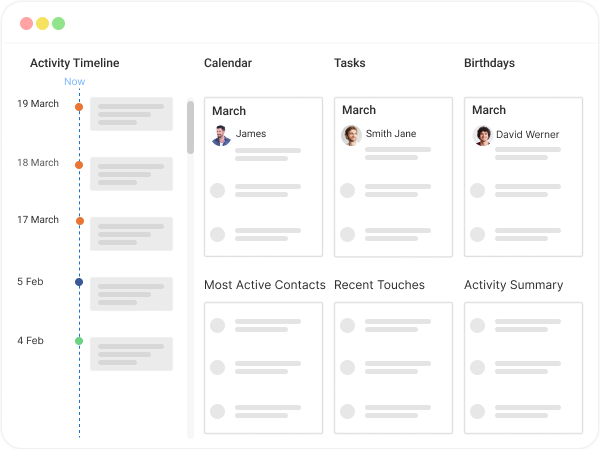
Create intuitive dashboards for quick data visualization and insights.
Ensure your reports are secure with robust data protection measures.
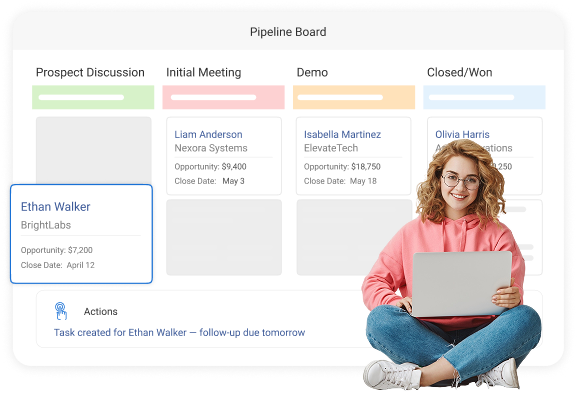
Visualize and analyze your sales pipeline to identify trends and opportunities.
Utilize customizable templates for efficient report creation.
Enjoy a user-friendly interface for easy report customization.
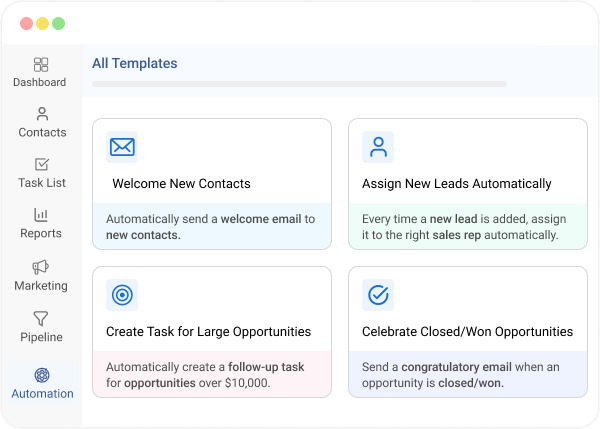
Set up triggers to automate tasks, workflows, reminders, and more.
Automate report generation and delivery to stay on top of your data.
Monitor individual or team performance with detailed analytics.
Implementing BIGContacts significantly improved our property management processes. It provided a centralized location for all property-related data. We can quickly access historical information of any condo unit, no matter how many times the owner has changed.

General Manager
We chose to use ProProfs BIGContacts as our CRM because it allows us to import contacts on our own, eliminating the need to rely on a third party for this task. This has dramatically reduced the delay in contacting individuals who attended our presentations.

Manager
BIGContacts' impact has been transformative. My work is now efficient, organized, and collaborative. Information is readily accessible, collaboration is seamless, and remote work feels empowered. We're even better equipped to support our growth plans thanks to the platform's scalability.

Strategic Accounts
BIGContacts has been the easiest CRM for me to work with. The interface is clean, the layout feels natural, and the dashboard brings everything together in one place. It makes staying organized much simpler for my day-to-day work.

Chief Executive Officer
In simple terms, what is workflow automation in CRM? It’s when your CRM automatically runs routine actions based on rules you set, like creating follow-up tasks, updating deal stages, sending reminders, or logging emails when something changes in your pipeline. This keeps your process consistent and prevents missed next steps.
Workflow automation makes your CRM actually usable day to day. It automatically logs activity, sets follow-up reminders, routes leads, updates stages, and keeps notes organized. So you miss fewer opportunities and spend more time on real conversations.
A common example is: when a new lead fills a form, the CRM creates the contact, tags the source, assigns an owner, and schedules a “next call” task. That is great for home services and partnerships.
Start with the “leaks”: speed-to-lead follow-ups, “next call” reminders, proposal sent follow-ups, and lead routing. These are small setups that quickly reduce forgotten tasks and keep your pipeline moving.
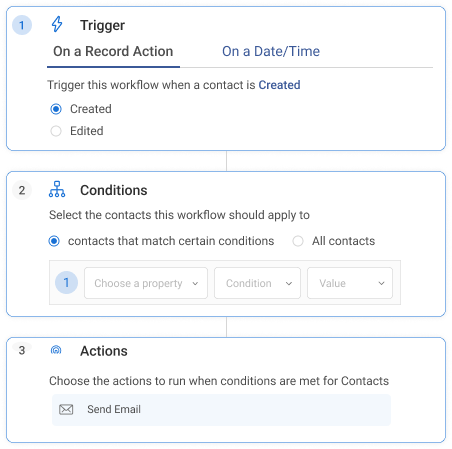
A trigger starts the workflow, like “deal moved to Proposal” or “no reply in 2 days.” Conditions narrow it down, like location, tag, or lead type. Then actions run, like emails, tasks, or updates.
Use short templates with merge fields, send fewer but smarter messages, and time them to real behavior like “opened” or “clicked.” Many CRMs, including BigContacts, support scheduled sends and personalization so it still feels human.
Automation can tag contacts, fill custom fields, and add them to dynamic lists based on conditions like industry, location, partner type, or engagement. This makes it easier to target the right people without manual sorting.
Often, yes. Many CRMs integrate with Gmail or Outlook so meetings, follow-ups, and email history stay connected to each contact. If you rely on reminders, calendar sync is one of the highest-impact automations.
The big ones are over-automating too early, unclear ownership, messy data, and duplicate rules that trigger twice. Start small, name workflows clearly, add guardrails, and review quarterly so automation supports your process.
Track simple outcomes: response time, follow-up completion rate, stage conversion, and deals won versus stalled. Also watch workflow “error” or “drop-off” rates so you can fix rules that are firing too often.